00196351-04_UM_ACT_de_en.pdf - 第144页
ACT - Accurac y Check T ool / User Manual 07/2014 Edit ion 70 ► Click the Zur normalen Produktion zurück k ehren ( Return t o regul ar prod uction) butt on (1) in the next window. Figure 4- 52 : Returning to regular prod…
ACT - Accuracy Check Tool / User Manual 07/2014 Edition
69
The board is unloaded from the station.
If one or more stations are positioned behind it, for which there is no specification for components
to be placed, the board is passed through these machines and can then be removed from the last
station of the line.
► Click on the
button, to switch to the Service view.
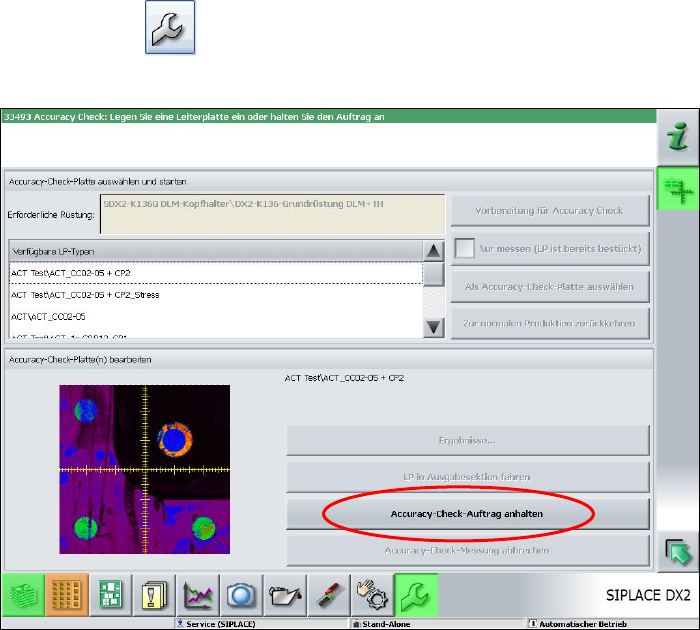
► Click on the Accuracy-Check-Auftrag anhalten (Stop Accuracy Check job) button.
Figure 4-51: Stop Accuracy Check job
ACT - Accuracy Check Tool / User Manual 07/2014 Edition
70
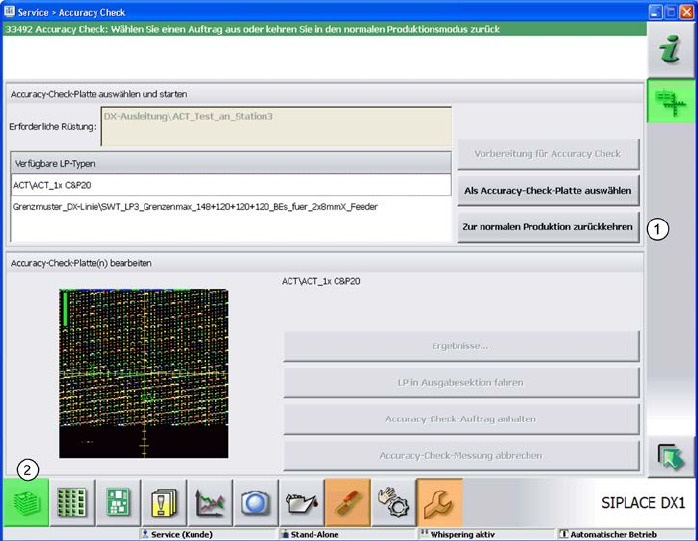
► Click the Zur normalen Produktion zurückkehren (Return to regular production) button (1) in
the next window.
Figure 4-52: Returning to regular production
► Click on the button to the left at the bottom (2) to return to the main view of the GUI.
ACT - Accuracy Check Tool / User Manual 07/2014 Edition
71
5 Appendix
5.1 Installing the ACT on Stations with Station Software 605.xx
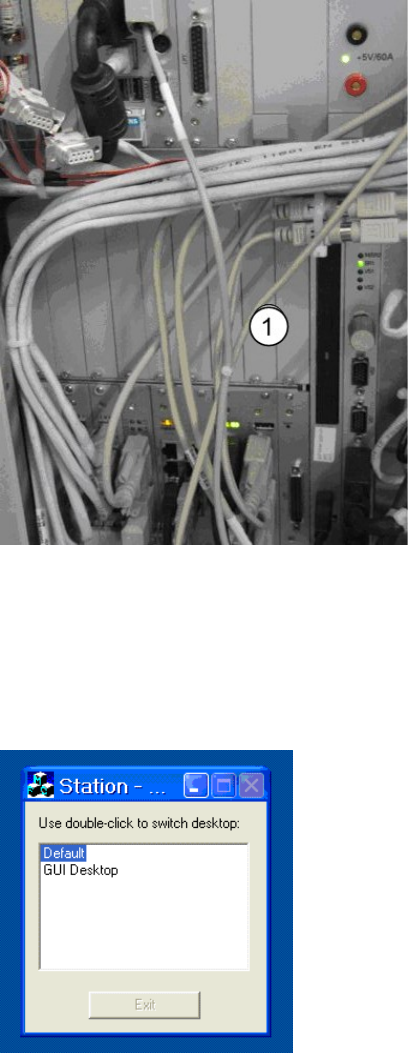
► Place the CD provided with the package in the machine drive.
Figure 5-1: CD drive on the station
Key:
(1) Station CD drive.
► Switch to the operating system (Default).
Figure 5-2: Default view on the station