00198150-02_SM_TX_en.pdf - 第224页
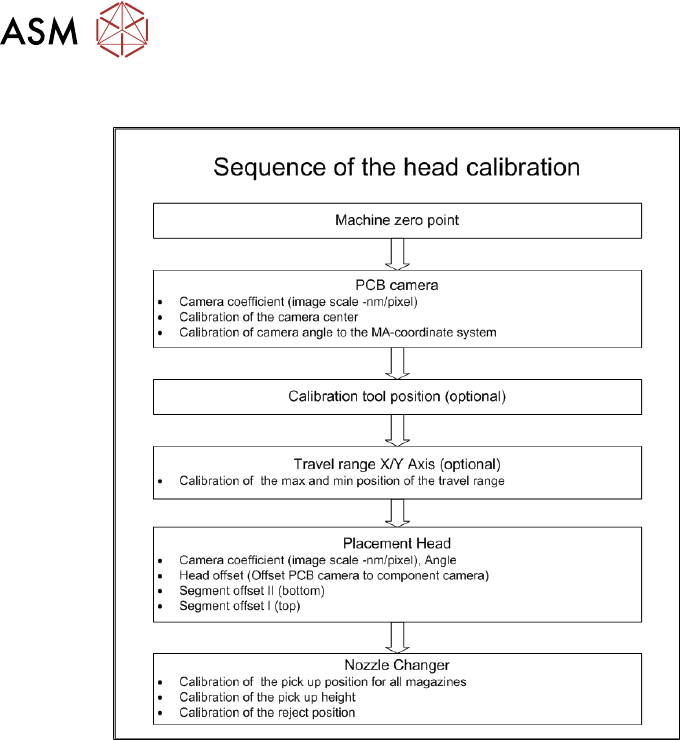
8 Placement Heads and Stationary Cameras 8.7 Calibration 224 Service Manual SIPLACE TX Series 06/2017 8.7.2 Calibration Procedure Fig.305: C&P calibration procedure
8 Placement Heads and Stationary Cameras
8.7 Calibration
Service Manual SIPLACE TX Series 06/2017 223
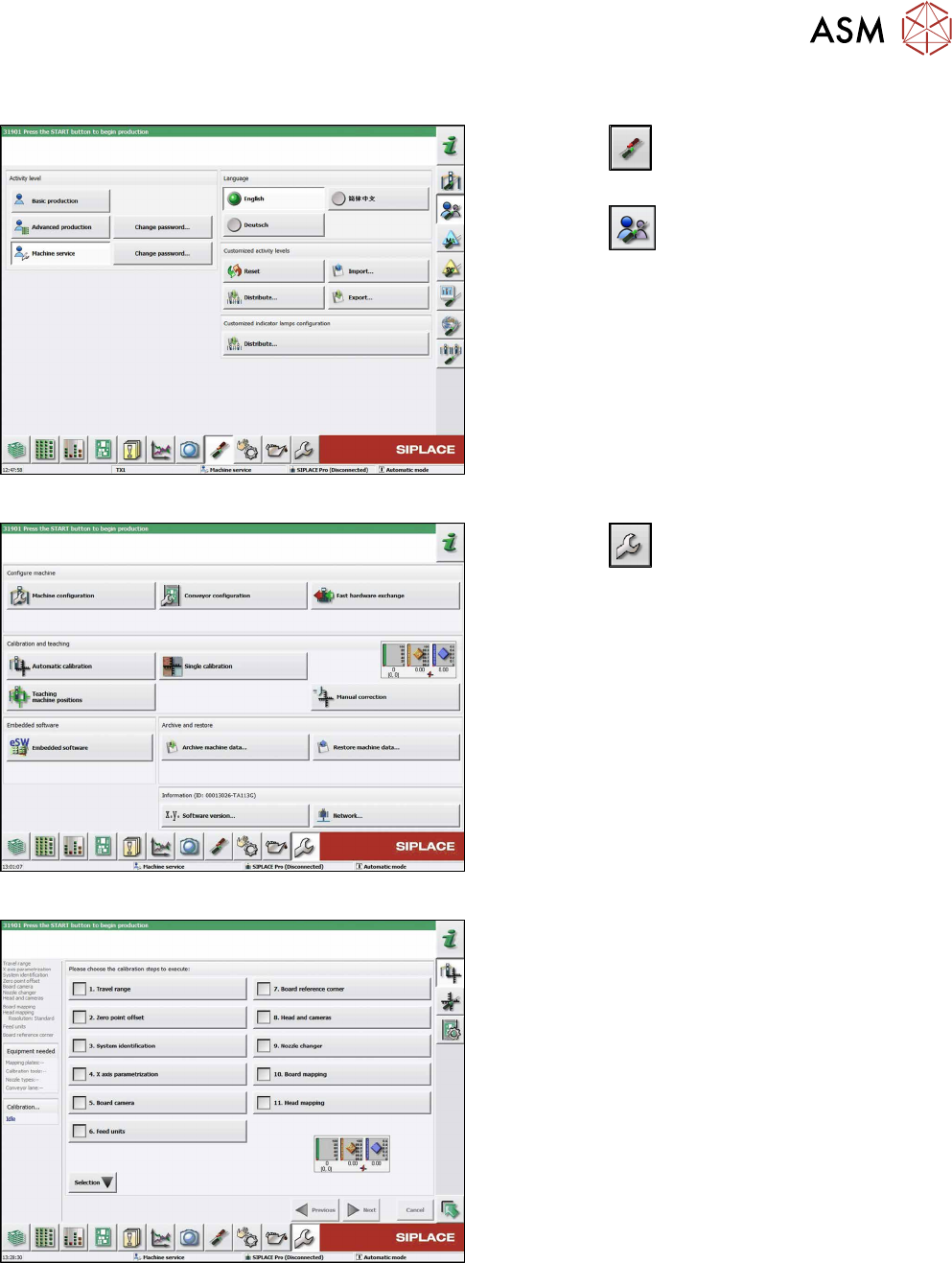
8.7.1 Calibrating the Heads and Cameras (SW70x)
Fig.302: Select operator level
► Click the
button to enter the Settings
menu.
► Click the
button to open the Check and set
user settings menu.
► Switch to operator level Machine service or bet-
ter.
Fig.303: Service Menu
► Click the
button to enter the Service menu.
► Click the Automatic calibration button.
Fig.304: Automatic Calibration
► Select Heads and cameras.
► Click on the Continue button.
Follow the instructions on the next pages:
► On the next page, select the gantries on which
the heads to be calibrated are located and then
click on the Next button.
► The next step is to check the calibration condi-
tions (nozzle, calibration tool etc.). Follow the in-
structions provided.
After this step, calibration will begin. All required inter-
mediate steps (head height etc.) will be performed
automatically.
8 Placement Heads and Stationary Cameras
8.7 Calibration
224 Service Manual SIPLACE TX Series 06/2017
8.7.2 Calibration Procedure
Fig.305: C&P calibration procedure
9 Nozzle Changers and Nozzle Stations
9.1 Nozzle Changers and Nozzle Stations - Overview
Service Manual SIPLACE TX Series 06/2017 225
9 Nozzle Changers and Nozzle Stations
DANGER
Observe User Manual
► Please observe the safety instructions in the user manual for all work!
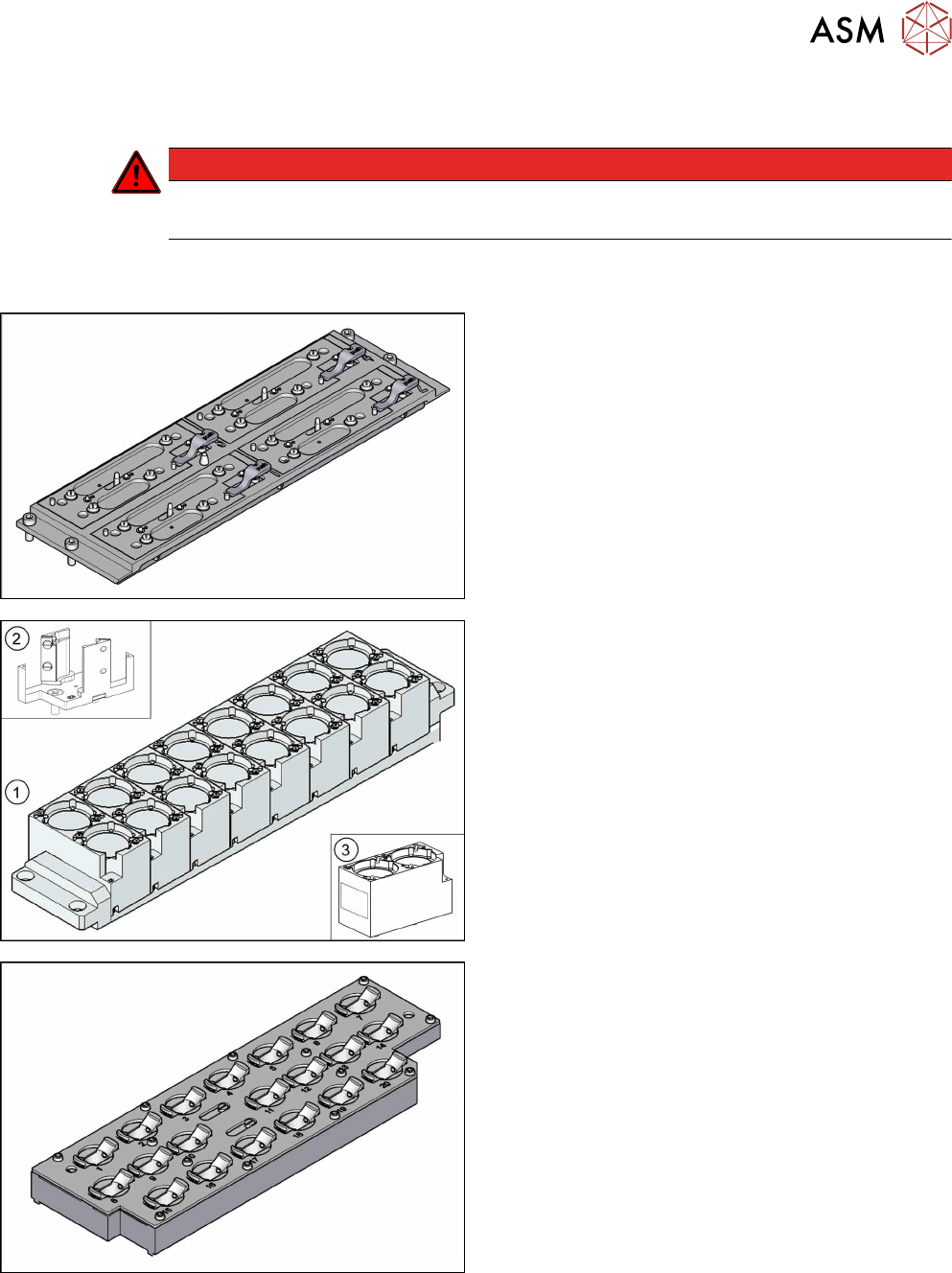
9.1 Nozzle Changers and Nozzle Stations - Overview
Nozzle changer short [03103649‑xx]
1. Nozzle changer TwinStar (Short) [03062452-xx]
with eight magazines for 2 nozzles(3)
2. Magazine for 1 nozzle [03001807-xx]
3. Magazine for 2 nozzles [03005191-xx]
Magazine 20xx [03066107-xx]