00198150-02_SM_TX_en.pdf - 第67页
4 Electrical System and Control 4.3 Replacing the RAM in the BoxPC Service Manual SIPLACE TX Series 06/2017 67 4.3 Replacing the RAM in the BoxPC Parts, equipment and tools NOTICE Memory extension The Windows 7/8 operati…
4 Electrical System and Control
4.2 Replacing the Control Computer BoxPC
66 Service Manual SIPLACE TX Series 06/2017
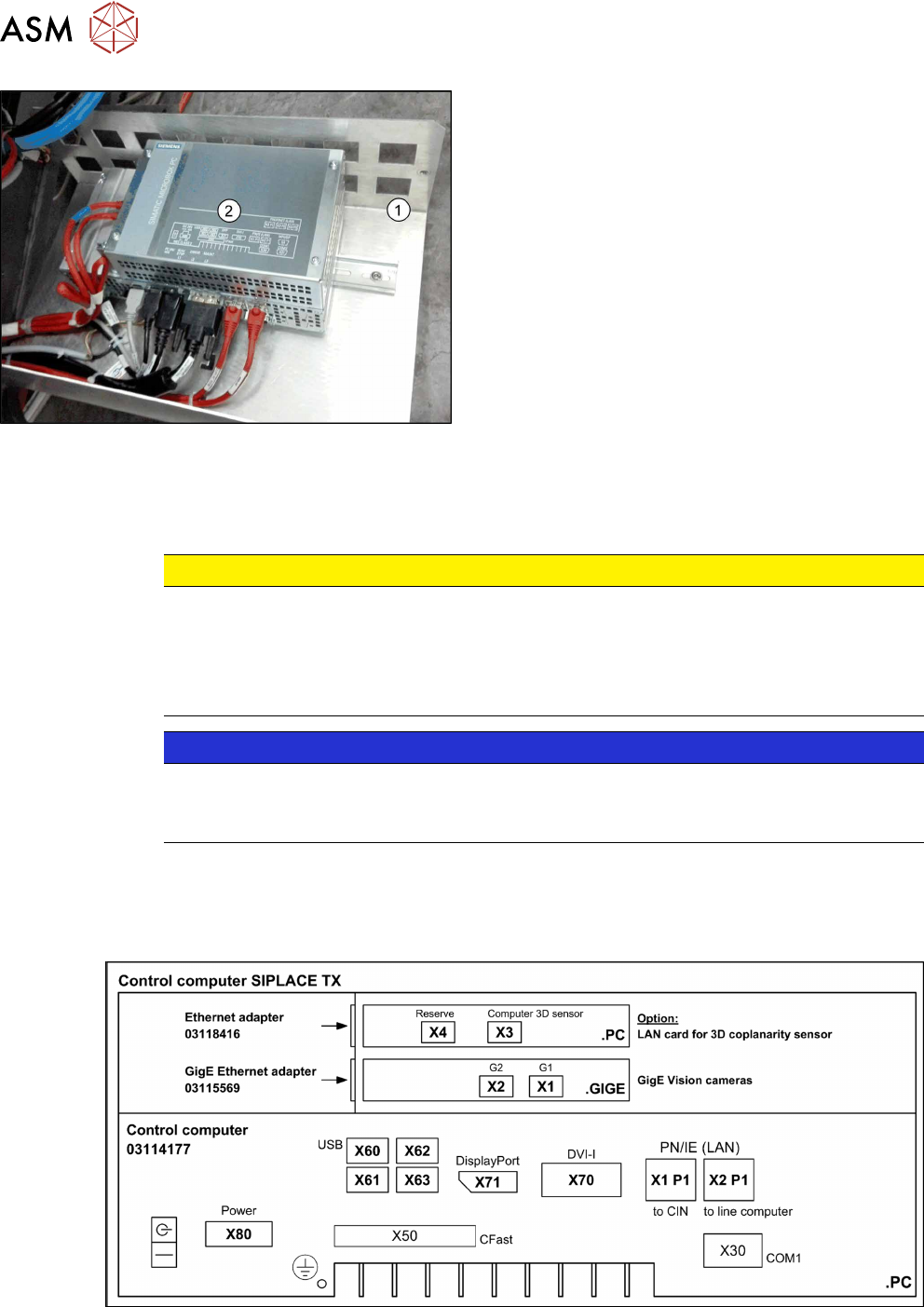
Fig.70: BoxPC on support frame
► Move the support frame(1) with the BoxPC(2)
out of the machine.
► Unplug all press-fit connections to the BoxPC.
You may want to mark their positions to make
clear assignment easier later on.
See also: Overview of Connections for BoxPC
427D
► Remove the BoxPC from the support frame.
Installation
► Follow the removal instructions in reverse order for installation. Also observe the following in-
structions:
CAUTION
Installation instructions
► If parts are missing in the new BoxPC (e.g. ethernet adapter, memory extension), take
these from the old BoxPC and use them in the new one (see corresponding chapters).
► The BoxPC needs to be installed and configured after it has been built in (see the fol-
lowing note).
NOTICE
Installing the BoxPC
► The BoxPC needs to be installed after it has been fitted. Read the installation guide
"Windows Embedded Standard 7" [00197366-xx].
See also
2 Replacing the Waste Tape Chute [03125182-xx] [}251]
4.2.2 Overview of Connections for BoxPC 427D
Fig.71: BoxPC 427D
4 Electrical System and Control
4.3 Replacing the RAM in the BoxPC
Service Manual SIPLACE TX Series 06/2017 67
4.3 Replacing the RAM in the BoxPC
Parts, equipment and tools
NOTICE
Memory extension
The Windows 7/8 operating system requires 2GB of RAM.
PC type RAM module
BoxPC 427D [03114177Sxx] 4 GB DDR 1333Mhz PC3-10600 SO-DIMM
Overview
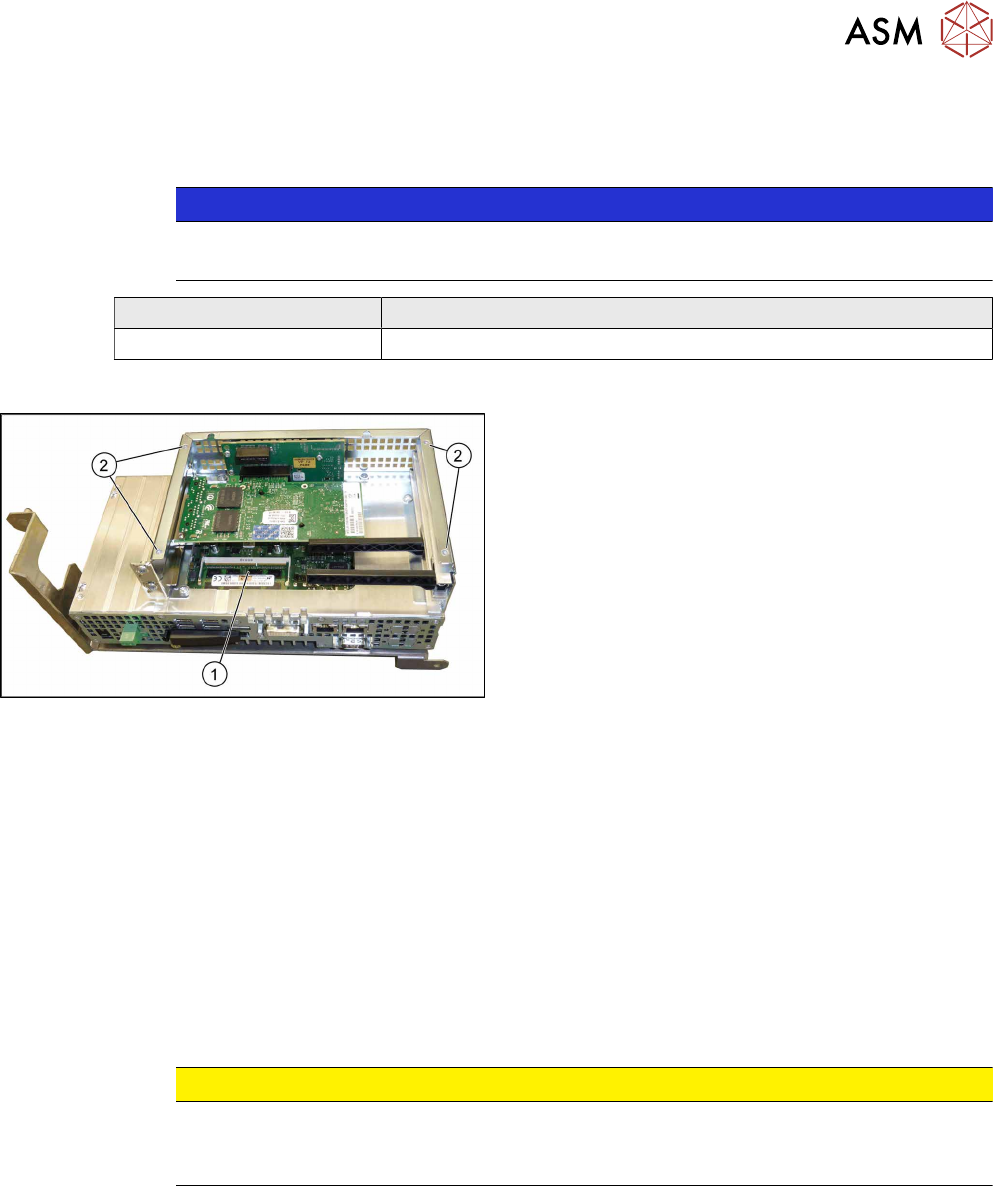
Fig.72: BoxPC 427D
1. Memory extension
2. Four fastening screws for the cover
Removal
► Switch off the machine, disconnect it from the power supply and secure it to prevent
unauthorized reactivation. Observe the instructions in section 1.2 "Preparatory Work..." [}15].
► Dismantle and remove the BoxPC from the machine.
Replacing the Control Computer BoxPC [}64]
► Remove the screws fastening the cover of the BoxPC and open the cover.
► Open the locks on both sides of the memory extension and remove the memory extension.
Installation
► Follow the removal instructions in reverse order for installation. Also observe the following in-
structions:
CAUTION
Installation instructions
► Make sure that you insert the memory extension the right way round. The new
memory extension must audibly engage into its slot.
See also
2 Replacing the Control Computer BoxPC [}64]
4 Electrical System and Control
4.4 Replacing the GigE Ethernet Adapter
68 Service Manual SIPLACE TX Series 06/2017
4.4 Replacing the GigE Ethernet Adapter
Parts, equipment and tools
●
GigE-Ethernet-Adapter PCI-E I350 T2 V2 BLK [03115569‑xx]
Overview
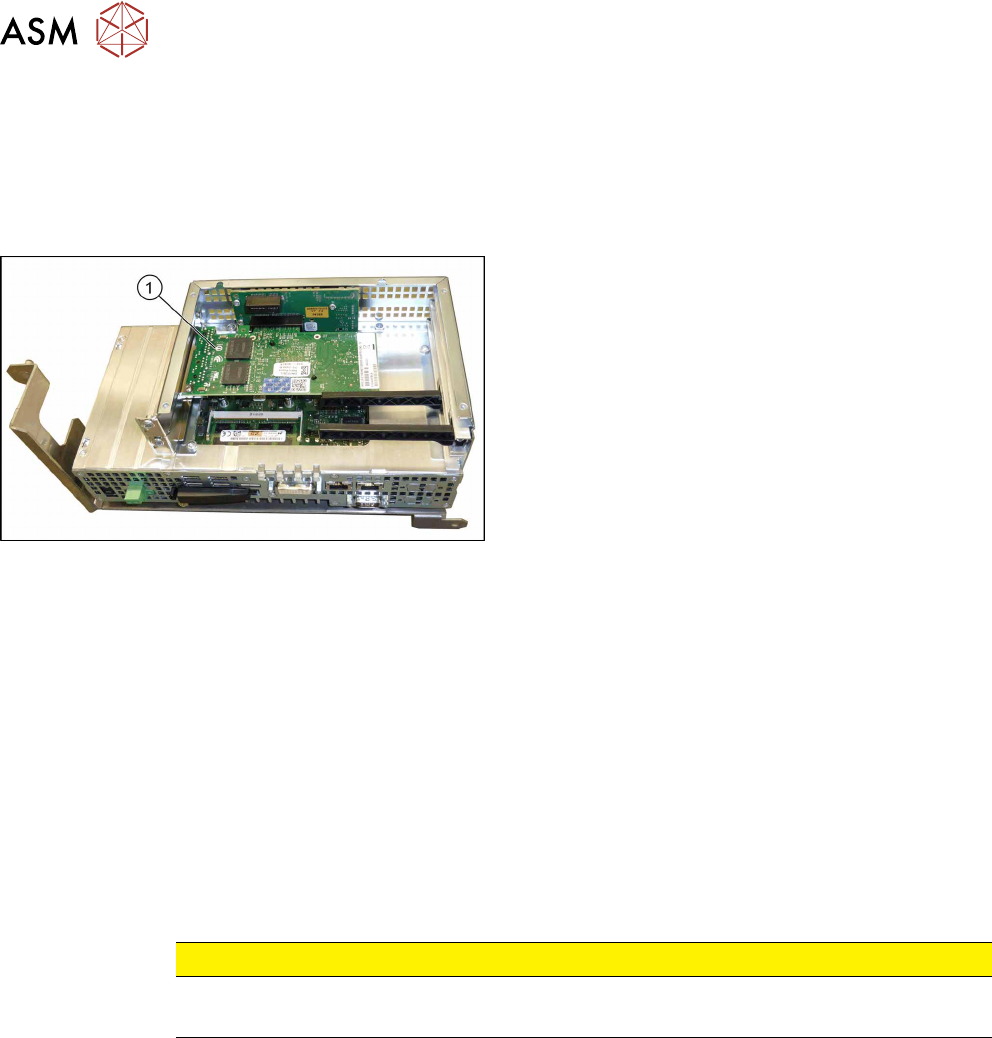
Fig.73: GigE Ethernet adapter in the BoxPC 427D
1. GigE ethernet adapter
Removal
The ethernet adapter is fitted in the BoxPC.
► Switch off the machine, disconnect it from the power supply and secure it to prevent
unauthorized reactivation. Observe the instructions in section 1.2 "Preparatory Work..." [}15].
► Dismantle and remove the BoxPC from the machine.
Replacing the Control Computer BoxPC [}64]
► Remove the screws fastening the cover of the BoxPC and open the cover.
► Remove the screw fastening the Ethernet adapter and remove the Ethernet adapter.
Installation
► Follow the removal instructions in reverse order for installation. Also observe the following in-
structions:
CAUTION
Installation Instructions
► Make sure that the plug-in card is correctly fitted into its slot.
See also
2 Replacing the Control Computer BoxPC [}64]