00198150-02_SM_TX_en.pdf - 第46页
3 SMPS 3.5 MGCUs 46 Service Manual SIPLACE TX Series 06/2017 Installation ► Follow the removal instructions in reverse order for installation. Also observe the following in- structions: CAUTION Installation instructions …
3 SMPS
3.5 MGCUs
Service Manual SIPLACE TX Series 06/2017 45
3.5.2 Replacing MGCU [03117531Sxx]
Parts, equipment and tools
●
Position controller gantry axes MGCU-2 [03117531Sxx]
Overview
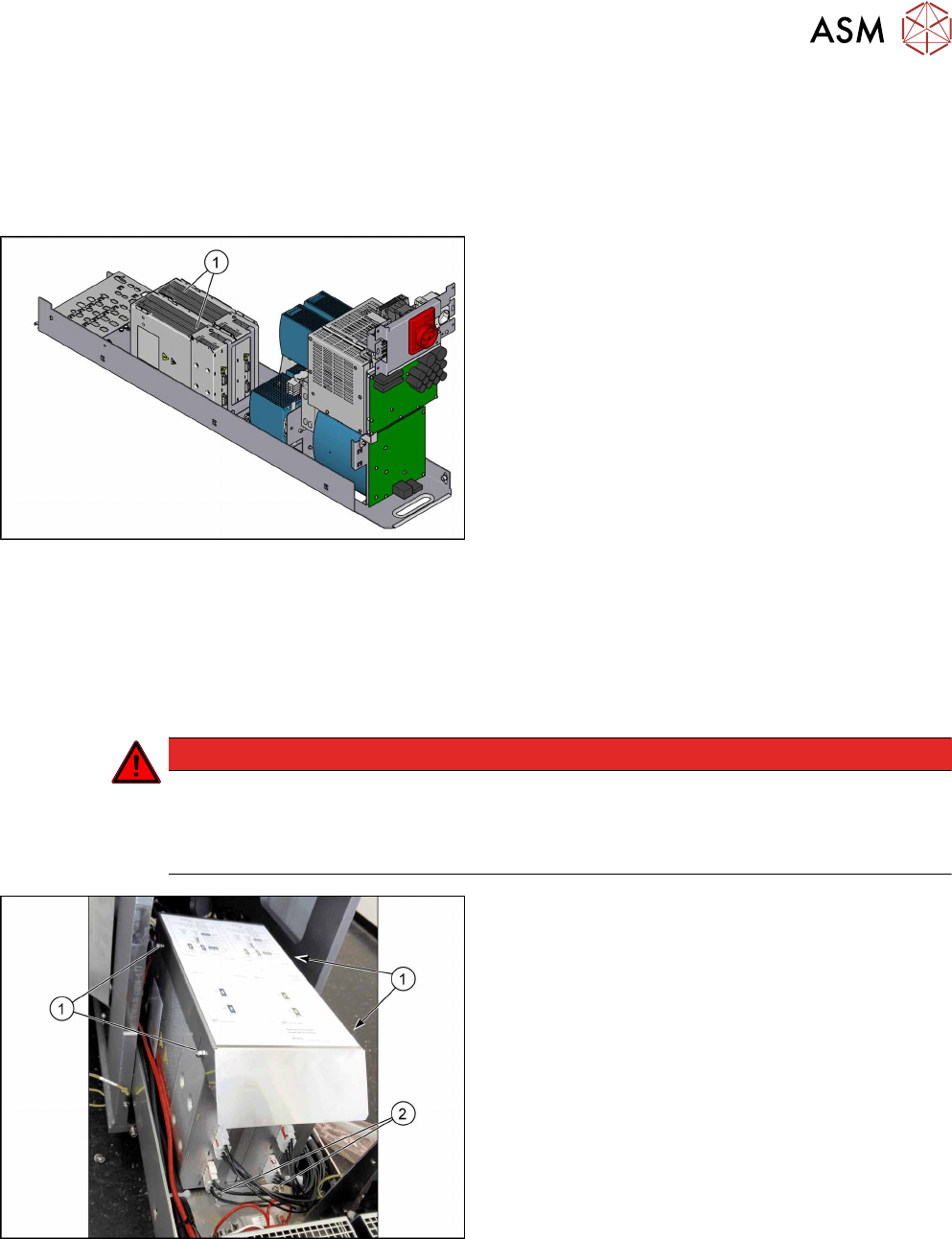
Fig.36: MGCUs
1. MGCUs (without cover air duct blade)
Pay attention to the label colors in the covers and on
the connection cable:
Green is for gantry 1
Blue is for gantry 2
Removal
► Switch off the machine, disconnect it from the power supply and secure it to prevent
unauthorized reactivation. Observe the instructions in section 1.2 "Preparatory Work..." [}15].
► Remove the power supply fastening screw and pull out the power supply. For more informa-
tion about this read section 3.2 "Pulling out the Power Supply" [}35].
DANGER
Checking for absence of voltage!
► Before you start working check the power supply for absence of voltage and observe
the waiting times! For more information about this read section 3.4 "Checking For Ab-
sence of Voltage" [}37].
Fig.37: Cover
► Loosen the four nuts(1) fastening the cover (air
duct blade).
► Remove the cover.
► Unplug all connections on the MGCU.
► Remove the two screws(2) fastening the two
MGCUs.
► Remove the MGCU from the machine.
3 SMPS
3.5 MGCUs
46 Service Manual SIPLACE TX Series 06/2017
Installation
► Follow the removal instructions in reverse order for installation. Also observe the following in-
structions:
CAUTION
Installation instructions
► Use the DIP switch to set the gantry ID on the MGCU (see 3.5.1 "Overview of MG-
CUs" [}43]).
► Always make sure that the cables do not rub against any parts or are folded.
► Check the embedded software and perform a download if needed (see 3.5.3 "eSW
Download (SW 70x)" [}46]).
3.5.3 eSW Download (SW 70x)
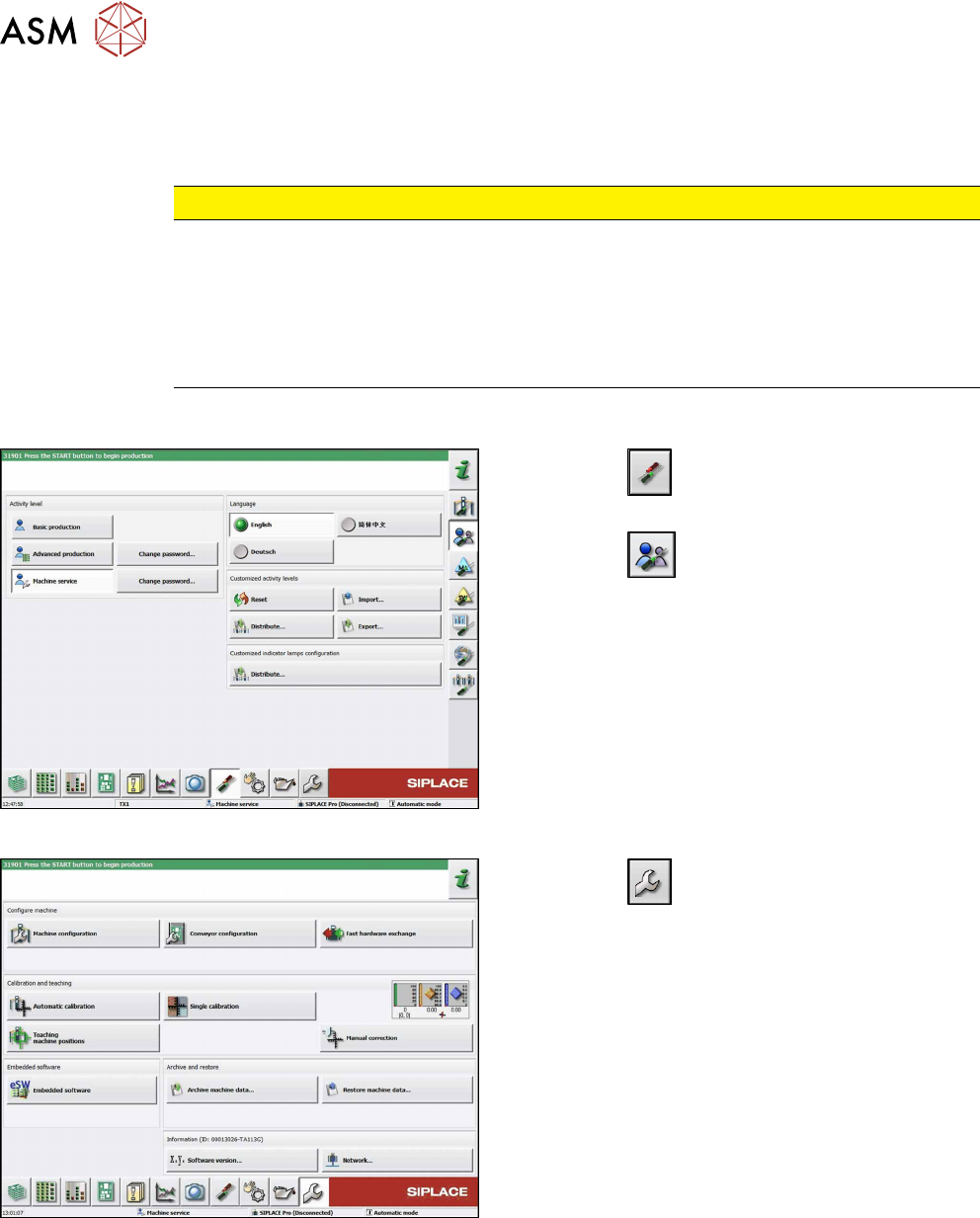
Fig.38: Select operator level
► Click the
button to enter the Settings
menu.
► Click the
button to open the Check and set
user settings menu.
► Switch to operator level Machine service or bet-
ter.
Fig.39: Service menu
► Click the
button to enter the Service menu.
► Click on the Embedded software button.
3 SMPS
3.5 MGCUs
Service Manual SIPLACE TX Series 06/2017 47
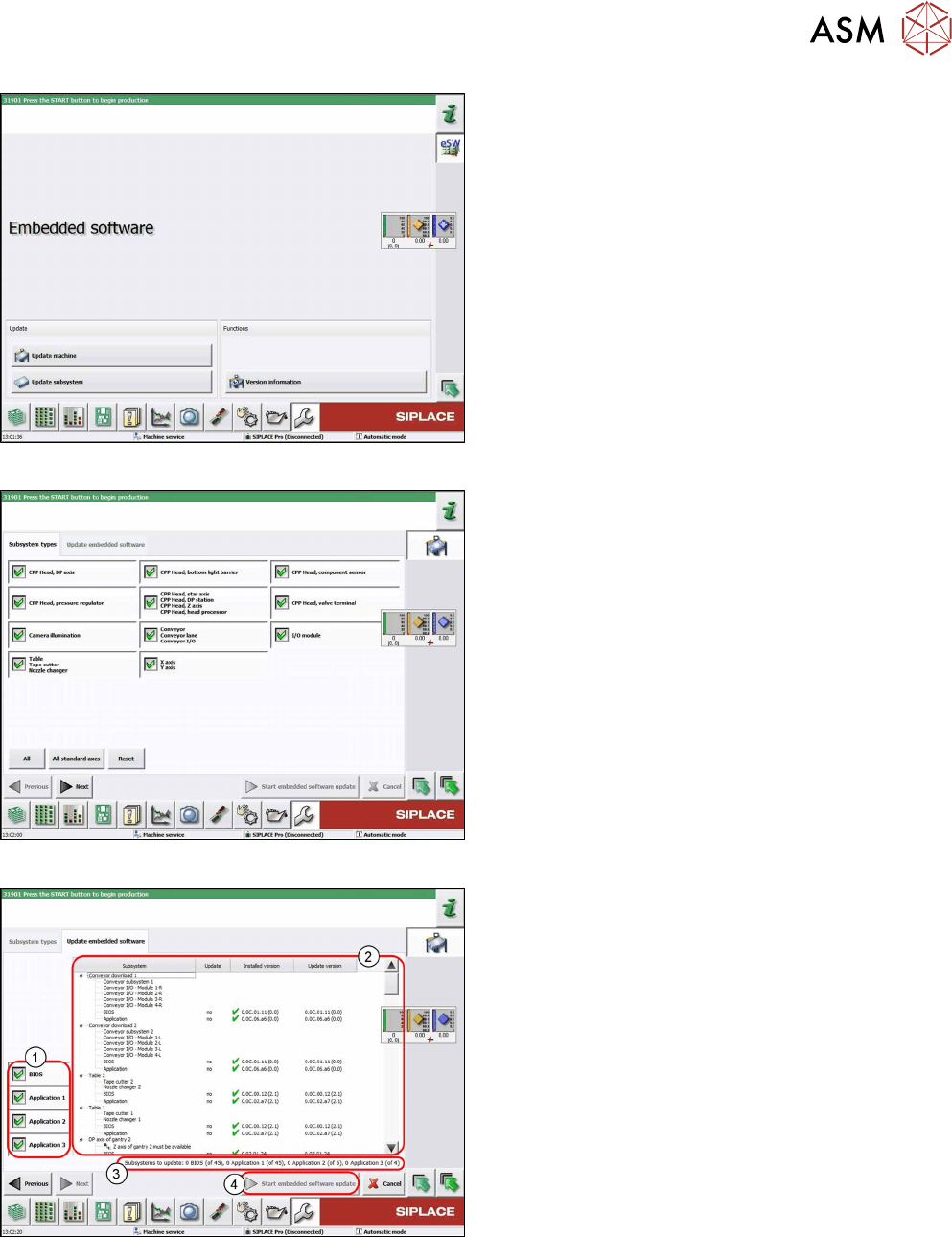
Fig.40: Embedded software menu
Select the required function:
► Click on Update machine… to check the entire
machine and to perform an eSW download for
multiple subsystems (see next picture).
► Click on Update subsystem… to select and
check one subsystem and to perform an eSW
download.
► Click on the button Version information…, to
view all versions of the subsystems, BIOS, ap-
plication 1/2/3/5.
Fig.41: Select subsystem
► Select the subsystem for the eSW download.
► Click on the Continue button.
Fig.42: Update machine menu
1. Selection buttons:
BIOS
Application 1
Application 2
Application 3
2. Shows the status of the individual subsystems
3. Update information
This shows you the number of subsystems which
still need to be downloaded.
4. Starts the download