00198150-02_SM_TX_en.pdf - 第52页
3 SMPS 3.7 Replacing the Capacitor Battery Buffer Module [03103081-xx] 52 Service Manual SIPLACE TX Series 06/2017 3.7 Replacing the Capacitor Battery Buffer Module [03103081-xx] Parts, equipment and tools ● Capacitor ba…
3 SMPS
3.6 Replacing the CSB (Contactor Safety Breaker) or the CSB Cover
Service Manual SIPLACE TX Series 06/2017 51
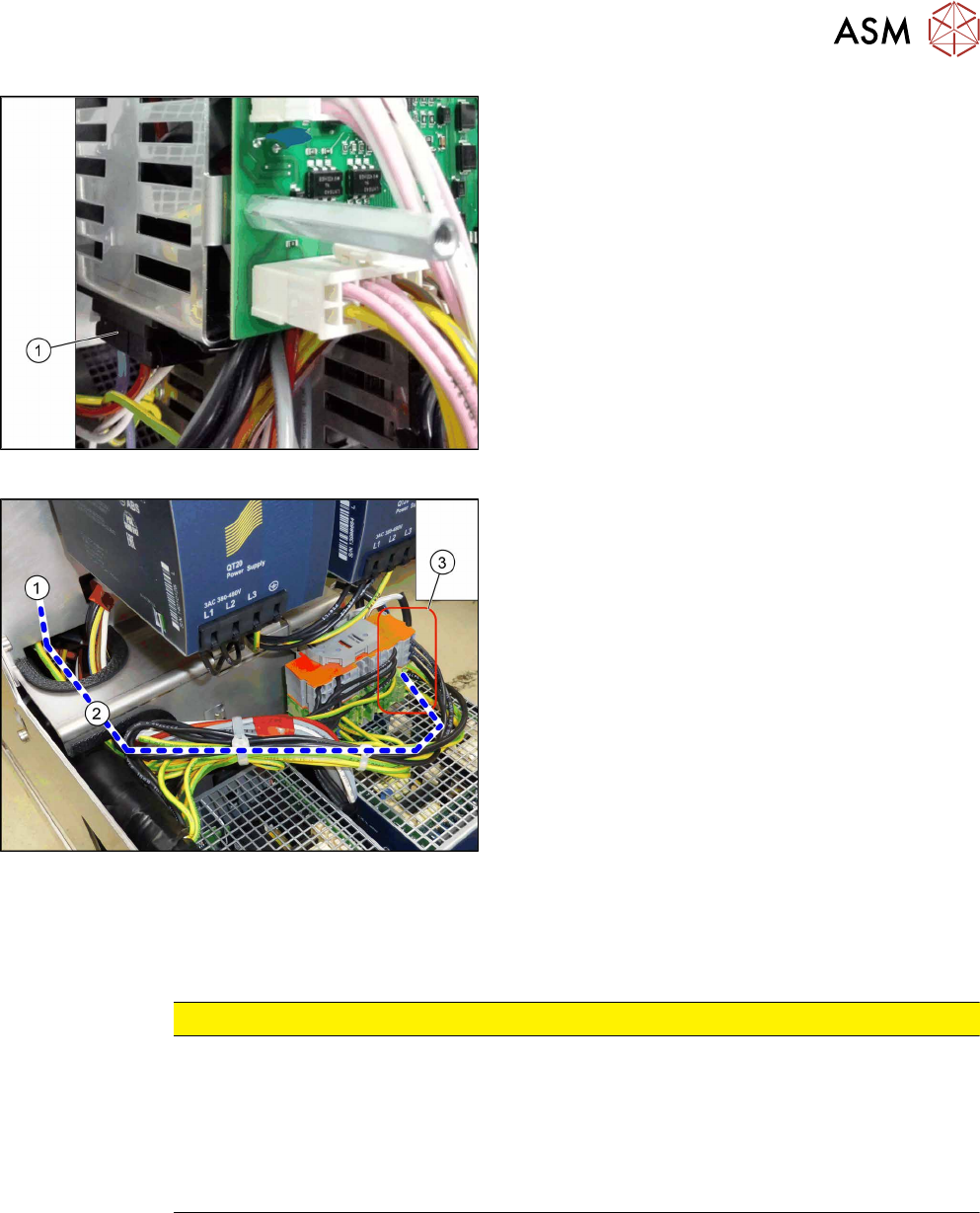
Fig.47: Unplugging the electrical connections underneath
► Unplug the electrical connections between the
CSB and the capacitor battery(1) (on the under-
side of the CSB).
► Carefully lift off the CSB.
The CSB is still connected to the SMPS by the
grounding cable.
Fig.48: Cables
► Disconnect the yellow-green cable(2) from the
connection field(3) and carefully remove the
CSB(1). You may want to mark the position to
make clear assignment easier later on.
Remove cable ties where necessary.
Installation
► Follow the removal instructions in reverse order for installation. Also observe the following in-
structions:
CAUTION
Installation instructions
► Make sure that the cables are run correctly.
► The cables must not be pinched or rub against unprotected edges.
► Make sure that the cables are only run out of the CSB through the two re-
cessesprovided.
► Replace any cables ties where needed.
3 SMPS
3.7 Replacing the Capacitor Battery Buffer Module [03103081-xx]
52 Service Manual SIPLACE TX Series 06/2017
3.7 Replacing the Capacitor Battery Buffer Module
[03103081-xx]
Parts, equipment and tools
●
Capacitor battery PCS417.381 (CAP) [03103081-xx]
Overview
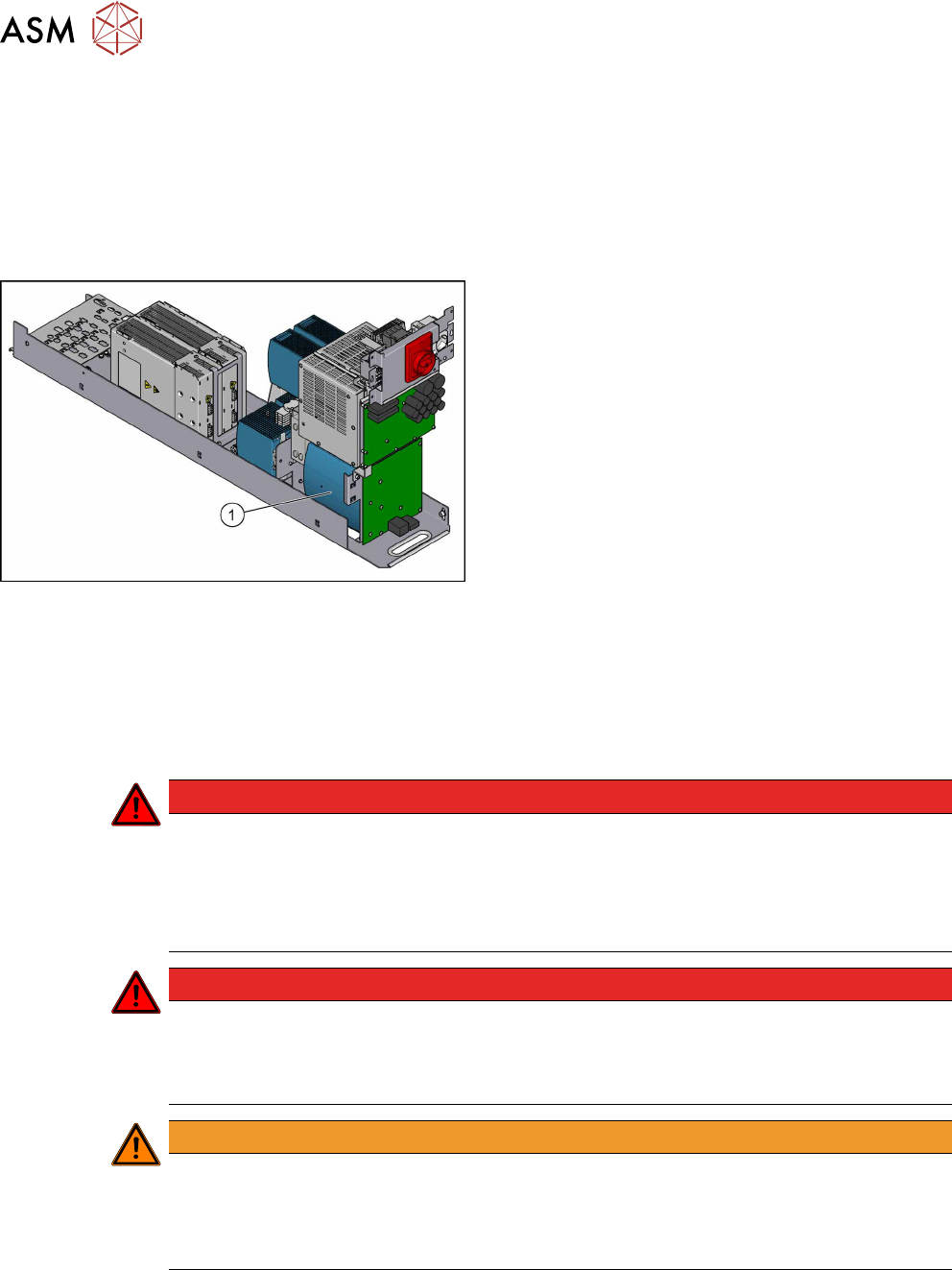
Fig.49: Capacitor battery
1. Capacitor battery
Removal
► Switch off the machine, disconnect it from the power supply and secure it to prevent
unauthorized reactivation. Observe the instructions in section 1.2 "Preparatory Work..." [}15].
► Remove the power supply fastening screw and pull out the power supply. For more informa-
tion about this read section 3.2 "Pulling out the Power Supply" [}35].
DANGER
High voltages
High DC voltages can be present in the capacitor battery.
► Observe the waiting period after power supply switch-off (5 minutes).
► Observe the LED display on the capacitor battery. This will show any residual voltages
still present.
DANGER
Checking for absence of voltage!
► Before you start working check the power supply for absence of voltage and observe
the waiting times! For more information about this read section 3.4 "Checking For Ab-
sence of Voltage" [}37].
WARNING
Carefully pull out the power supply
The power supply is not permanently fixed and can fall out of the machine.
► Pull the power supply out of the machine but not too far.
► If necessary, use suitable support e. g. a wooden beam.
► Remove contactor safety breaker. For more information about this, read section 3.6 "Repla-
cing the CSB (Contactor Safety Breaker) or the CSB Cover" [}49].
3 SMPS
3.8 Replacing the AC/DC Converter
Service Manual SIPLACE TX Series 06/2017 53
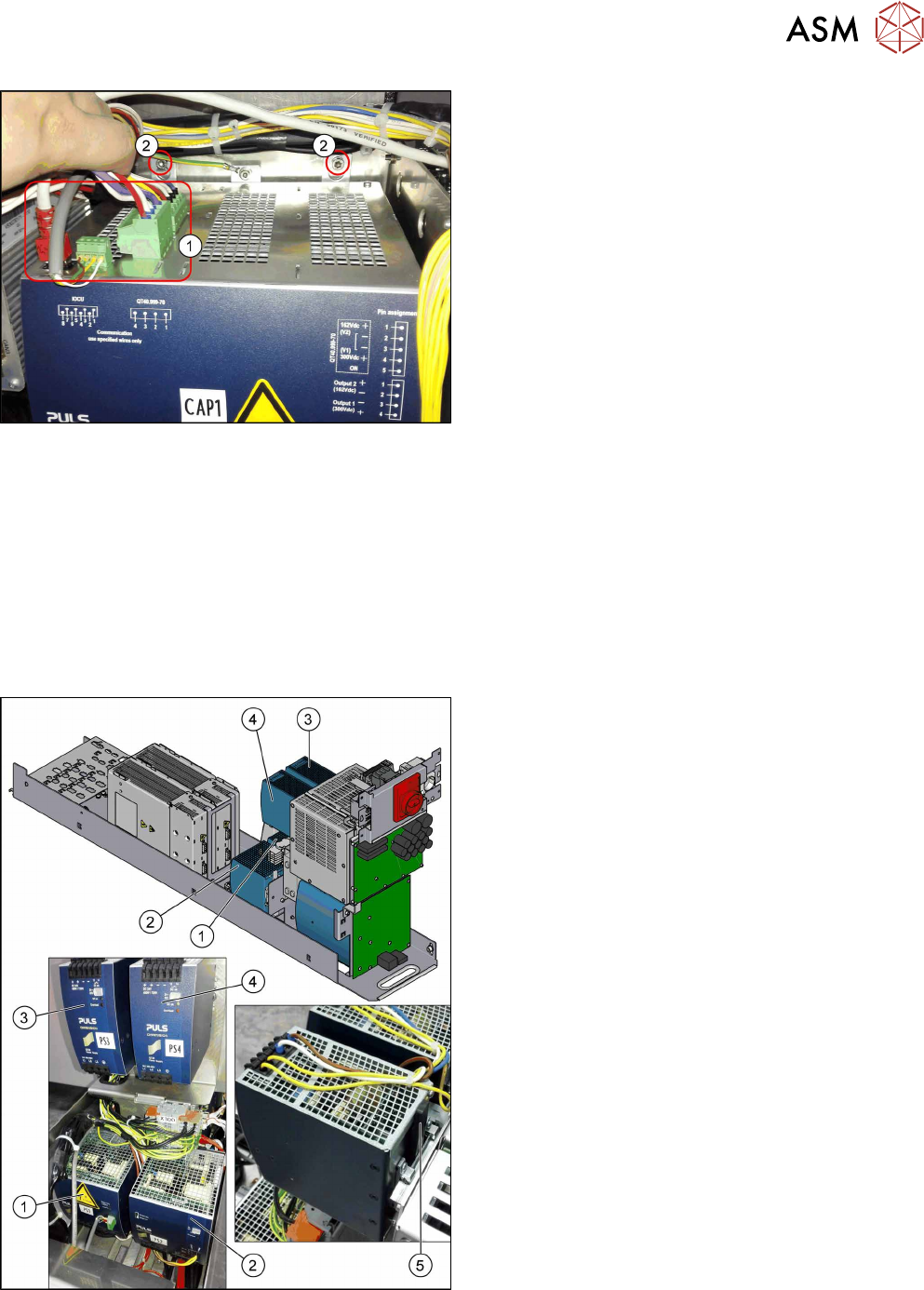
Fig.50: Capacitor battery
► Unplug all electrical connections(1) from the ca-
pacitor battery. Mark their positions to make clear
assignment easier later on.
► Remove the fastening screws(2).
► Lift the capacitor battery off the rail.
Installation
► Follow the removal instructions in reverse order for installation.
3.8 Replacing the AC/DC Converter
Parts, equipment and tools
●
Voltage measuring device
Select the required AC/DC converter:
Fig.51: Overview of the AC/DC converters
1. PS1: AC/DC converter DC300/150 VDC 1.3kW
3phase [03103087‑xx]
→ Set to 300/160 V for MGCU and MHCU
2. PS2: AC/DC converter 36V 26.7A 960W 3 phase
[03103331‑xx]
→ Set to 42 V for MHCU, conveyor system, illu-
mination
3. PS3: AC/DC converter DC24V/40A 3 phase
[03102840‑xx]
→ Set to 28 V for FCU
4. PS4: AC/DC converter DC24V/20A 3 phase
[03055232‑xx]
→ Set to 24 V for power fail, safety circuit SSK,
tape cutter, PCB handling
The power fail signal is generated by the AC/DC
converter A5 and sent to the MGCU and MHCU.
5. Unlock handle