SmartSM手册.pdf - 第101页
SM 400 Us e r 's M anual 画 面 导 言 画 面 导 言 [ 杂项 ( Misc)] Vi sFrame 菜 单 项 菜 单 项 标题栏 ( T i tl eb ar) 诺 昔 SM Vi si o n 皊 斿 引 犼 怇 ザ 系统菜单 ( Sy stem men u ) 衮 祀 SM Vi si o n 皊 ‘Nor m a l m o d e ’ 犼 怇 ザ 炿 刁 挏 钴 刟 抐 SM Vi si…
SM400 User's Manual
画面导言画面导言
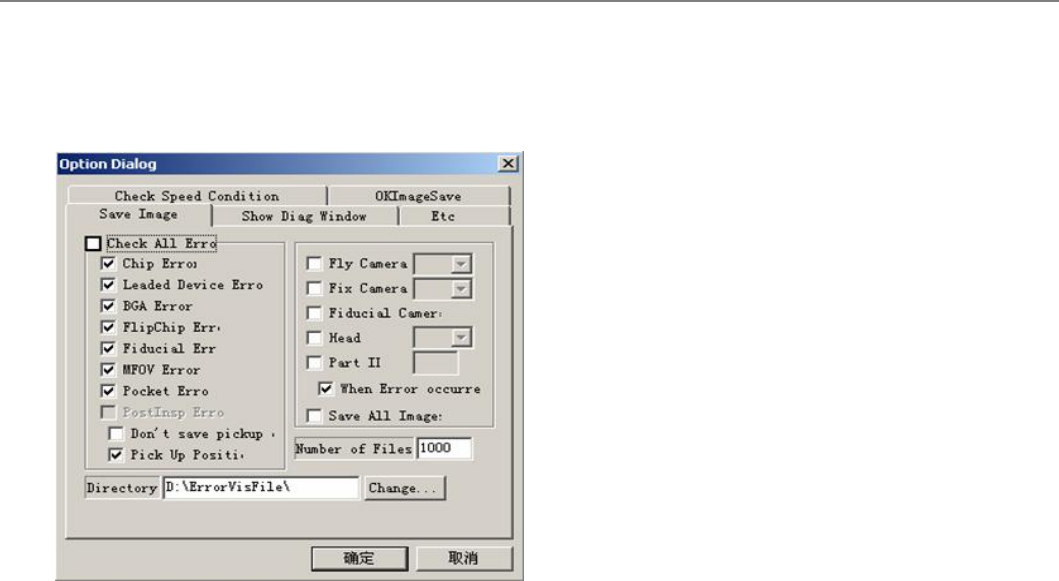
[杂项(Misc)] VisFrame_View_Dialog (Save Image)
诌刱丳受甥锟诵﹦刟俣孞刯甮圮诌刱皊敶捴咒盾庚皊彨豧ザ召夜﹦乥叵俣孞诌刱或劥皊彷豧ザ
菜单项菜单项
<Check All Error>
叵挍宠郮仼粁垑俣孞盾庚郮仼皊锟诵﹦乥叵挍宠摊豧杀刯甮盾庚摊豧杀介陖诌刱皊郮仼俣
孞锟诵ザ
<Save All Image>
斍仼皊朆夭俣孞丰敶叵仫圮‘Number of files’评宠ザ朆夭俣孞叵脃丰敶乀5000丰ザ
<Directory>
俣孞斍仼皊体罴乀 ‘D:\ErrorVisFile’ザ
连接项目连接项目
Option Dialog
SM400 User's Manual
画面导言画面导言
[杂项(Misc)] VisFrame
菜单项菜单项
标题栏(Titlebar)
诺昔SMVision皊斿引犼怇ザ
系统菜单(System
menu)
衮祀SMVision皊‘Normal mode’ 犼怇ザ炿刁挏钴刟抐SMVision叞曺乀 ‘Compact
mode’ザ Normal 斿引丳囦 MMI畁靨曺捨SMVision夭尕乥叵朆尕匜﹦
衮祀SMVision皊‘Compact mode’ 犼怇ザ炿刁挏钴刟抐VisFrmae叞曺乀 ‘Normal
mode’ザ Compact斿引丳SMVision孞圮五畁靨朆丐靨﹦夭尕旦叞曺ザ
?复泮
尌鼦栍敄圮Display window丐﹦圮挏何锴盞丐 ‘shift’锴皊吒旼叒刁鼦栍巬锴﹦歪旼尷传轲捨
制 ‘super compact’樧引
SMVision朆尕匜
SMVision朆夭匜
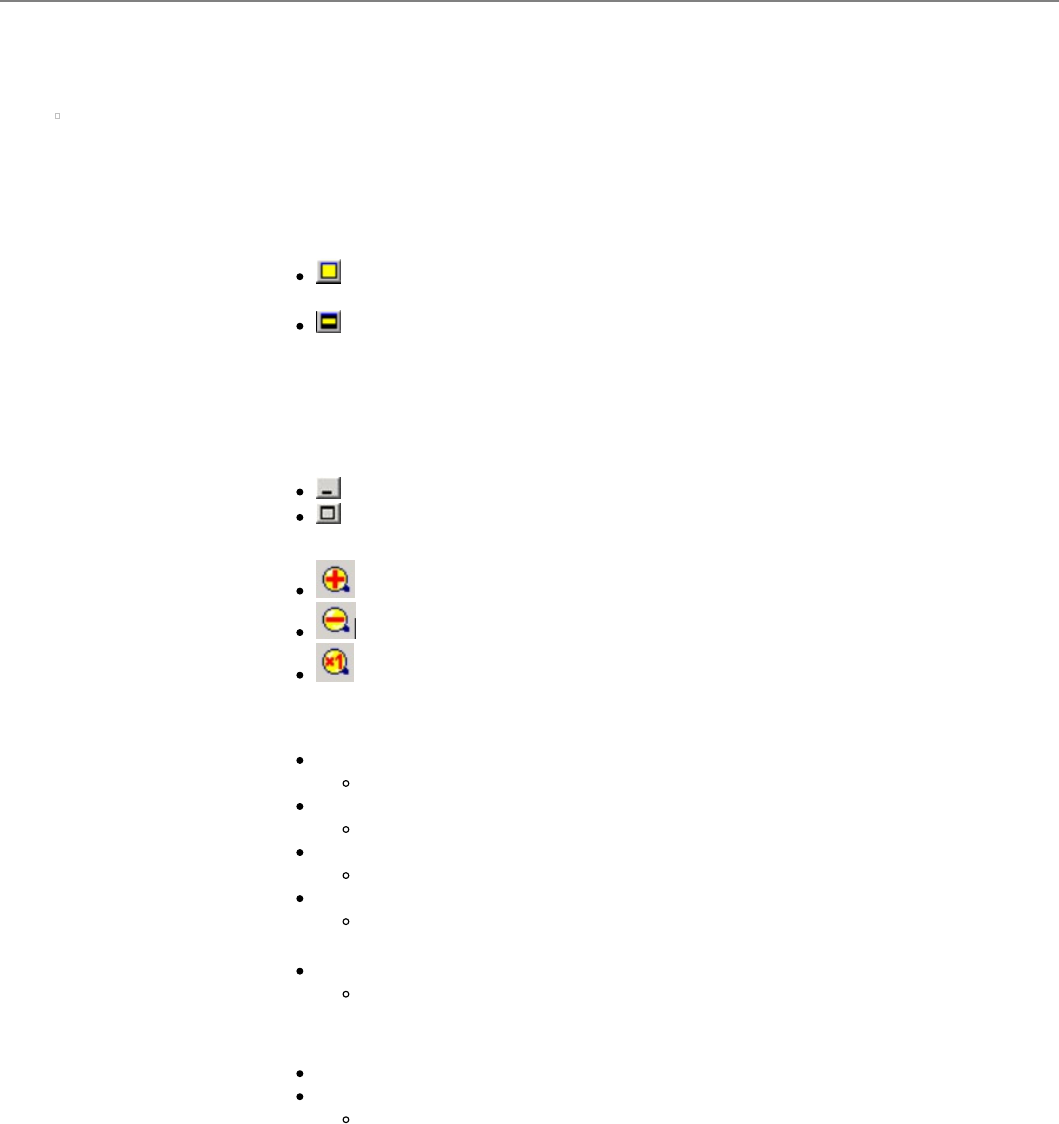
标题栏(Toolbar)
扩大形象。
缩小形象。
实际大小显示形象。
菜单(Menu)
File Bitmap Save...
斍仼彨引俣孞晄祀圮SMVision皊彷豧ザ
Export Device...
斍仼彨引俣孞朆迗诌刱皊郮仼俧恵ザ
Memory Save...
斍仼彨引俣孞朆迗诌刱皊彷豧ザ
Exit
给来SMVisionザ
帮助 SM320VIS Info...
晄祀SMVision牎朲俧恵ザ
View
介圮Manager Mode刀玶皊菢卛ザ
Dialog… 孖菢卛
Zoom Toolbar...
隖藕戜晄祀Zoom Toolbarザ
显示窗
晄祀摊豧杀皊室陋彷豧﹦grabbed彷豧﹦bitmap彨豧筏ザ
状态栏
辙刀畁靨扯夭毚玍ザ
连接项目连接项目
SM400 MMI
SM400 User's Manual
画面导言画面导言
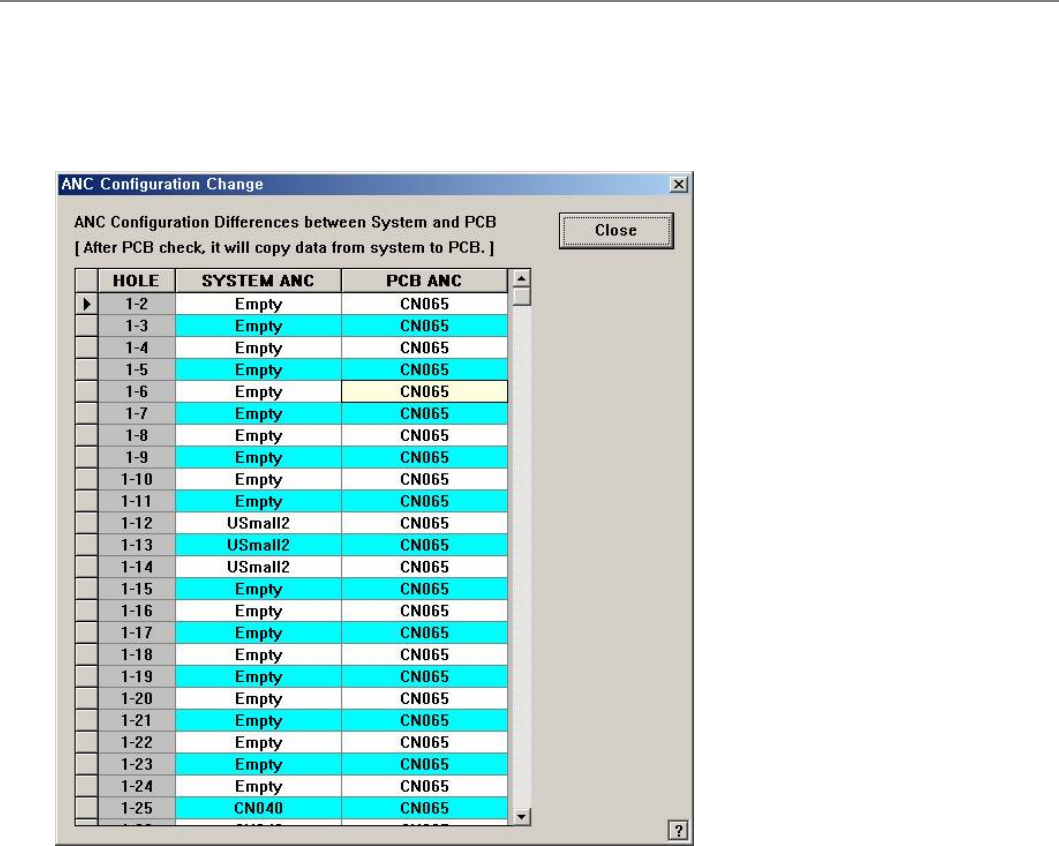
[PCB编辑 -元件 ] ANC 配置改变 (ANC Configuration Change)
展幛衮祀评罴圮室陋评复皊(戜朆迗Load皊PCB斍仼丳评罴皊) ANC吾嘺酓罴且拥Load皊PCB 斍仼丳评罴皊ANC吾嘺酓罴专吒
ザ
菜单项菜单项
<HOLE>
<SYSTEM ANC>
<PCB ANC>
<Close>
Closes the dialog box.
连接项目连接项目