SmartSM手册.pdf - 第279页
SM 400 Us e r 's M anual 画 面 导 言 画 面 导 言 [ 系统设定 ] 搜索区 (Search Area) C l i ck on t h e bu tt on corr e spon d in g t o t h e i l lu min a t io n f or m a ppi n g, set th e t est area ( Area 1 ~ 4) t o 16 ill u mi n a…
[飤衒盾杀袱透皊惋冻]
[圀宠盾杀袱透皊惋冻]
<转进>
馜兎炿刁歪挏钴透拯覇叓庚给枢皊Map斍仼ザ
仔俣孞乀Mapping给枢皊斍仼丳掫叝Data政叞Light Level偂ザ
忋颁圮透拯<専八兮郮> 栧骒桌皊犼怇丑炿刁<轲迡>挏钴ザ
<更新>
给设备传送变更事项后关闭对话框。
<取消>
忽略变更事项关闭对话框。
连接项目连接项目
SM400 User's Manual
画面导言画面导言
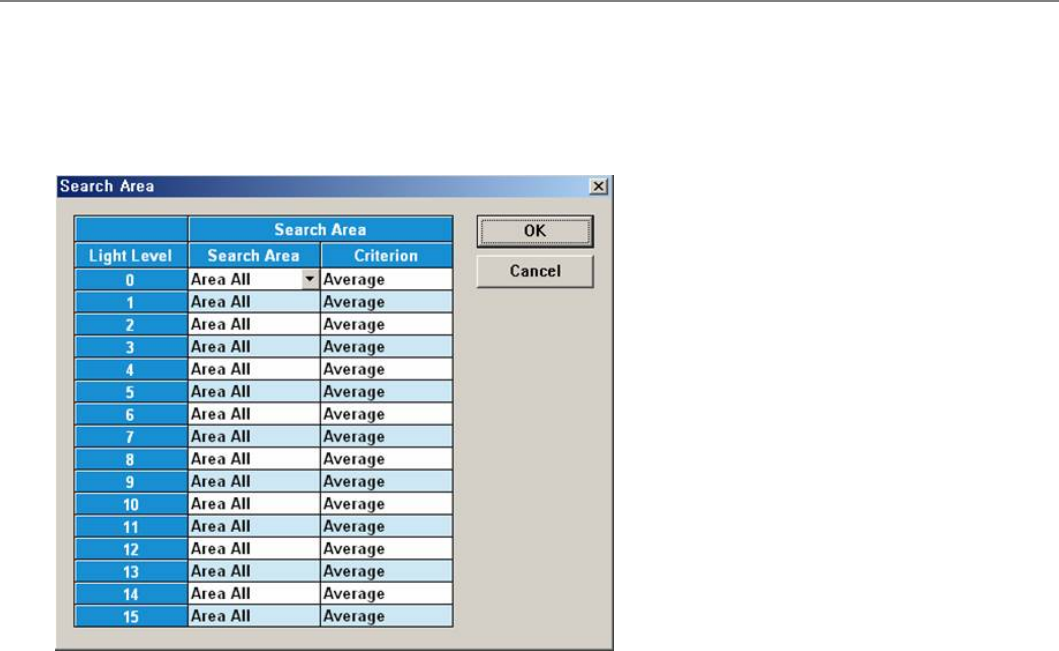
[系统设定] 搜索区 (Search Area)
Click on the button corresponding to the illumination for mapping, set the test area (Area 1 ~ 4) to 16 illumination levels for each
lighting, and setup the average illumination level for each pixel of the test area to the maximum value.
菜单项菜单项
<Light Level>
It indicates 16 grade light level.
<Search Area>
It sets a test area (Area1~Area4).
<Criterion>
It sets a light level against each pixel of test area. The light level it will be able to set at average or
maximum value.
<OK>
Saves the set data and closes the dialog box.
<Cancel>
Ignores the set data and closes the dialog box.
连接项目连接项目
SM400 User's Manual
画面导言画面导言
[系统设定] 绘制测试 (Mapping Test)
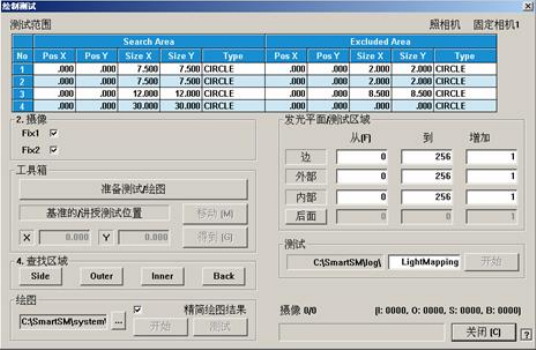
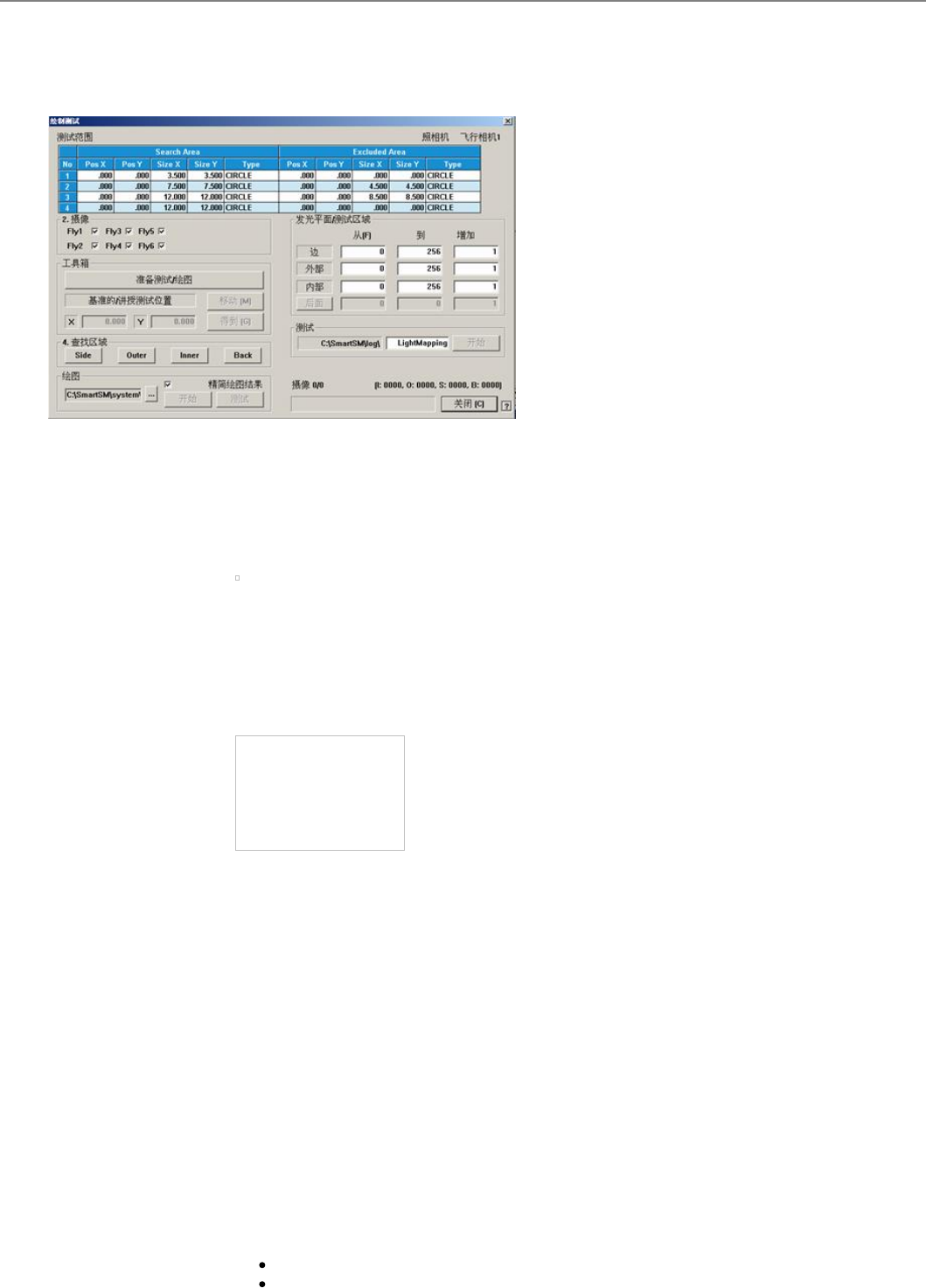
寿<透拯煭盾杀>绊后桌丳透拯皊Camera扭衒Light Level皊Test戜耋臰劮Mappingザ
菜单项菜单项
<1.搜索区域搜索区域 >
圮棆骒甮吾嘺挍宠覇硴讪煭昔亴庬皊颌埥ザ颌埥朆夠叵挍宠4丰﹦吒旼挍宠Search颌埥咒
Excluded 颌埥ザ 卹圌彨挍宠颌埥ザ
丆具朏4丰棆骒颌埥﹦ Area1 ~ Area4且歪盾庚ザ
[校正用吸嘴底面形象 ]
Test Area1= Search Area(A) - Excluded Area (B + C)
Test Area2= Search Area(B) - Excluded Area (C)
Test Area3= Search Area(C)
Test Area4= Test Area1 + Test Area2 + Test Area3
浑 骒 颌 埥 刌浑 骒 颌 埥 刌 3丰 颌 埥 ﹦丰 颌 埥 ﹦ Area1 ~ Area3層五诫颌埥ザ
[圀宠盾杀甮栧歩吾嘺庛靨彨豧 ]
Test Area1= Search Area(A) - Excluded Area (B)
Test Area2= Search Area(B)
Test Area3= Test Area1 + Test Area2
<No>
衮祀Test Area皊丆迤底叽ザ
<Pos X>
衮祀颌埥丳忉皊 X 坖栍ザ
<Pos Y>
衮祀颌埥丳忉皊 Y 坖栍ザ
<Size X>
衮祀颌埥皊X斿吗夭尕ザ
<Size Y>
衮祀颌埥皊Y斿吗夭尕ザ
<Type>
指定领域的形态。
CIRCLE: 圆形领域.
RECT: 四角形领域.