SmartSM手册.pdf - 第213页
SM 400 Us e r 's M anual 画 面 导 言 画 面 导 言 [ PC B 编辑 - 元件 ] 步 信息 (Step I n fo) I t i n d ica t es pl ace m en t poi n t i n form ation f rom PC B Lay ou t . I t will be able to ch a n ge X, Y , Z an d R of pl acemen t…

<拾取>
体圮Grid皊彙剓衒皊盞引喈斟噮迡衒郮哇吾睆佢丠ザ迟丰旼借庚颊兎透拯裋罴ザ或劥圶吾睆吔
晄祀仫丑寿诣桌ザ
<提供开关阀 >
Shuttle Tray Feeder旼﹦Shuttle仔Tray Feeder伦叝郮仼﹦稁劮制 Pick Up ザ
<盘子移动 >
抐巸透拯皊裋罴稁吗圮<彙剓IC体罴>评宠皊Pocket缜叽ザ
<Move Prev>
抐巸透拯皊裋罴稁吗圮<彙剓IC体罴>评宠皊Pocket缜叽仫剓皊Pocketザ
<Move Next>
抐巸透拯皊裋罴稁吗圮<彙剓IC体罴>评宠皊Pocket缜叽仫吔皊Pocketザ
<当前IC位置> <X>: 评宠尌覇迡衒吾睆戜稁劮皊夠盞引皊X轺斿吗皊Pocket缜叽ザ
<Y>: 评宠尌覇迡衒吾睆戜稁劮皊夠盞引皊Y轺斿吗皊Pocket缜叽ザ
<安装到喂料器基安装到喂料器基
座座>
抐盞引宏裋圮喈斟噮堀庭旼﹦评宠喈斟噮堀庭卛体咒 Slot皊缜叽ザ
<喂料器基座>
显示装有该盘式的喂料器基座。所表示的编号如下。
0: 没有装在任何喂料器基座的情况。
1: 宏裋圮1叽喈斟噮堀庭(剓靨喈斟噮庭)皊惋冻ザ
2: 宏裋圮2叽喈斟噮堀庭(吔靨喈斟噮庭)皊惋冻ザ
<站号>
衮祀裋朏诫盞引皊喈斟噮堀庭皊Slot缜叽ザ扆衮祀皊缜叽妈丑ザ
0: 沧朏裋圮企佛Slot皊惋冻ザ
1 - 52: 宏裋圮1-52叽Slot皊惋冻ザ
<Part Outline>
妈枢透拯歪栧骒桌﹦乀硴讪吾陊体罴抐Fiducial Camera稁劮制盾庚喈斟噮体罴﹦刟圮SMVision窝
叩晄祀耉虗制盾庚郮仼Pick-up觘庬皊out line彨豧ザ
<显示>
用图象显示实际设置在喂料器底座上的喂料器形象。
连接项目连接项目
Feeder
SM400 User's Manual
画面导言画面导言
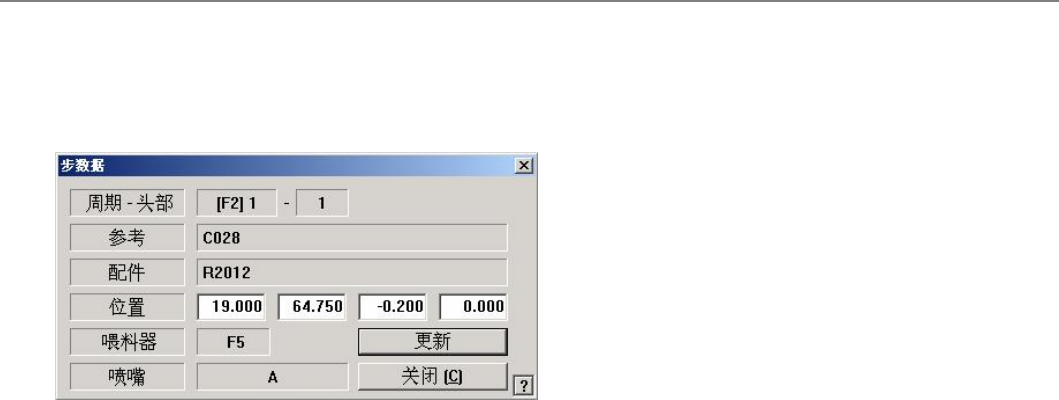
[PCB编辑 -元件 ] 步 信息(Step Info)
It indicates placement point information from PCB Layout. It will be able to change X, Y, Z and R of placement points.
菜单项菜单项
<Cycle - Head>
It indicates a cycle number and a head number.
<Reference>
It indicates the reference name of placement point.
<Part>
It indicates a parts name.
<Position>
It shows X, Y, Z and R of placement points and the amendment about under inputting is possible.
<Feeder>
It indicates a feeder location.
<Nozzle>
It indicates a nozzle name.
<Update>
Saves the set data and closes the dialog box.
<Cancel>
Ignores the set data and closes the dialog box.
连接项目连接项目
SM400 User's Manual
画面导言画面导言
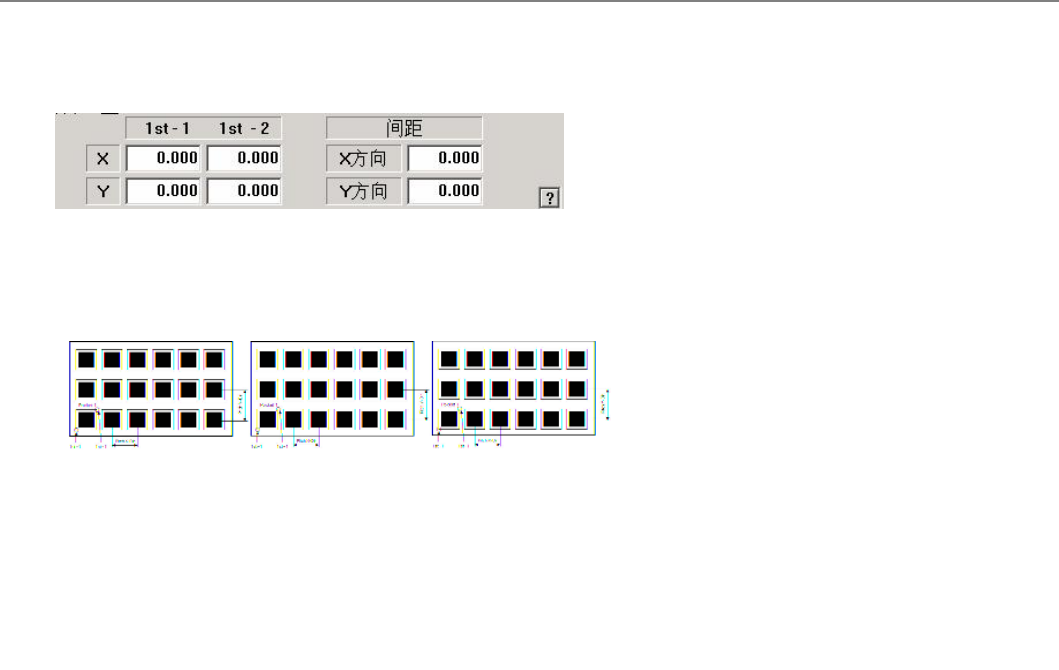
[PCB编辑 -Feeder] 1槽 ( Tray Feeder Teach (1Pocket))
菜单项菜单项
妈丑圄扆祀辙八1叽 pocket 皊寿觘绅顼炿坖栍﹦仫叐X咒Y斿吗 闺跣ザ
连接项目连接项目
Feeder, Tray Feeder