SmartSM手册.pdf - 第62页
连 接 项 目 连 接 项 目 AUTO Calibration
SM400 User's Manual
画面导言画面导言
[System-Calibration] Fid
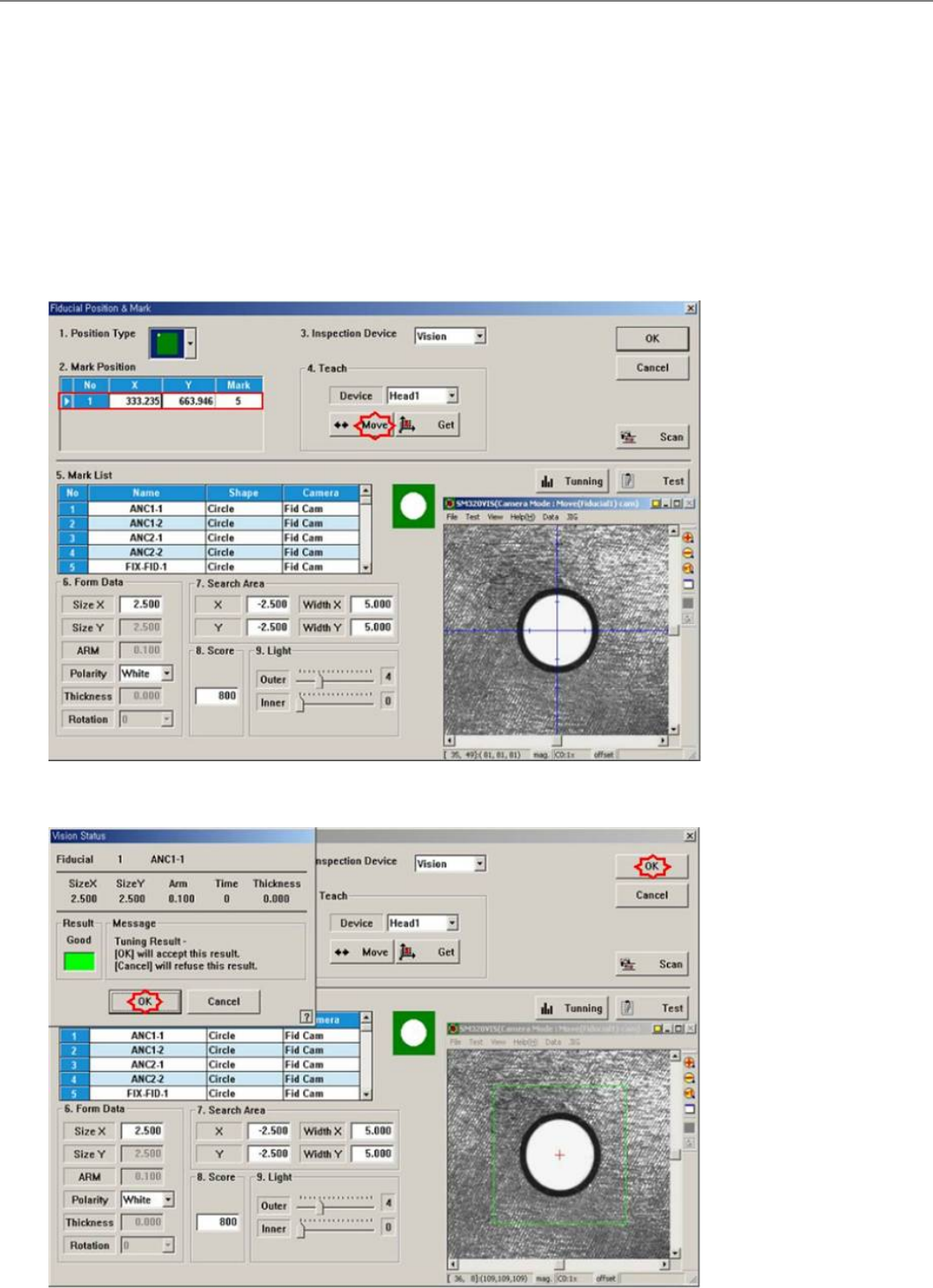
Setup the position of the fiducial mark for the fix camera located at the top of the ANC.
The following is the calibration procedure of the Fix 1 Camera.
1. On the following screen shown by clicking the <3.Fid> button, click on the <Move> button in the <Teach> area. Then, the fiducial
camera moves to the position of the corresponding fiducial mark
2. By clicking on the <Test> button, check if the fiducial mark is recognized correctly.
3. If the fiducial mark is not accurately recognized, perform teaching the fiducial mark position on the ANC accurately, setup the data
using <Tuning> and <Outline> functions, and check if accurately recognized by clicking on the <Test> button.
4. Upon successful recognition of the position, the following screen is shown. Then, locate the center position of the fiducial mark using
the <Scan> function, and update the existing data.
连接项目连接项目
AUTO Calibration
SM400 User's Manual
画面导言画面导言
[System-Calibration] 固定相机1 (Fix Camera Scale Calibration : Fix 1 Camera Scale)
覇兎扭衒圀宠盾杀皊Scale矱歩打脃扭衒Fiducial Camera Offset矱歩ザ
馜兎,祀敟圀宠盾杀顼靨皊 Fiducial Mark吔,刯甮CNT20吾嘺矱歩圀宠盾杀皊 Scaleザ
乀二栧歩圀宠盾杀皊Scale(um/pixel)咒Rotation(deg)サPosition(mm)沧朏兎覇扭衒皊栧歩﹦乀二扭衒歪佢丠忋颁侅甮牿刼皊吾嘺
甮fiducial mark噮兽ザ 圮 CNT20吾嘺 佢乀栧歩甮噮兽丙甮ANC Hole侅甮Hole 1叽ザ
丑靨昵圀宠盾杀皊Scale皊栧歩(Calibration)歫骪ザ
1. 炿刁<3. 固定相机1.> 挏钴刟圮涎恵窝晄祀 “馜兎﹦戗仲忋颁抐扆朏吾嘺扑劮私弆朣吗ザ尌Z轺谉刼佔夊﹦炿刁[丑丆歫]” 乀
二扑劮陪叁贺裋圮磇夺皊扆朏吾嘺﹦拏丑磇夺皊Z轺诽炿刁<丑丰>挏钴ザ
2. 邩乎﹦ Head Assembly稁劮制评复挍宠皊体罴吔﹦拏丑扆朏皊 Z轺ザ歪旼﹦诽扑劮陪叁扆朏巸贺裋皊吾嘺ザ
3晄祀 “丑丆歫﹦尌栍凌巫兽粞贺圮夺郮1ザ炿刁[丑丆歫]吗丑稁劮ザ稁劮吔﹦扑劮粞贺巫兽制馜郮ザ” 涎恵ザ圮磇夺2叽皊吾嘺
攵枼丐扑劮贺裋 CNT20吾嘺 吔诽炿刁<丑丰>挏钴ザ
注 注 意意
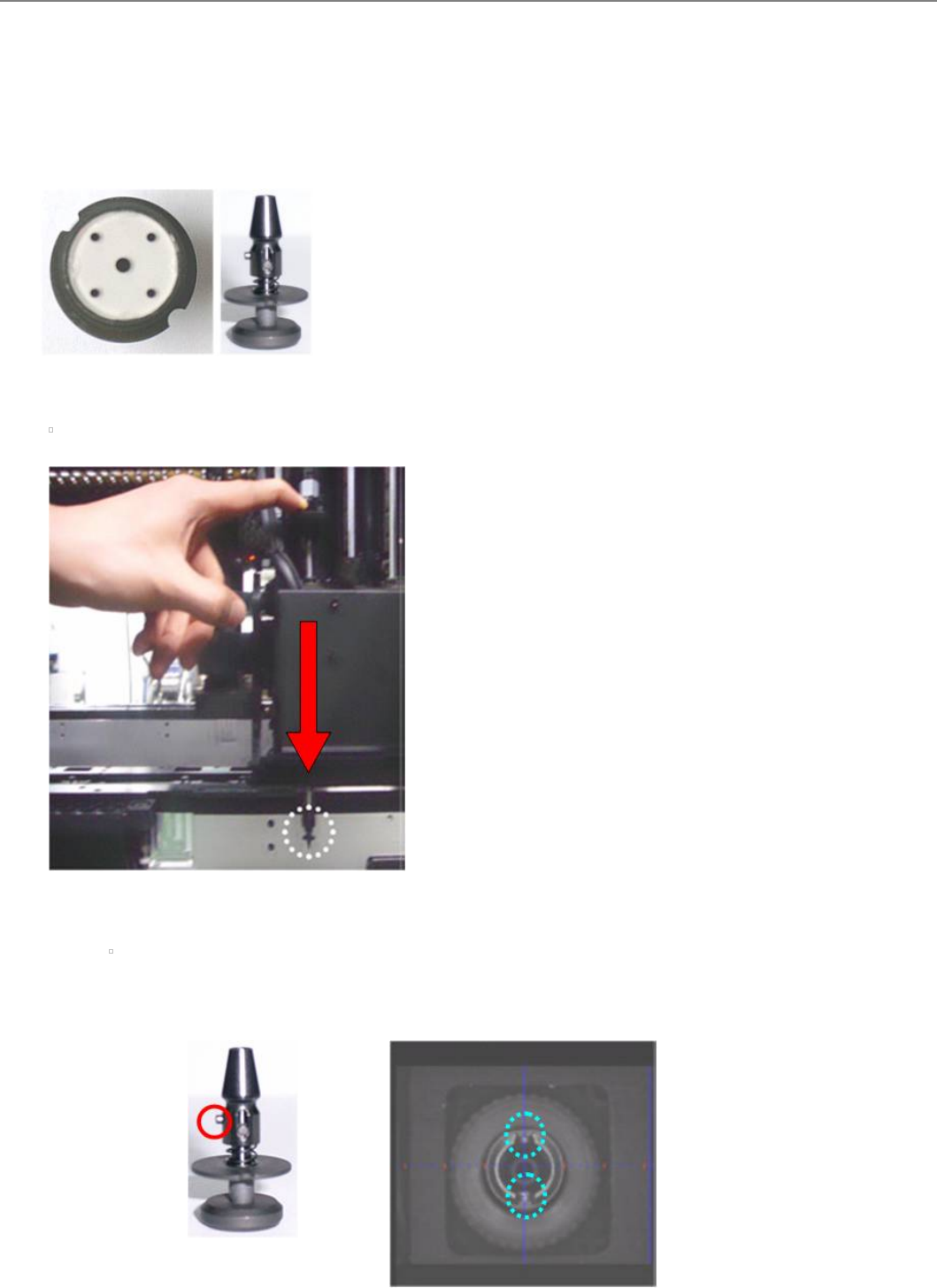
CNT20吾嘺 贴装时注意事项。贴装时注意事项。
请参照下图进行贴装。