SmartSM手册.pdf - 第61页
SM 400 Us e r 's M anual 画 面 导 言 画 面 导 言 [ Sy st em- C alibration ] Fi d Se tu p t h e p o siti o n o f th e f id ucial m a rk f o r th e f ix camera l o c a te d a t th e to p o f th e A N C. Th e f o ll owin g i s…

Offset Y : -0.020 ~ 0.020(mm)
连接项目连接项目
AUTO Calibration
SM400 User's Manual
画面导言画面导言
[System-Calibration] Fid
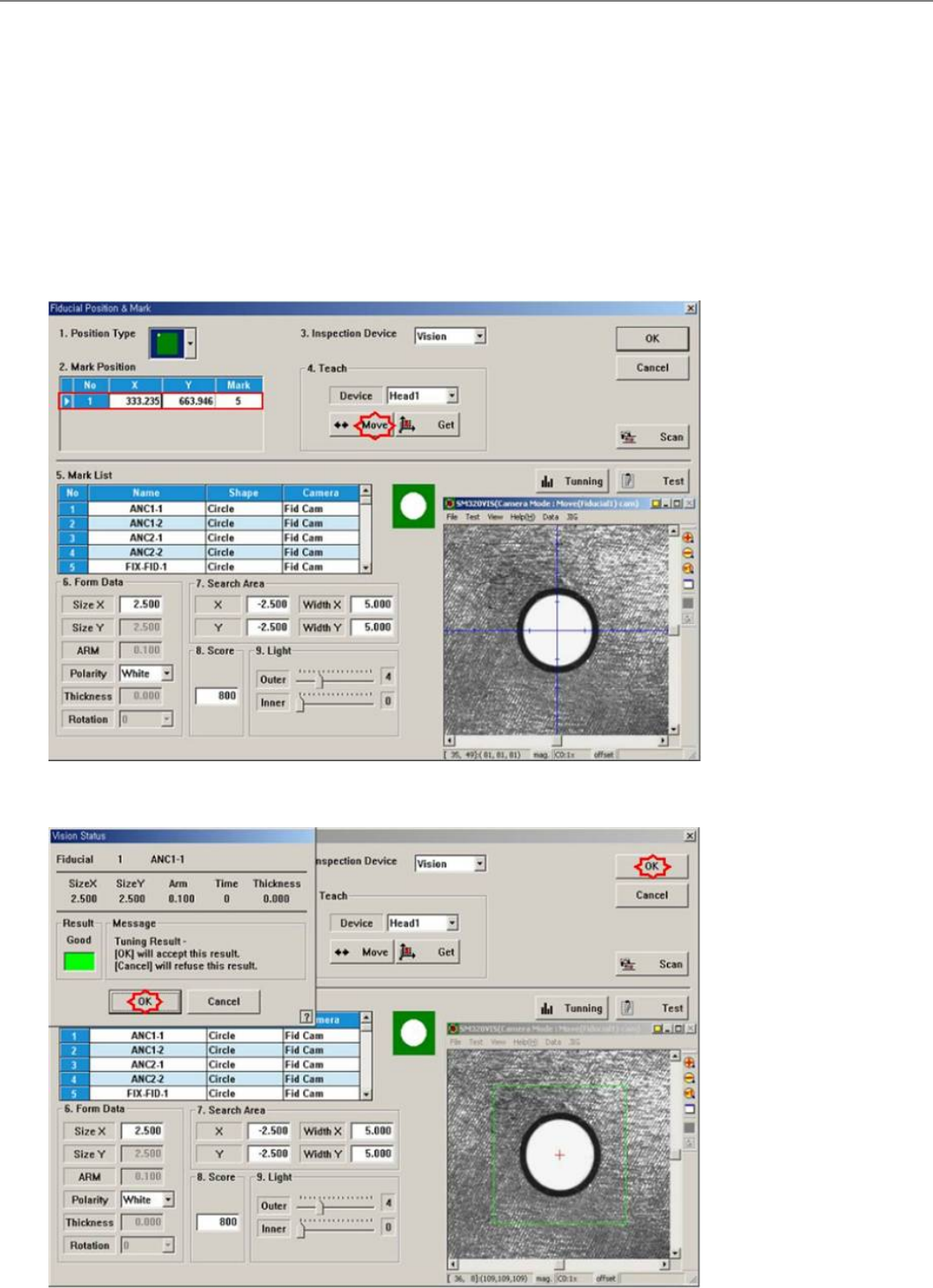
Setup the position of the fiducial mark for the fix camera located at the top of the ANC.
The following is the calibration procedure of the Fix 1 Camera.
1. On the following screen shown by clicking the <3.Fid> button, click on the <Move> button in the <Teach> area. Then, the fiducial
camera moves to the position of the corresponding fiducial mark
2. By clicking on the <Test> button, check if the fiducial mark is recognized correctly.
3. If the fiducial mark is not accurately recognized, perform teaching the fiducial mark position on the ANC accurately, setup the data
using <Tuning> and <Outline> functions, and check if accurately recognized by clicking on the <Test> button.
4. Upon successful recognition of the position, the following screen is shown. Then, locate the center position of the fiducial mark using
the <Scan> function, and update the existing data.
连接项目连接项目
AUTO Calibration