4OM-1208-011_w.pdf - 第145页
2-18 AIVEMT -ID 4. "ERROR" Windows When the machine detects an error , the following "ERROR" window opens. [6] [1] [9] [8] [10] [3] [5] [4] [2] [7] Fig. 4B4 Example of "ERROR" Window [1] Err…
2-17
AIVEMT-ID
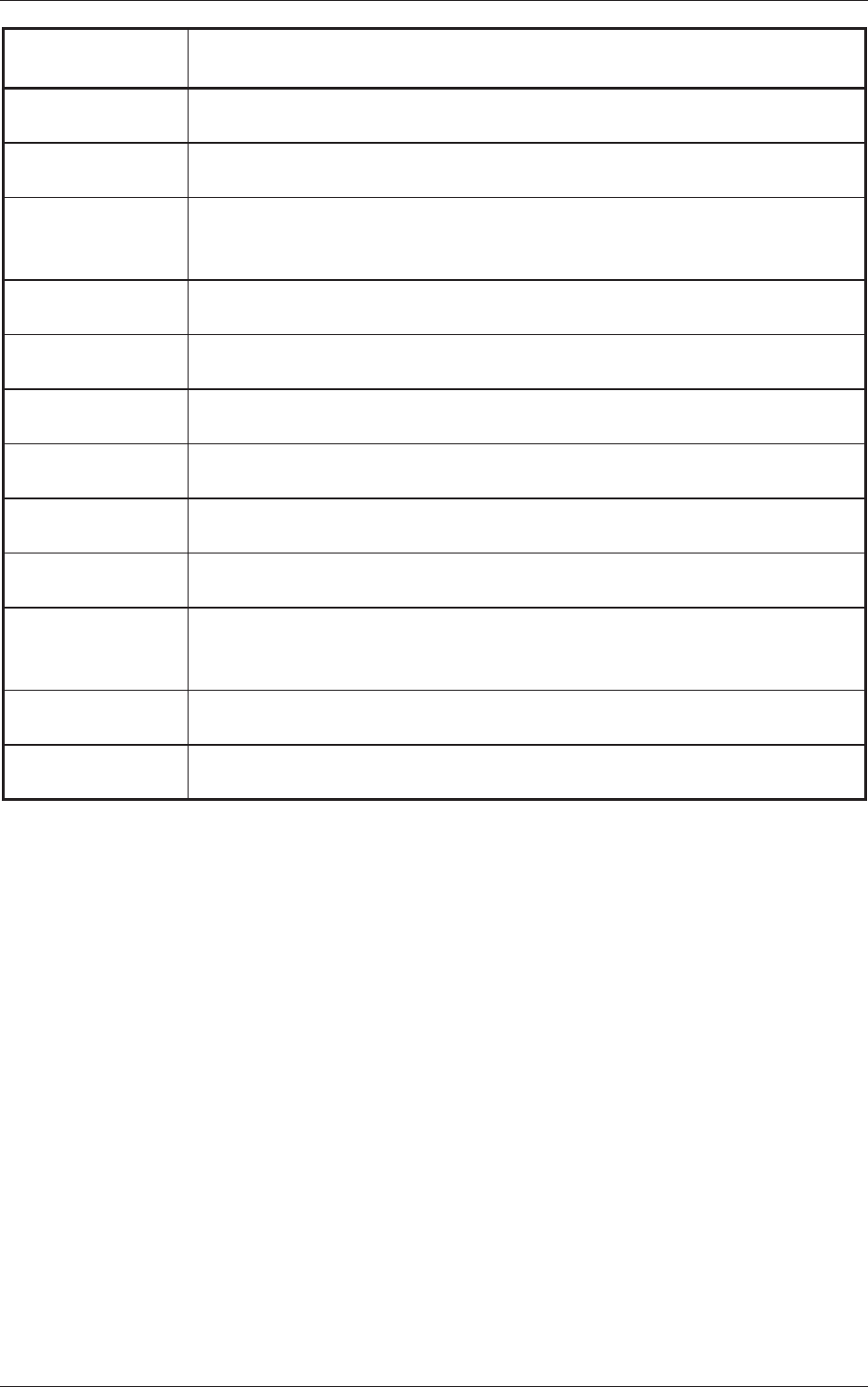
Machine Information
Codes
Display Field A (Scope of Machine Information)
Display Field B (Details of Machine Information)
802001 Alarm for Splicing
Few components to feed. Please prepare Splicing.
802101 Feeder Maintenance Warning
The total number of feeder's shots reached a previous notice setting number.
802102 Feeder Maintenance Warning
The feeder
adsorption rate decreased and exceeded the previous notice setting
number.
809001 Internal Exception Notice
CPU2 Vector 0 exception has been disregarded.
809002 Internal Exception Notice
CPU2 spurious exception has been disregarded.
809003 Internal Exception Notice
CPU2 undefined exception has been disregarded.
809004
Internal Exception Notice
CPU3 undefined exception has been disregarded.
809005 Internal Exception Notice
EB005 SYSFAIL exception has been disregarded.
809101
Cutting tape Preliminary announcement
Please cut a tape in a predetermined position.
809201 Library tape width check
The tape width in library and the feeder are not in agreement. Please check the
library and feeder
.
809401 PCB existence
The PCB which carried out manual bypass to the input conveyor was detected.
809402 PCB existence
The PCB on a output conveyor was removed.
0606-009
3.2 List of Machine Information
2-18
AIVEMT-ID
4. "ERROR" Windows
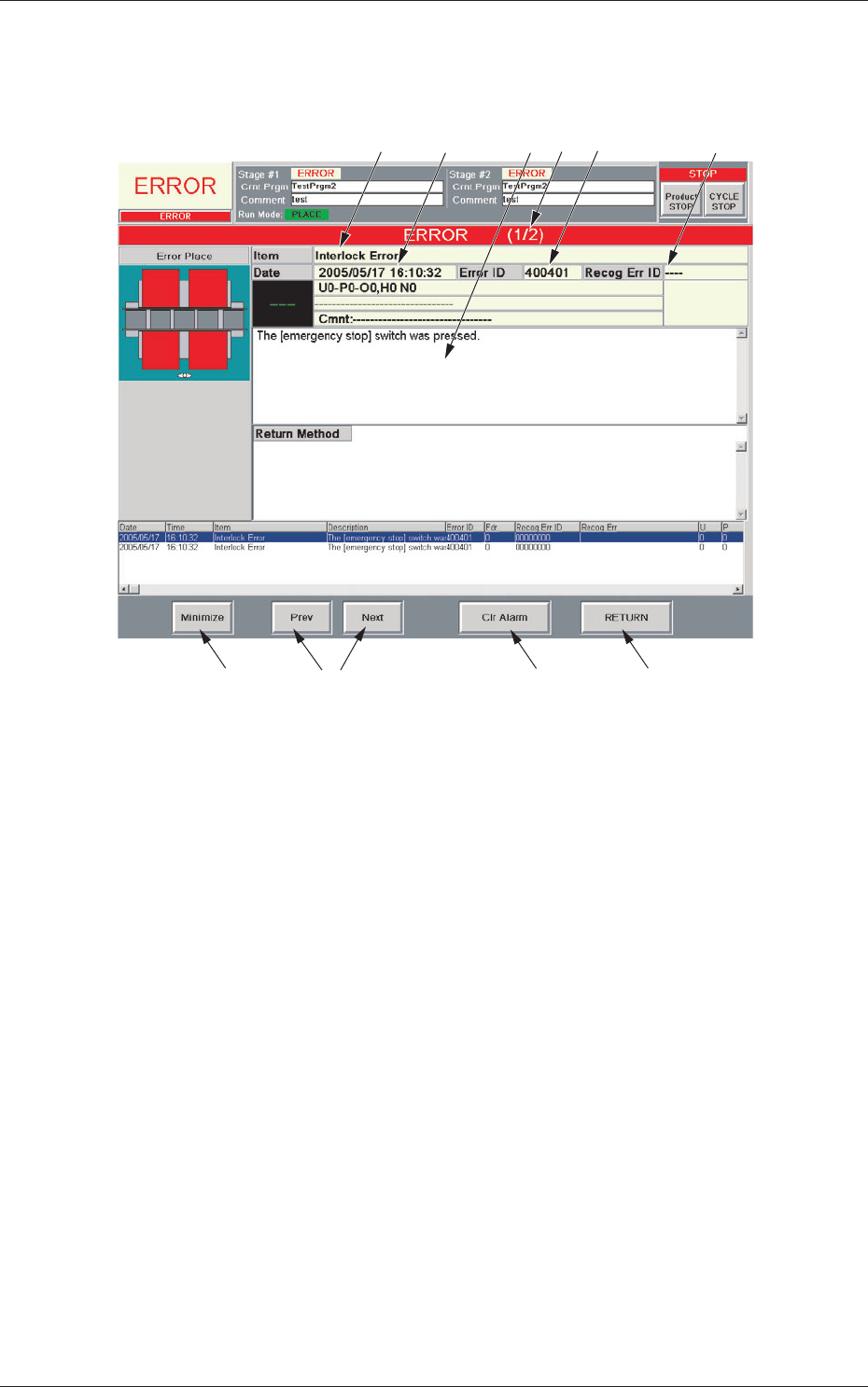
When the machine detects an error, the following "ERROR" window opens.
[6]
[1]
[9]
[8]
[10]
[3] [5]
[4]
[2]
[7]
Fig. 4B4 Example of "ERROR" Window
[1] Error ID
Displayed is a string of alphanumeric characters (6 characters) that
identifi
es an error.
When an error has occurred, use the error ID as an index and refer to
"Chapter 3 Troubleshooting from Error IDs" (V
ol. 4) for details.
[2] Recog Err ID
Displayed is a string of alphanumeric characters (8 characters) that
identifies an error.
When an error has occurred, use the error ID as an index and refer to
"Ch
apter 4 Troubleshooting from Recognition Error IDs" (Vol. 4) for
details.
[3] Item
Displayed is a name of the classified element that caused an error.
[4] Description
Displayed are the contents of the error and Return Method (Remedial
Procedure).
0606-009
4. "ERROR" Windows

2-19
AIVEMT-ID
[5] Date and Time
Displayed are the date and time of error occurrence.
[6] Number of Pages
Displayed are the total number of pages and the number of the current
page.
Example:
(3/5)
T
otal Number of Pages : 5
Number of Current Page
: 3
[7] [Prev] and [Next] Buttons
[Prev] Button : When pressed, this button opens the previous page.
[Next] Button : When pressed, this button opens the next page.
[8] [Clr Alarm] Button
When pressed, this button cancels an alarm sound only.
[9] [RETURN] Button
When pressed, this button cancels an alarm sound and closes the
"ERROR" window
. The original window resumes.
[10] [Minimize] Button
When pressed, this button minimizes the "ERROR" window and moves
to the bottom left of the window.
Double
-click the minimized window to ret
urn it to the size before it was
minimized.
•
Reset Procedure from "ERROR" Window
(1) Take a note of "Error ID", "Item", and "Description" in the "ERROR"
window.
Notice
When you have forgotten an error message, refer to the list of
errors in the "Machine Error Recall" window. (Operation Sequence:
[RECALL MSG.] Button (Submenu)
→
"Machine Error Recall"
Window)
(2) Press the [RETURN] button to resume the original window.
(3) Use the error ID as an index and refer to "Chapter 3 Troubleshooting
from Error IDs" (Vol. 4) or "Chapter 4 Troubleshooting from
Recognition Error IDs" (Vol. 4) for details.
0606-009
4. "ERROR" Windows