00900194-01_SM_ASM ProcessLens_Dual-lane_EN.pdf - 第46页
4 Replacing spare parts at the conveyor 4.2 Lifting table 46 Service Manual ASM ProcessLens Dual-lane 09/2018 ► In the Track Width Calibration area(4) select the right track. ► Click on the Lift Table Calibration button…
4 Replacing spare parts at the conveyor
4.2 Lifting table
Service Manual ASM ProcessLens Dual-lane 09/2018 45
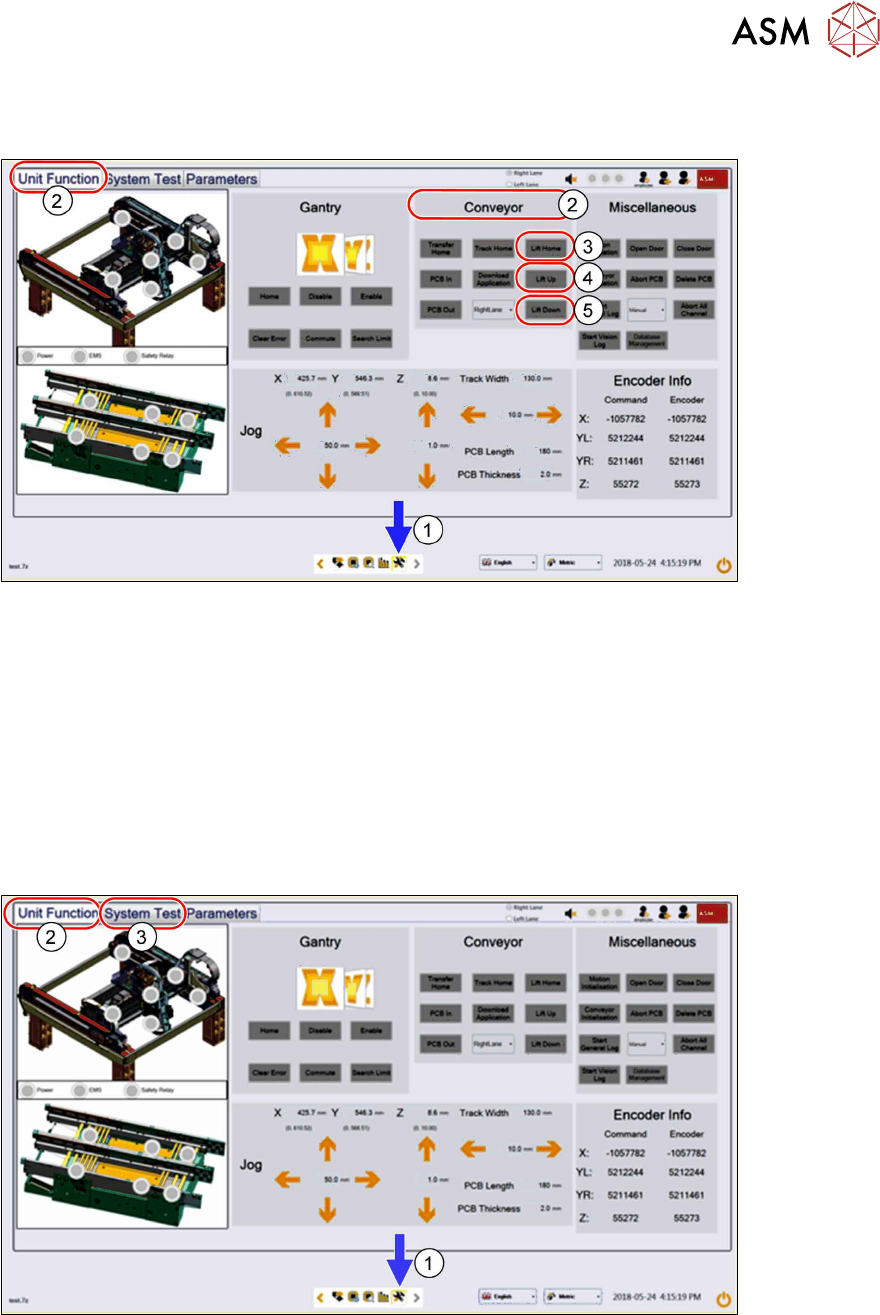
4.2.4 Checking free movement of lifting table
After all work on the lifting table mechanics check the free movement of the lifting table.
► Click on this icon(1) to enter the settings menu.
► Click on Unit Function(2) to enter the settings user menu.
► Switch to the operator level Machine service or better.
► In the Conveyor aera click on Lift Home(3) to move the lifting table to the home position.
► Click on Lift up(4) and Lift Down(5) to ensure all lifting mechanical parts are not obstructed
or there are any assembly issues.
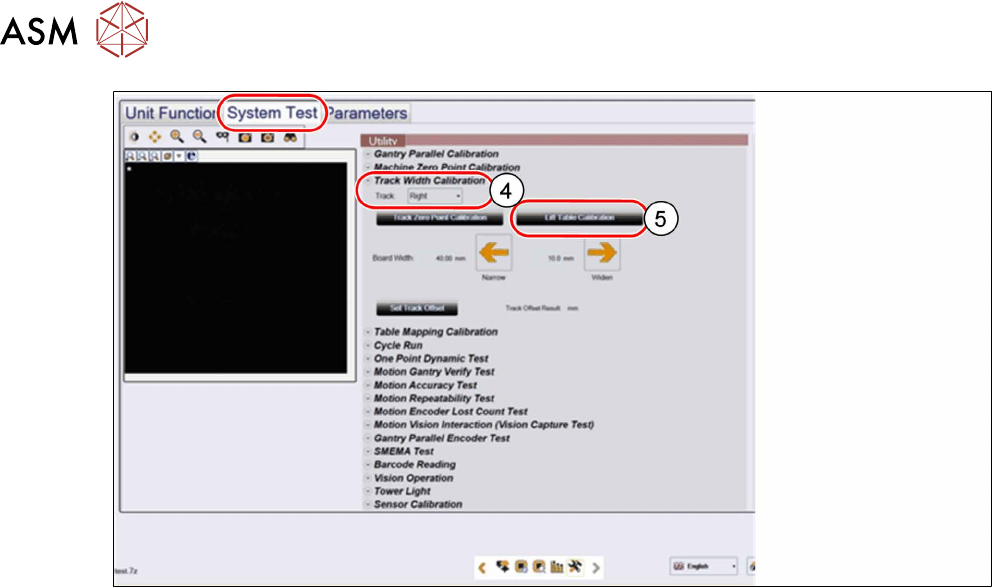
4.2.5 Calibrating the lifting table motor
After completing the work on the lifting table, this will need to be calibrated.
Procedure
► Click on this icon(1) to enter the settings menu.
► Click on Unit Function(2) to enter the settings user menu.
► Switch to operator level Machine service.
► Click on System Test(3) to enter the calibration menu.
4 Replacing spare parts at the conveyor
4.2 Lifting table
46 Service Manual ASM ProcessLens Dual-lane 09/2018
► In the Track Width Calibration area(4) select the right track.
► Click on the Lift Table Calibration button(5) to calibrate right track of the lifting table.
► Repeat the calibration the same way for the left track.
4 Replacing spare parts at the conveyor
4.3 Conveyor drive
Service Manual ASM ProcessLens Dual-lane 09/2018 47
4.3 Conveyor drive
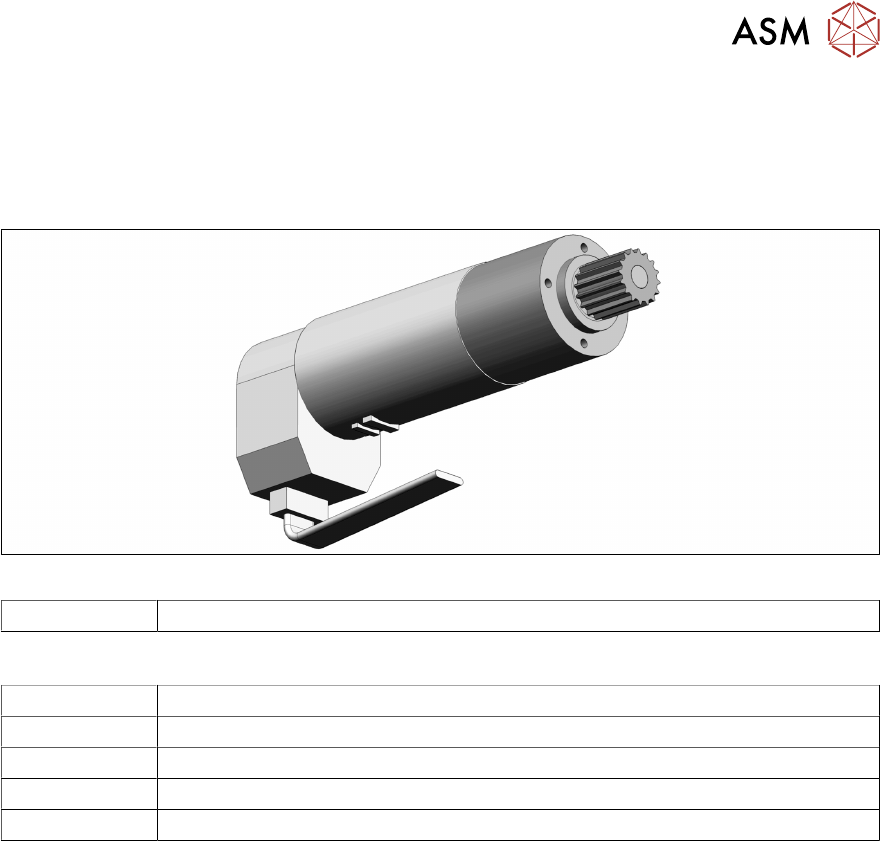
4.3.1 Replacing the conveyor drive
Parts
Fig.19: Conveyor drive
03093387‑xx DC drive motor with synchronizing disk SXa
Equipment and tools
00326015‑xx Belt tension measuring device
00353832-xx Allen key set
00096290-xx Fork wrench set
Side cutter
Cable tie