00900194-01_SM_ASM ProcessLens_Dual-lane_EN.pdf - 第99页
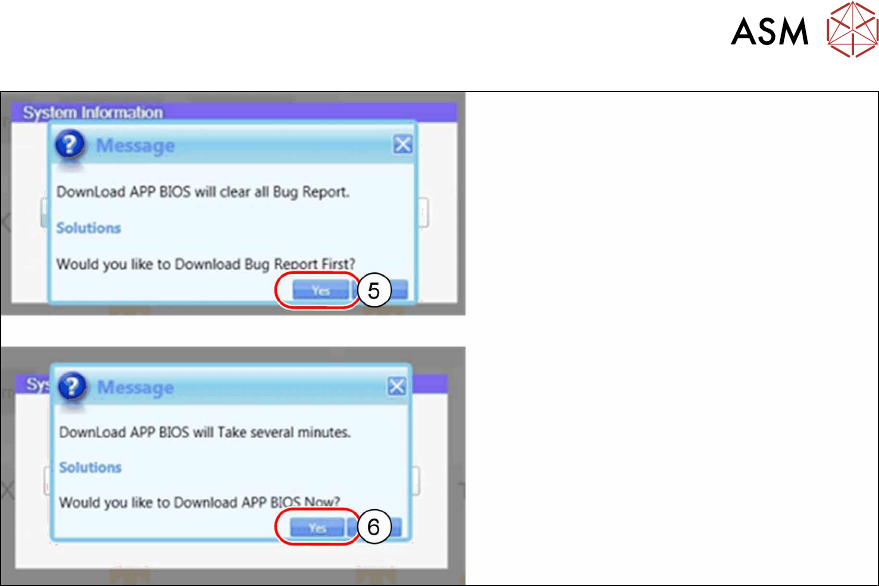
4 Replacing spare parts at the conveyor 4.7 Boards Service Manual ASM ProcessLens Dual-lane 09/2018 99 ► Click on Yes(5) to download the Bug Report first. ► Click on Yes(6) to download the Application BIOS.
4 Replacing spare parts at the conveyor
4.7 Boards
98 Service Manual ASM ProcessLens Dual-lane 09/2018
4.7.2 eSW Download
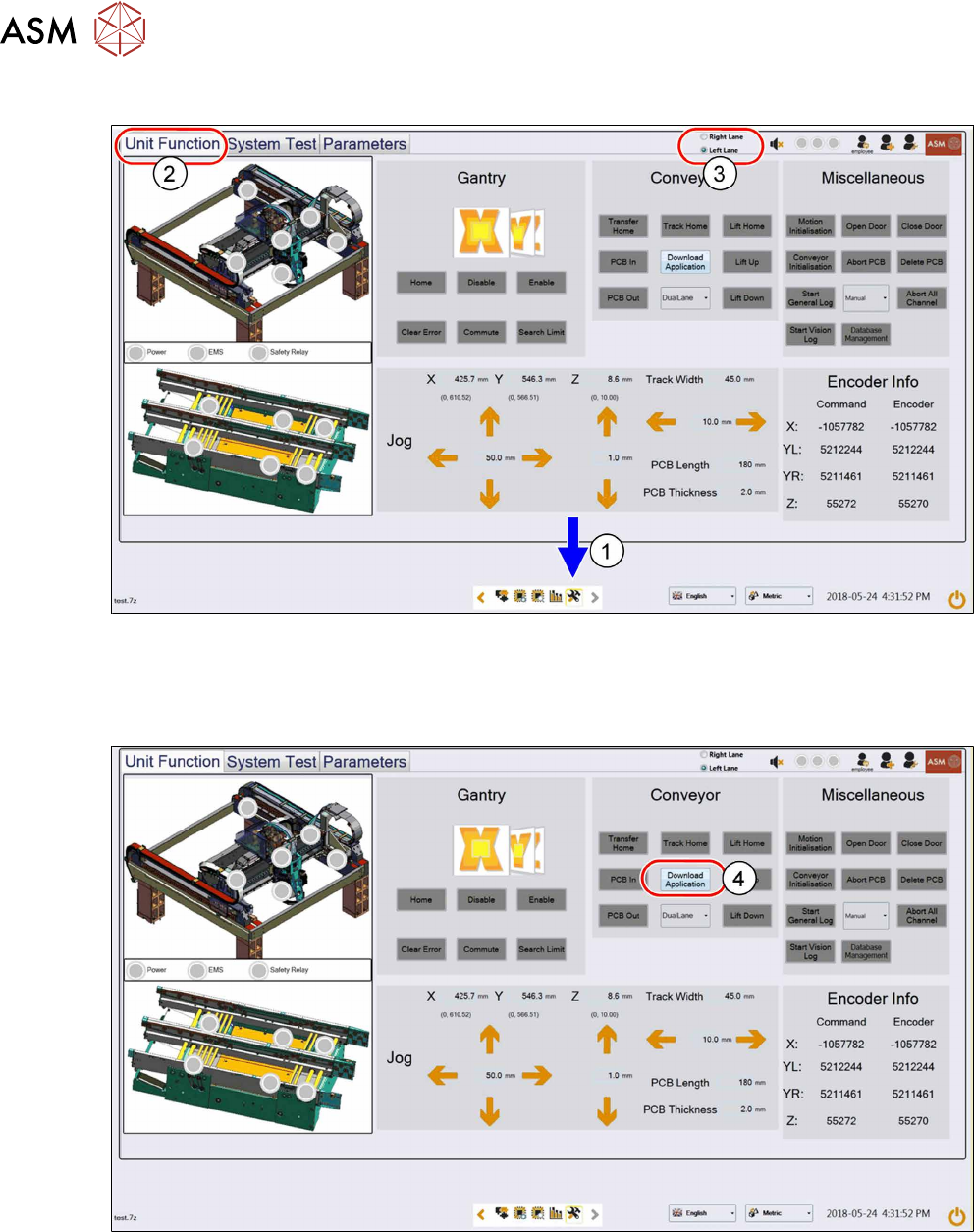
► Click on this icon(1) to enter the settings menu.
► Click on Unit Function(2) to enter the settings user menu.
► Select the Right Lane or the Left Lane(3).
► Switch to operator level Machine service.
► Click on Download Apllication(4) to proceed the download of the eSW.
4 Replacing spare parts at the conveyor
4.7 Boards
Service Manual ASM ProcessLens Dual-lane 09/2018 99
► Click on Yes(5) to download the Bug Report first.
► Click on Yes(6) to download the Application BIOS.
4 Replacing spare parts at the conveyor
4.8 Teaching the PCB sensors
100 Service Manual ASM ProcessLens Dual-lane 09/2018
4.8 Teaching the PCB sensors
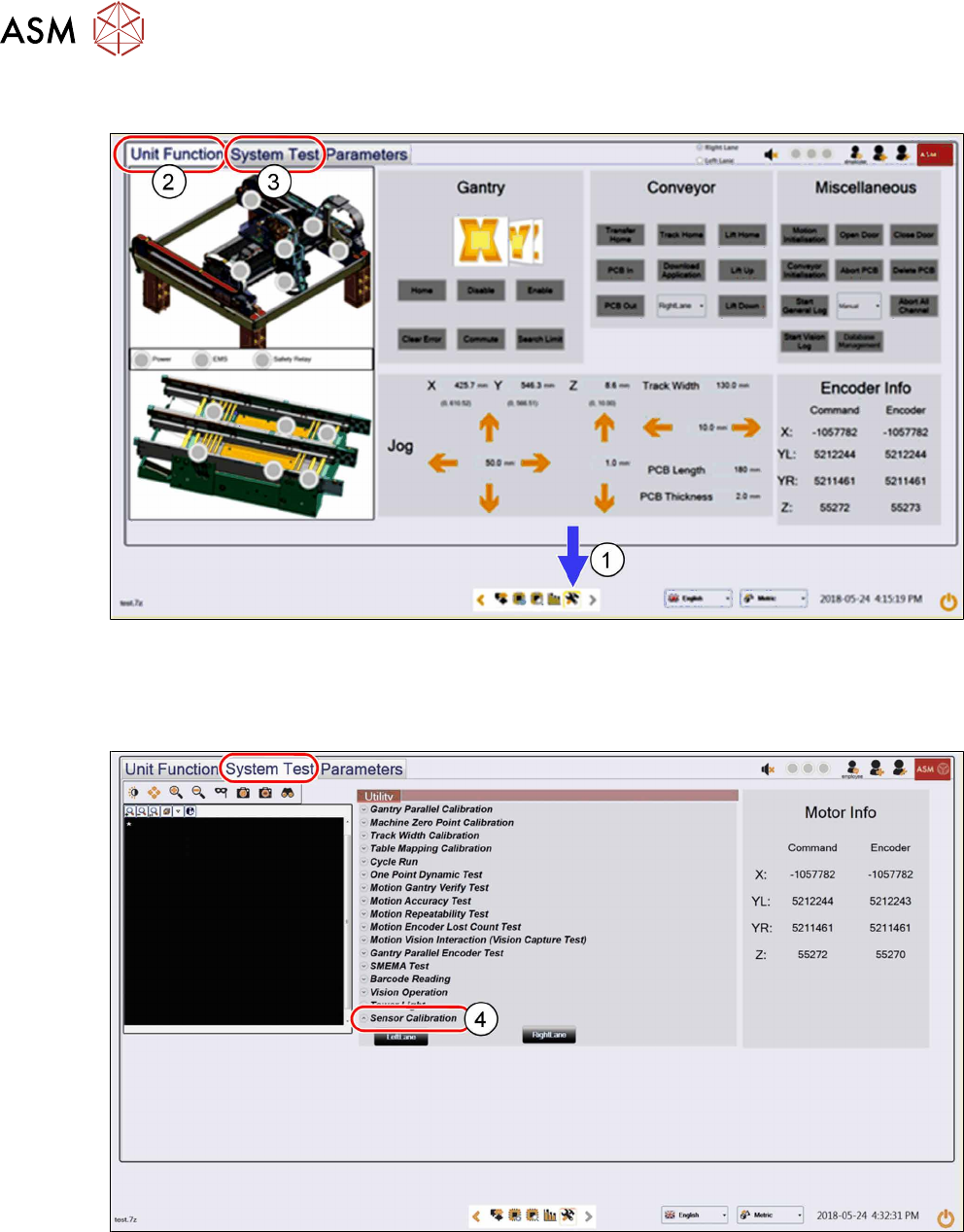
► Click on this icon(1) to enter the settings menu.
► Click on Unit Function(2) to enter the settings user menu.
► Switch to operator level Machine service.
► Click on System Test(3) to enter the calibration menu.
► Click on Sensor Calibration(4) to proceed the calibration of the PCB sensor.