00900194-01_SM_ASM ProcessLens_Dual-lane_EN.pdf - 第86页
4 Replacing spare parts at the conveyor 4.6 Fiber optic cables and laser light barriers 86 Service Manual ASM ProcessLens Dual-lane 09/2018 Fig.72: Setting the fiber optic sensor - 1
4 Replacing spare parts at the conveyor
4.6 Fiber optic cables and laser light barriers
Service Manual ASM ProcessLens Dual-lane 09/2018 85
Installation
► Follow the removal instructions in reverse order for installation. Also observe the following
instructions:
CAUTION
Installation instructions
► On the fiber optic sensor, remove the plastic cover above the side plug-and-socket
connections, if needed.
► Check the setting on the fiber optic sensor and correct if necessary (see following sec-
tion).
New fiber optic sensors are preset.
► Teach the PCB sensors.
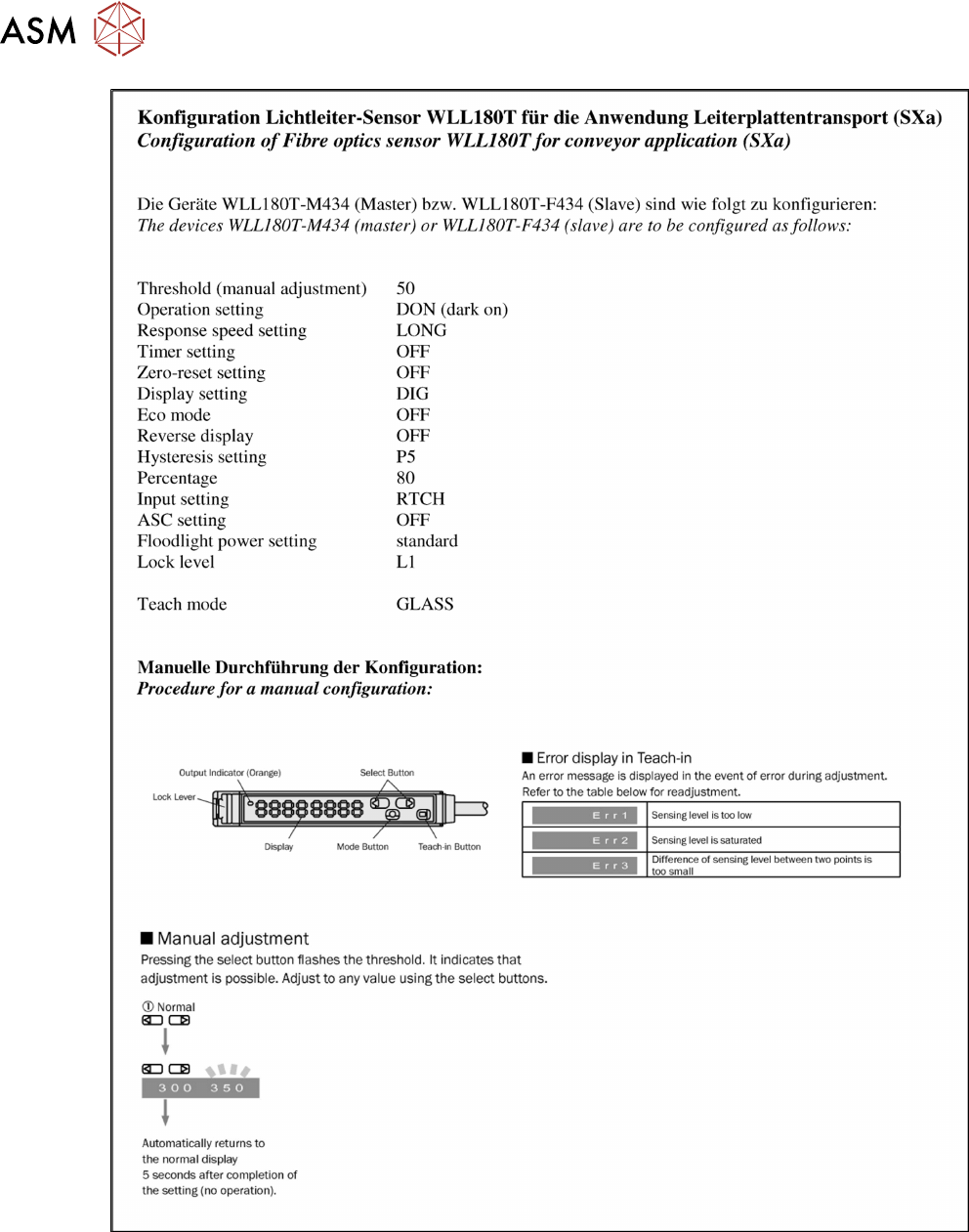
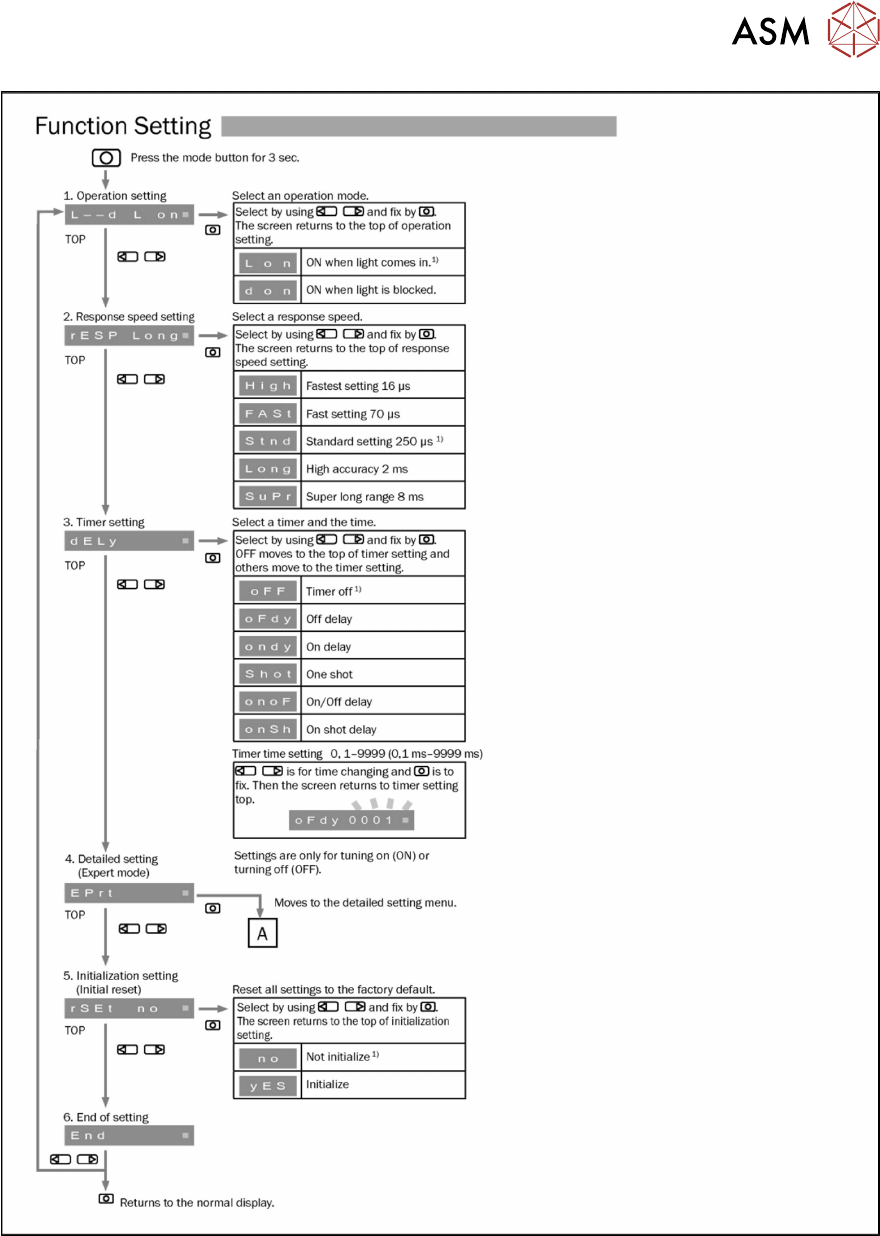
4.6.4.1 Setting the fiber optic sensor
The brightness of the sensors changes according to the positions of the conveyor rails. For this
reason, the sensors are automatically recalibrated after each automatic adjustment of the conveyor
rails.
If the conveyor rails are manually adjusted, there will be no automatic calibration. In this case, cali-
bration needs to be manually triggered in the Service menu. Without this calibration, the station
software will show boards which are not physically present.
You can check the correct calibration on the sensor modules.
●
Red display: current signal strength of receiver
●
Green display: reference value of receiver
A board is recognized if the value in the red display is smaller than the value in the green display.
Without a board, the value of the green display must be 10 to 20% smaller than the value of the
red display.
During calibration, the reference value (green display) is automatically set to a lower value than the
current signal strength (red display). It is assumed that there is no board in the sensor range at this
moment.
The absolute sensor value is not significant. This can vary between sensor modules.
NOTICE
No board in conveyor
When calibrating the light barriers make sure that there is no board in the conveyor.
4 Replacing spare parts at the conveyor
4.6 Fiber optic cables and laser light barriers
86 Service Manual ASM ProcessLens Dual-lane 09/2018
Fig.72: Setting the fiber optic sensor - 1
4 Replacing spare parts at the conveyor
4.6 Fiber optic cables and laser light barriers
Service Manual ASM ProcessLens Dual-lane 09/2018 87
Fig.73: Setting the fiber optic sensor - 2