MAN00000772_SI-G200BB_SVCPDFA.pdf - 第105页
Install Tray Unit (Including machine modification) SHEET 66/73 WKGB-10104-03 Installing Tray Unit (Including machine modification) [SY -MC interference avoid setup] Please confirm "Setup of tray supply height" …
Install Tray Unit (Including machine modification)
SHEET
65/73
WKGB-10104-03
Installing Tray Unit
(Including machine modification)
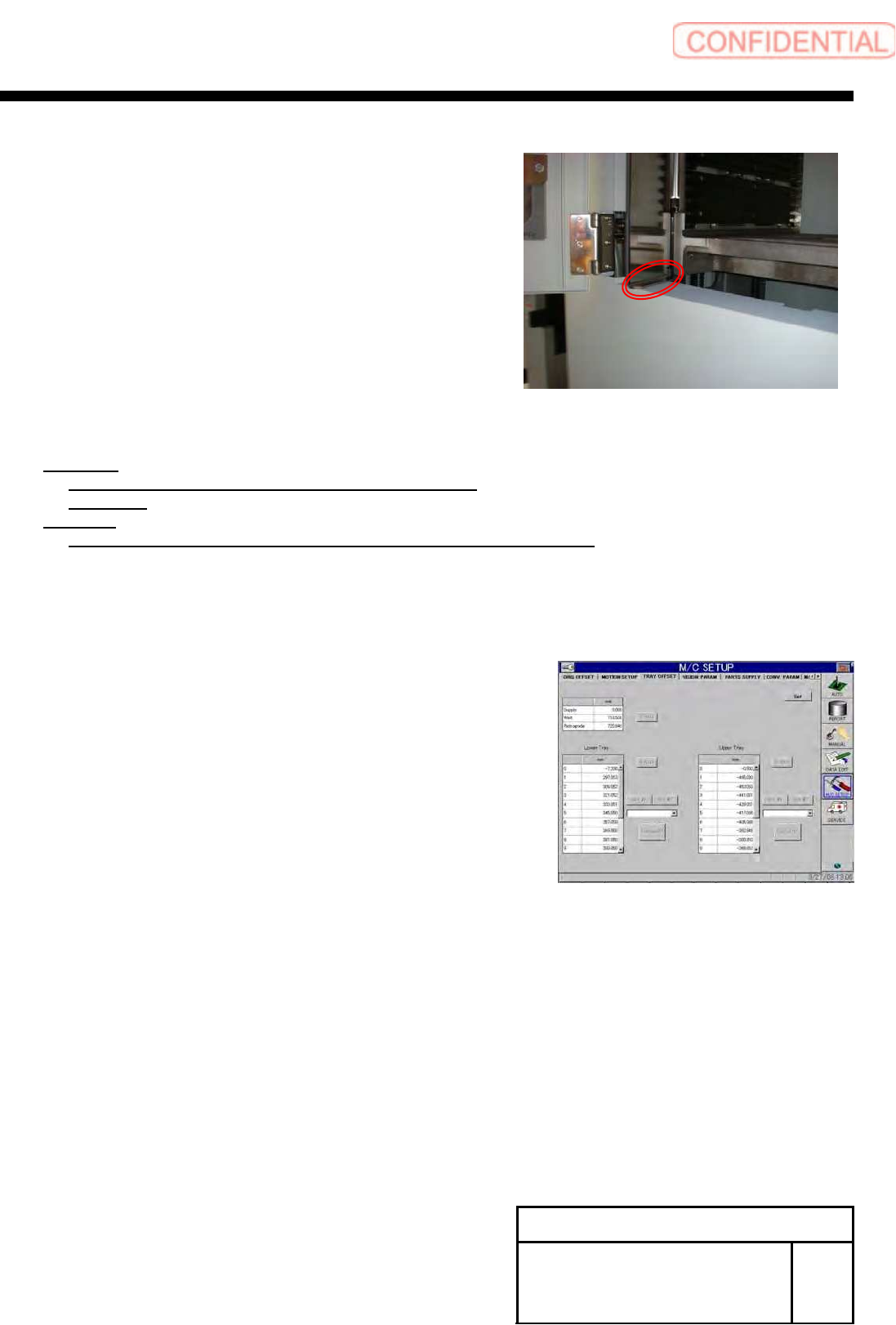
5 Check clearance between the tray inside
door and the tray cover.
6 Calculate the standby height.
Equation:
Parts replace standby height
= 1.0[mm] –
Clearance
Example:
Parts replace standby height
= 1.0[mm] – 3.0[mm] =-2.0[mm]
7 Close the door of the tray.
8 Display the M/C SETUP/tray Offset screen.
9 Input the calculated standby height into the O on
the upper tray.
10 Press the Set button to reflect the Setup.
11 Again, perform parts replacement on the R
(Tray upper) to check that the door is
completely opened.
12 Set the standby height of the lower tray by
the same procedure.
Install Tray Unit (Including machine modification)
SHEET
66/73
WKGB-10104-03
Installing Tray Unit
(Including machine modification)
[SY-MC interference avoid setup]
Please confirm "Setup of tray supply height" has been completed before This setup is executed.
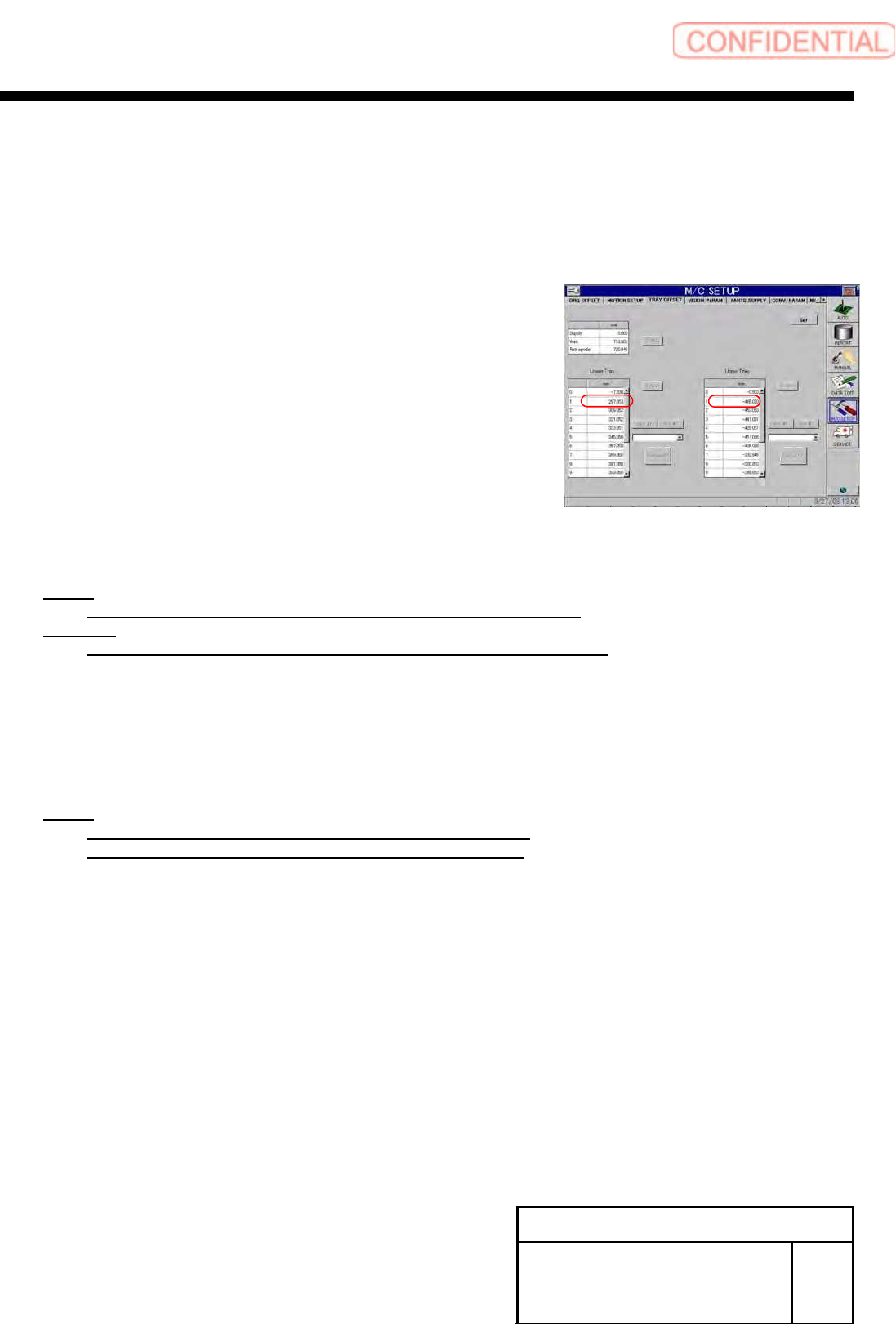
1 Record the values of “Upper tray 1”, “Lower
tray 1” on the Tray offset screen of the M/C
Setup.
2 Calculate distance between origins.
NOTE:
Distance between origins = (Upper tray 1) – (Lower tray 1)
Example:
Distance between origins
= -472.999 – (289.916) = -762.915
3 Open “c:¥asm¥mcdata2¥ac_control_param.ini” and
change values of “AC_ORIGIN_DISTANCE” for
[AC_VU_INTERFERE] and [AC_VL_INTERFERE].
NOTE:
Input distance between origins for VU with negative sign.
Input distance between origins for VL with positive sign.
Install Tray Unit (Including machine modification)
SHEET
67/73
WKGB-10104-03
Installing Tray Unit
(Including machine modification)
[S axis setup]
[Necessary jig]
・Tray Pallet
・Thickness gauge(0.1[mm])
1 Set a pallet to the No.Z501, Z515, Z601, Z615
and return it to the origin.
NOTE:
Slightly press the tray pallet against the supply side.
2 Move Supply height to Z601 by use manual
operation mode.
NOTE:
Select the S-axis state to storage.
3 Open the Tray Offset screen for M/C Setup.
4 Press the S axis button with the
“Retrograde“ being selected.