MAN00000772_SI-G200BB_SVCPDFA.pdf - 第131页
Install Tray Unit (Re-setup after tray unit moved) SEET 19/19 WKGB-10105-02 Installing Tray Unit (Re-setup after tray unit moved) [Inst allation of hood] 1 Install the hood bracket with the 2-CP3x10 to S axis unit. NOTE:…
Install Tray Unit (Re-setup after tray unit moved)
SEET
18/19
WKGB-10105-02
Installing Tray Unit
(Re-setup after tray unit moved)
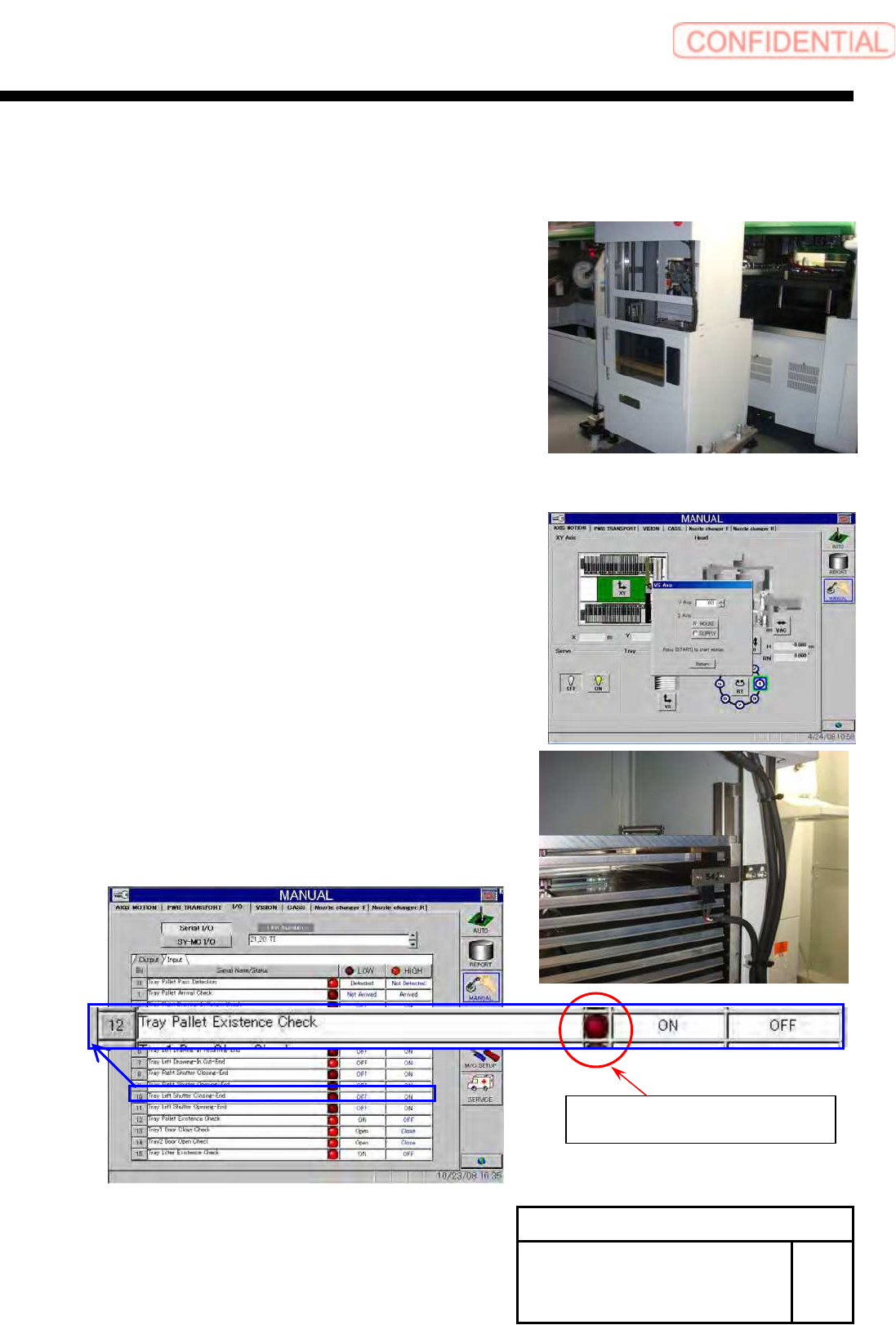
[Adjustment of path line sensor]
1 Remove front cover of tray unit.
2 Store the tray pallet into the Z501.
3 Move the VU axis to the Z501 by manual
operation.
4 Adjust sensor position, and check that it is
turned ON in the presence of tray pallet and
turned OFF in the absence of tray pallet.
5 Install the removed cover to the previous
state.
There is a palette :Light
There is not palette :Dark
I/O screen of Manual mode (Input 21,20 TI)
Install Tray Unit (Re-setup after tray unit moved)
SEET
19/19
WKGB-10105-02
Installing Tray Unit
(Re-setup after tray unit moved)
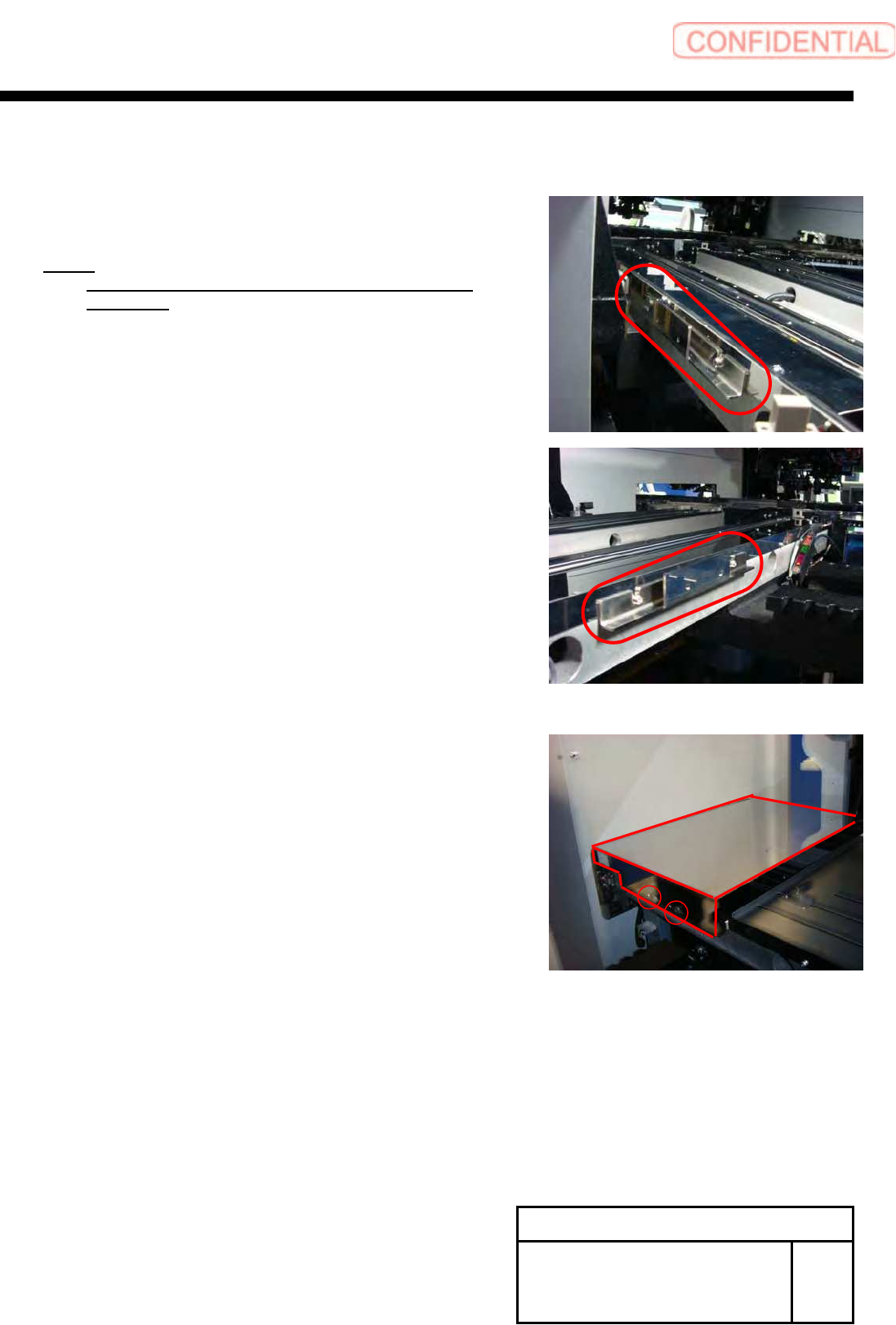
[Installation of hood]
1 Install the hood bracket with the 2-CP3x10
to S axis unit.
NOTE:
Commonly use the screws fixing the guide for the
S Axis rail.
2 Install the hood with the +T4x8.
System software clear installation process
WKGB-10109-01
System software clear installation process
1/11
System software clear installation process
If you are upgrading normally, use the procedure in "WKGB-10101-01".
This document describes…
The software clear installation which is a coping process for
troubles from software reasons.
Intended software version and models
ver. 1.72 or later / SI-G200 AA &SI-G200 BB
User level setting
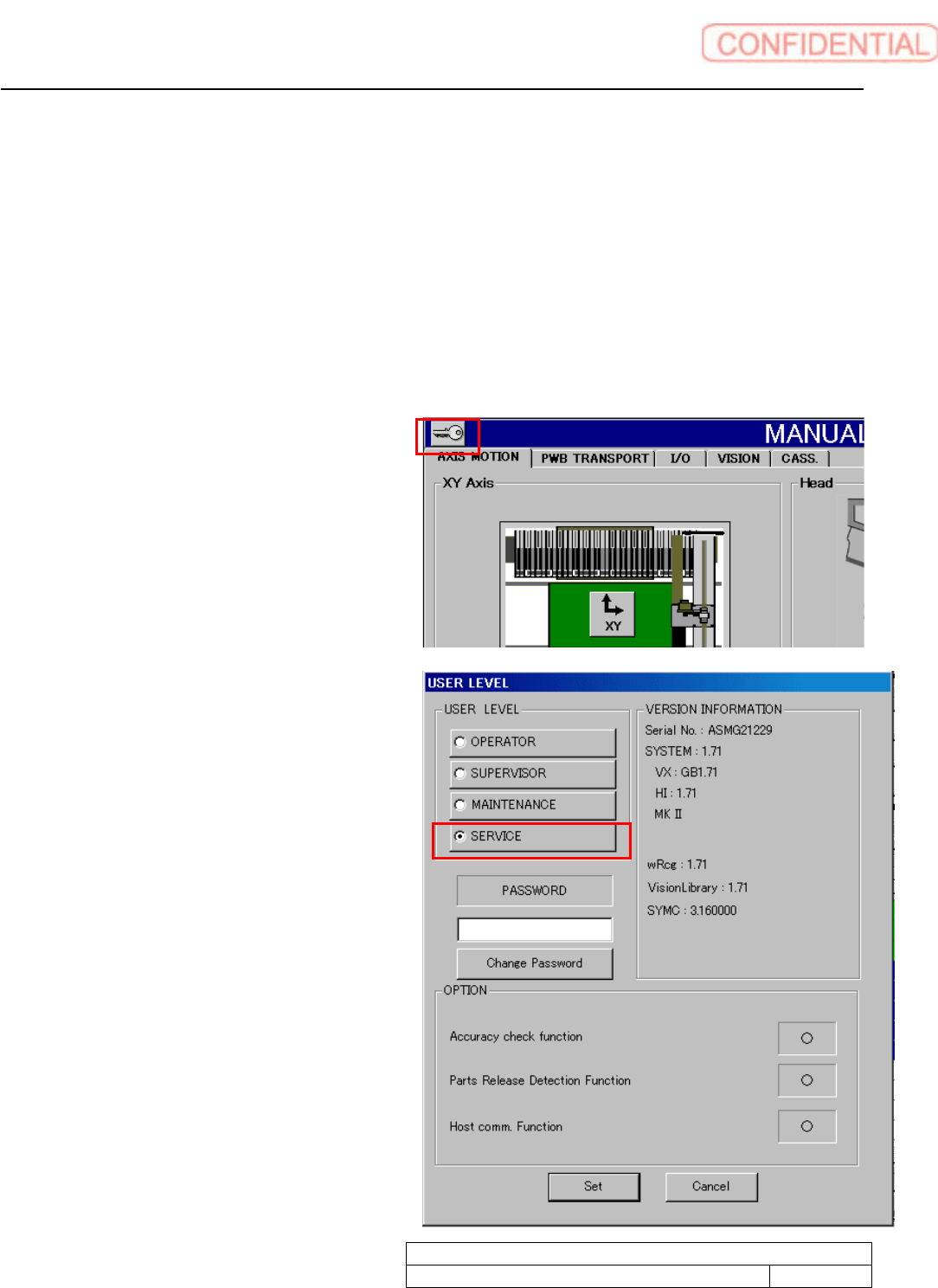
1. Click the key mark on the left shoulder of
the screen to show Use level display screen.
2. Click Service radio button to show cursor in
password field.