MAN00000772_SI-G200BB_SVCPDFA.pdf - 第237页
Calibration HLGB-10309-01 Calibration Data Edit SHEET 2/4 Format of CSV file f or transcription correction 1. “1 to 8” on the left row are Inde x No. 2. Input correction amount in X direction into the second row fr om th…
Calibration
HLGB-10309-01
Calibration Data Edit
SHEET
1/4
Calibration Data Edit
When revising the parts fitting position without performing calibration, edit the calibration data
according to the following procedure.
[Procedure]
1 Prepare a file of CSV format for correction in advance according to working which you want to
correct.
File can be arbitrarily named. The extension is “.csv”.
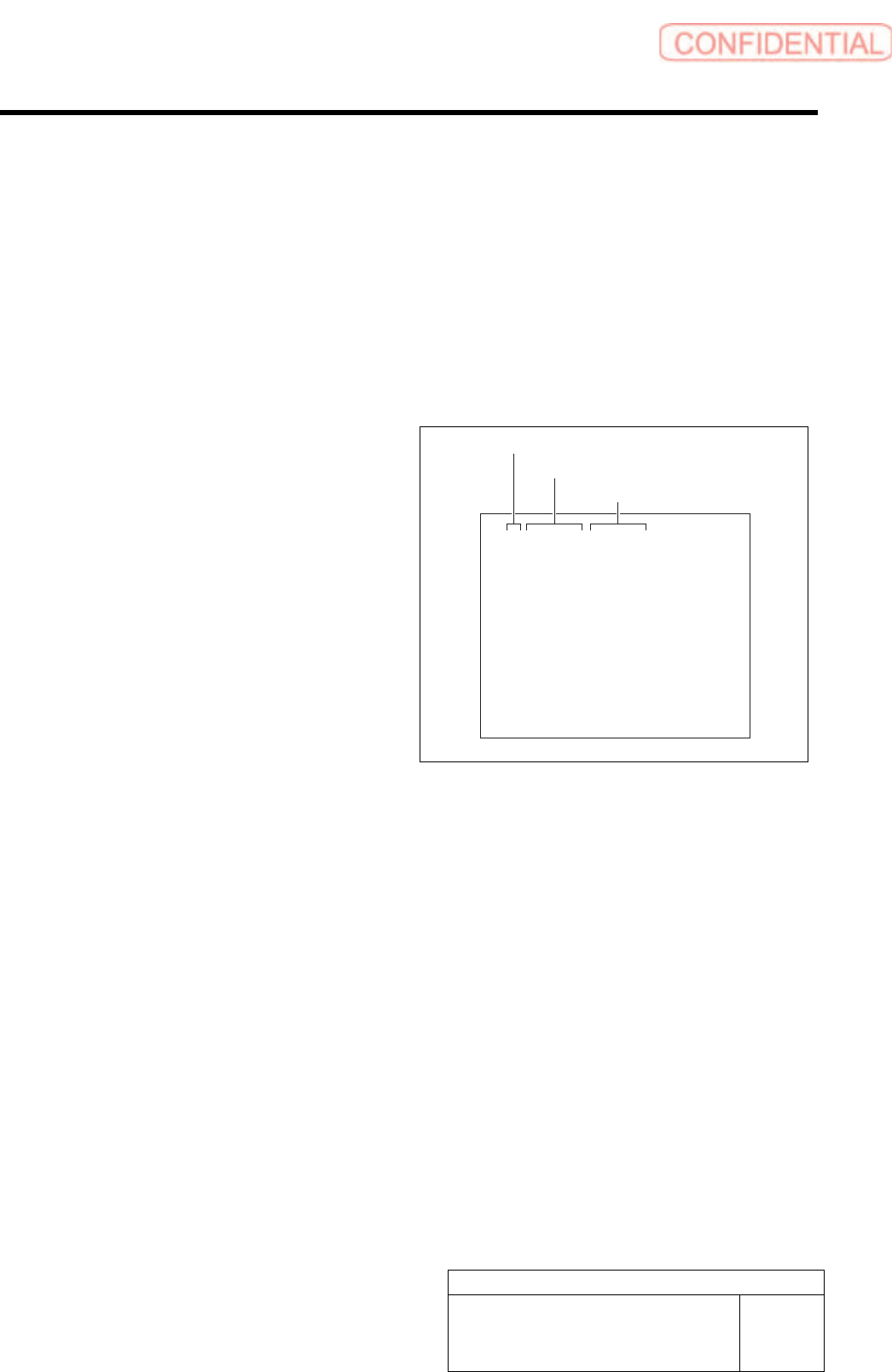
Format of CSV file for rotation center
correction
1. “1 to 8” on the left row are Index No.
2. Input correction amount in X direction
into the middle row.
・ When the fitting result in 180 degree deviates
to the left against the fitting result in 0 degree,
input half of the deviated amount with
positive sign.
・ When the fitting result in 180 degree deviates
to the right against the fitting result in 0
degree, input half of the deviated amount with
negative sign.
3. Input correction amount in Y direction
into the right row.
・ When the fitting result in 180 degree deviates
to the upper against the fitting result in 0
degree, input half of the deviated amount with
positive sign.
・ When the fitting result in 180 degree deviates
to the lower against the fitting result in 0
degree, input half of the deviated amount with
negative sign.
1,0.000,0.000
2,0.000,0.000
3,0.000,0.000
4,0.000,0.000
5,0.000,0.000
6,0.000,0.000
7,0.000,0.000
8,0.000,0.000
Index No.
Correction value in X direction
Correction value in Y direction
Calibration
HLGB-10309-01
Calibration Data Edit
SHEET
2/4
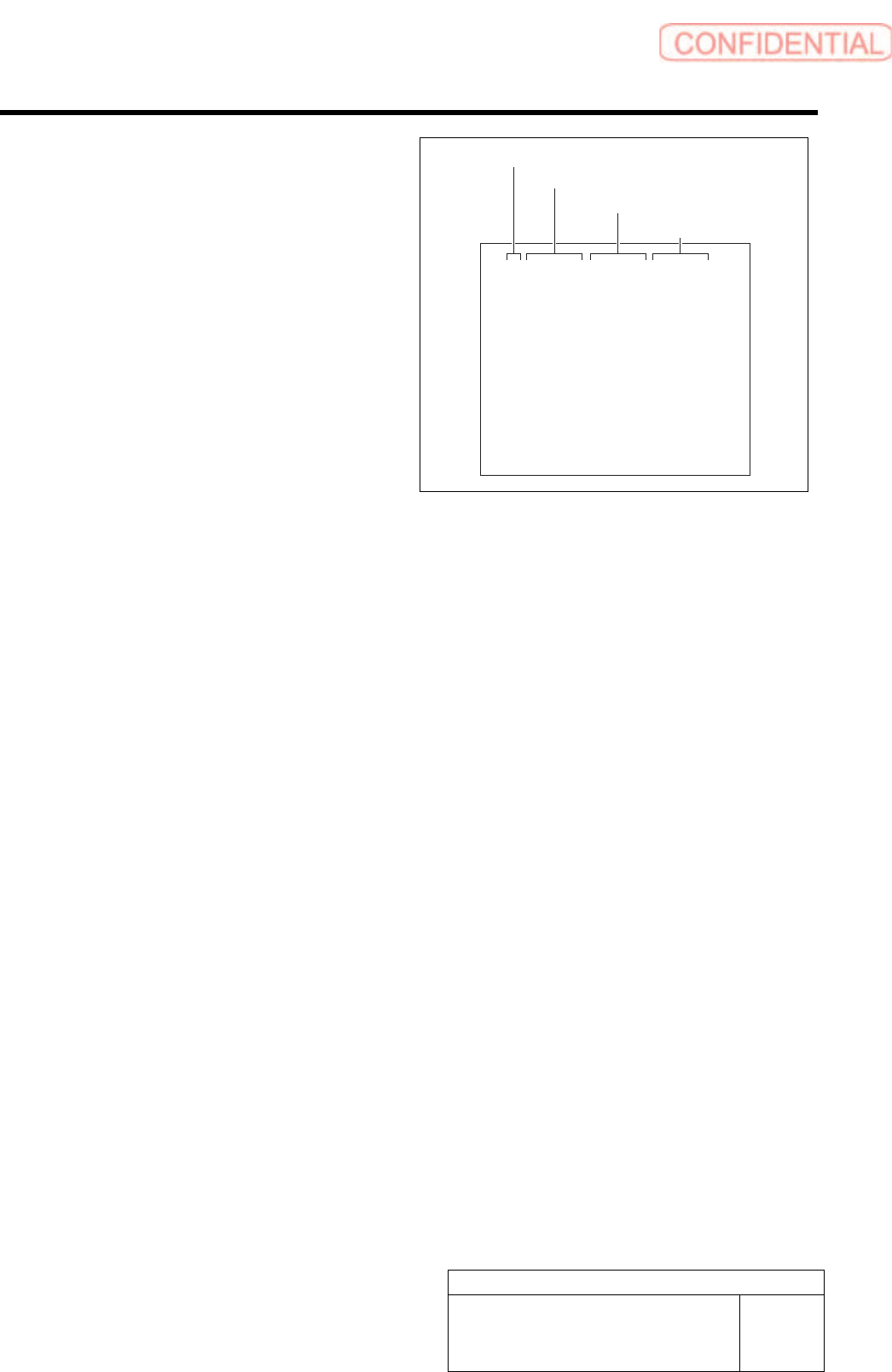
Format of CSV file for transcription correction
1. “1 to 8” on the left row are Index No.
2. Input correction amount in X direction
into the second row from the left.
・ When attempting to correct the fitting
position to the right side (+X direction), input
a value with negative sign.
・ When attempting to correct the fitting
position to the left side (-X direction), input
a value with positive sign.
3. Input correction amount in Y direction
in the third row from the left.
・ When attempting to correct the fiting position
to the upper side (+Y direction), input a
value with negative sign.
・ When attempting to correct the fiting position
to the lower side (-Y direction), input a
value with positive sign.
4. Input angle correction value into the
rightmost row.
・ When correcting the fitting result clockwise,
input a value with positive sign.
・ When correcting the fitting result
counterclockwise, input a value with negative
sign.
1,0.000,0.000,0.000
2,0.000,0.000,0.000
3,0.000,0.000,0.000
4,0.000,0.000,0.000
5,0.000,0.000,0.000
6,0.000,0.000,0.000
7,0.000,0.000,0.000
8,0.000,0.000,0.000
Index No.
Correction value in X direction
Correction value in Y direction
Angle correction value
Calibration
HLGB-10309-01
Calibration Data Edit
SHEET
3/4
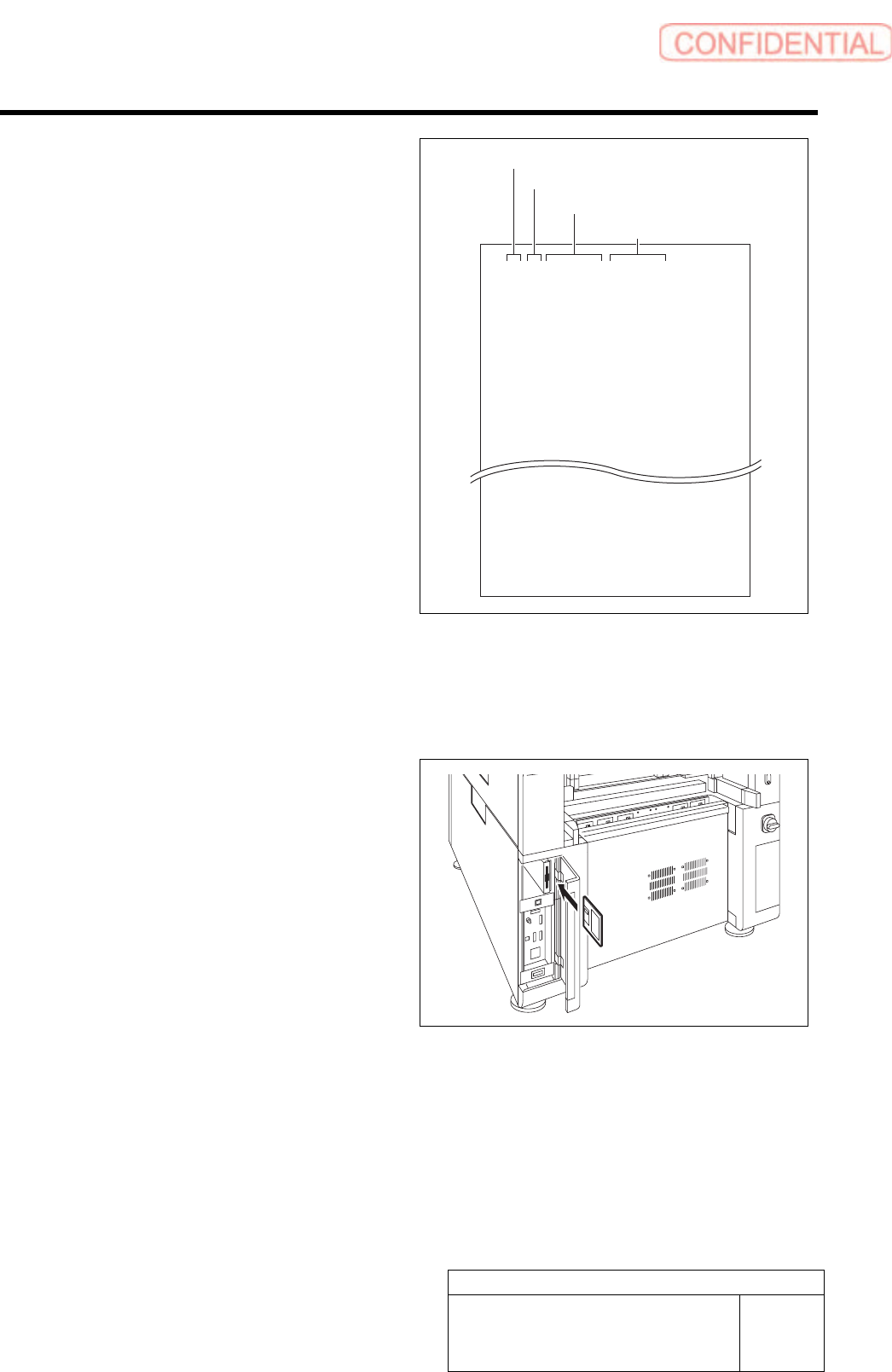
Format of CSV file for transcription correction
in every angle
5. “1 to 8” on the left row are Index No.
6. Input transcription angle into the
second row from the left.
Input four kinds of transcription angles, 0 degree,
90 degrees, 180 degrees and 270 degrees to one
Index No.
7. Input correction amount in X direction
in the third row from the left.
・ When attempting to correct the fitting
position to the right side (+X direction), input
a value with positive sign.
・ When attempting to correct the fitting
position to the left side (-X direction), input
a value with negative sign.
8. Input correction amount in Y direction
in the third row from the left.
・ When attempting to correct the fitting
position to the right side (+Y direction), input
a value with positive sign.
・ When attempting to correct the fitting
position to the left side (-Y direction), input
a value with negative sign.
1,0,0.000,0.000
1,90,0.000,0.000
1,180,0.000,0.000
1,270,0.000,0.000
2,0,0.000,0.000
2,90,0.000,0.000
2,180,0.000,0.000
2,270,0.000,0.000
8,0,0.000,0.000
8,90,0.000,0.000
8,180,0.000,0.000
8,270,0.000,0.000
2 Save the created CSV file for correction to a
floppy disk.
3 Set the floppy disk which contains the CSV
file for correction to the unit.
Index No.
Transcription angle
Correction value in X direction
Correction value in Y direction