MAN00000772_SI-G200BB_SVCPDFA.pdf - 第156页
Preparation for Calibration HLGB-10101-01 Install the Calibration Plate Jig SHEET 2/3 2. Click the Abs . Move button on the Conv . Adj. screen. 3. Input “186” into the input box of the Conv . W idth Abs. Pos. 4. Press th…
Preparation for Calibration
HLGB-10101-01
Install the Calibration Plate Jig
SHEET
1/3
Install the Calibration Plate Jig
Operations to use the calibration plate jig are as follows.
When performing the following operations, install the calibration plate jig according to the procedure
described in this section.
Set-Up
• RT Axis Origin Position Setup
• Acquiring Mounting Stroke Setup
• PWB Camera Setup
• Fiducial Mark Setup
Calibration
• PWB Camera Light Calibration
• Fixed Camera Calibration
• Pickup Camera Calibration
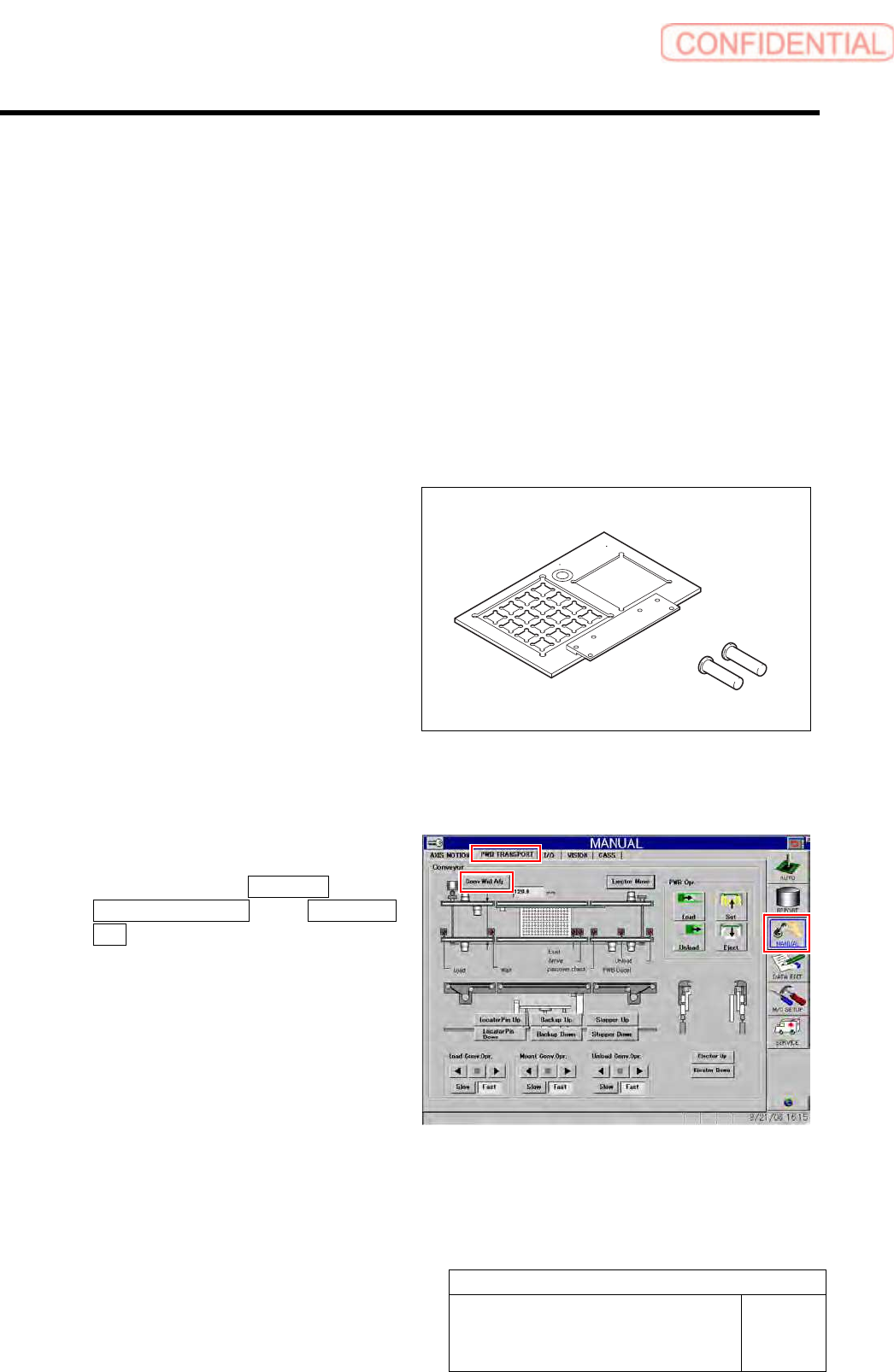
[Necessary jigs]
• Calibration plate jig
• Jig positioning pin
[Procedure]
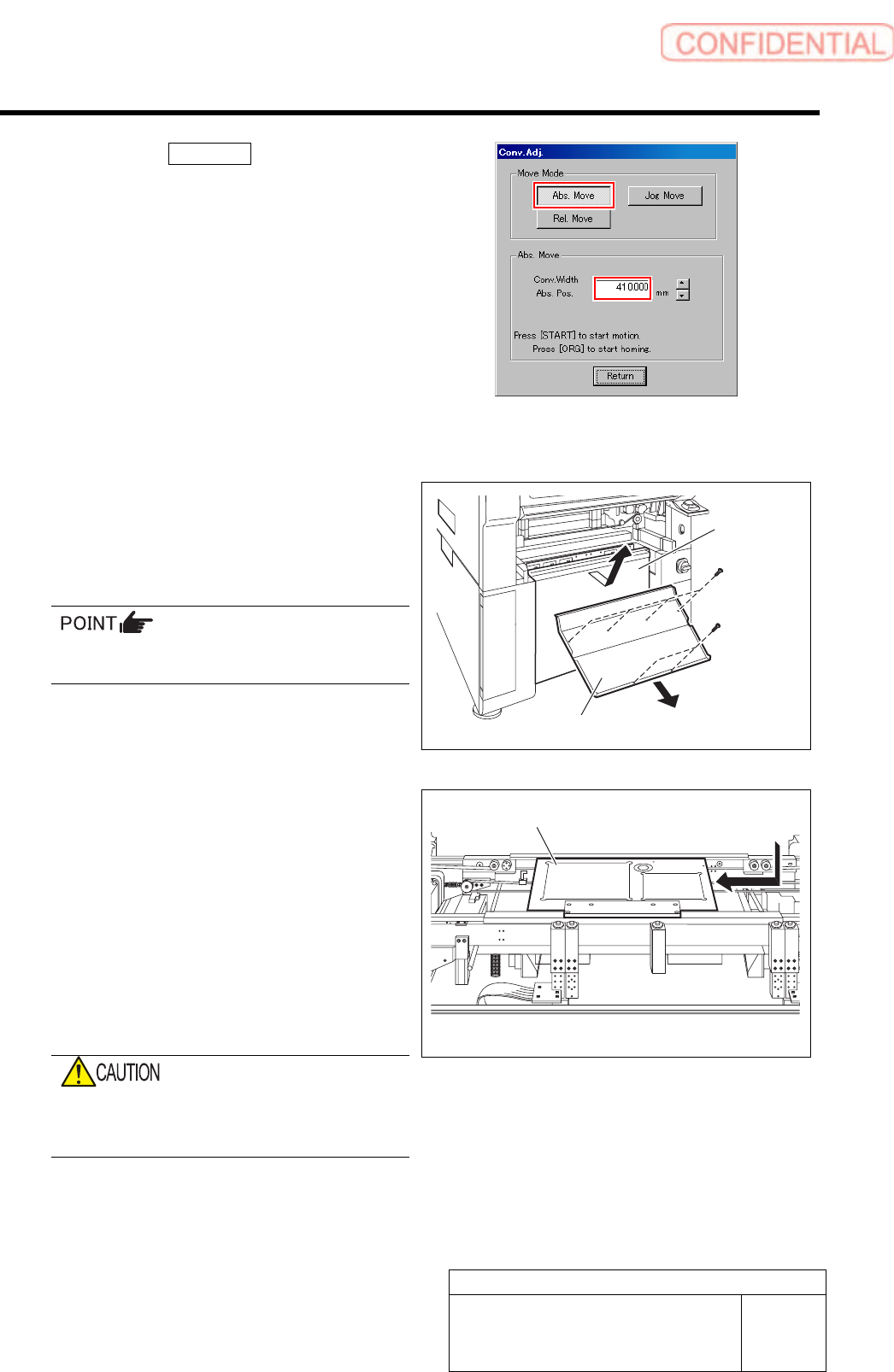
1 Set conveyor width to 186mm.
1. Click in an order of MANUAL menu
PWB TRANSPORT tab Conv. Wid.
Adj. button.
Calibration plate jig
Jig positioning pin
Preparation for Calibration
HLGB-10101-01
Install the Calibration Plate Jig
SHEET
2/3
2. Click the Abs. Move button on the
Conv. Adj. screen.
3. Input “186” into the input box of the
Conv. Width Abs. Pos.
4. Press the [START] button on the
operation panel.
Conveyor width is widened to the position of 186
mm.
2 Press the emergency stop button to turn
OFF the servo.
3 Remove the lower cover and shooter on the
front of the unit.
1. Loosen screw (2-+T4x8) to remove the
lower cover.
Tile the lower cover slightly toward you and
pull the fan cable to remove the lower panel.
2. Loosen screw (2-+T4x8) to remove the
shooter.
4 Install the calibration plate jig.
1. Place the calibration plate jig on the
rail on the right of the conveyor and
slide it to near the center of the
conveyor.
2. Insert the jig positioning pins (two)
into the calibration plate jig.
3. Remove the cap screw for jig
positioning pin.
If the cap screw for the jig positioning pin is
forgotten to be pulled out, it may interfere
with the head, causing damage on the unit.
Calibration plate jig
Lower cover
Shooter
Preparation for Calibration
HLGB-10101-01
Install the Calibration Plate Jig
SHEET
3/3
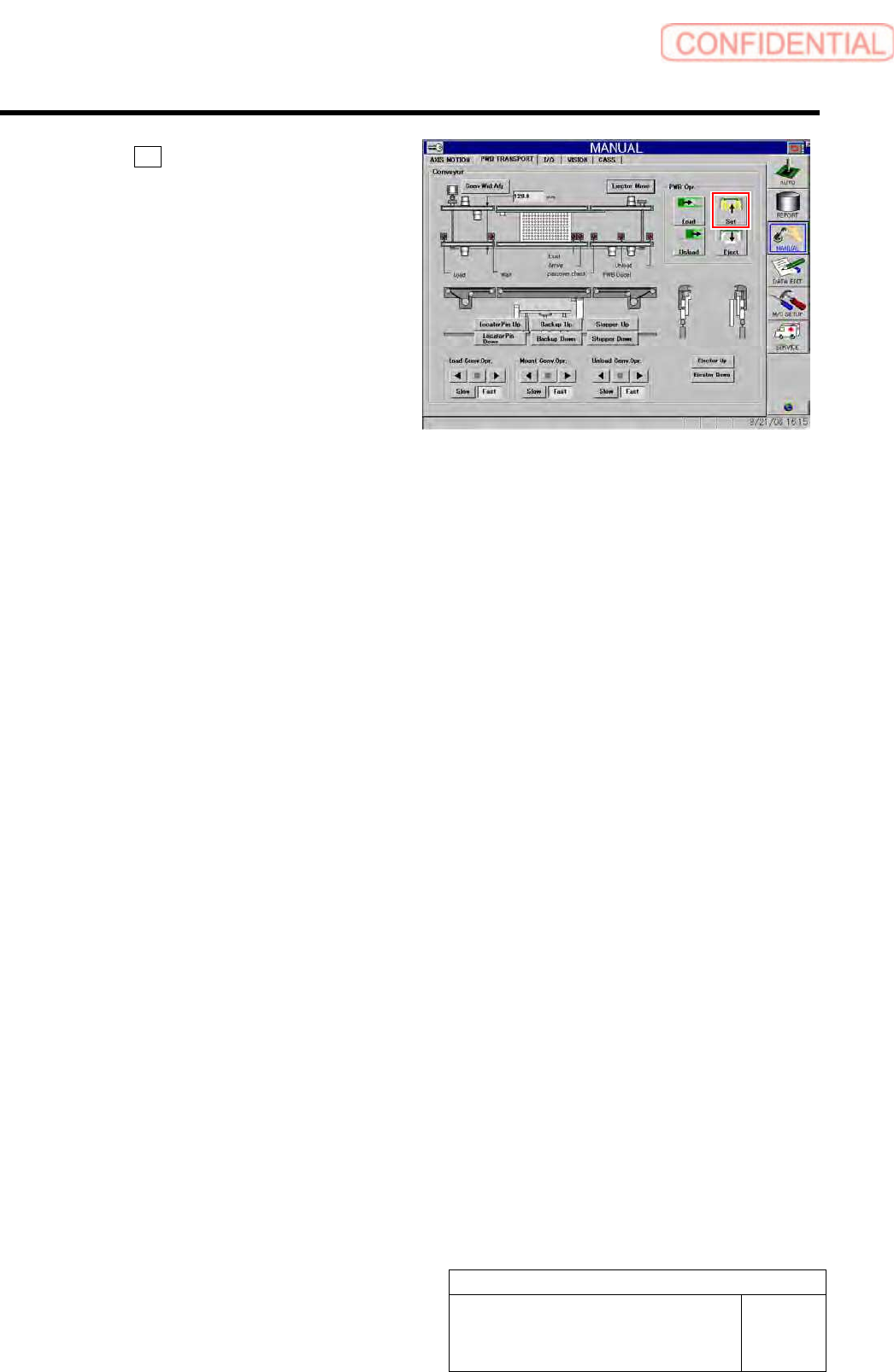
5 Click the Set button to fix the calibration
plate.
6 Release the emergency stop switch to return
the unit to the origin.