00193891-0702_AI_LP_Barcode_DE+EN.pdf - 第151页
SIPLACE 2 PCB barcode scanner assembly instructions 10/2009 Edition 2.7 Installing the PCB barcode scanner 151 2.7 Inst alling the PCB barcode scanner 2.7.1 SIPLACE HF ser ies / X-series / D3 : Switch the machine off at …
2 PCB barcode scanner assembly instructions SIPLACE
2.6 Assembly kits overview 10/2009 Edition
150
119682 PCB barcode scanner for 1D 2
This scanner is used to detect one-dimensional PCB
barcodes. The scanner can be installed once
or twice on the single conveyor or up to four times on the dual conveyor for scanning from above
and/or below. It contains the following items:1D scanning head CLV-422 (1x), assembly materials.
One machine assembly kit is also needed per placement system. 2
2
119679 PCB barcode scanner, 2D HS-xx, HF/X-series and D-series 2
This scanner is used to read two-dimensional PCB barcodes, e.g. data matrix code. It can also
re
ad commonly-used one-dimensional codes. On the SIPLACE HS-xx and HF/X series, the scan-
ner can be installed once or twice on the single con
veyor or up to four times on the dual conveyor.
It contains the following items: 2D scanning head ICR-850 (1x) and assembly materials. One ma-
chine assembly kit is also needed per placement system. 2
2
119689 2D PCB barcode scanner for S, F 2
This scanner is used to read two-dimensional PCB barcodes, e.g. data matrix code. It can also
re
ad commonly-used one-dimensional codes. On the SIPLACE S and F series, the scanner can
be installed once or twice on the single conveyor or up to four times on the dual conveyor. It con-
tains the following items: 2D scanning head ICR-850 (1x) and assembly materials. One machine
asse
mbly kit is also needed per machine. 2
2
2
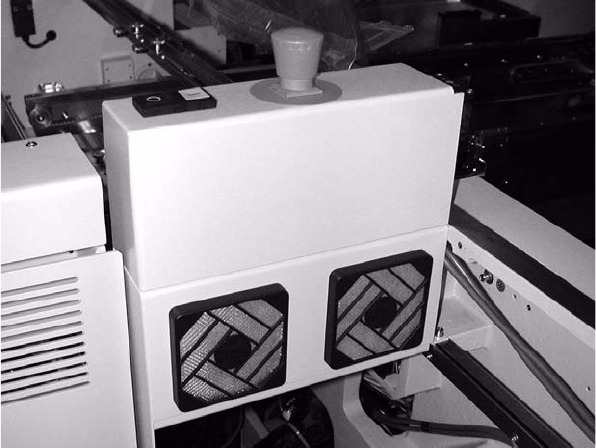
SIPLACE 2 PCB barcode scanner assembly instructions
10/2009 Edition 2.7 Installing the PCB barcode scanner
151
2.7 Installing the PCB barcode scanner
2.7.1 SIPLACE HF series / X-series / D3
: Switch the machine off at the main switch.
: Open the protective covers.
: Open the plexiglas cover over the input belt.
2
CAUTION: Dual conveyor only: 2
A side section of the input belt (exte
nsion kit) must be removed in order to install the fixing rail for
the barcode scanner. 2
2
2
2
2
2
2
2
2
2
2 PCB barcode scanner assembly instructions SIPLACE
2.7 Installing the PCB barcode scanner 10/2009 Edition
152
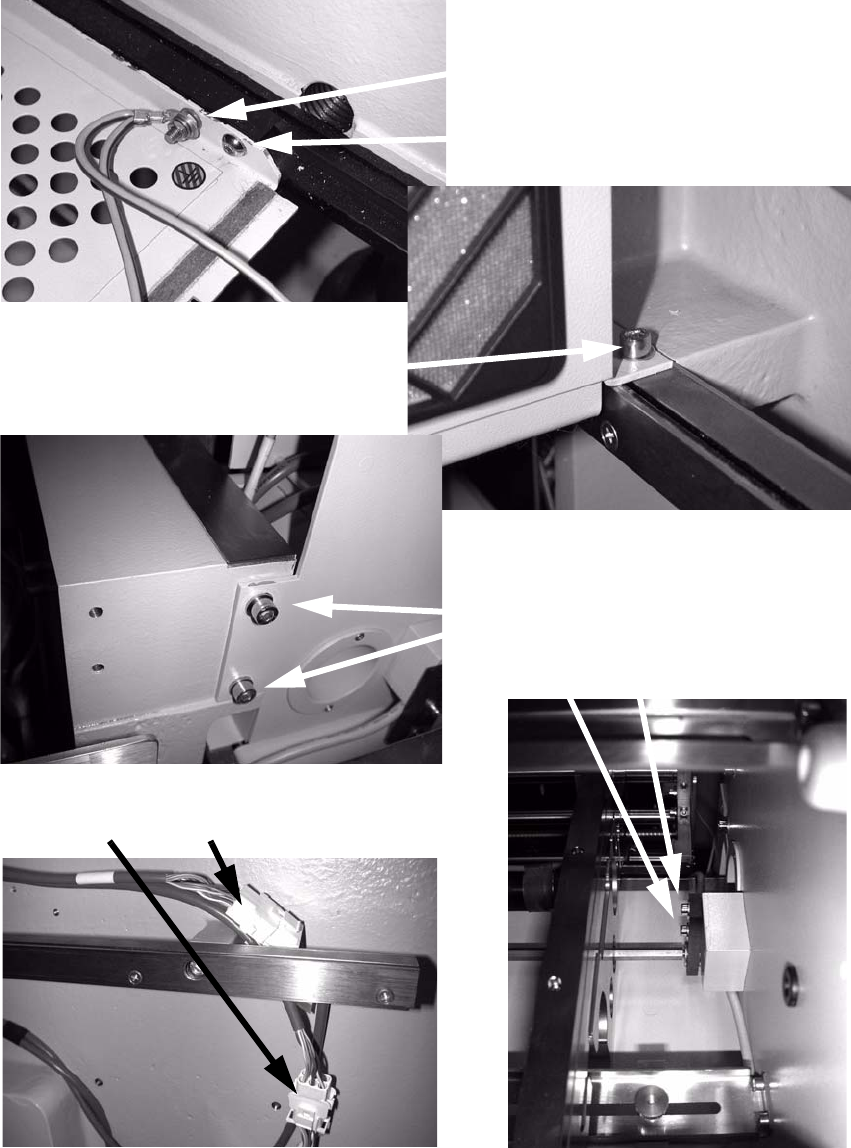
: To do this, loosen the following screws:
Detach grounding terminal
Loosen and remove screw
Loosen and remove screw
Loosen screws
Detach connections
2
: Remove the side section of the input belt (extension kit).