00193891-0702_AI_LP_Barcode_DE+EN.pdf - 第269页
SIPLACE 2 PCB barcode scanner assembly instructions 10/2009 Edition 2.12 Tips & tricks for the barcode scanner 269 2 2 2
2 PCB barcode scanner assembly instructions SIPLACE
2.12 Tips & tricks for the barcode scanner 10/2009 Edition
268
2
2
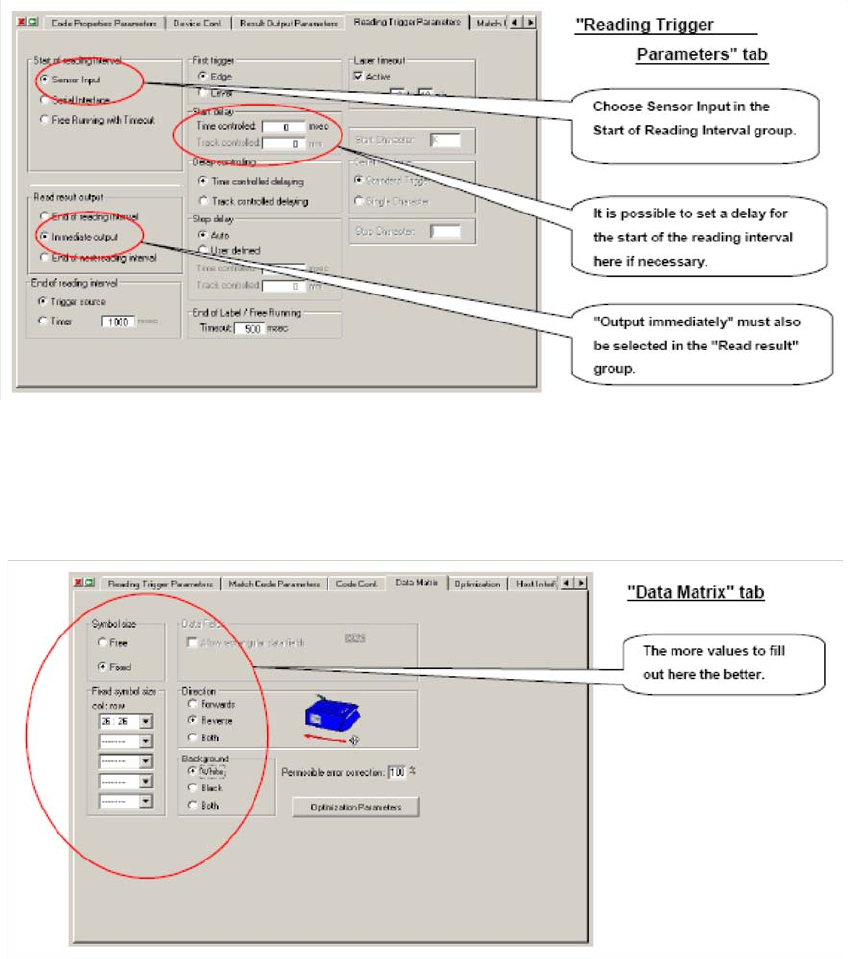
If it proves necessary to enter a delay at the start of the cycle, this can be done in the box highlights
above. It must be noted, however, that any barcodes located at the start of a PCB will not be read.2
2
2
The Data matrix menu should be used to define as many settings as possible. 2
Every defined value reduces the analysis time, which may becom
e critical with low-contrast or dif-
ficult to read codes. 2
2
2
SIPLACE 2 PCB barcode scanner assembly instructions
10/2009 Edition 2.12 Tips & tricks for the barcode scanner
269
2
2
2
2 PCB barcode scanner assembly instructions SIPLACE
2.12 Tips & tricks for the barcode scanner 10/2009 Edition
270
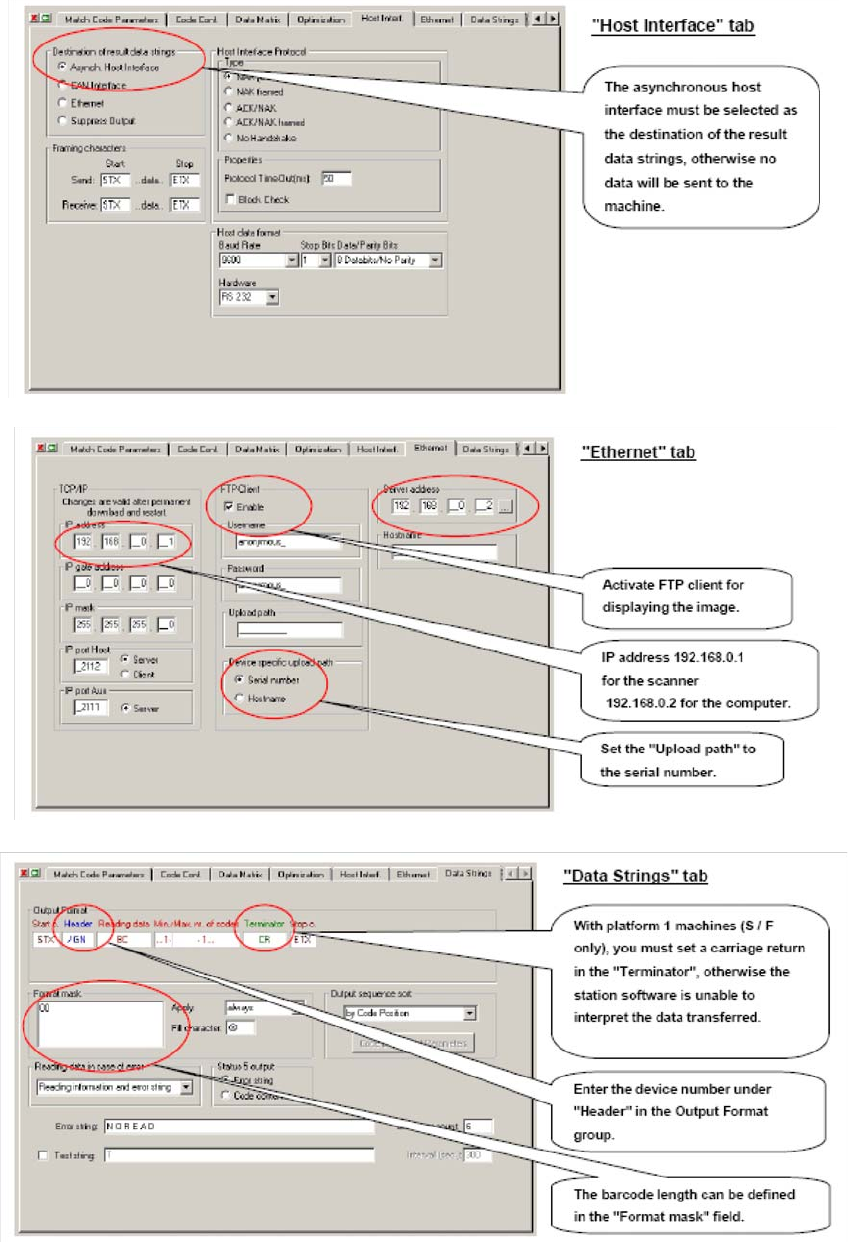
To do this, click in the window. One of the windows shown below opens. Then use the keyboard
to enter an "/: in the top line, then use the mouse to select either “GN“ for the header or “CR“ for
the terminator in the selection box. 2
2
2
2
2
2