00193891-0702_AI_LP_Barcode_DE+EN.pdf - 第182页
2 PCB barcode scanner assembly instructions SIPLACE 2.7 Installing the PCB barcode scanner 10/2009 Edition 182 : Using the drill or cordless screwdriver , drill a 10 mm diameter hole (s ee diagram above for po - sition).…
SIPLACE 2 PCB barcode scanner assembly instructions
10/2009 Edition 2.7 Installing the PCB barcode scanner
181
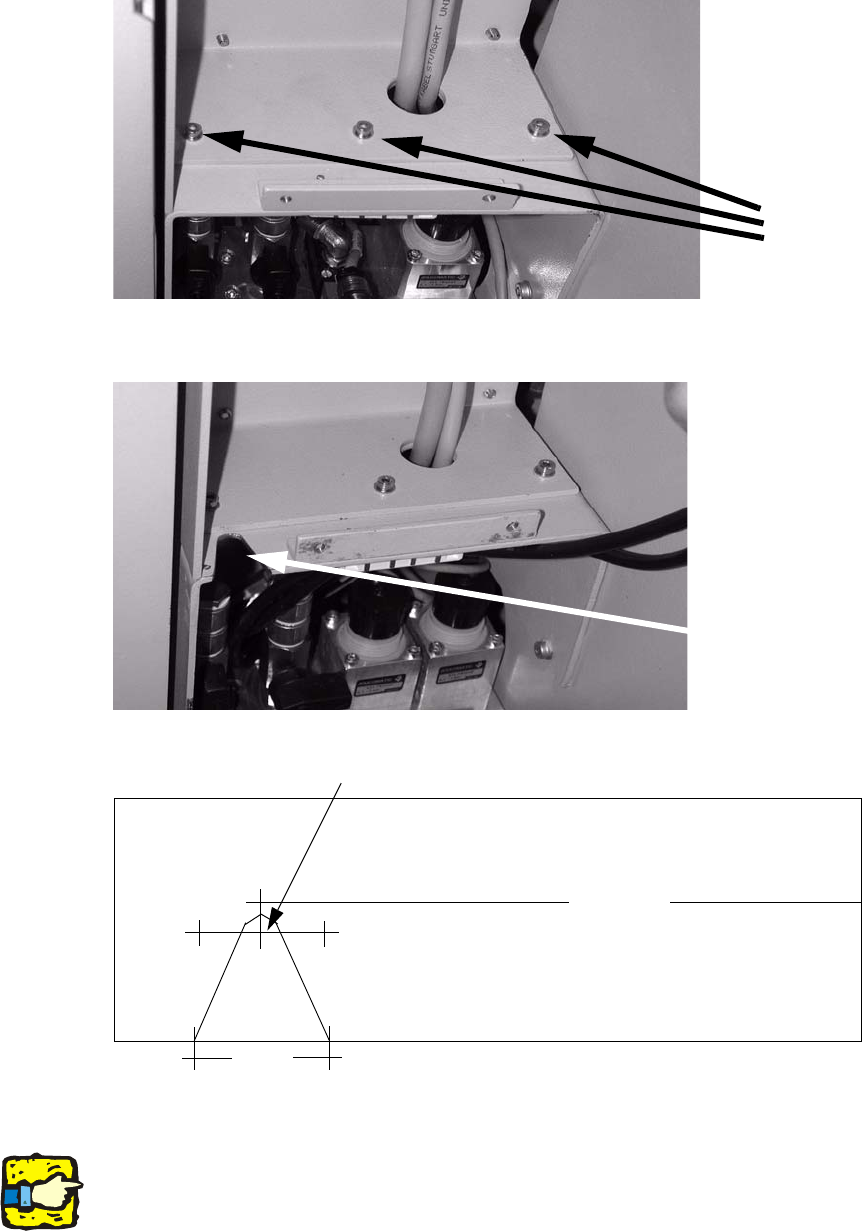
: Remove the top of the extension kit (3 screws).
3 screws
2
: Mark the position of the slot.
Location of the new
cable penetration slot
22
22
22
160
Position of the drilled hole
2
2
2
Make sure that electrical components are protected from swarf while drilling and sawing. 2
2
2 PCB barcode scanner assembly instructions SIPLACE
2.7 Installing the PCB barcode scanner 10/2009 Edition
182
: Using the drill or cordless screwdriver, drill a 10 mm diameter hole (see diagram above for po-
sition).
: Cut out the slot with a compass saw or hacksaw.
: Deburr sharp edges.
: Refit the top of the extension kit.
2
2.7.6 Mechanical and electrical installation
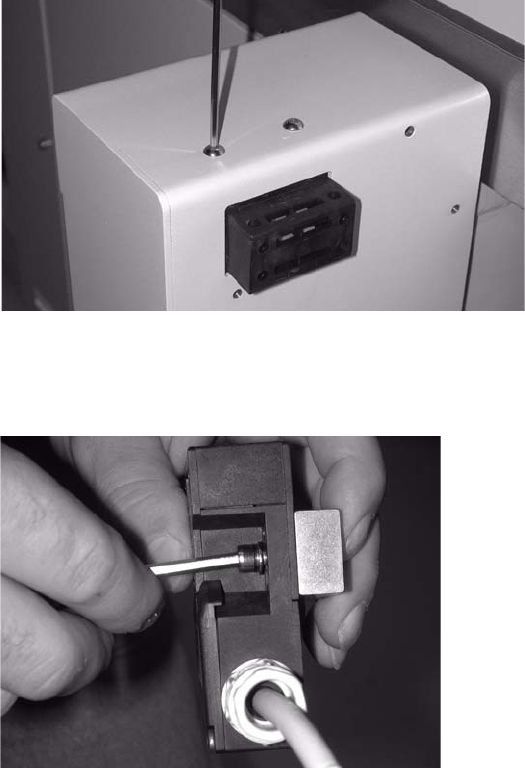
: Unscrew the cover switch.
The screws are secured with locking adhesive.
2
2
: Remove the spacer block from the cover switch.
2
2
2
SIPLACE 2 PCB barcode scanner assembly instructions
10/2009 Edition 2.7 Installing the PCB barcode scanner
183
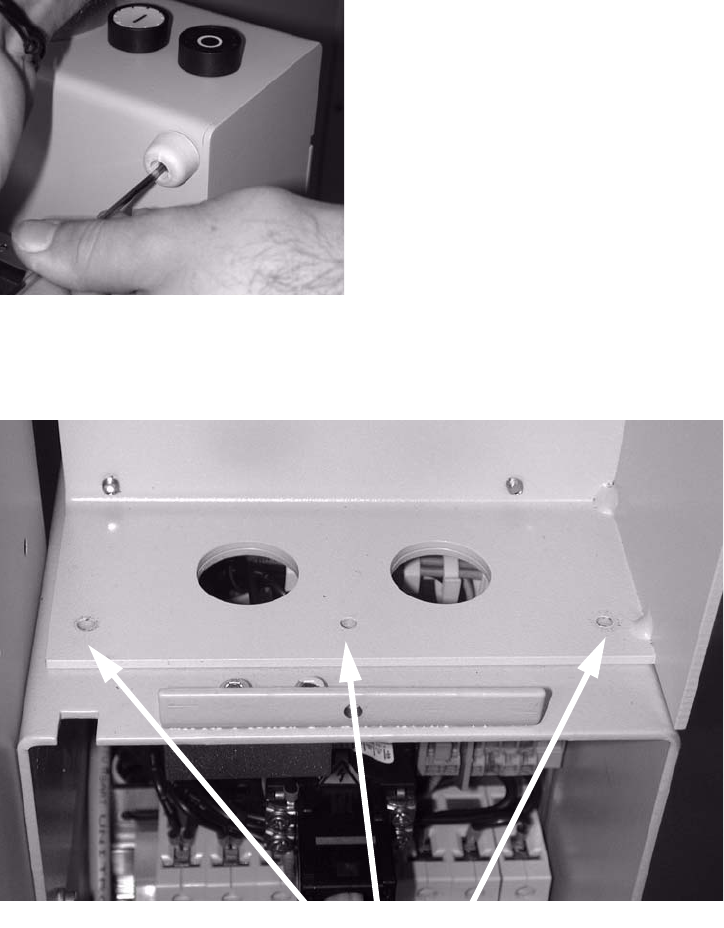
: Remove the rubber mounting.
2
2
: Loosen the three screws on the left side of the extension kit.
3 screws
2
2
2
2
2
2