00193891-0702_AI_LP_Barcode_DE+EN.pdf - 第164页
2 PCB barcode scanner assembly instructions SIPLACE 2.7 Installing the PCB barcode scanner 10/2009 Edition 164 : T ap the thread in the holes using the ratchet t apper and M4 t ap. : Clean the mach ine to re move all dri…
SIPLACE 2 PCB barcode scanner assembly instructions
10/2009 Edition 2.7 Installing the PCB barcode scanner
163
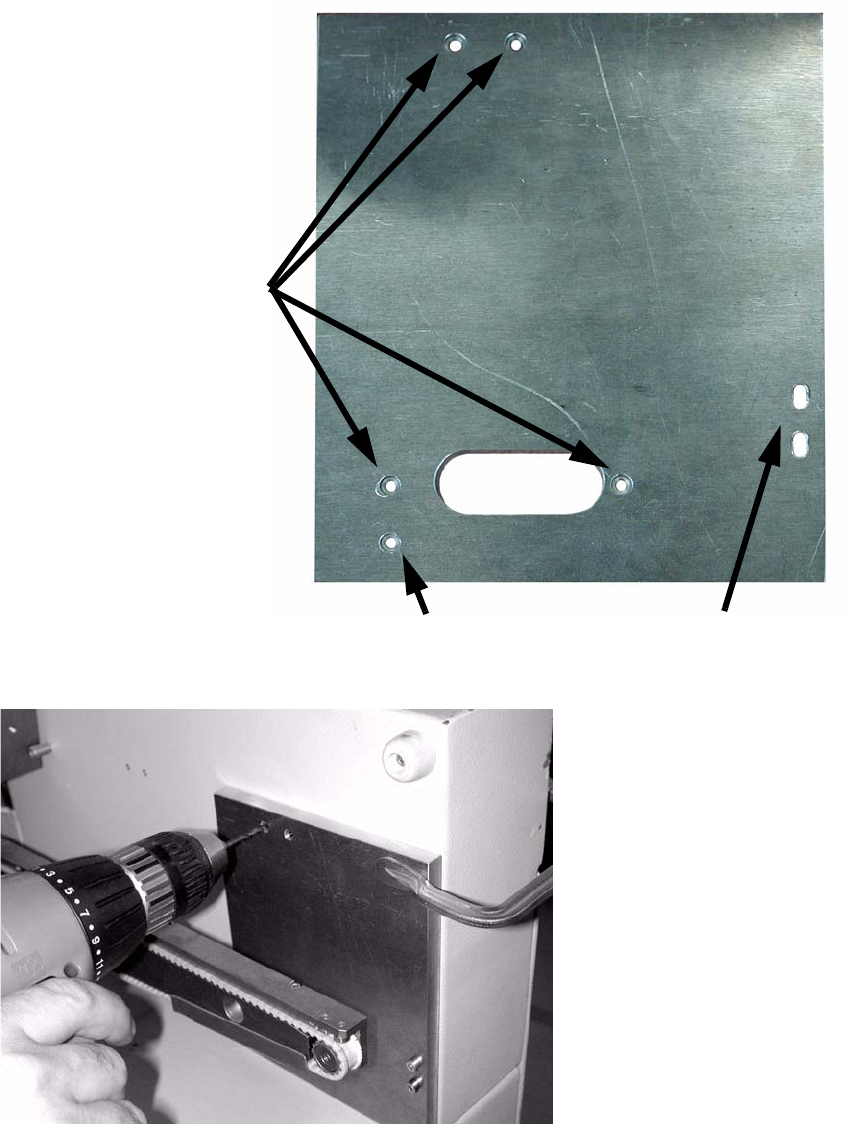
: Drill 4 holes through the gauge and into the extension kit.
Slots for fixing the drilling
gauge
Drill these four holes
This hole only has to be drilled for
the old PCB barcode unit.
2
: Drill the holes on both sides of the extension kit.
: Remove the drilling gauge.
2 PCB barcode scanner assembly instructions SIPLACE
2.7 Installing the PCB barcode scanner 10/2009 Edition
164
: Tap the thread in the holes using the ratchet tapper and M4 tap.
: Clean the mach
ine to remove all drilling dust.
2.7.3.1 Mechanical installation
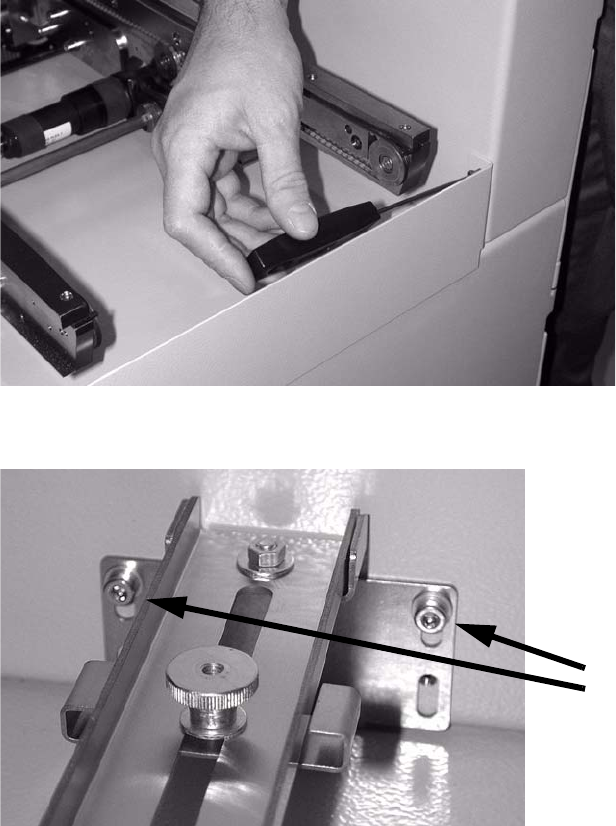
: Open the protective cover over the PCB input belt.
: If necessary, remove the hand guard on the end face (2 hexagon socket head screws on each
side).
T
his is not absolutely necessary, but it does make it easier to a
ccess the working area.
2
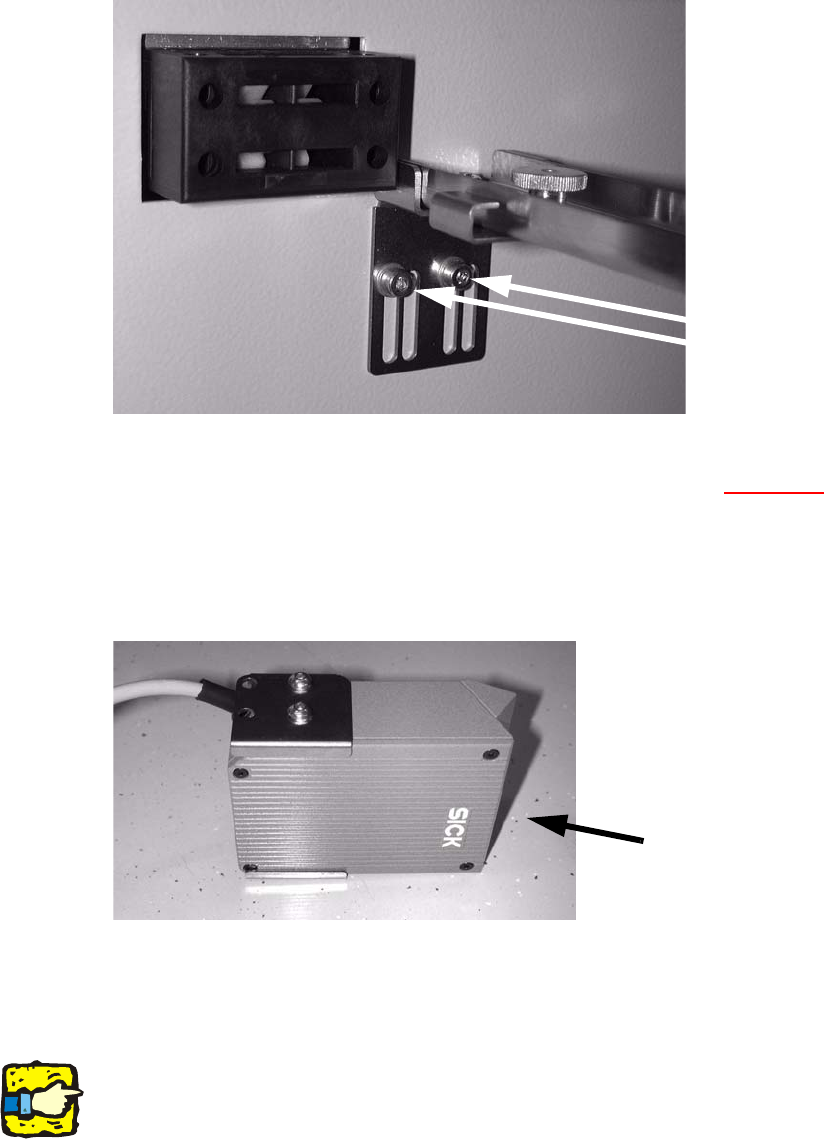
: Fit the bottom cross-rail using the two top holes (M 4x8).
Screws
2
2
2
2
SIPLACE 2 PCB barcode scanner assembly instructions
10/2009 Edition 2.7 Installing the PCB barcode scanner
165
: Fit the top cross-rail
using the left-hand slots.
Screws in the
left-hand slots
2
2
: Label the connecting plugs for the barcode scanner (X1 - X4, see Section 2.9, Electrical con-
nections).
: Fit the supporting bracket on the barcode scanner t
o suit the installation position (scanner at
top or bottom).
Figure:
2D scanner
underside
2
2
: Fit the barcode scanner to the cross-rails.
Run the connecting cable through the hole in the side wall.
2
2
2
When running the cable, make sure that it is not in the traveling range of the conveyor width ad-
juster and does not rub against the side panels
and motors of the width adjuster. 2
2