00193891-0702_AI_LP_Barcode_DE+EN.pdf - 第154页
2 PCB barcode scanner assembly instructions SIPLACE 2.7 Installing the PCB barcode scanner 10/2009 Edition 154 : Screw on the rail with the locatin g holes above (PCB barcode scanne r topside) or b elow the input belt (P…
SIPLACE 2 PCB barcode scanner assembly instructions
10/2009 Edition 2.7 Installing the PCB barcode scanner
153
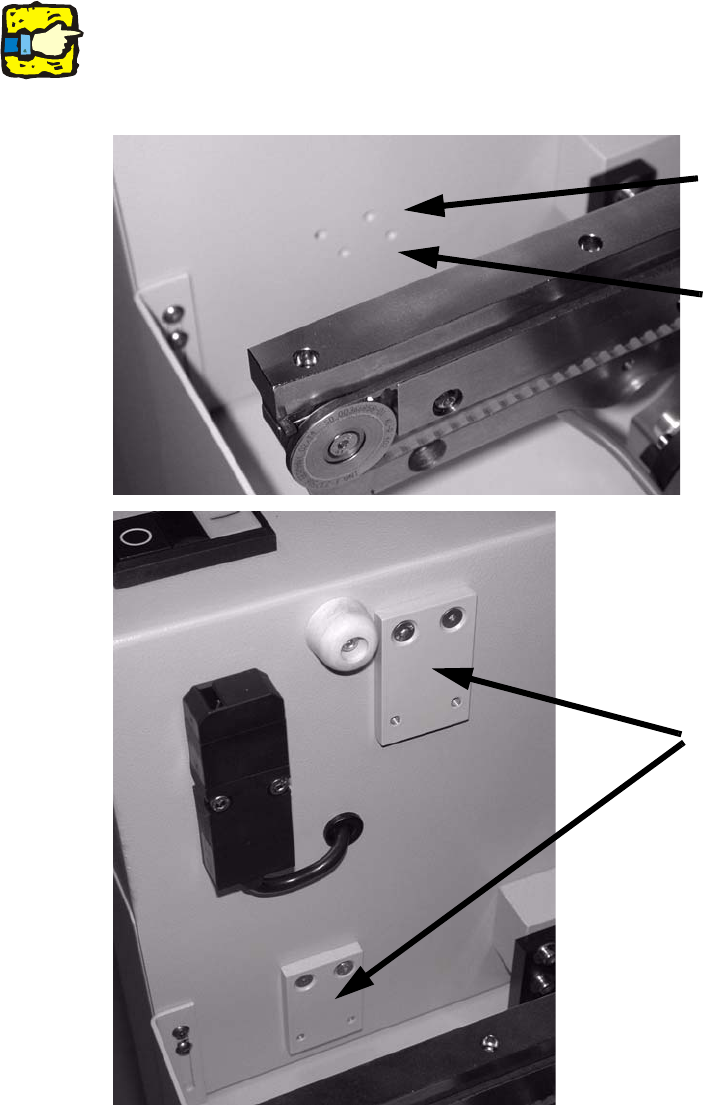
: Screw the adapter plate above (PCB barcode scanner topside) or below the input belt (PCB
barcode scanner underside) using 2 hexagon socket head screws on the left and right.
Screw on the adapter plates through the top holes.
2
If the screws are hard to tighten, tighten them first without the rail and then loosen them again.
This will break the paint in the screw holes. 2
Top holes for rail under-
neath with 2D scanner
Adapter plates
Bottom holes for rail on top
with 2D scanner
2
2
2
2 PCB barcode scanner assembly instructions SIPLACE
2.7 Installing the PCB barcode scanner 10/2009 Edition
154
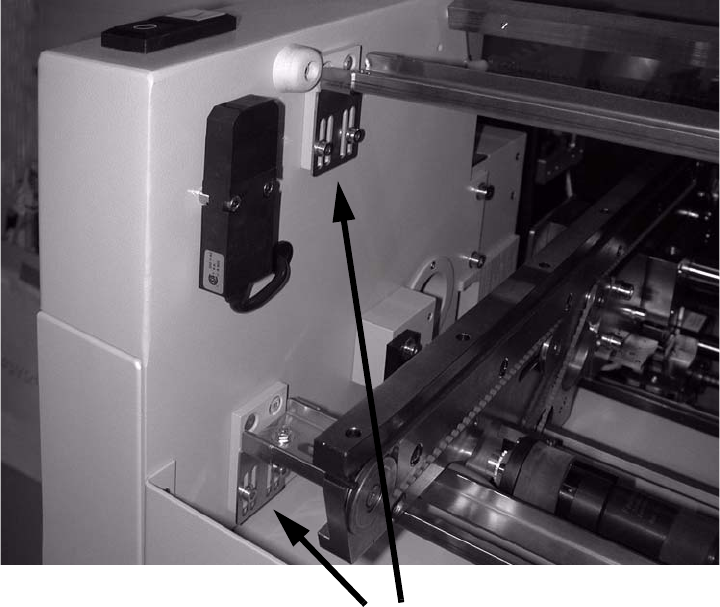
: Screw on the rail with the locating holes above (PCB barcode scanner topside) or below the
input belt (PCB barcode scanner underside) using 2 hexagon socket head screws on the left
and right.
Fix the rail (using the outer slots)
2
2
: Reverse the above sequence to refit the side section of the input area (rucksack).
2
2
2
2
2
2
2
2
2
SIPLACE 2 PCB barcode scanner assembly instructions
10/2009 Edition 2.7 Installing the PCB barcode scanner
155
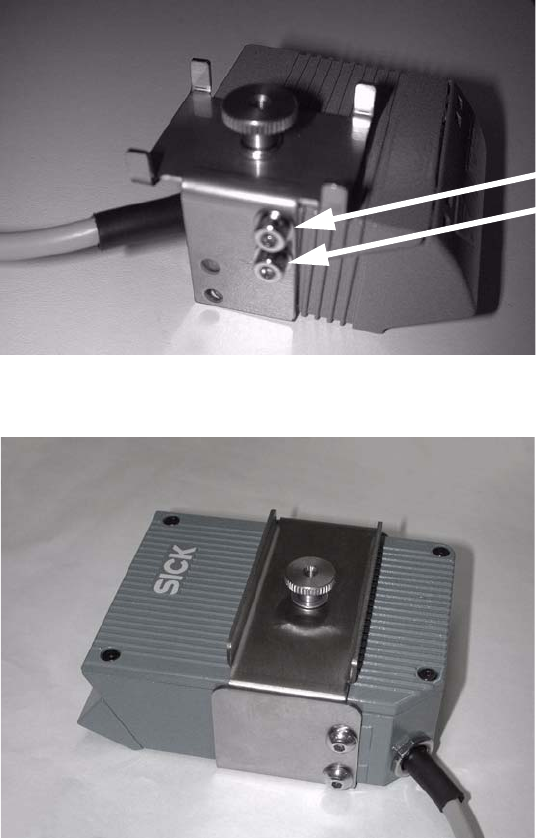
: Fit the fixing bracket to the barcode scanner.
2 hexagon socket head
screws with
plain washers
1 D barcode scanner
2 D barcode scanner
2
2
2
2
2
2
2
2