00193891-0702_AI_LP_Barcode_DE+EN.pdf - 第267页
SIPLACE 2 PCB barcode scanner assembly instructions 10/2009 Edition 2.12 Tips & tricks for the barcode scanner 267 2 It is also important that the scanner hardware is connected at the correct slot of the HUB and that…
2 PCB barcode scanner assembly instructions SIPLACE
2.12 Tips & tricks for the barcode scanner 10/2009 Edition
266
2.12.9 Important setup settings for the ICR850
2
2
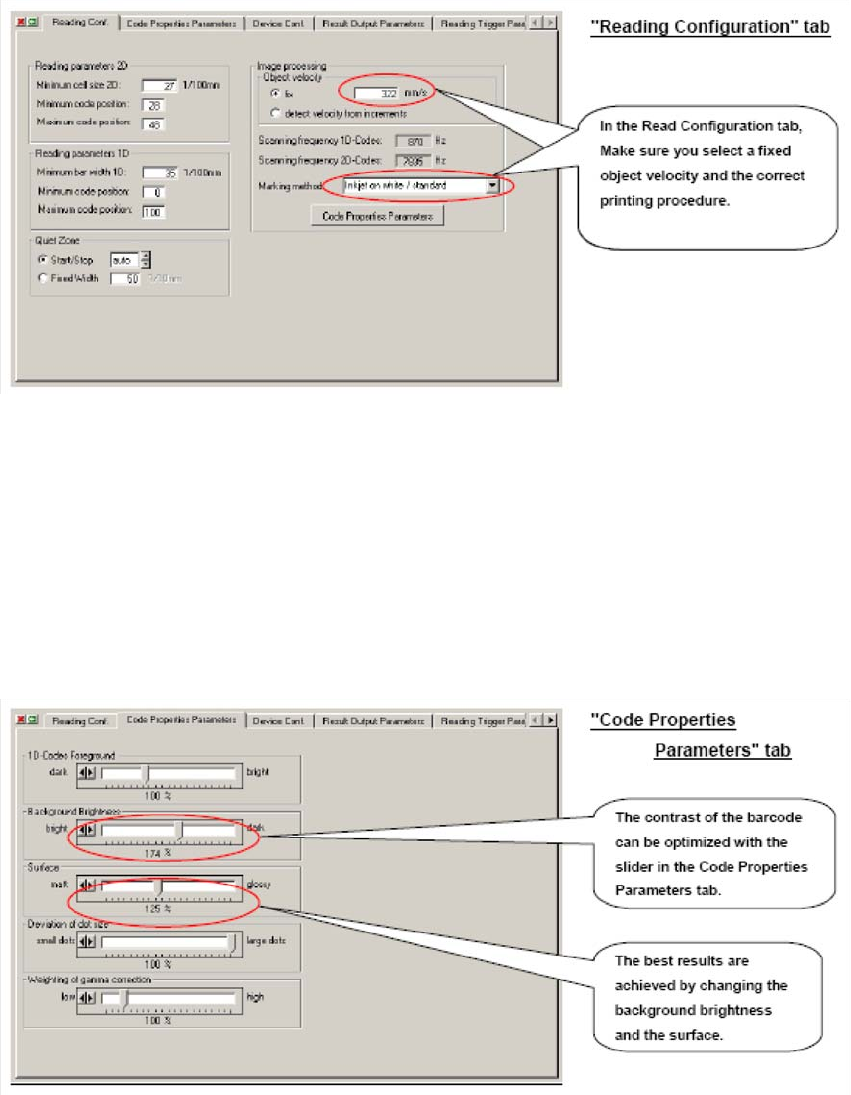
It is possible that the lens speed used for the first station on a line cannot be the same as for the
other stations. This is because the conveyor belt upstream of the first station often travels faster
or slower than the SIPLACE conveyor and, at the time of scanning, still determines the speed of
the PCB. The SIPLACE conveyor runs at around 300-350 mm/s. The selected marking method
determines the contrast of the barcode and thus whether decoding will be successful. Many prob-
lems occur, for example, only when an attempt is made to scan a CO2-lasered code with a default
sett
ing. 2
2
2
SIPLACE 2 PCB barcode scanner assembly instructions
10/2009 Edition 2.12 Tips & tricks for the barcode scanner
267
2
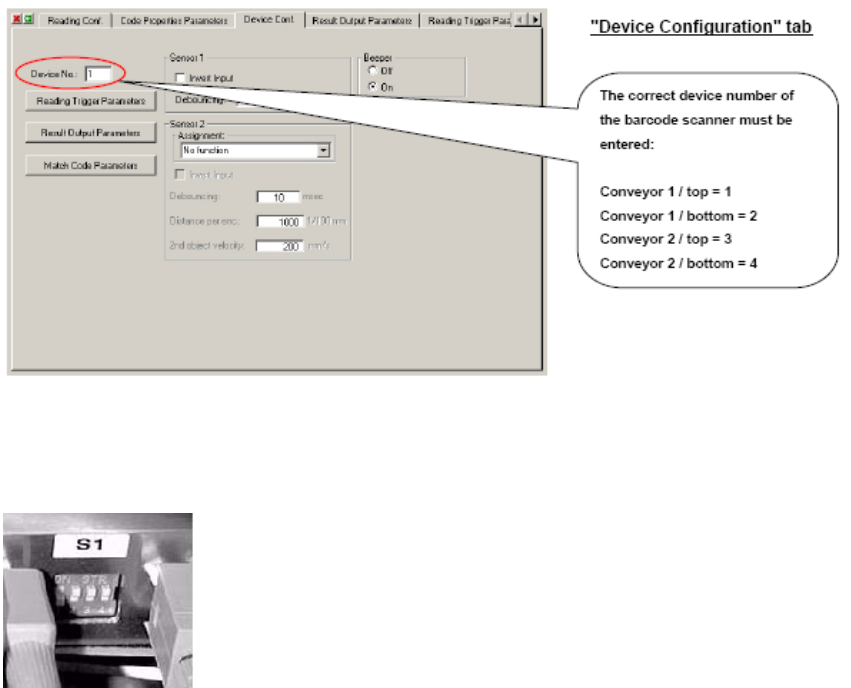
It is also important that the scanner hardware is connected at the correct slot of the HUB and that
the DIP switches are set correctly. 2
Scanners connected to the barcode distributor must be set to
"OFF" at the DIP switch, scanners not connected to the bar-
code distributor must be set to "ON".
2
2
2
2
2
2
2
2 PCB barcode scanner assembly instructions SIPLACE
2.12 Tips & tricks for the barcode scanner 10/2009 Edition
268
2
2
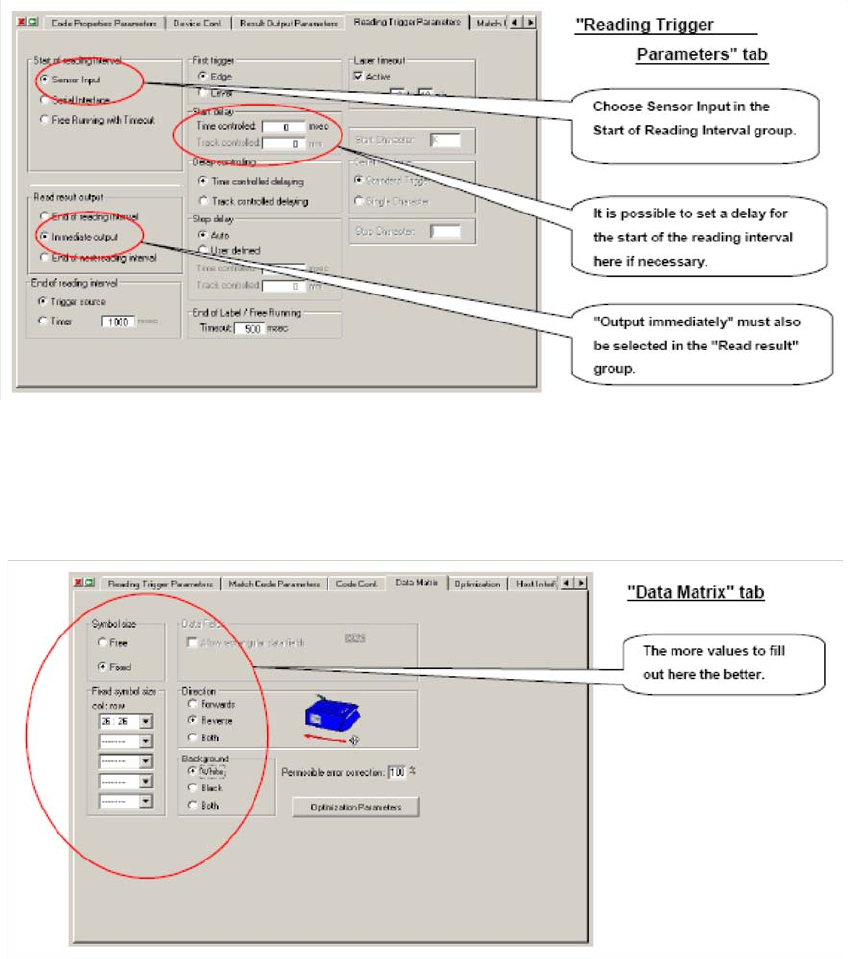
If it proves necessary to enter a delay at the start of the cycle, this can be done in the box highlights
above. It must be noted, however, that any barcodes located at the start of a PCB will not be read.2
2
2
The Data matrix menu should be used to define as many settings as possible. 2
Every defined value reduces the analysis time, which may becom
e critical with low-contrast or dif-
ficult to read codes. 2
2
2