00193891-0702_AI_LP_Barcode_DE+EN.pdf - 第166页
2 PCB barcode scanner assembly instructions SIPLACE 2.7 Installing the PCB barcode scanner 10/2009 Edition 166 T o read barcodes that are printed lengthwise o n t he PCB (viewed in the PCB dir ection of travel), the 1D b…
SIPLACE 2 PCB barcode scanner assembly instructions
10/2009 Edition 2.7 Installing the PCB barcode scanner
165
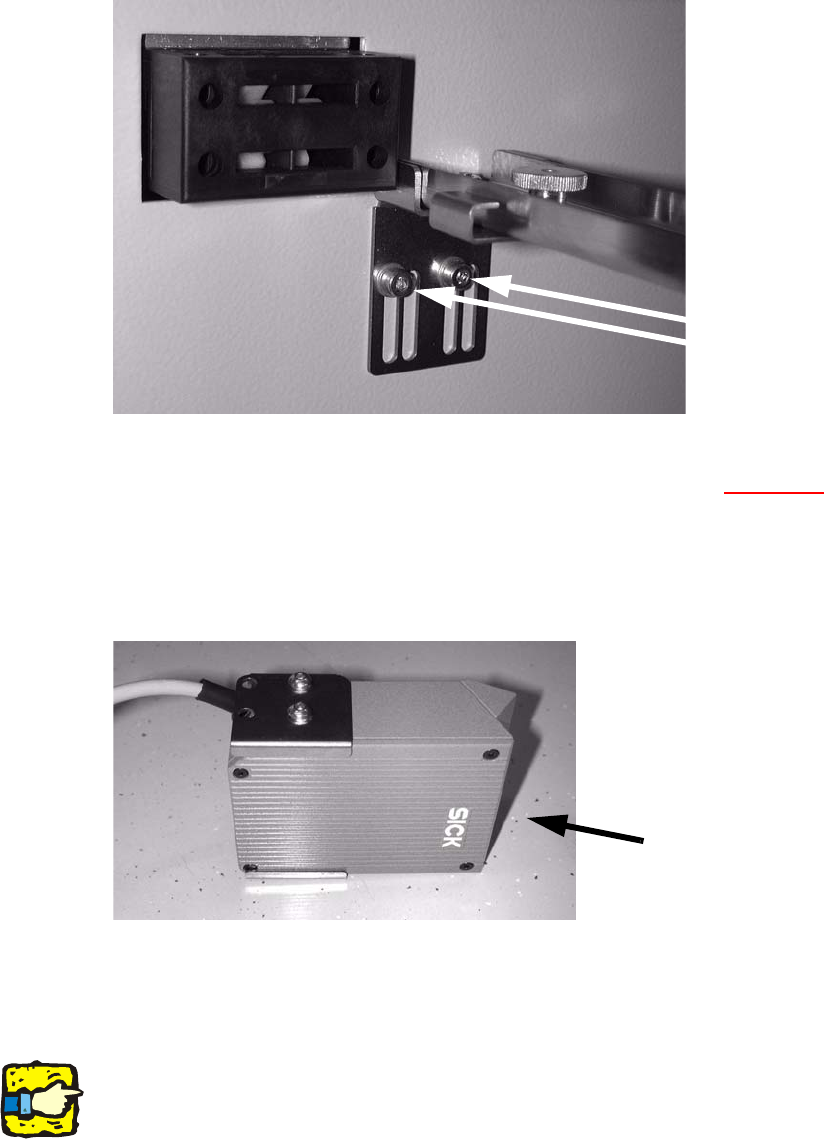
: Fit the top cross-rail
using the left-hand slots.
Screws in the
left-hand slots
2
2
: Label the connecting plugs for the barcode scanner (X1 - X4, see Section 2.9, Electrical con-
nections).
: Fit the supporting bracket on the barcode scanner t
o suit the installation position (scanner at
top or bottom).
Figure:
2D scanner
underside
2
2
: Fit the barcode scanner to the cross-rails.
Run the connecting cable through the hole in the side wall.
2
2
2
When running the cable, make sure that it is not in the traveling range of the conveyor width ad-
juster and does not rub against the side panels
and motors of the width adjuster. 2
2
2 PCB barcode scanner assembly instructions SIPLACE
2.7 Installing the PCB barcode scanner 10/2009 Edition
166
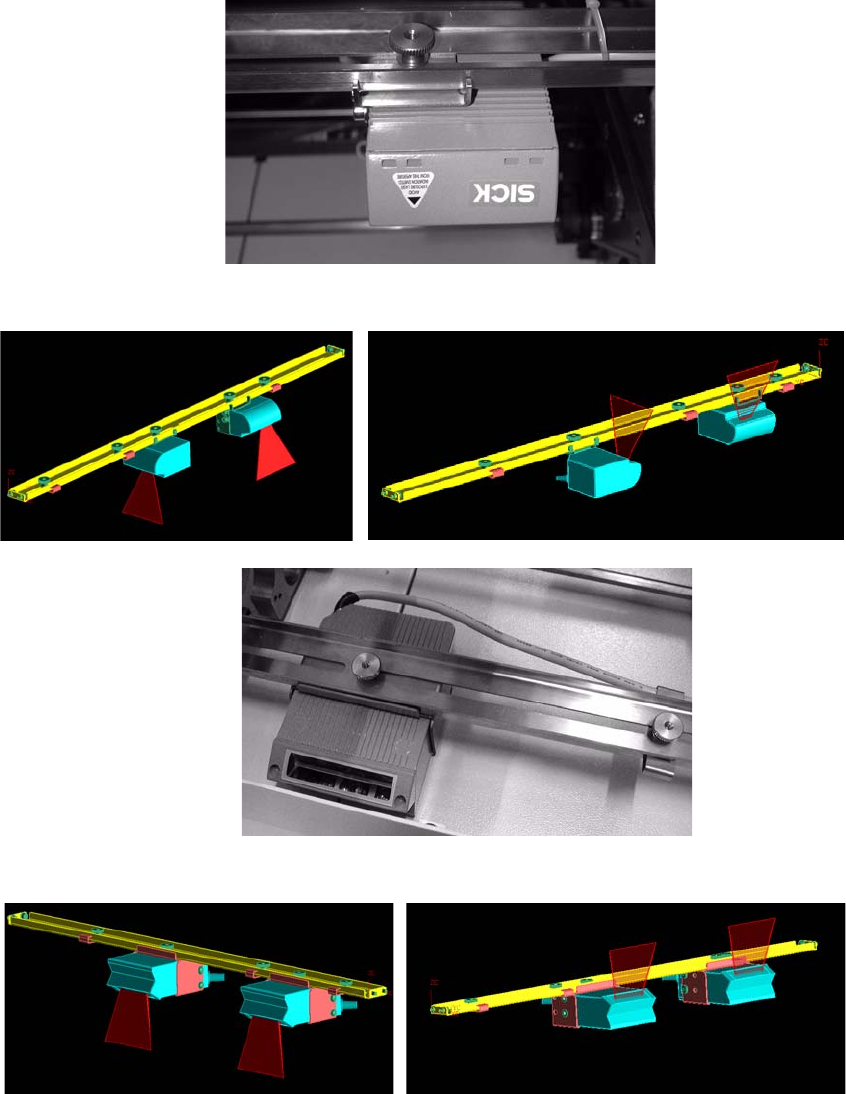
To read barcodes that are printed lengthwise on the PCB (viewed in the PCB direction of travel),
the 1D barcode scanner can also be installed lengthwise (see below). 2
: Fit the fixing bracket to the barcode scanner (see photographs below).
: Screw the barcode scanner to the rail.
1 D barcode scanner
2 D barcode scanner
1 D barcode scanner topside
1 D barcode scanner underside
2 D barcode scanner topside
2 D barcode scanner underside
2
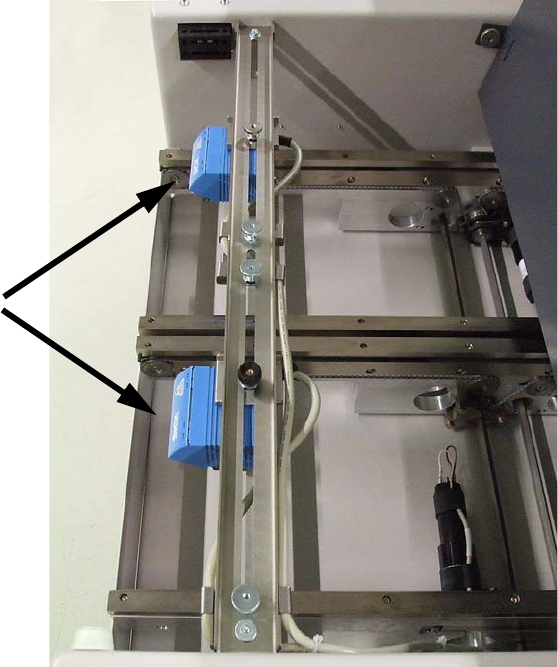
Scanner fitted
SIPLACE 2 PCB barcode scanner assembly instructions
10/2009 Edition 2.7 Installing the PCB barcode scanner
167
2
2