TR7500_Series_Software_ch-v5-0-0.pdf - 第250页
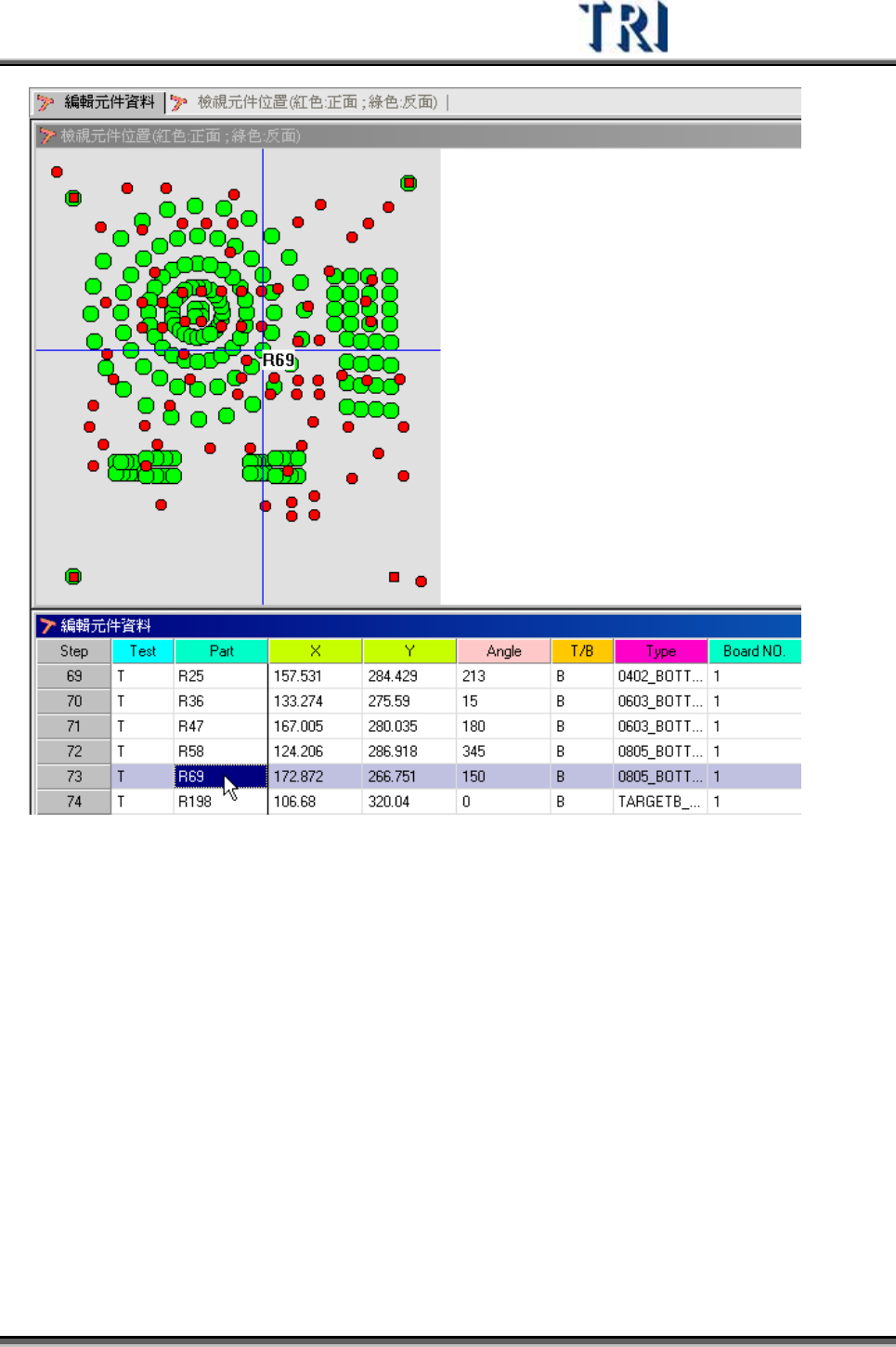
Test Research Inc. 238 TRI 7500 Series User Gu ide – Software 為 了 方 便 找尋或對應元件位置資 料 ,可選擇 [ 視窗 / 並排視窗 ] ,將 [ 編輯元件資 料 ] 以及 [ 檢視元件位置 ] 兩 視窗並 列 ,無 論 在任何一視窗中點的選元件,都會在另一視窗中 被找出其相對應的位置或資 料 。
Test Research Inc.
TRI7500SeriesUserGuide–Software 237
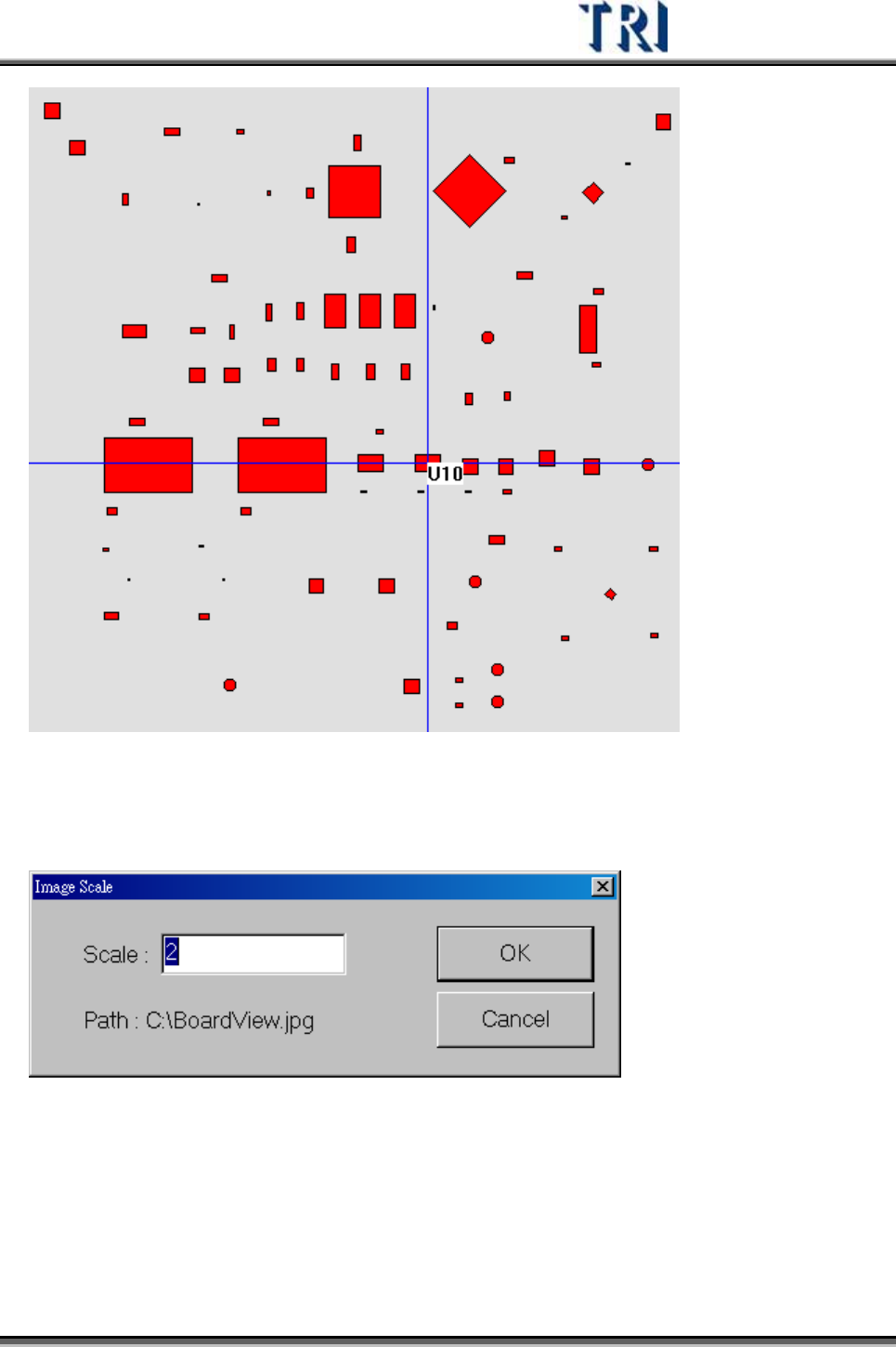
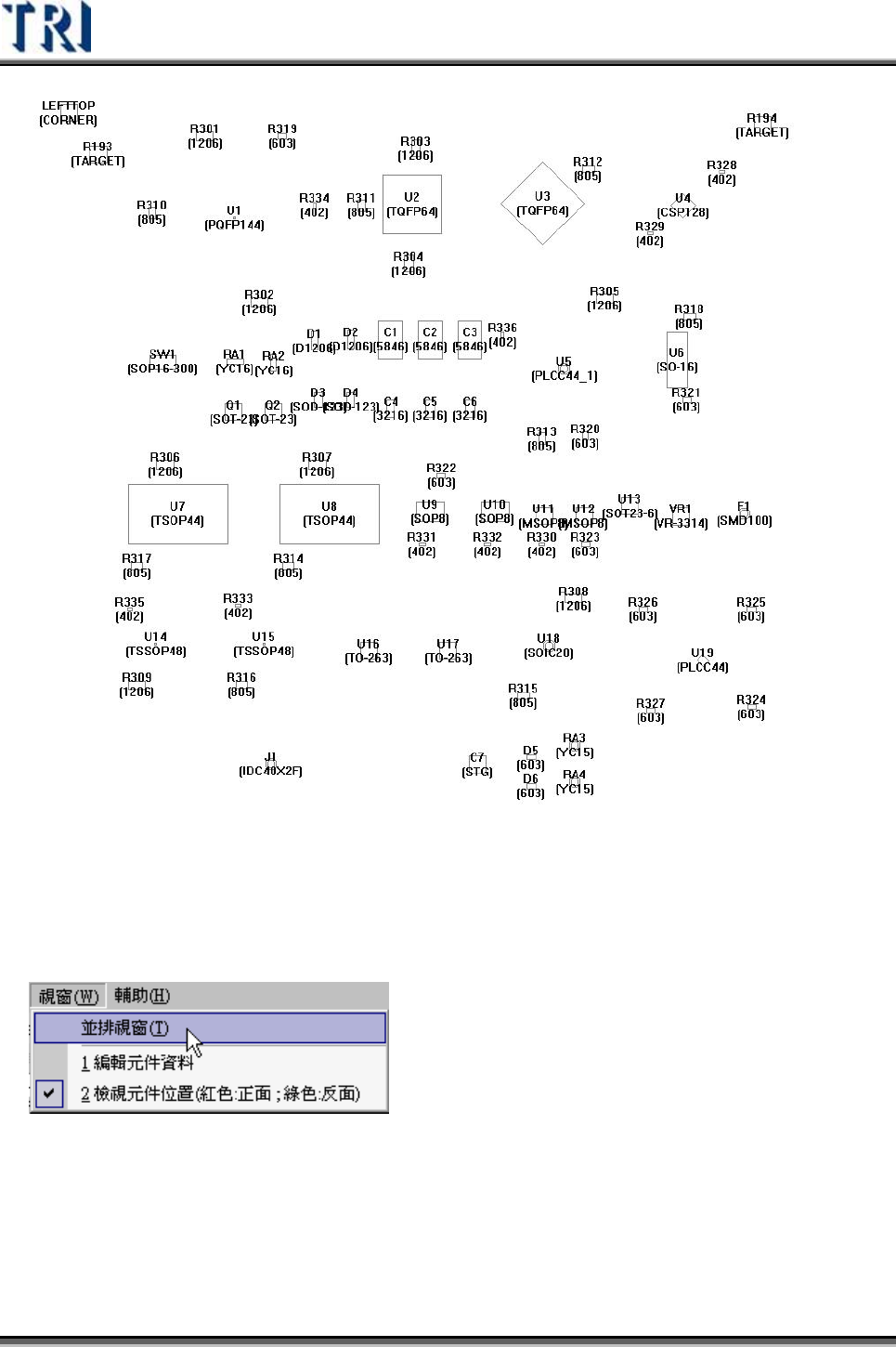
按下[Export Image],可輸出元件位置的圖檔,Scale 欄位表示要選擇幾倍大小輸
出。
Test Research Inc.
238 TRI7500SeriesUserGuide–Software
為了方便找尋或對應元件位置資料,可選擇[視窗/並排視窗],將[編輯元件資料]以及
[檢視元件位置]兩視窗並列,無論在任何一視窗中點的選元件,都會在另一視窗中
被找出其相對應的位置或資料。
Test Research Inc.
TRI7500SeriesUserGuide–Software 239