TR7500_Series_Software_ch-v5-0-0.pdf - 第326页
Test Research Inc. 314 TRI 7500 Series User Gu ide – Software Step6. 系統將檔案以 modleName.mlb 為檔名儲存,顯示儲存 路 徑如下。
Test Research Inc.
TRI7500SeriesUserGuide–Software 313
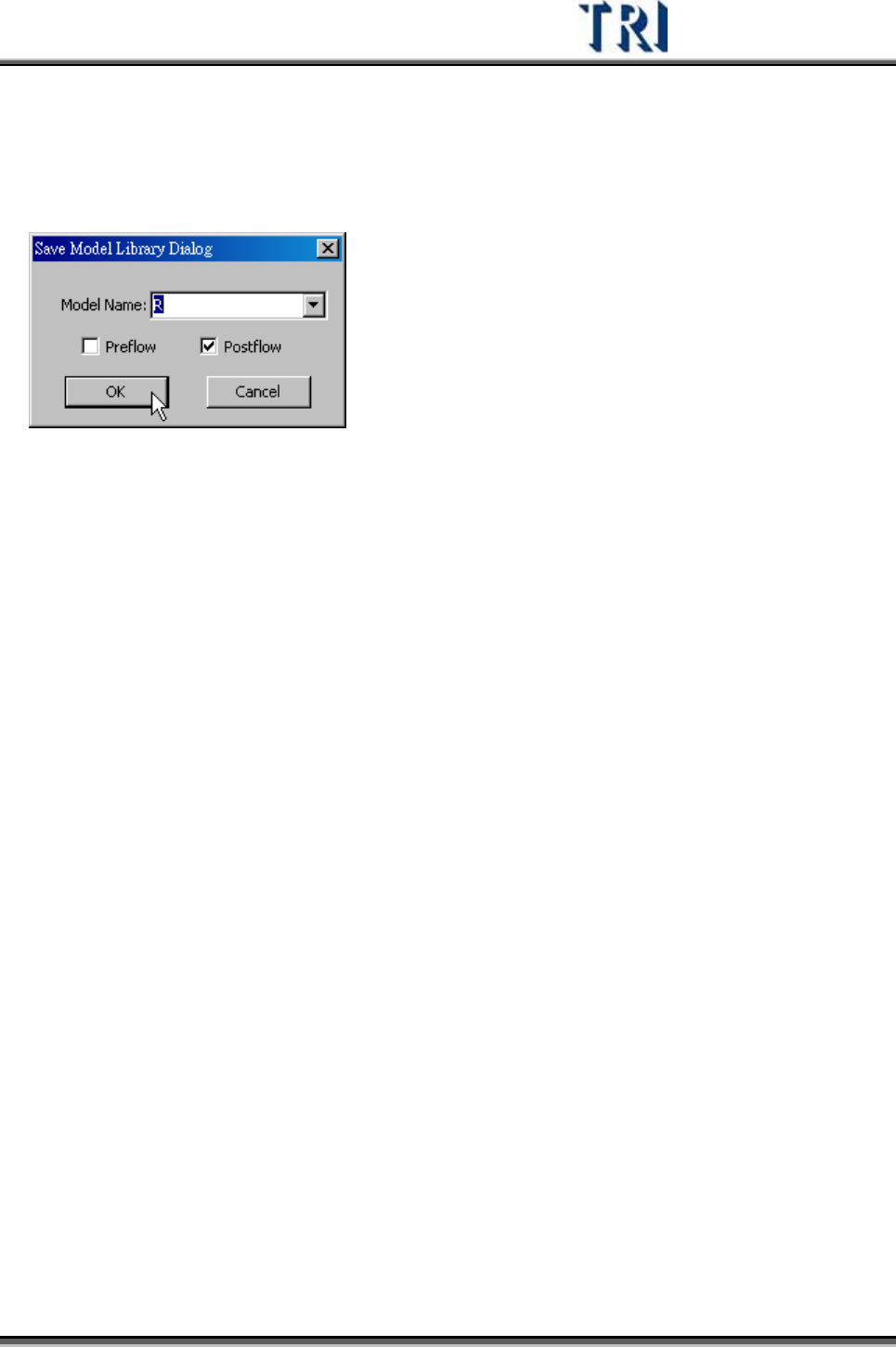
Step5. 出現對話框選擇類型名稱和爐前(Preflow)或爐後(Postflow)。按[OK]存檔即
可。Model Name 可以下拉方式選擇已存在的類型,或是自行手動輸入新的
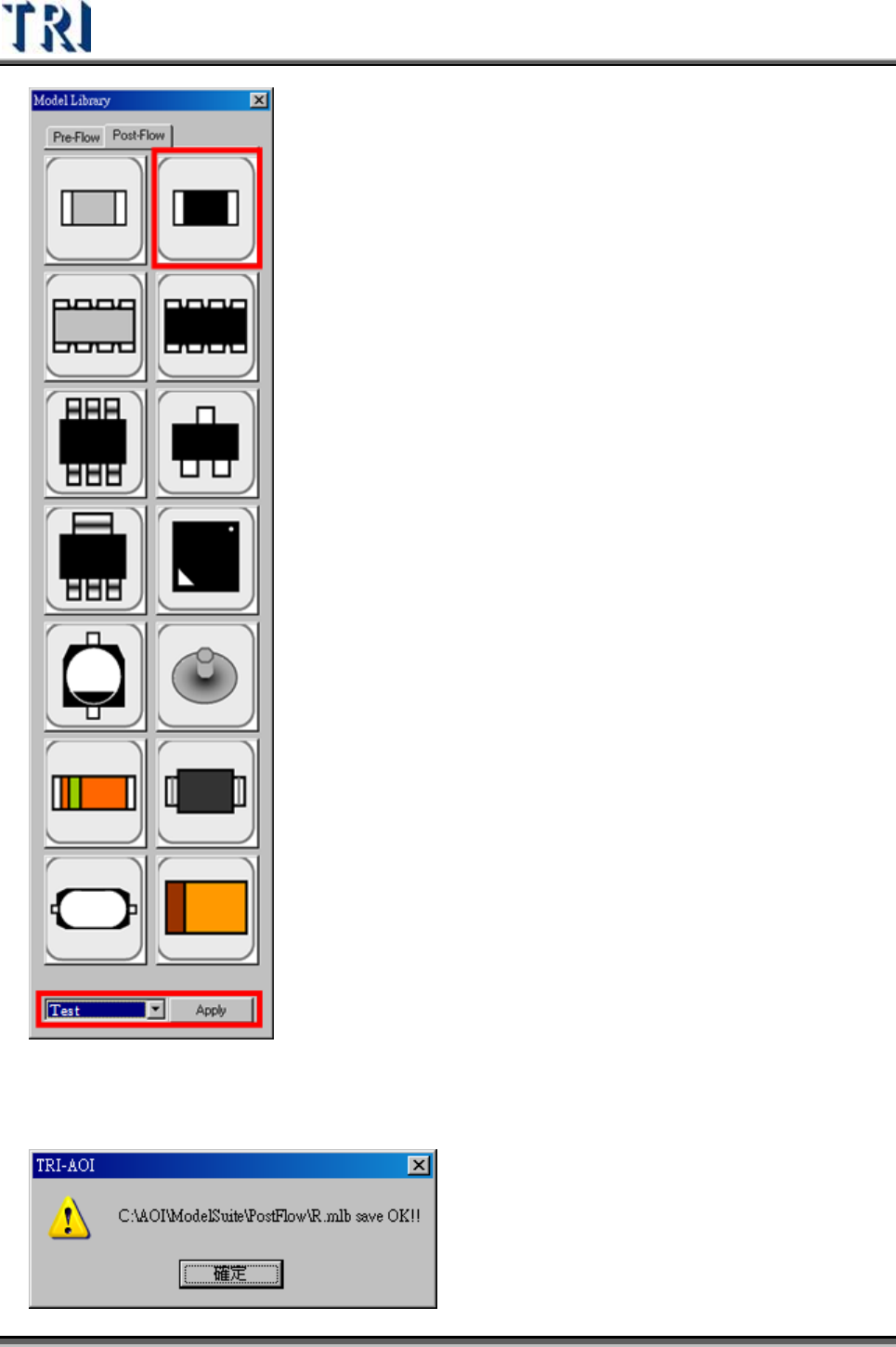
類型名稱。若是選擇已存在的類型,則未來在套用時直接點選該類型圖示即
可,若是自行新增類型,則新增的類型會被安排顯示在對話框的最下面,以
下拉式選單選取後,按下[Apply]套用即可。
Test Research Inc.
314 TRI7500SeriesUserGuide–Software
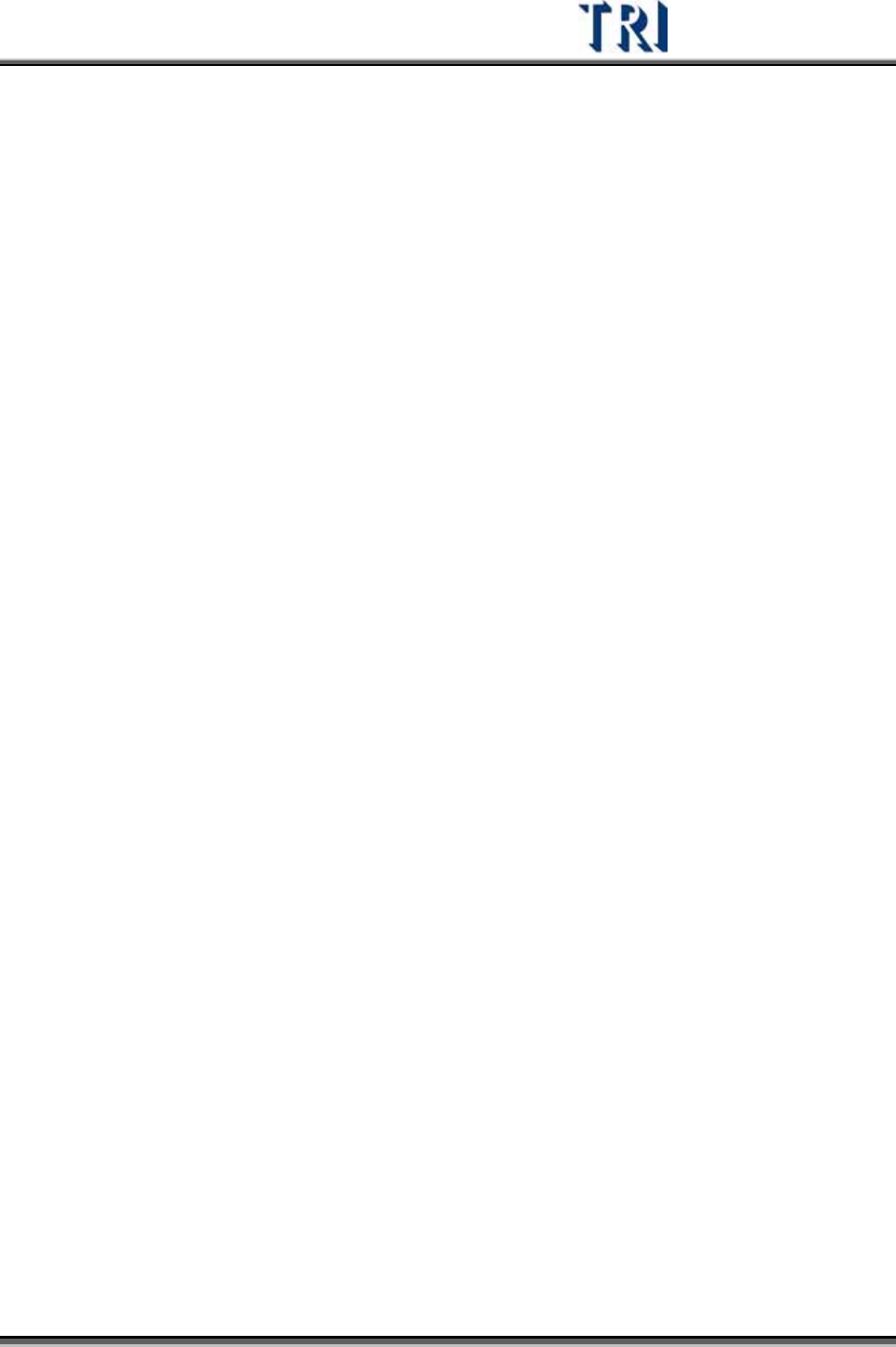
Step6. 系統將檔案以 modleName.mlb 為檔名儲存,顯示儲存路徑如下。
Test Research Inc.
TRI7500SeriesUserGuide–Software 315
2) 修改已存在的類型
Step1. 勾選[Tool/ Edit Model Library]。
Step2. 點選[Tool/ Model Library]開啟 Model Library 選擇視窗,選擇一個類型後套
用。
Step3. 對於套用的類型修改其參數。
Step4. 按下[Tool/ Save for Model Library]存檔。
3) 參數定義
B: body
PN: pin
PA: parent
W: width
H: height
X: X coordinates of center point
Y: Y coordinates of center point
+: addition
-: subtraction
*: multiplication
/: division
W,X: 為水平方向
H,Y: 為垂直方向
Ex:
Width of parent box: PAW
X coordinates of body: BX