TR7500_Series_Software_ch-v5-0-0.pdf - 第525页
Test Research Inc. TRI 7500 Series User Gu ide – Software 513 1) Edit the date code string in code-editing window. 2) Press switch button to modify. 3) Press [List] to review the result. Modify the font t…
512 TR7600UserGuide–Software
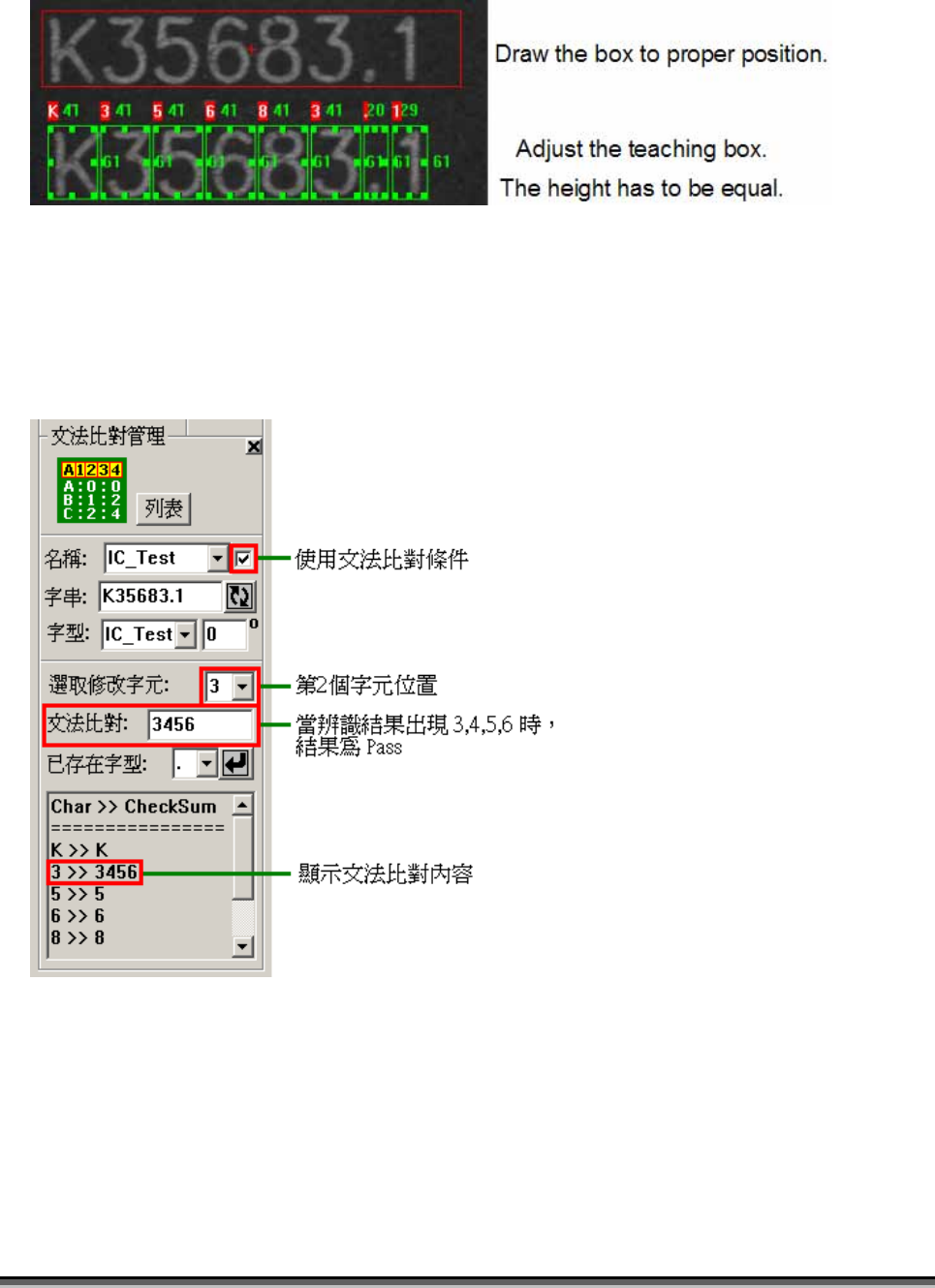
5.3.2 CheckSum
文法比對條件管理
After training the system defines every character checksum condition. The default is
the character itself. You can add several conditions to be the base for “Pass” or “Fail”.
The default setting for the function is disabled.
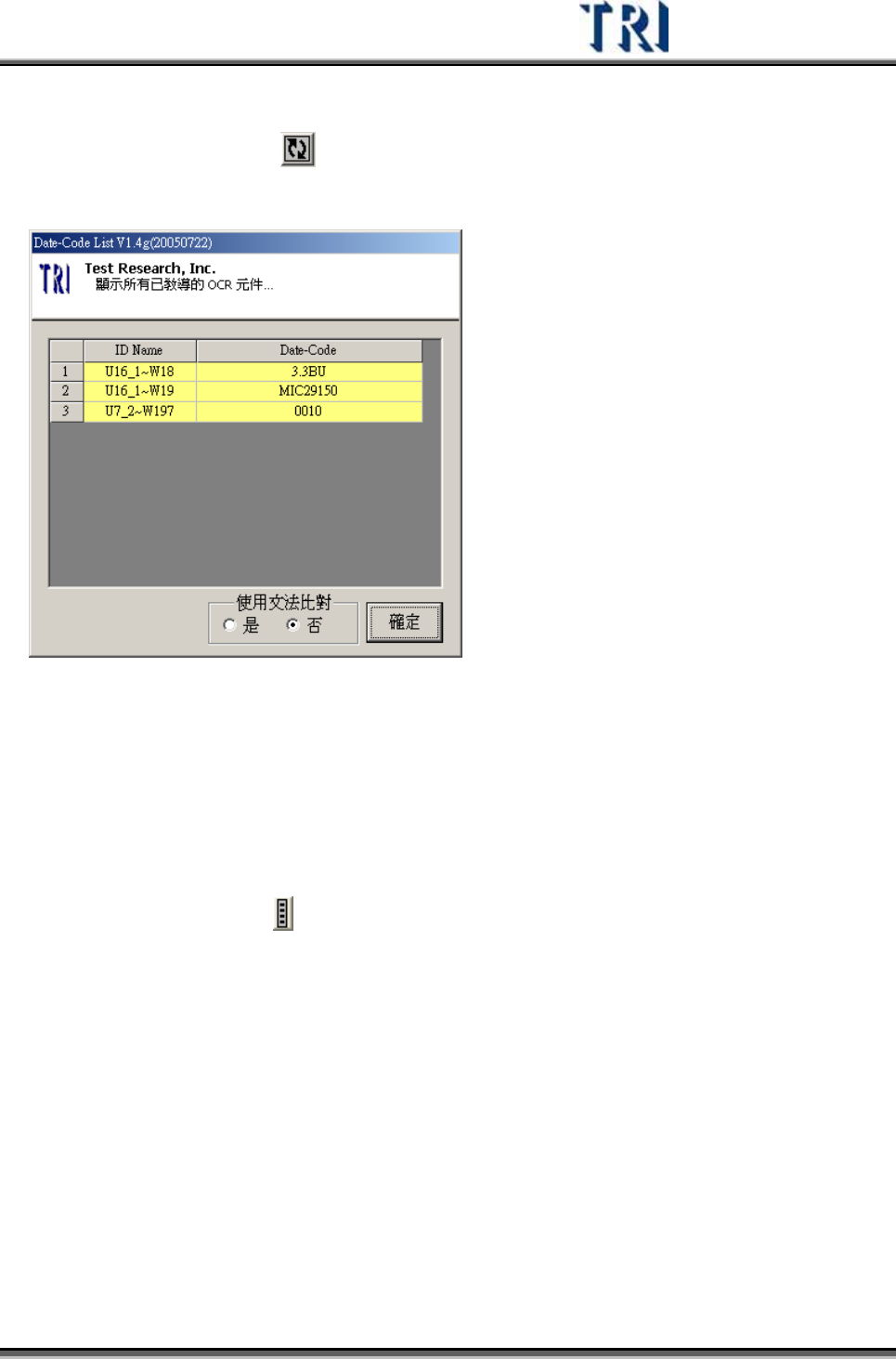
Modify the content of date code
Test Research Inc.
TRI7500SeriesUserGuide–Software 513
1) Edit the date code string in code-editing window.
2) Press switch button
to modify.
3) Press [List] to review the result.
Modify the font type and angle
You can modify the font type and angle in the [font type] editing window.
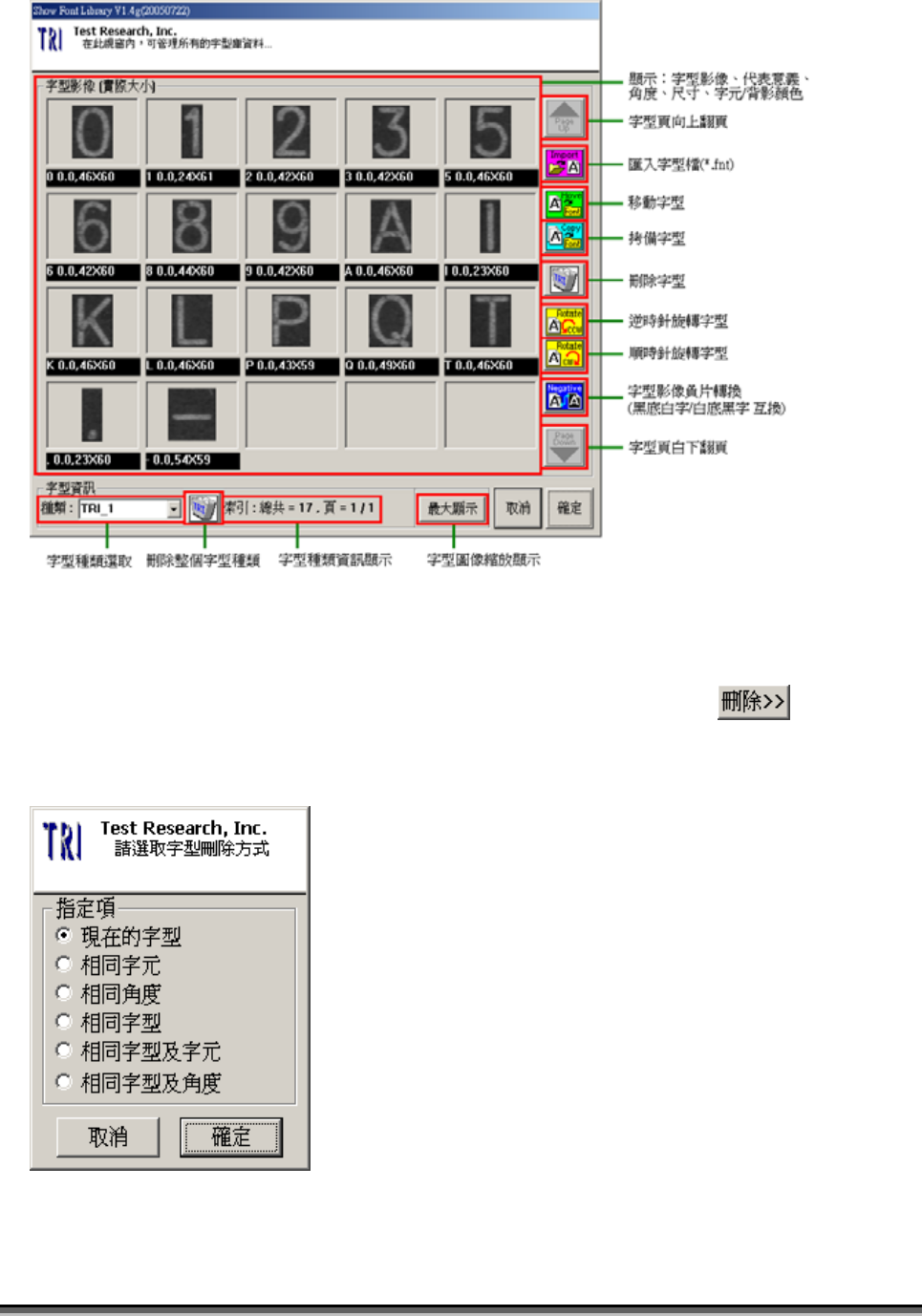
5.4 Show Font Library Dialog
當點選「字型種類管理」
功能項時,可呼叫出如下圖的窗口,此窗口主要是以字型
種類(Font-Type)為基礎之字型管理機制,內容包含之功能如下所示:
514 TR7600UserGuide–Software
5.5 Font Delete Dialog
在 Font Library Manager 字型庫管理界面下,當點選「組合式刪除」 功能項
時,可呼叫出如下圖的窗口,此窗口主要是以組合式條件來刪除字型之機制,內容包
含之功能如下所示: