1_H24维修手册.pdf - 第108页
E d i ti o n 5 .0 H 24 H ea d R e p a i r T r a i n i n g T e x t fo r S e r v i c e E n g i n e e r s R e p l a c i n g th e b a tte r y a n d r e s e tti n g th e s e r v o m o to r o r i g i n s 3. A t t ac h t he h e…
Edition 5.0 H24 Head Repair Training Text for Service Engineers
Replacing the battery and resetting the servo motor origins
Chapter 9 - Replacing the Battery and Resetting the
Servo Motor Origins
Note 1: In the event of a 3A21 error code (low battery) the battery should be
replaced with the head installed on the module and the head power ON. For further
details, refer to the “NXT II Mechanical Reference” – “Replacing consumable parts”
– “Replacing the head battery”.
Note 2: In the event of a 3A1F error code (encoder backup alarm) the servo motor
origin should be reset (MT reset). In this case, follow the procedure below.
9.1 Replacing the Battery
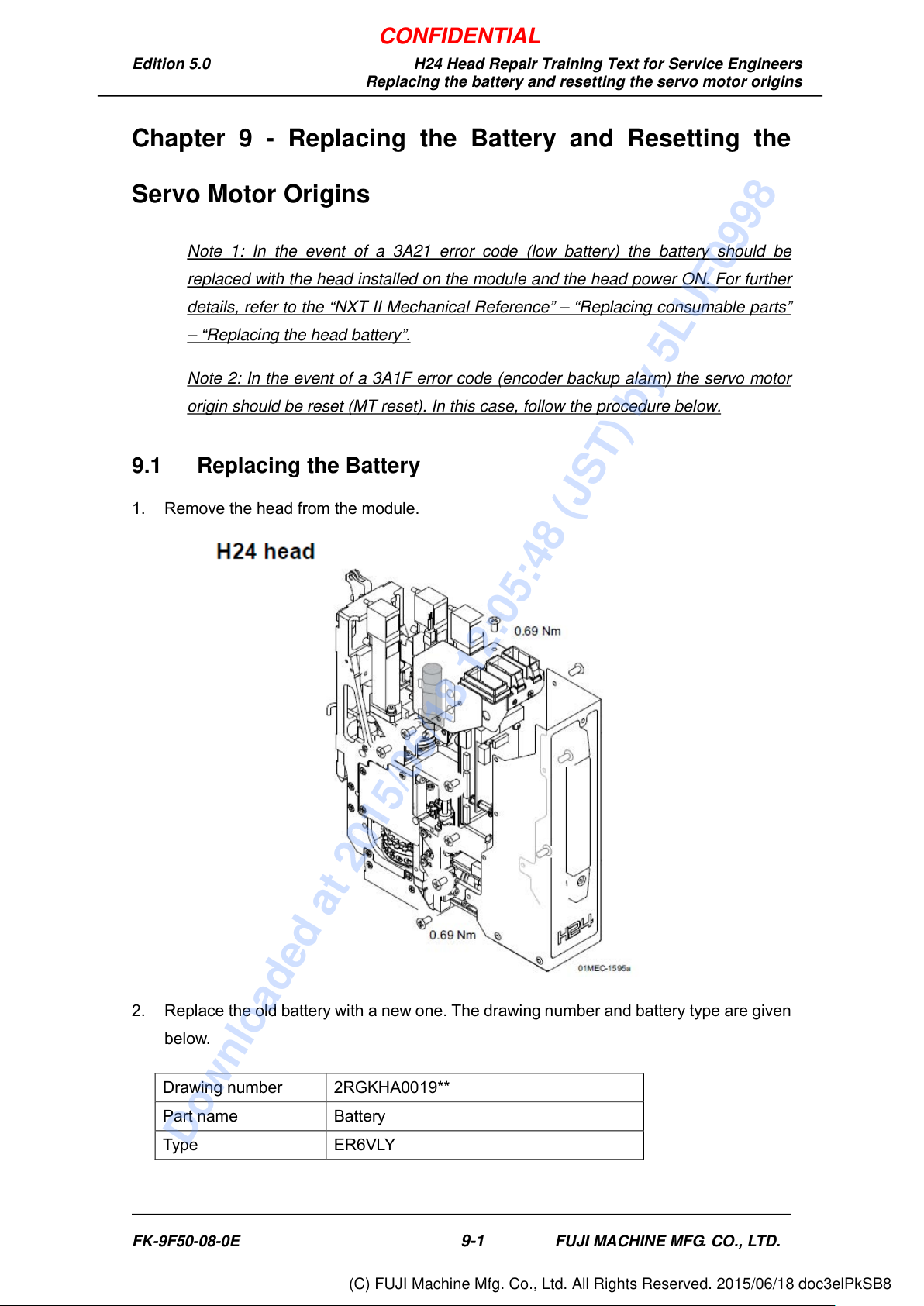
1. Remove the head from the module.
2. Replace the old battery with a new one. The drawing number and battery type are given
below.
Drawing number 2RGKHA0019**
Part name Battery
Type ER6VLY
FK-9F50-08-0E
9-1
FUJI MACHINE MFG. CO., LTD.
CONFIDENTIAL
Downloaded at 2015/06/18 12:05:48 (JST) by 5LUF0998
(C) FUJI Machine Mfg. Co., Ltd. All Rights Reserved. 2015/06/18 doc3elPkSB8
Edition 5.0 H24 Head Repair Training Text for Service Engineers
Replacing the battery and resetting the servo motor origins
3. Attach the head to the module.
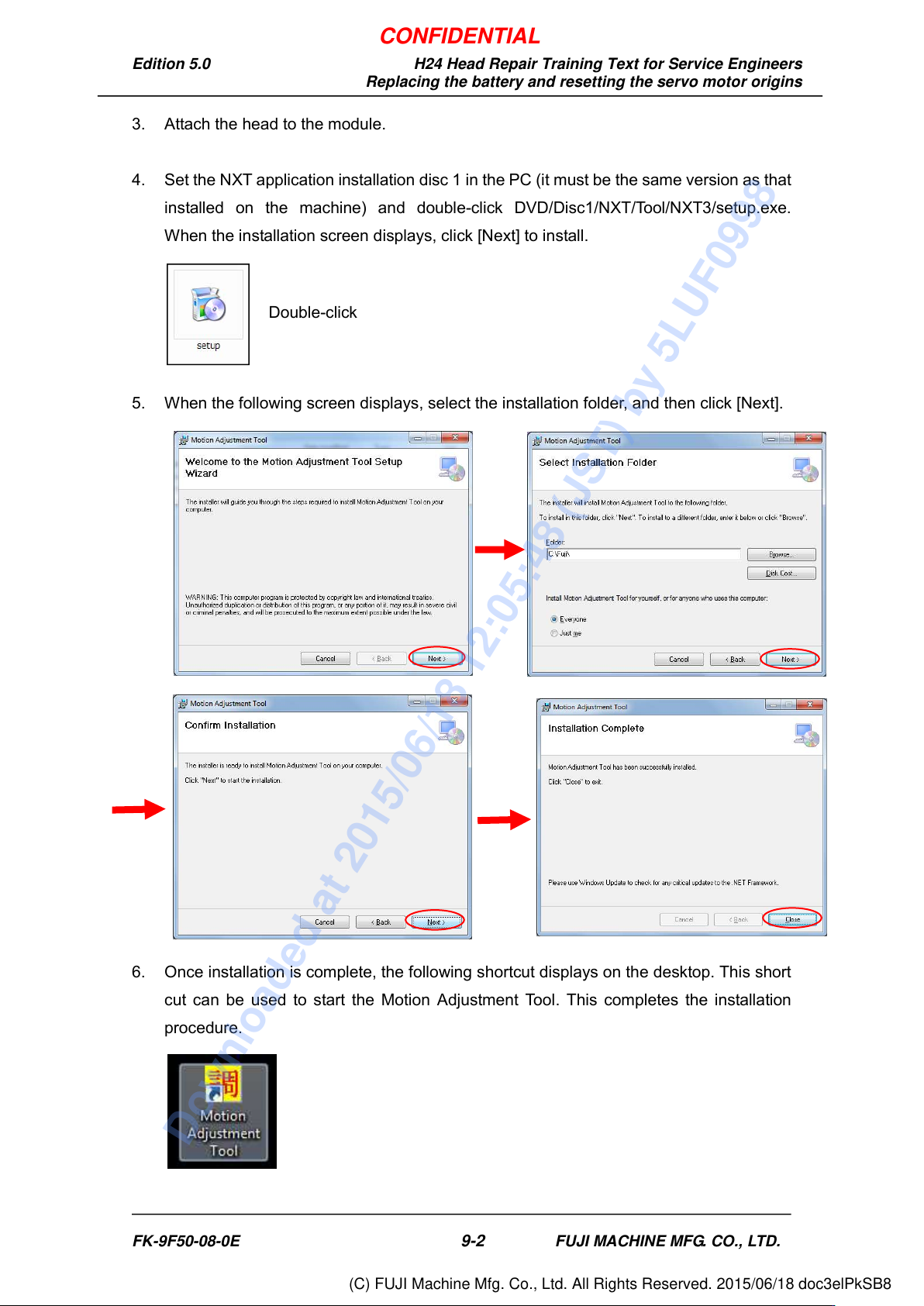
4. Set the NXT application installation disc 1 in the PC (it must be the same version as that
installed on the machine) and double-click DVD/Disc1/NXT/To ol /NXT3/setup.exe.
When the installation screen displays, click [Next] to install.
5. When the following screen displays, select the installation folder, and then click [Next].
6. Once installation is complete, the following shortcut displays on the desktop. This short
cut can be used to start the Motion Adjustment Tool. This completes the installation
procedure.
Double-click
FK-9F50-08-0E
9-2
FUJI MACHINE MFG. CO., LTD.
CONFIDENTIAL
Downloaded at 2015/06/18 12:05:48 (JST) by 5LUF0998
(C) FUJI Machine Mfg. Co., Ltd. All Rights Reserved. 2015/06/18 doc3elPkSB8
Edition 5.0 H24 Head Repair Training Text for Service Engineers
Replacing the battery and resetting the servo motor origins
9.2 Preparing for MT Reset
1. Follow the procedure in section 8.1 of this text to turn the control power ON.
9.3 MT Reset
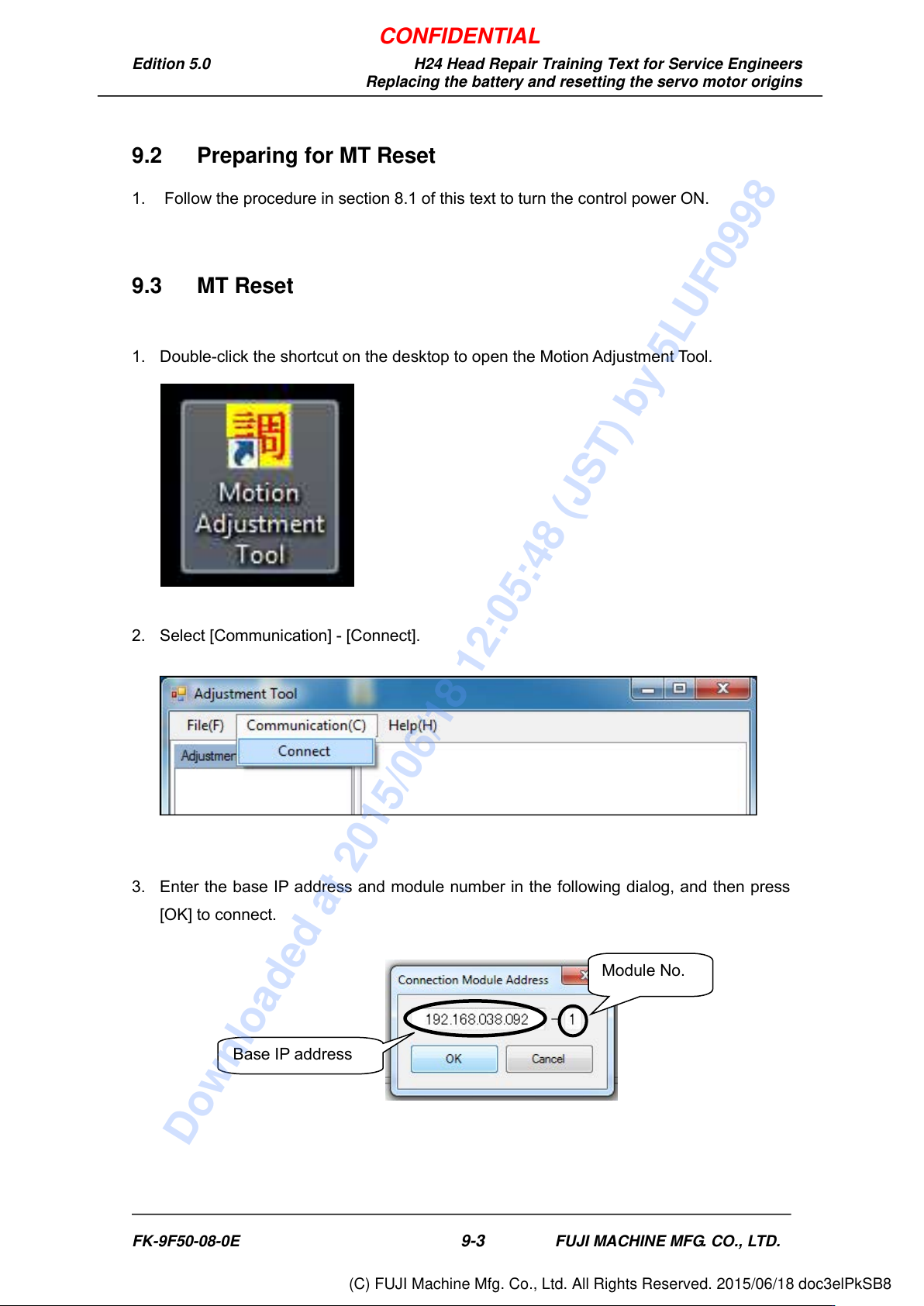
1. Double-click the shortcut on the desktop to open the Motion Adjustment Tool.
2. Select [Communication] - [Connect].
3. Enter the base IP address and module number in the following dialog, and then press
[OK] to connect.
Base IP address
Module No.
FK-9F50-08-0E
9-3
FUJI MACHINE MFG. CO., LTD.
CONFIDENTIAL
Downloaded at 2015/06/18 12:05:48 (JST) by 5LUF0998
(C) FUJI Machine Mfg. Co., Ltd. All Rights Reserved. 2015/06/18 doc3elPkSB8