1_H24维修手册.pdf - 第200页
E d i ti o n 5 . 0 H 24 H ead R ep ai r T r ai n i n g T ext f o r S er vi ce E n g i n e e r s I PS C a m e r a p o s i ti o n a d j u s tm e n t fo r H 2 4 h e a d u s i n g h e a d b e n c h I ns pec t i on i t e m T …
Edition 5.0 H24 Head Repair Training Text for Service Engineers
IPS Camera position adjustment for H24 head using head bench
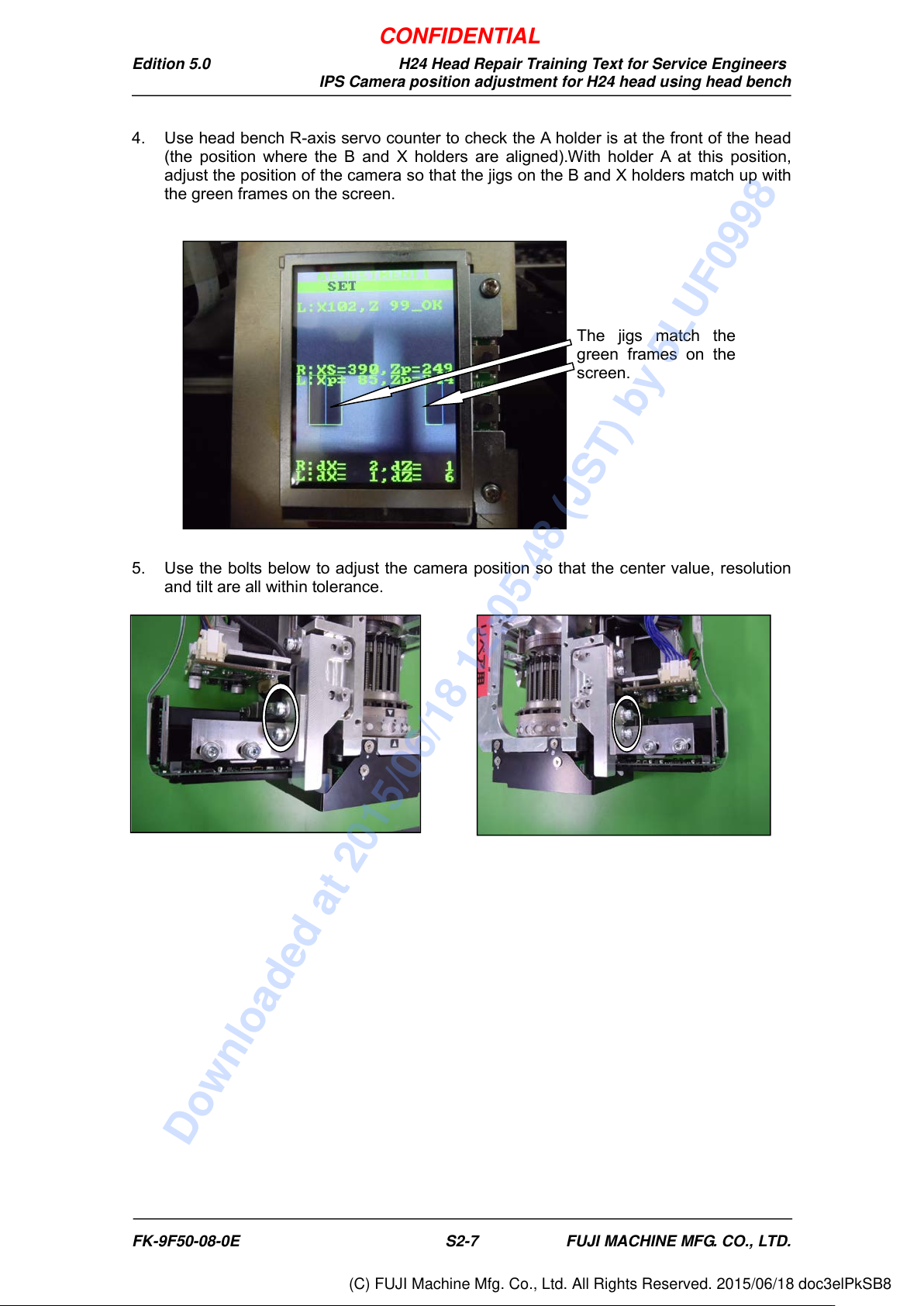
4. Use head bench R-axis servo counter to check the A holder is at the front of the head
(the position where the B and X holders are aligned).With holder A at this position,
adjust the position of the camera so that the jigs on the B and X holders match up with
the green frames on the screen.
5. Use the bolts below to adjust the camera position so that the center value, resolution
and tilt are all within tolerance.
The jigs match the
green frames on the
screen.
FK-9F50-08-0E S2-7 FUJI MACHINE MFG. CO., LTD.
CONFIDENTIAL
Downloaded at 2015/06/18 12:05:48 (JST) by 5LUF0998
(C) FUJI Machine Mfg. Co., Ltd. All Rights Reserved. 2015/06/18 doc3elPkSB8
Edition 5.0 H24 Head Repair Training Text for Service Engineers
IPS Camera position adjustment for H24 head using head bench
Inspection item
Tolerance
Target value
Camera resolution
L: X = 92~108
L: Z = 92~108
Same as tolerance
Center value
R: Xs = 380~400, Zp = 235~255
L: Xp = 80~100, Zp = 237~253
R: Xs = 390, Zp = 245
L: Xp = 90, Zp = 245
Tilt
R: dX = 0~6, dZ = 0~9
L: dX = 0~6, dZ = 0~9
R: dX = 0, dZ = 0
L: dX = 0, dZ = 0
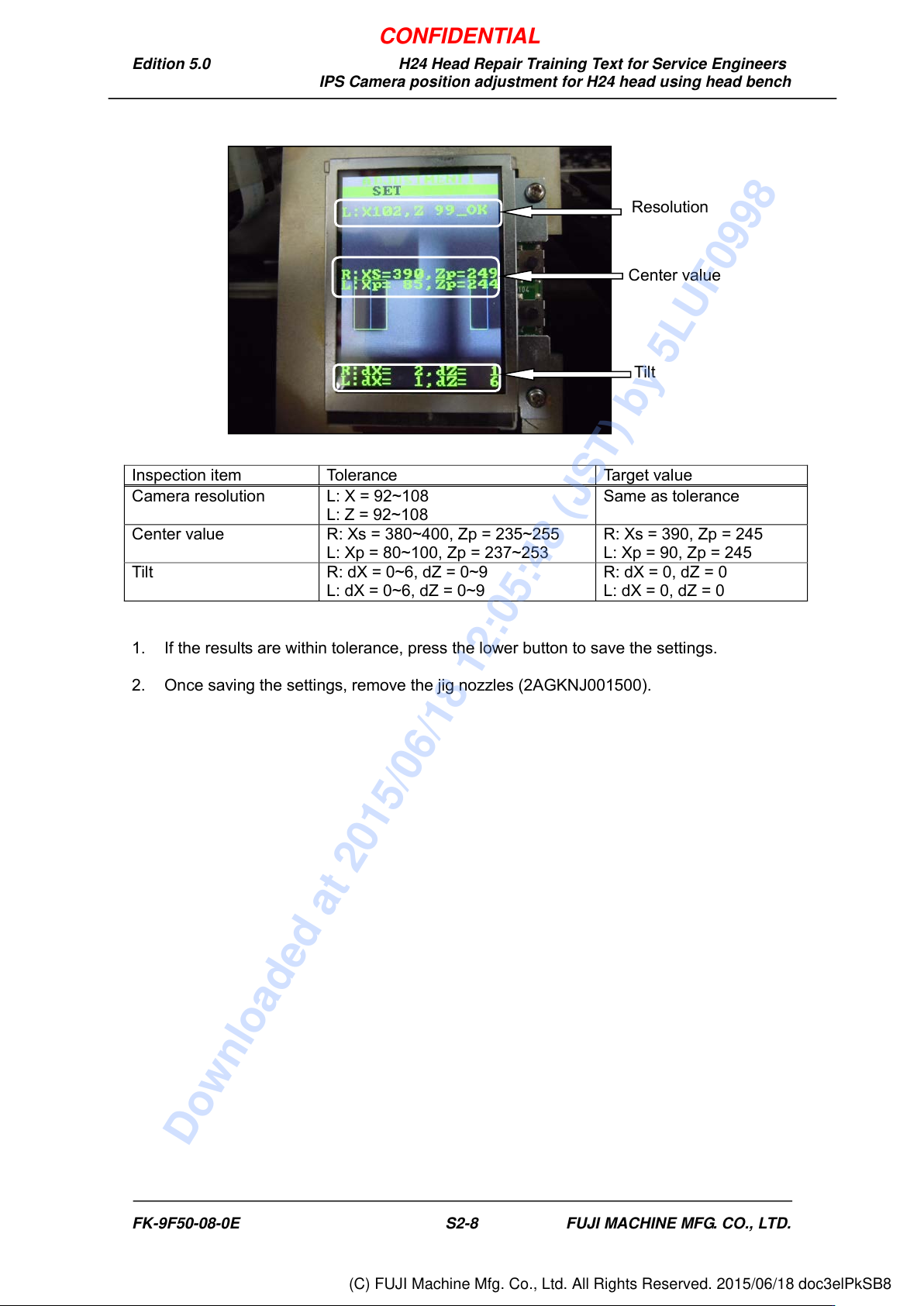
1. If the results are within tolerance, press the lower button to save the settings.
2. Once saving the settings, remove the jig nozzles (2AGKNJ001500).
Resolution
Center value
Tilt
FK-9F50-08-0E S2-8 FUJI MACHINE MFG. CO., LTD.
CONFIDENTIAL
Downloaded at 2015/06/18 12:05:48 (JST) by 5LUF0998
(C) FUJI Machine Mfg. Co., Ltd. All Rights Reserved. 2015/06/18 doc3elPkSB8
Edition 5.0 H24 Head Repair Training Text for Service Engineers
IPS Camera position adjustment for H24 head using head bench
2.6 Adjusting the Current Value (Grayscale Value)
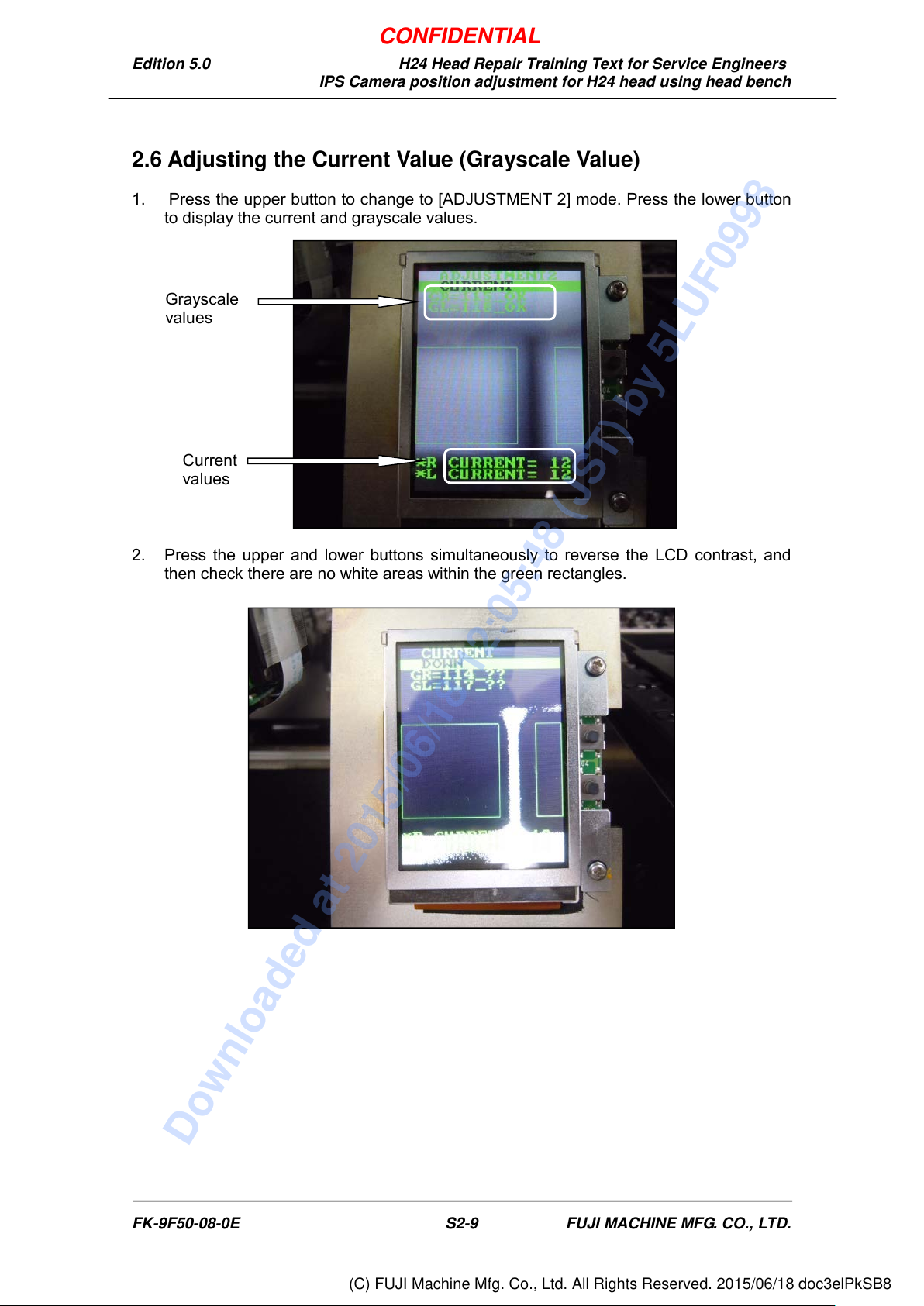
1. Press the upper button to change to [ADJUSTMENT 2] mode. Press the lower button
to display the current and grayscale values.
2. Press the upper and lower buttons simultaneously to reverse the LCD contrast, and
then check there are no white areas within the green rectangles.
Grayscale
values
Current
values
FK-9F50-08-0E S2-9 FUJI MACHINE MFG. CO., LTD.
CONFIDENTIAL
Downloaded at 2015/06/18 12:05:48 (JST) by 5LUF0998
(C) FUJI Machine Mfg. Co., Ltd. All Rights Reserved. 2015/06/18 doc3elPkSB8