WinMCS_Manual(ENG) rev1.0.pdf - 第12页
12 WinMCS_Manua l(ENG) rev 1.0 Koh Y oung T echnology Inc. 3.3. Axis Position When the motio n moves, you can check the positio n of X, Y , Z Axis and speed repeatability . The axis is able to move to specific posi tion …
11
Service Manual
Koh Young Technology Inc.
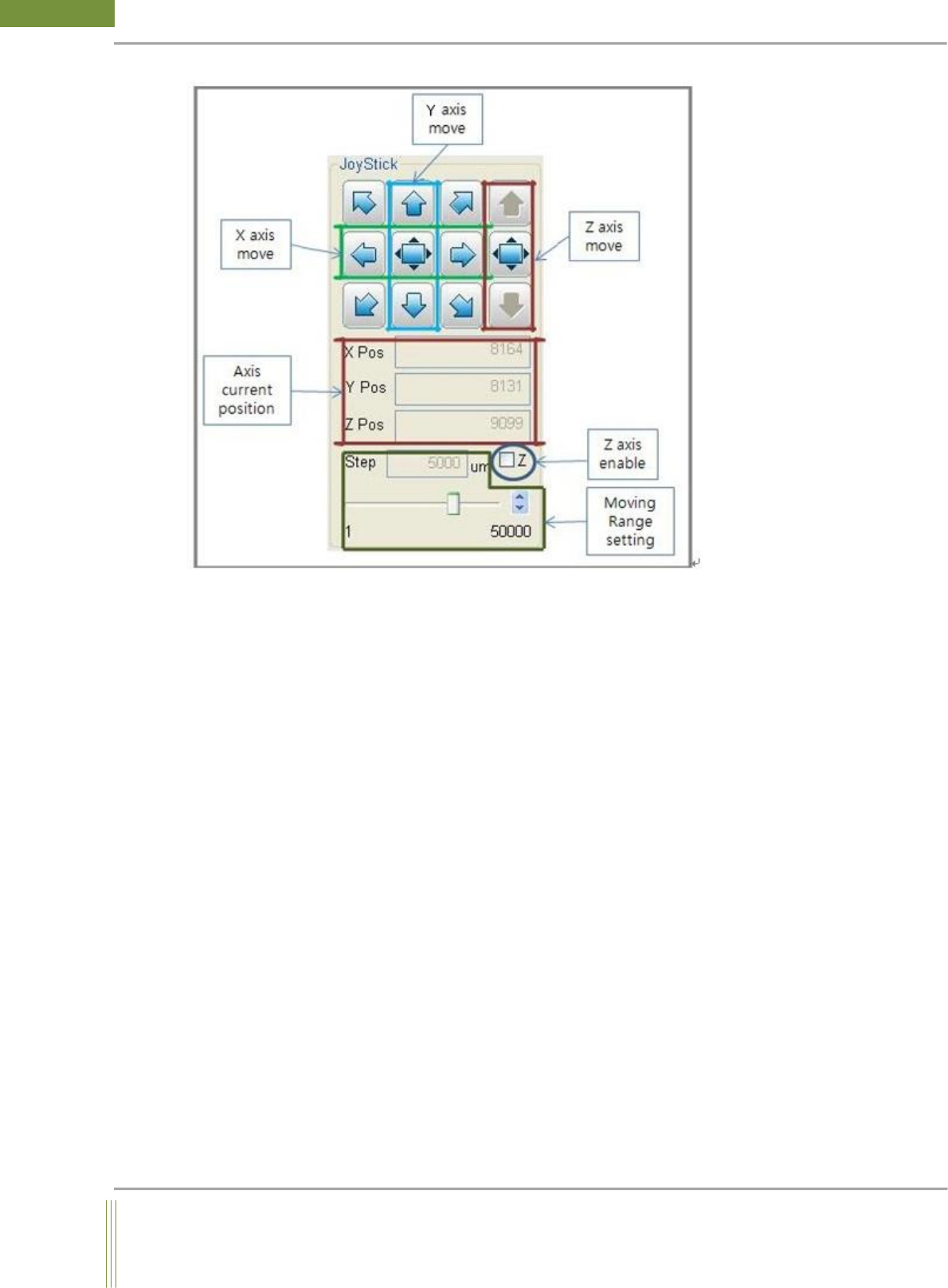
1. Axis Move JoyStick
By using JoyStick, the probe can move manually to the certain position on axis as set in the
moving range setting value. To activate Z axis control bar, the check button of Z should be
enabled.
2. Axis Position
It displays the current absolute position value in um unit on all X, Y, and Z axis.
3. Z-Axis Enable
When this button is checked, manual Z axis movement is possible. (Only applicable for
machine with Z axis motor attached)
4. Moving range setting
Input the relative distance for moving to the desired position.
12
WinMCS_Manual(ENG) rev1.0
Koh Young Technology Inc.
3.3. Axis Position
When the motion moves, you can check the position of X, Y, Z Axis and speed repeatability.
The axis is able to move to specific position repeatedly.
Location: Menu Manual Motion Axis Position
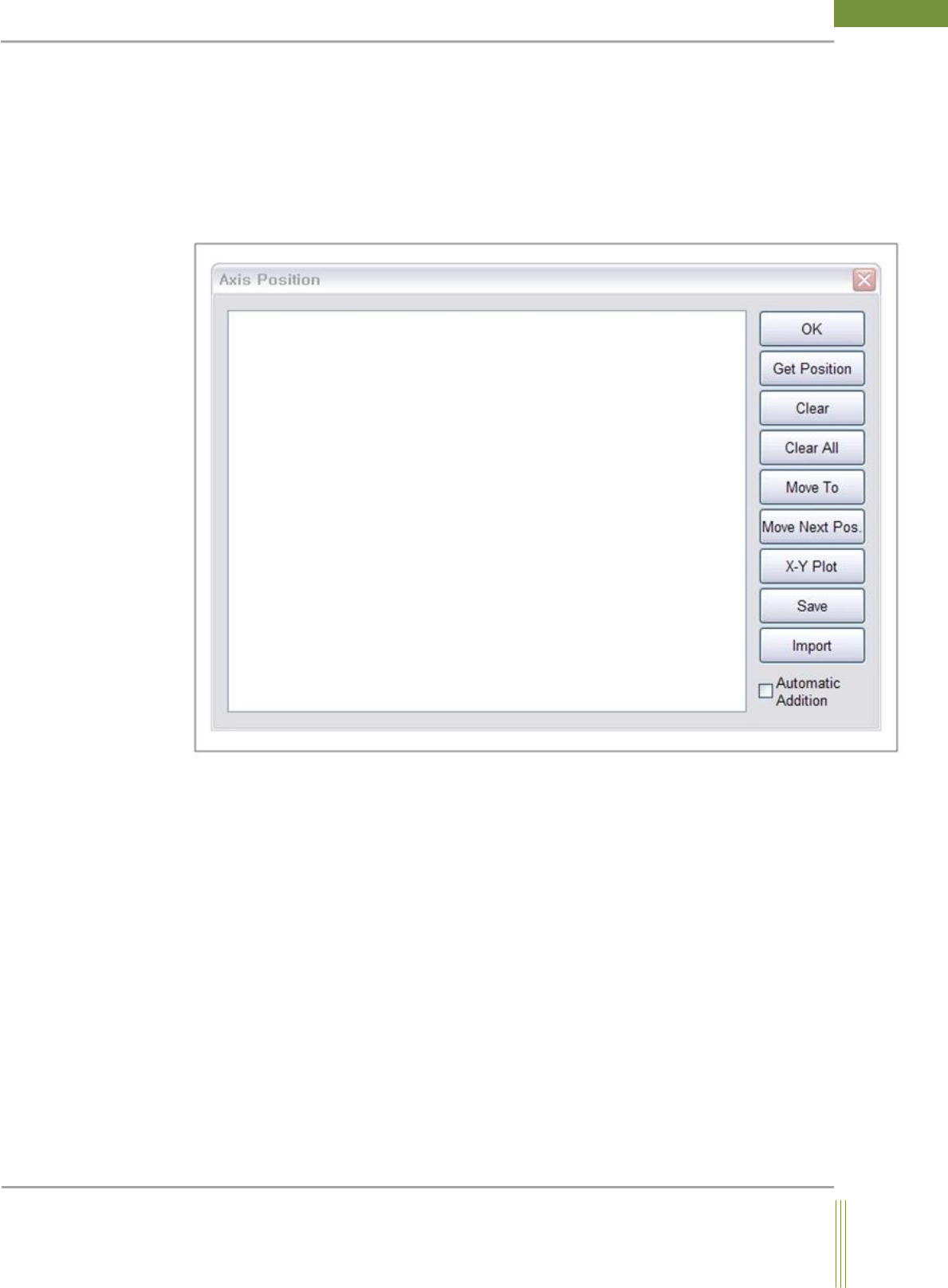
3.3.1. Axis Position Dialog
1. Get Position: It displays the current position of Motion
2. Clear: It clears up the log records in a line
3. Clear All: It clears up the records in Log window
4. Move To: When you click Move To button after clicking the log of that line, it moves to the
position.
5. Move Next Pos.: It moves to the next position
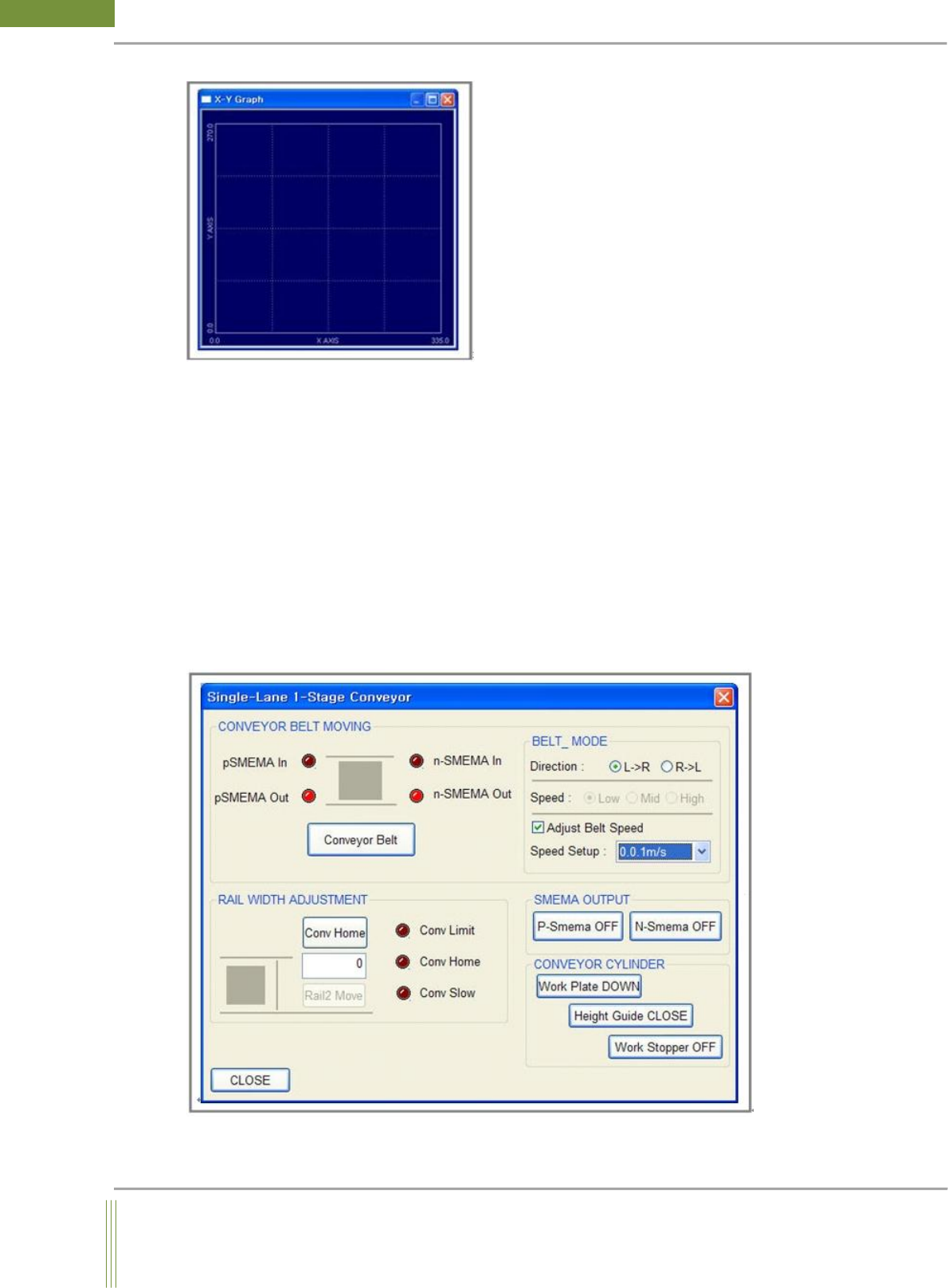
6. X-Y Plot: The following window is activated and it displays the moving line of motion.
If you click the following window, the motion moves to the position.
13
Service Manual
Koh Young Technology Inc.
7. Save: It saves the information displayed in the screen as a text file.
Location: C:\XYCodinate.log
8. Import: It imports the XYCodinate.log file on the screen.
9. Automatic Addition: After motion moving is completed, it is automatically updated on the
screen.
3.4. Conveyor Test(Single, Dual Lane)
It is used to test the movement of belt, stopper, plate and height guide installed on the
conveyor. You can check the width control of the Conveyor.
Location: Menu Manual Motion Conveyor Test
3.4.1. Conveyor Test Dialog
Figure 1. Single Lane