WinMCS_Manual(ENG) rev1.0.pdf - 第56页
56 WinMCS_Manua l(ENG) rev 1.0 Koh Y oung T echnology Inc. Compensation Op ti on It is to set the compensation algo rithm when Mul ti Fiducial i nspection. 1. Z MOVE 0. Don ’ t Use : Used for the inspecti on with Multi…
55
Service Manual
Koh Young Technology Inc.
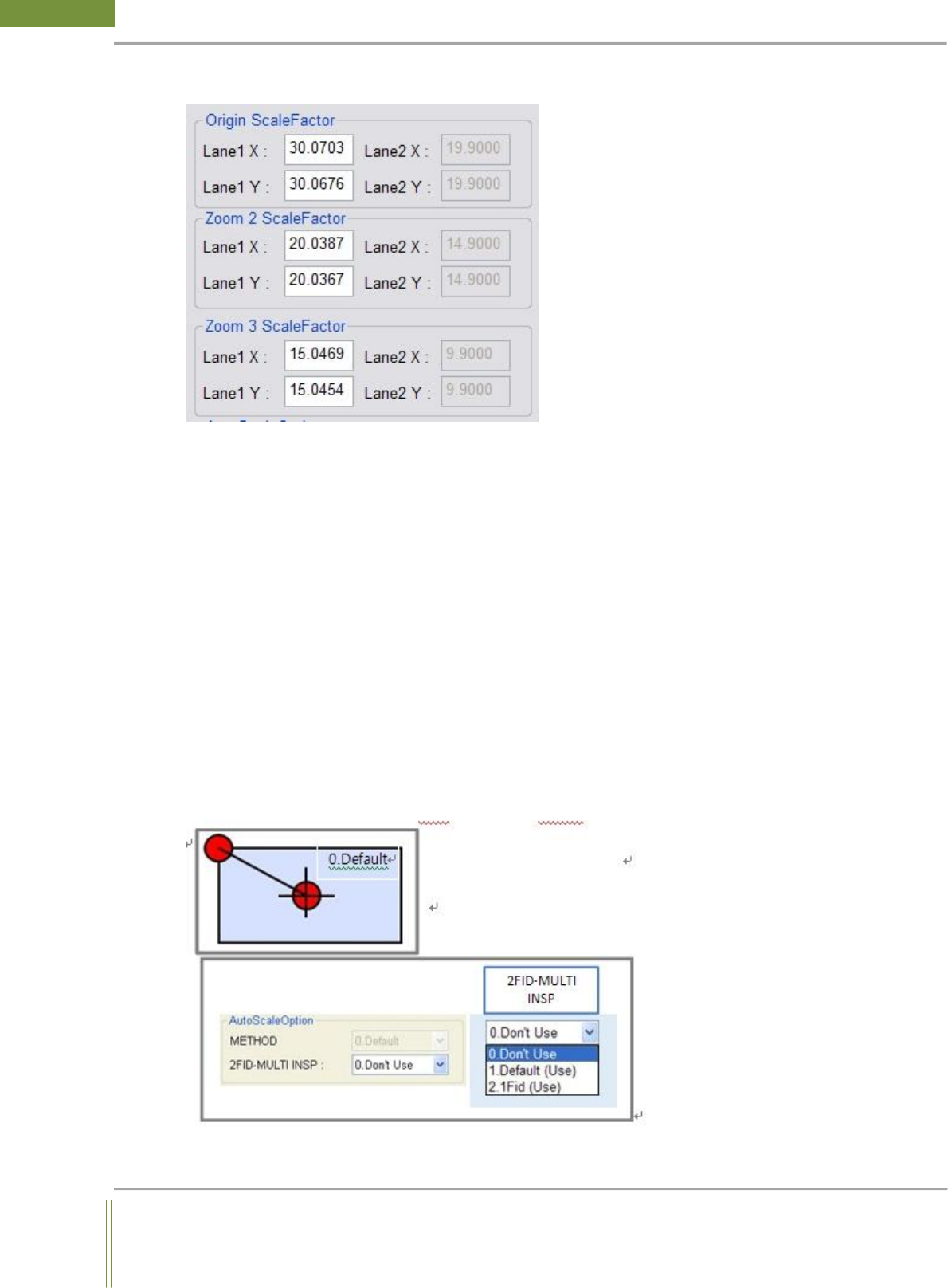
ScaleFactor Setting
1. Origin ScaleFactor (Zoom 1 Position)
Input the machine ScaleFactor values which are set in GUI.
2. Zoom 2 Scalefactor
If Step Zoom option is used, input Zoom2 Position Scalefactor values.
If Step Zoom option is not used, no need to input this column.
3. Zoom 3 Scalefactor
If Step Zoom option is used, input Zoom3 Position Scalefactor values.
If Step Zoom option is not used, no need to input this column.
2 Fiducial Auto Scale per Board
1. 2 FID MULTI INSP
0. Don’t Use: 2 Fiducial Auto Scale per Board is not used.
1. Default (Use): Using 2 fiducial marks to inspect scale.
2. 1 Fid (Use): Using 1 fiducial mark to inspect scale.
56
WinMCS_Manual(ENG) rev1.0
Koh Young Technology Inc.
Compensation Option
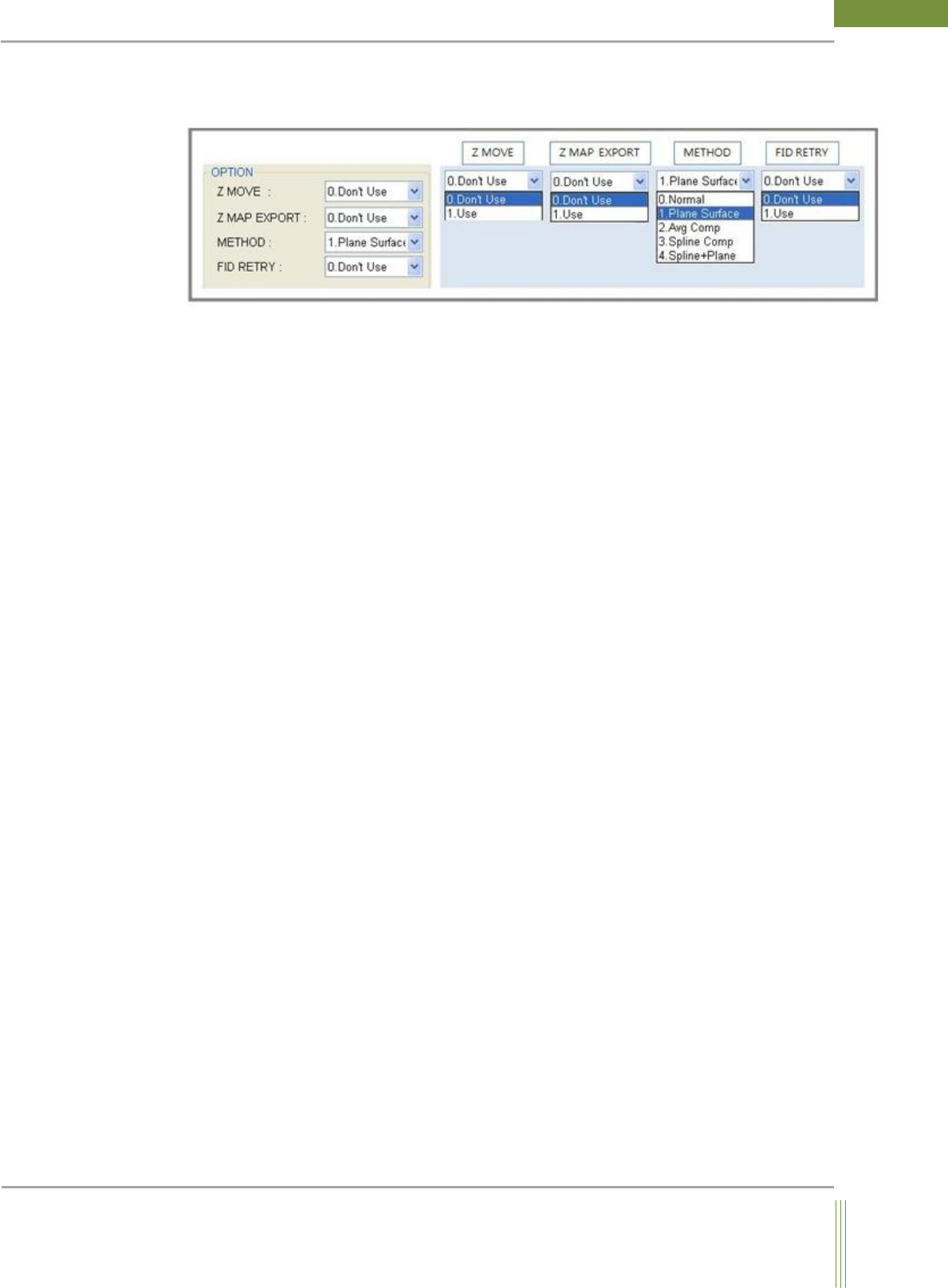
It is to set the compensation algorithm when Multi Fiducial inspection.
1. Z MOVE
0. Don’t Use: Used for the inspection with Multi Fiducial + Auto Scale factor. Z_Move is
not used. (Used when the warpage is not severely seen.)
1. Use: Used for the inspection with Multi Fiducial + Auto Scale factor + Z_Move
(Used when the warpage is severely seen)
2. Z MAP EXPORT
1. Use: When Multi + Auto Scale factor + Z_Move inspection are finished, PCB Z_Map .csv
file can be exported.
Path: C:\Kohyoung\KY-3030
3. Method: Compensation method
0. Normal: Using the shortest distance scale for warpage compensation
1. Plane Surface: Using the horizontal plane for warpage compensation
2. Avg Comp: Using the neighbor height of FOV for average warpage compensation
3. Spline Comp: Using B-Spline for warpage compensation
4. Spline + Plane: Using the horizontal plane & Spline for warpage compensation
4. FID RETRY:
This is a function to compensate warpage using Fiducial Z axis compensation. When the
warpage occurs at the fiducial position, it compensates it to the focusing position.
(maximum 3 times retry)
0. Don’t Use: The function of Fiducial Retry is not used.
1. Use: The function of Fiducial Retry is used.
57
Service Manual
Koh Young Technology Inc.
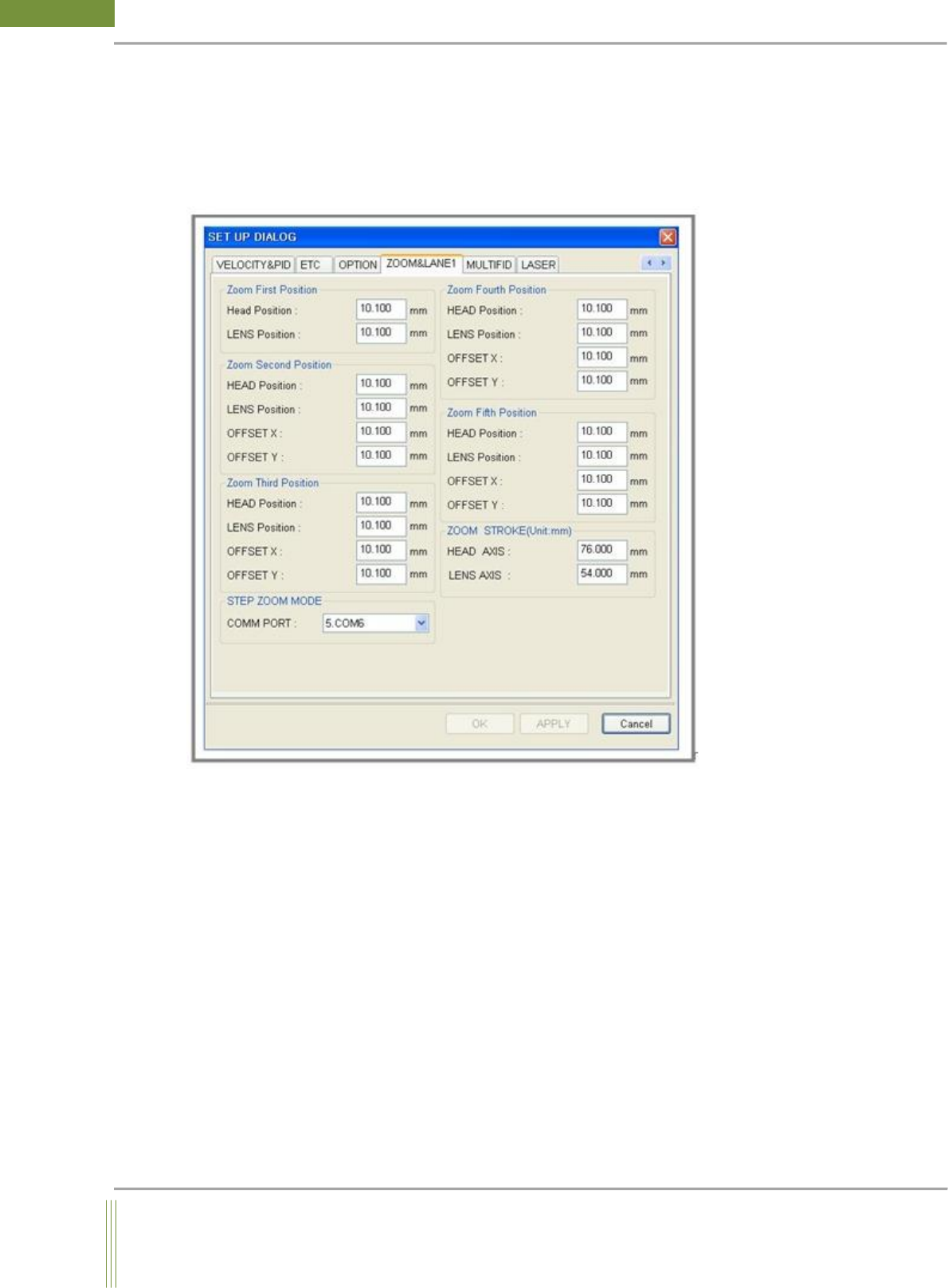
4.8. ZOOM LANE 1
It is setting for Step Zoom option. (Not applicable to Dual Lane)
Location: Menu Settings SystemSettings ZOOMLANE1
4.8.1. ZOOM LANE 1
1. Zoom First~Fifth Position
Head Position: Head Axis focusing value of Zoom Position
LENS Position: Lens Axis focusing value of Zoom Position
OFFSET X: In case of Mix Job File, Camera Offset X value when it moves to other step from
default step.
OFFSET Y: In case of Mix Job File, Camera Offset Y value when it moves to other step from
default step.
2. STEP ZOOM MODE
StepZoom Comport Setting
3. ZOOM STROKE(Unit:mm)
It is to set the max stroke value of Head, Lens Axis.