WinMCS_Manual(ENG) rev1.0.pdf - 第45页
45 Service Manual Koh Y oung T echnology Inc. 4.5. OPTION SETTIN G It is setting fo r the optional items. Location: Menu Settings Syste mSettings OPTION 4.5.1. OPTION SETTING
44
WinMCS_Manual(ENG) rev1.0
Koh Young Technology Inc.
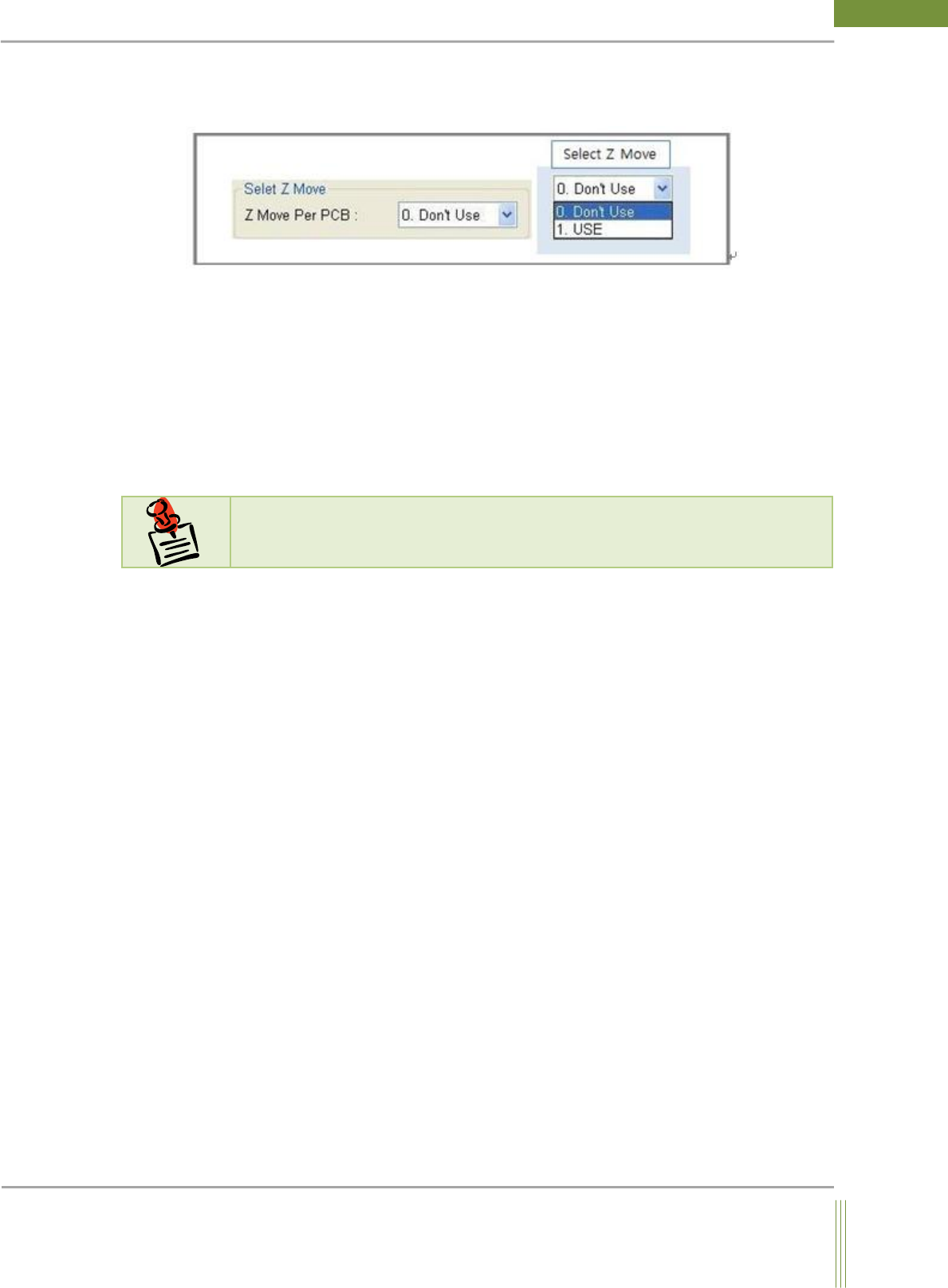
Select Z Move(Warpage Option)
This is the option for adjusting Z axis focus during a PCB inspection.
Select Z Move:
0. Don’t Use: No adjustment of the focus height of Z axis during inspection (Default)
1. USE: Adjust the focus height of Z axis as referred to the Job File during inspection.
Inside View Lamp
It is a lamp installed inside the machine for checking without opening the door. This lamp
is turned off during inspection and turned on when the machine is on standby.
N
N
o
o
t
t
e
e
This function(Inside View Lamp) is not applicable yet.
45
Service Manual
Koh Young Technology Inc.
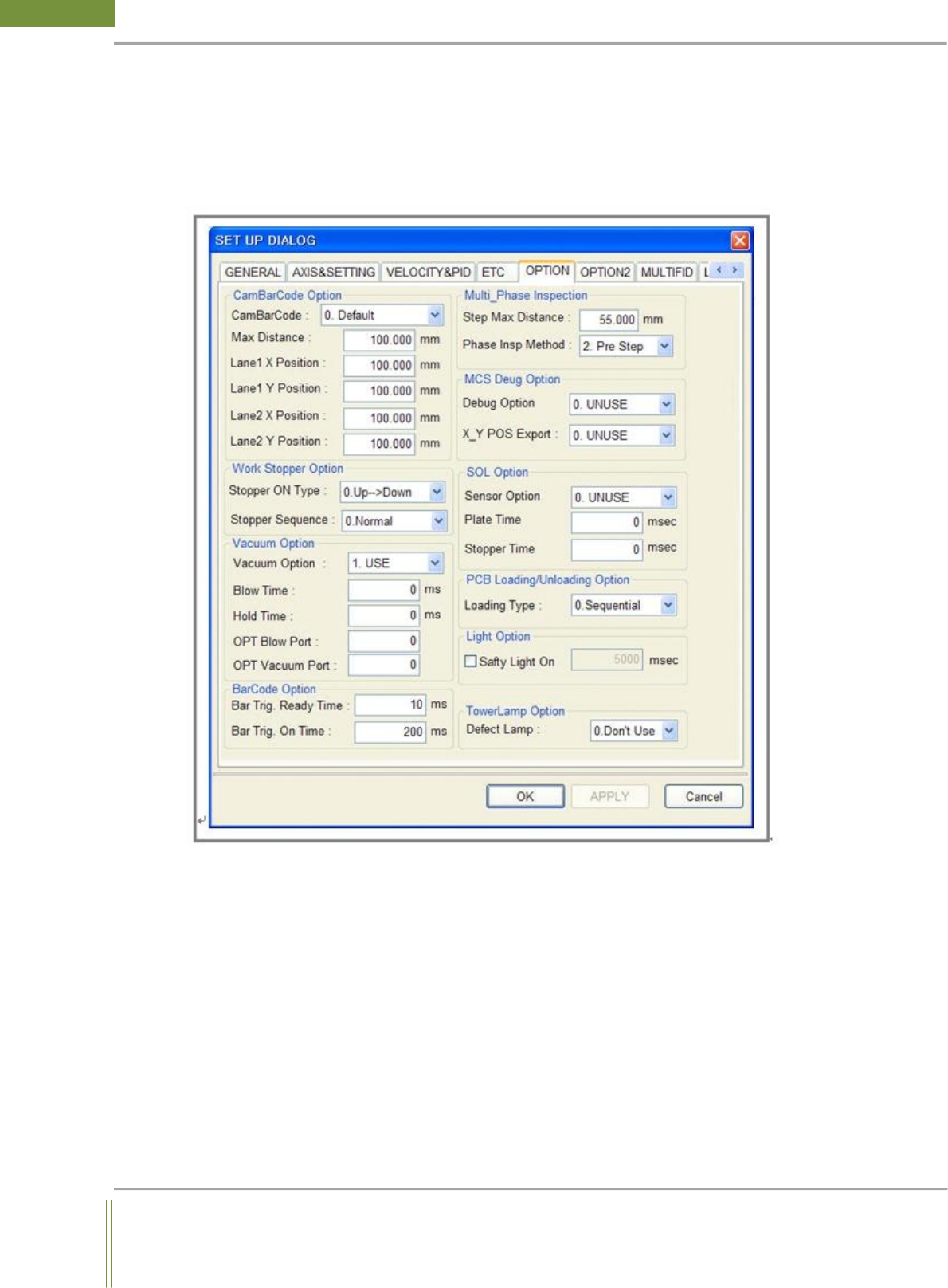
4.5. OPTION SETTING
It is setting for the optional items.
Location: Menu Settings SystemSettings OPTION
4.5.1. OPTION SETTING
46
WinMCS_Manual(ENG) rev1.0
Koh Young Technology Inc.
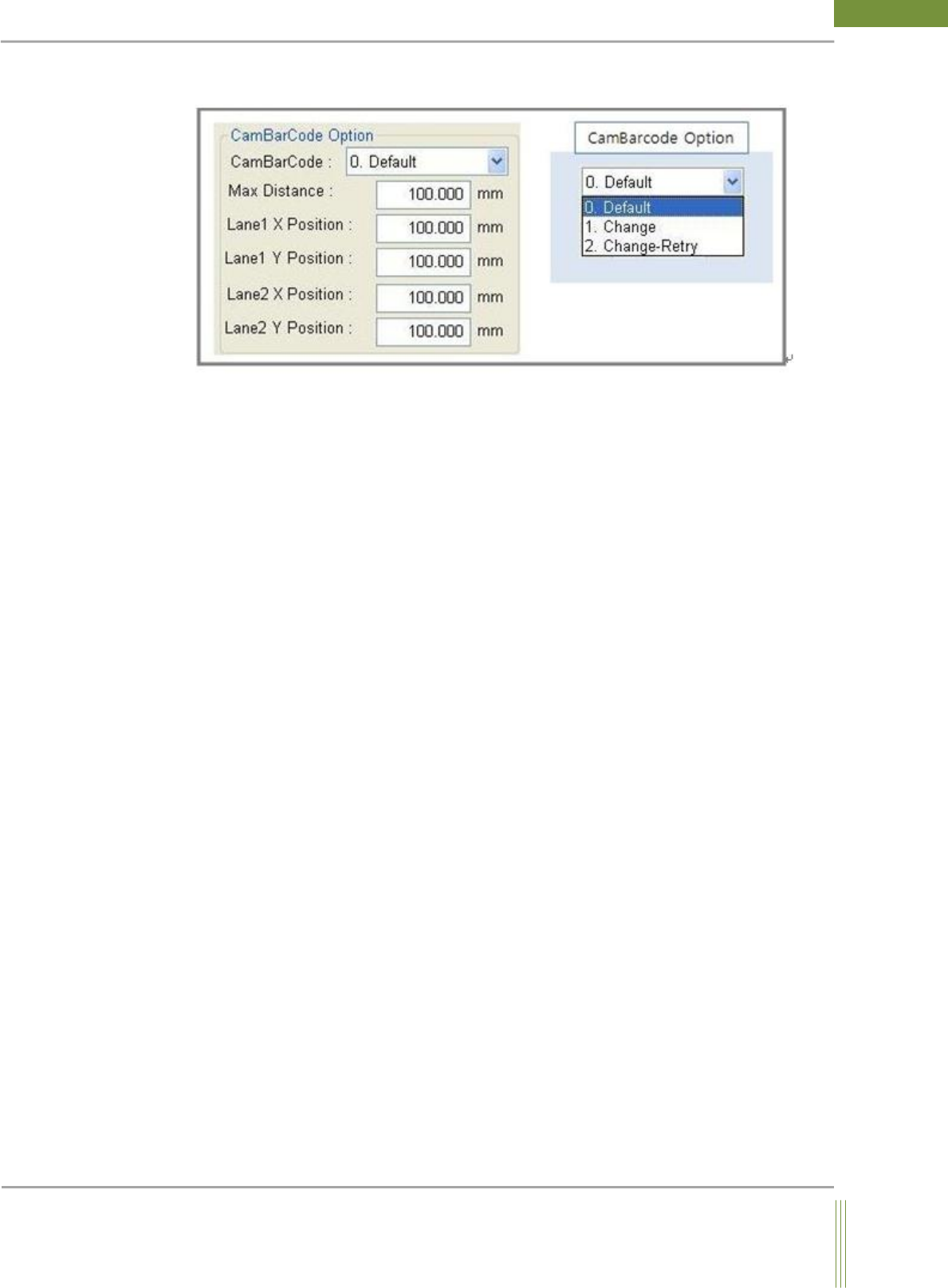
CamBarCode Option
1. CamBarCode:
0. Default:
Normal inspection mode
1. Change:
Before PCB inspection, when JOB is changed after the barcode is inspected first.
(Connected with Job Link)
2. Change – Retry:
Before PCB inspection, if the barcode inspection is failed, retry the barcode inspection after
moving as much as the distance set at Max Distance.
2. It is the setting option regarding Many In One.
Max Distance: The motion distance when retrying the barcode inspection.
Lane 1 X Position: The initial X position of Lane 1
Lane 1 Y Position: The initial Y position of Lane 1
Lane 2 X Position: The initial X position of Lane 2
Lane 2 Y Position: The initial Y position of Lane 2