WinMCS_Manual(ENG) rev1.0.pdf - 第51页
51 Service Manual Koh Y oung T echnology Inc. 4.6. OPTION2 SETTI NG It is setting fo r the optional items. Location: Menu Settings Syste mSettings OPTION2 4.6.1. OPTION2 SETTING
50
WinMCS_Manual(ENG) rev1.0
Koh Young Technology Inc.
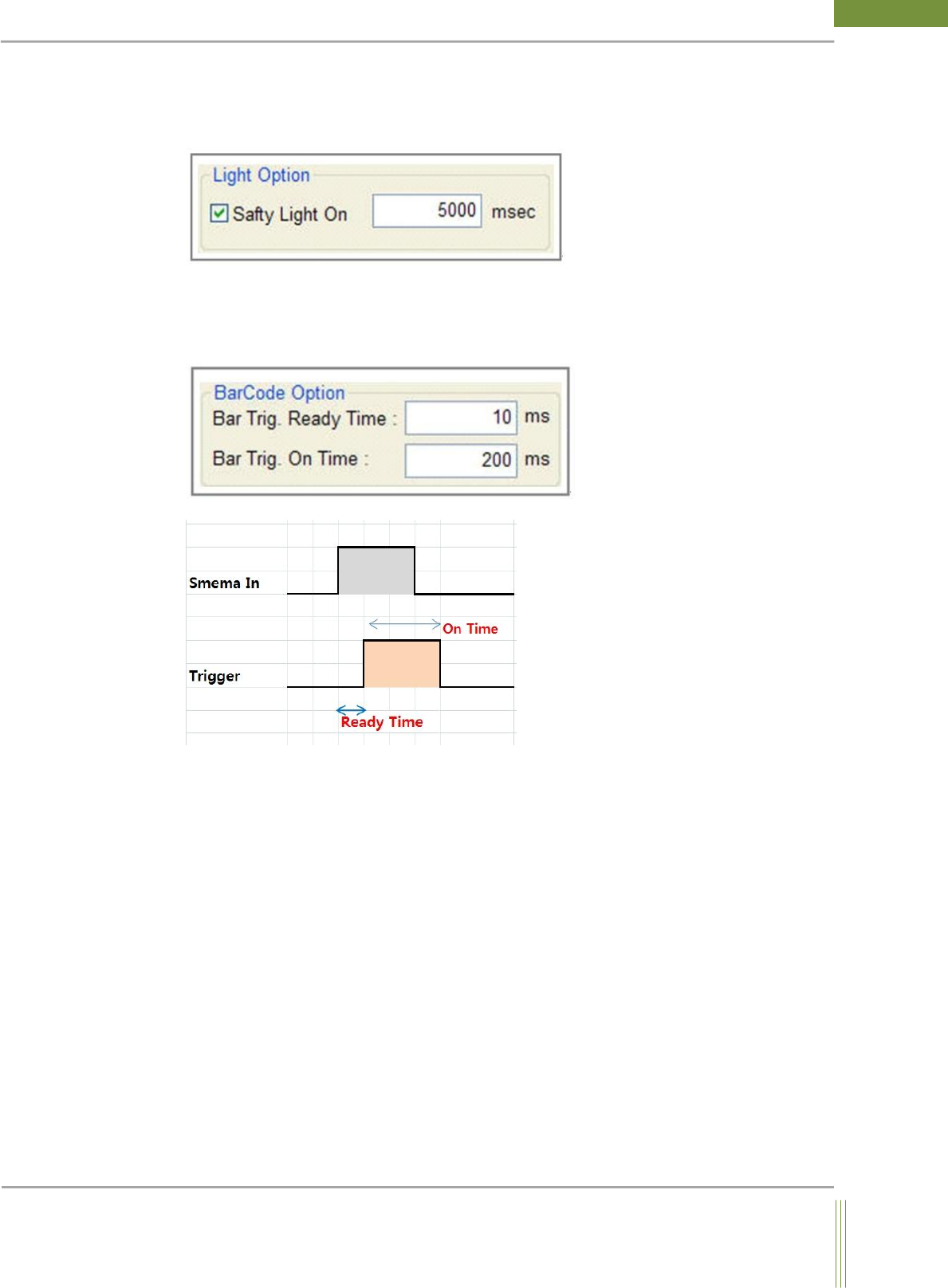
Light Safety Option(Light Option)
If 2D light is turned on for a certain time, the LED could be burned out. This function is to
turn the light off automatically if it is turned on over the arrowed time.
Safety Light On:
If 2D light is turned on for the set time, it is automatically turned off.
BarCode Trigger Option
It is the setting for the Barcode Trigger On Time. It maintains the OnTime for the set time.
1. Bar Trig. Ready Time:
After delaying the set time as above picture, sends Trigger Signal.
2. Bar Trig. On Time:
Sends On signal during the set time as above picture.
51
Service Manual
Koh Young Technology Inc.
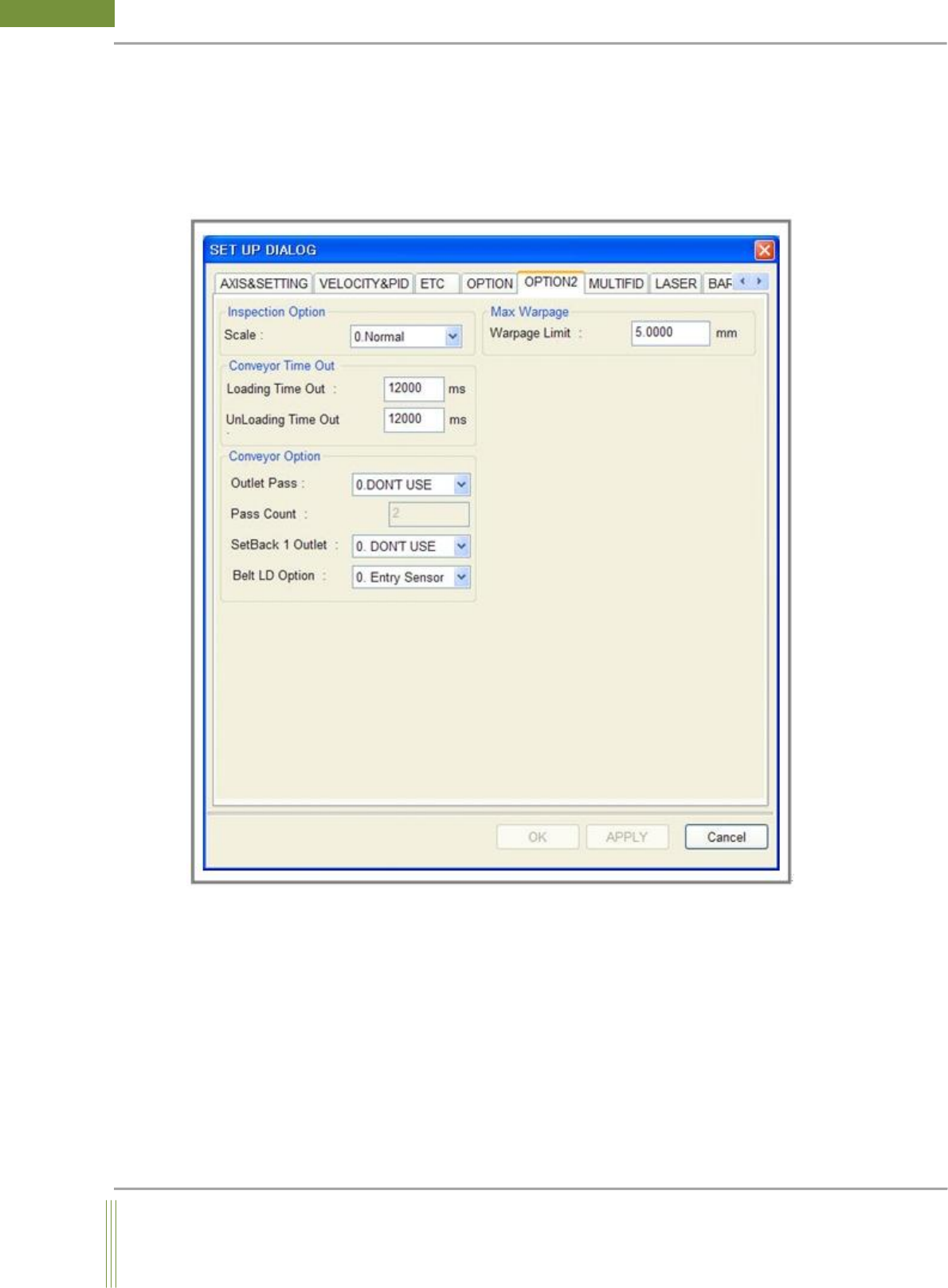
4.6. OPTION2 SETTING
It is setting for the optional items.
Location: Menu Settings SystemSettings OPTION2
4.6.1. OPTION2 SETTING
52
WinMCS_Manual(ENG) rev1.0
Koh Young Technology Inc.
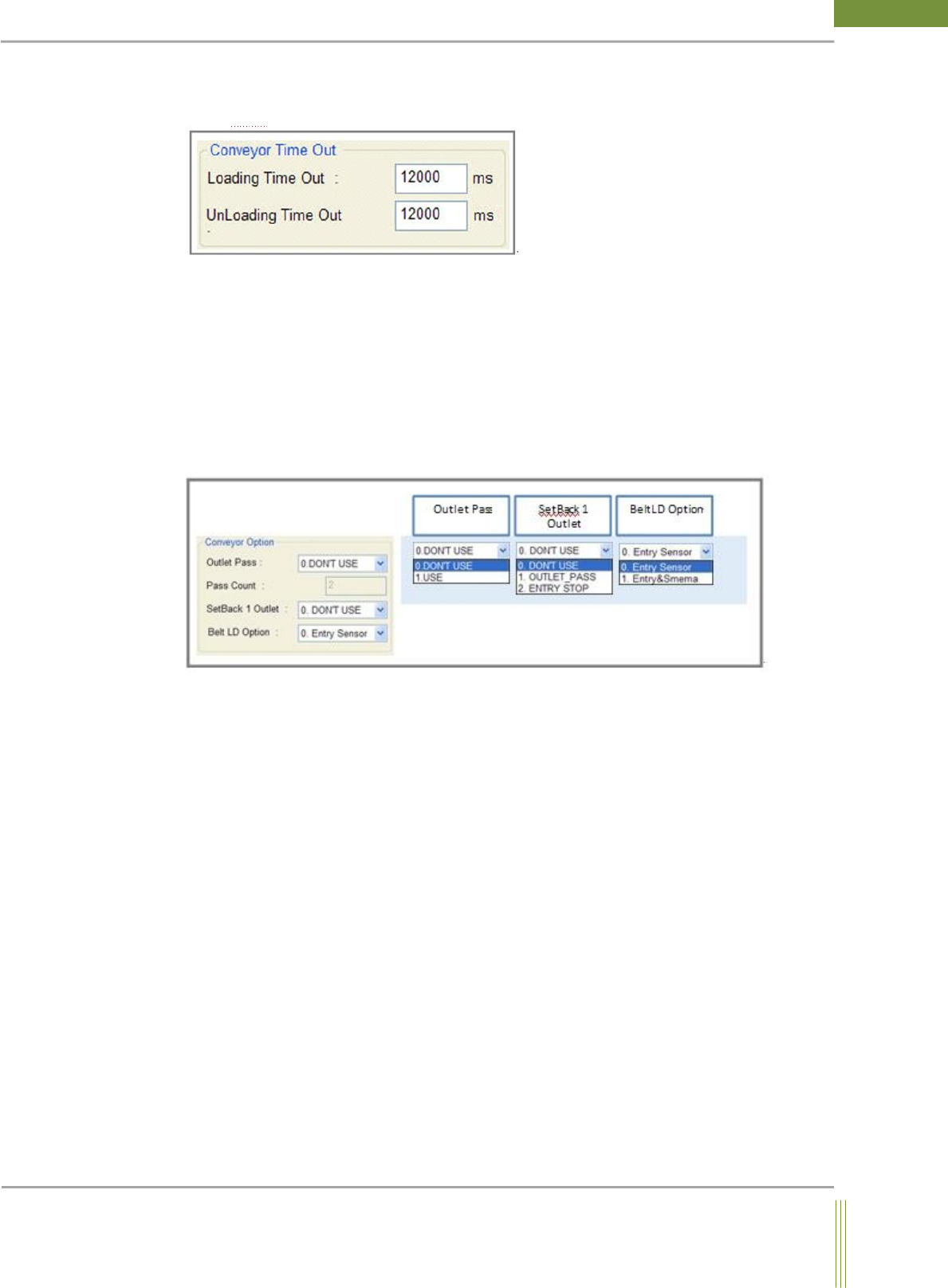
Conveyor Time Out Setting
It is to set the time of PCB(Board) Loading / Unloading TimeOut.
1. Loading Time Out:
If the PCB is not arrived at Working Position for the time set in Loading Time Out, it is
judged error. (The time when a PCB arrives at Work Out Sensor after Entry-In sensor
detects PCB.)
2. UnLoading Time Out:
If the PCB does not move to next machine for the time set in UnLoading Time Out, it is
judged error.
Conveyor Option Setting
1. Outlet Pass & Pass Count:
This is to set the PCB Pass Mode(as per PCB quantity) to improve machine cycle time.
0. DON’T USE: Do not use Outlet Pass Mode.
1. USE: Use Outlet Pass Mode.
Ex ) Outlet Pass Mode
2: One per two PCBs is passed without inspection. (Inspection Pass Inspection)
3: Two per three PCBs are passed, and one PCB is inspected. (Inspection Pass Pass
Inspection)
However, the first PCB after Error or Reset is required to be inspected.