WinMCS_Manual(ENG) rev1.0.pdf - 第44页
44 WinMCS_Manua l(ENG) rev 1.0 Koh Y oung T echnology Inc. Select Z Move(W arpage O p tion) This is the optio n for adjusting Z axis focus duri ng a PCB inspectio n. Select Z M ove: 0. Don ’ t Use : No adjustment of th…
43
Service Manual
Koh Young Technology Inc.
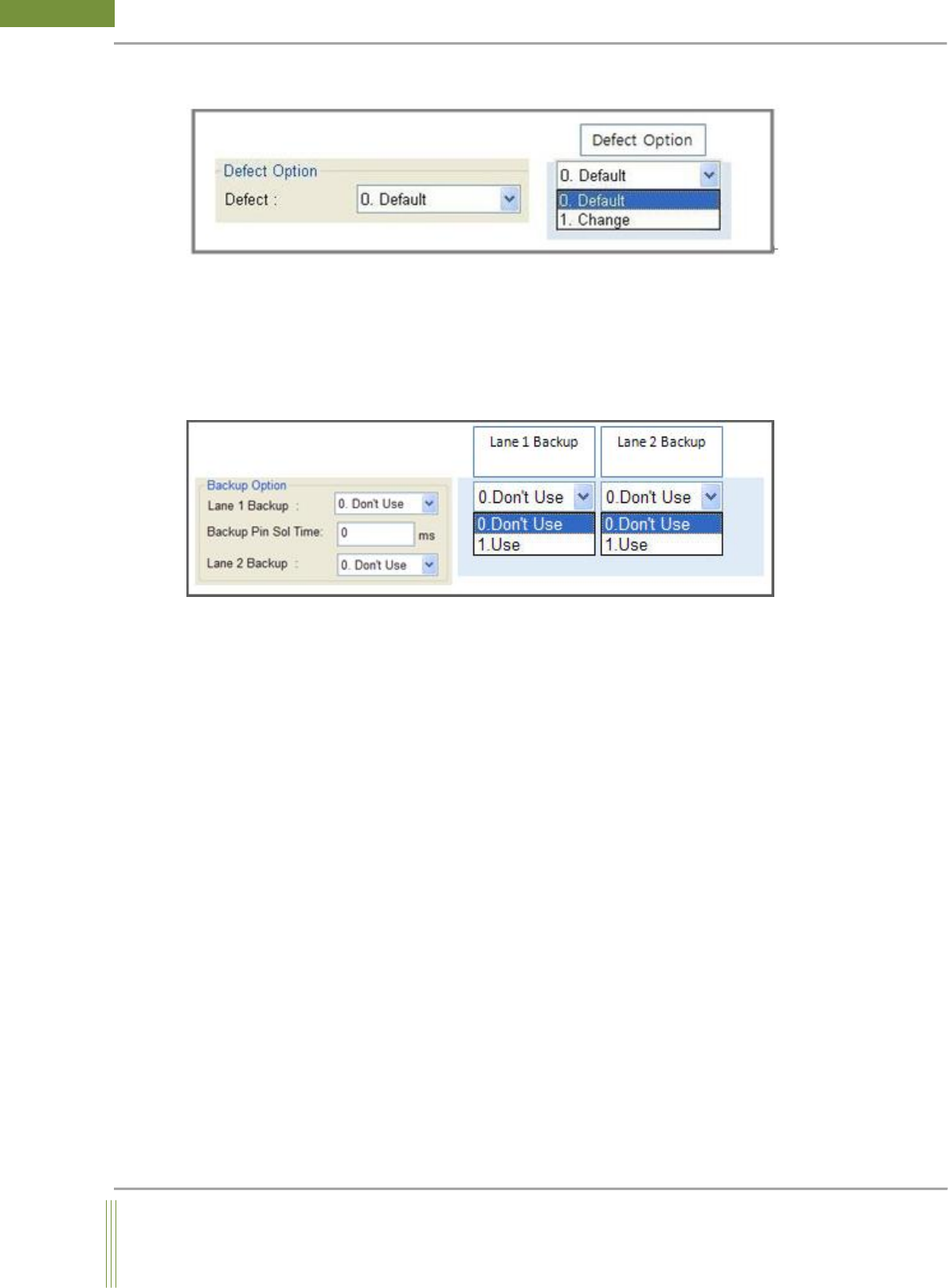
Defect option
Defect Option:
0. Default: Normal Defect Sequence (Default Option)
1. Change: On auto operator option, a PCB will stay on machine until the inspection result
is shown if a defect is found in the PCB. If you click NG button, it will stay on the state of
STOP and if you click RUN button, PCB will be sent to next machine.
Backup Option(Warpage Option)
1. Lane 1 Backup
0. Don’t Use: Backup Pin Unit is not used.
1. USE: Backup Pin Unit is used
2. Lane 2 Backup
0. Don’t Use: Backup Pin Unit is not used.
1. USE: Backup Pin Unit is used
3. Backup Pin Sol Time : Backup Pin Up/Down Time Delay
Input Backup Pin Sol Up/Down delay time (Default: 0ms)
44
WinMCS_Manual(ENG) rev1.0
Koh Young Technology Inc.
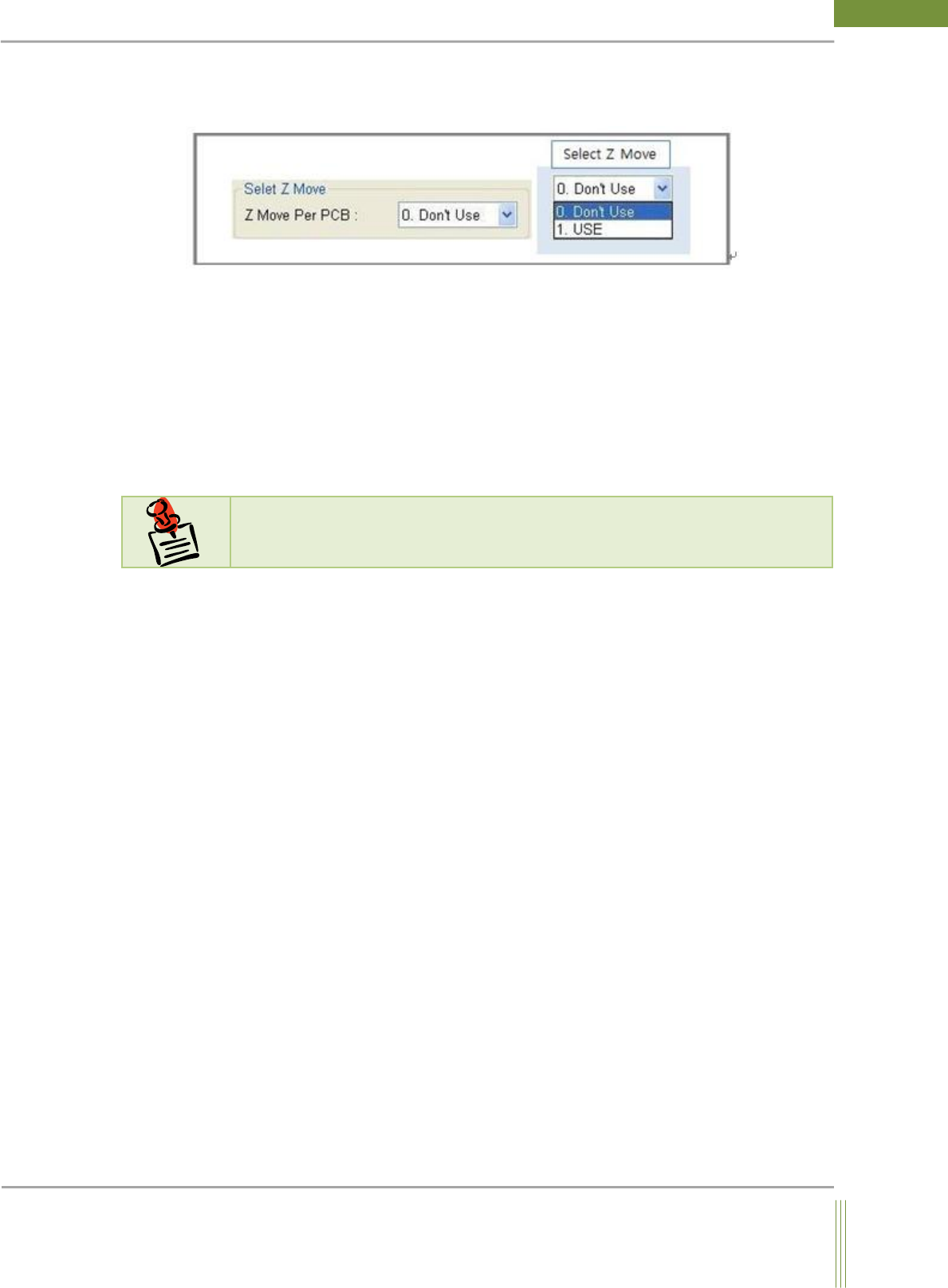
Select Z Move(Warpage Option)
This is the option for adjusting Z axis focus during a PCB inspection.
Select Z Move:
0. Don’t Use: No adjustment of the focus height of Z axis during inspection (Default)
1. USE: Adjust the focus height of Z axis as referred to the Job File during inspection.
Inside View Lamp
It is a lamp installed inside the machine for checking without opening the door. This lamp
is turned off during inspection and turned on when the machine is on standby.
N
N
o
o
t
t
e
e
This function(Inside View Lamp) is not applicable yet.
45
Service Manual
Koh Young Technology Inc.
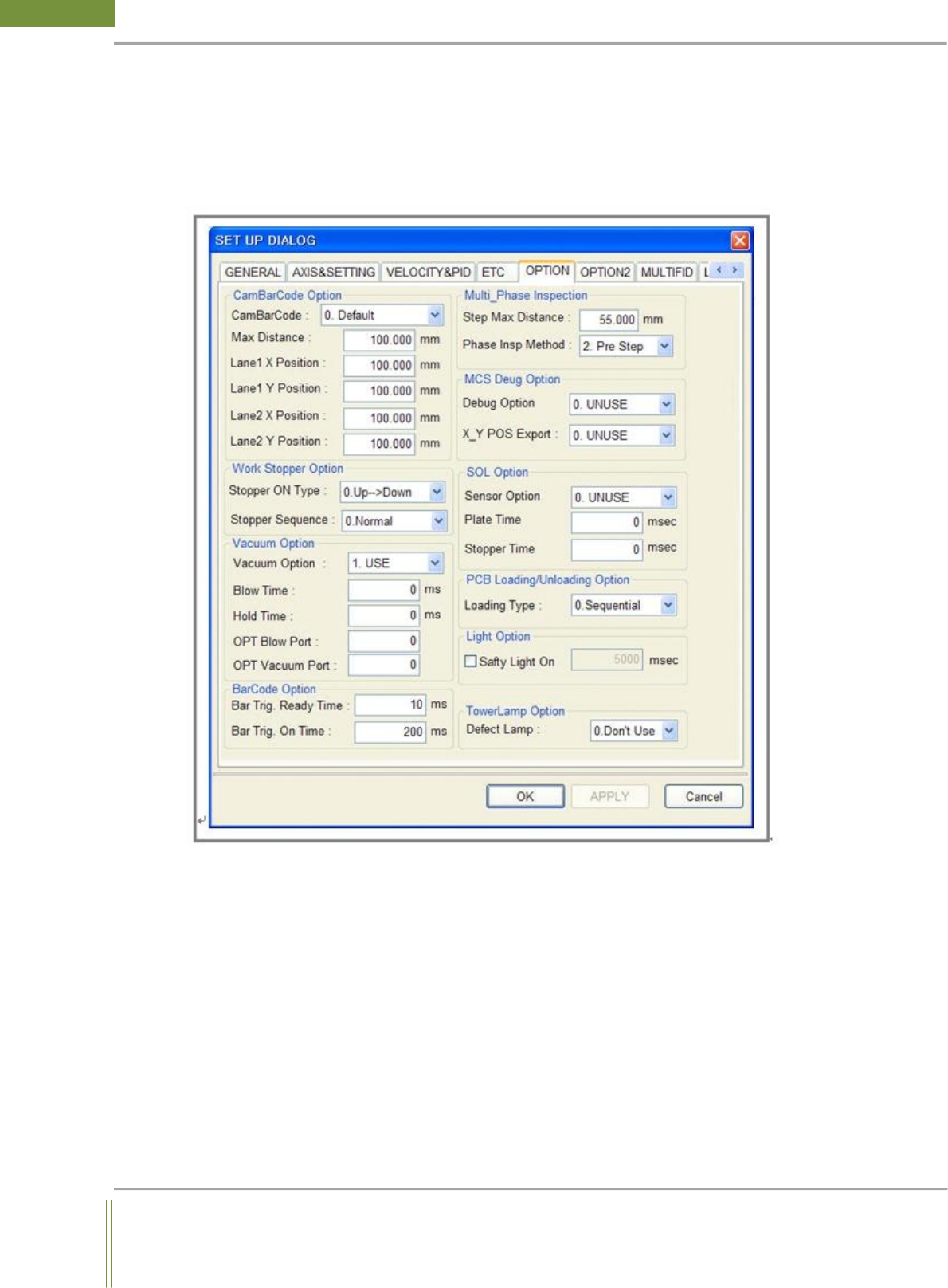
4.5. OPTION SETTING
It is setting for the optional items.
Location: Menu Settings SystemSettings OPTION
4.5.1. OPTION SETTING