WinMCS_Manual(ENG) rev1.0.pdf - 第58页
58 WinMCS_Manua l(ENG) rev 1.0 Koh Y oung T echnology Inc. 5. TOWER LAMP SETTING It is setting fo r Lamp On/Off and alarm for each mac hine mode. 5.1. TO WER L A MP SETTING
57
Service Manual
Koh Young Technology Inc.
4.8. ZOOM LANE 1
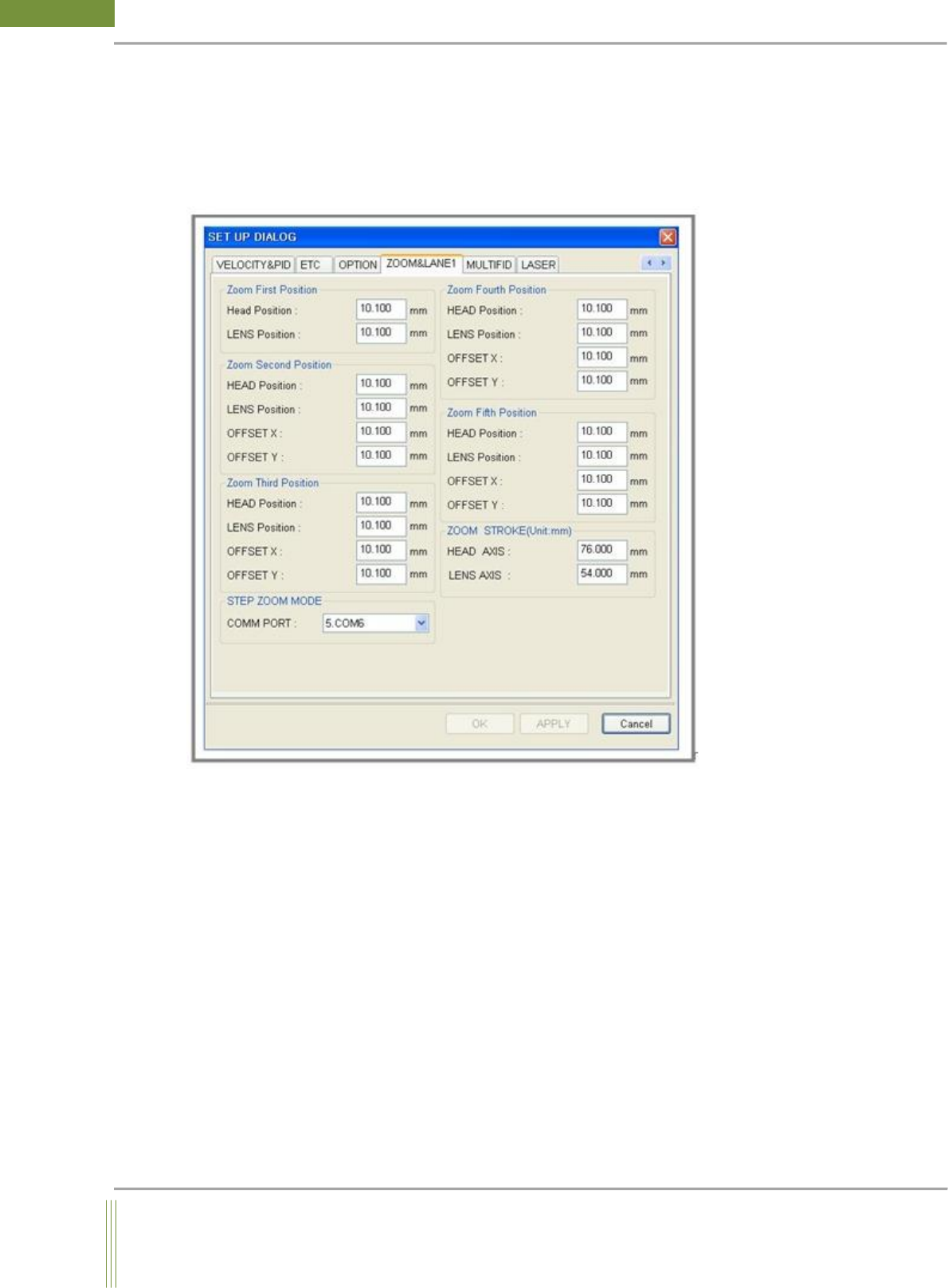
It is setting for Step Zoom option. (Not applicable to Dual Lane)
Location: Menu Settings SystemSettings ZOOMLANE1
4.8.1. ZOOM LANE 1
1. Zoom First~Fifth Position
Head Position: Head Axis focusing value of Zoom Position
LENS Position: Lens Axis focusing value of Zoom Position
OFFSET X: In case of Mix Job File, Camera Offset X value when it moves to other step from
default step.
OFFSET Y: In case of Mix Job File, Camera Offset Y value when it moves to other step from
default step.
2. STEP ZOOM MODE
StepZoom Comport Setting
3. ZOOM STROKE(Unit:mm)
It is to set the max stroke value of Head, Lens Axis.
58
WinMCS_Manual(ENG) rev1.0
Koh Young Technology Inc.
5. TOWER LAMP SETTING
It is setting for Lamp On/Off and alarm for each machine mode.
5.1. TOWER LAMP SETTING

59
Service Manual
Koh Young Technology Inc.
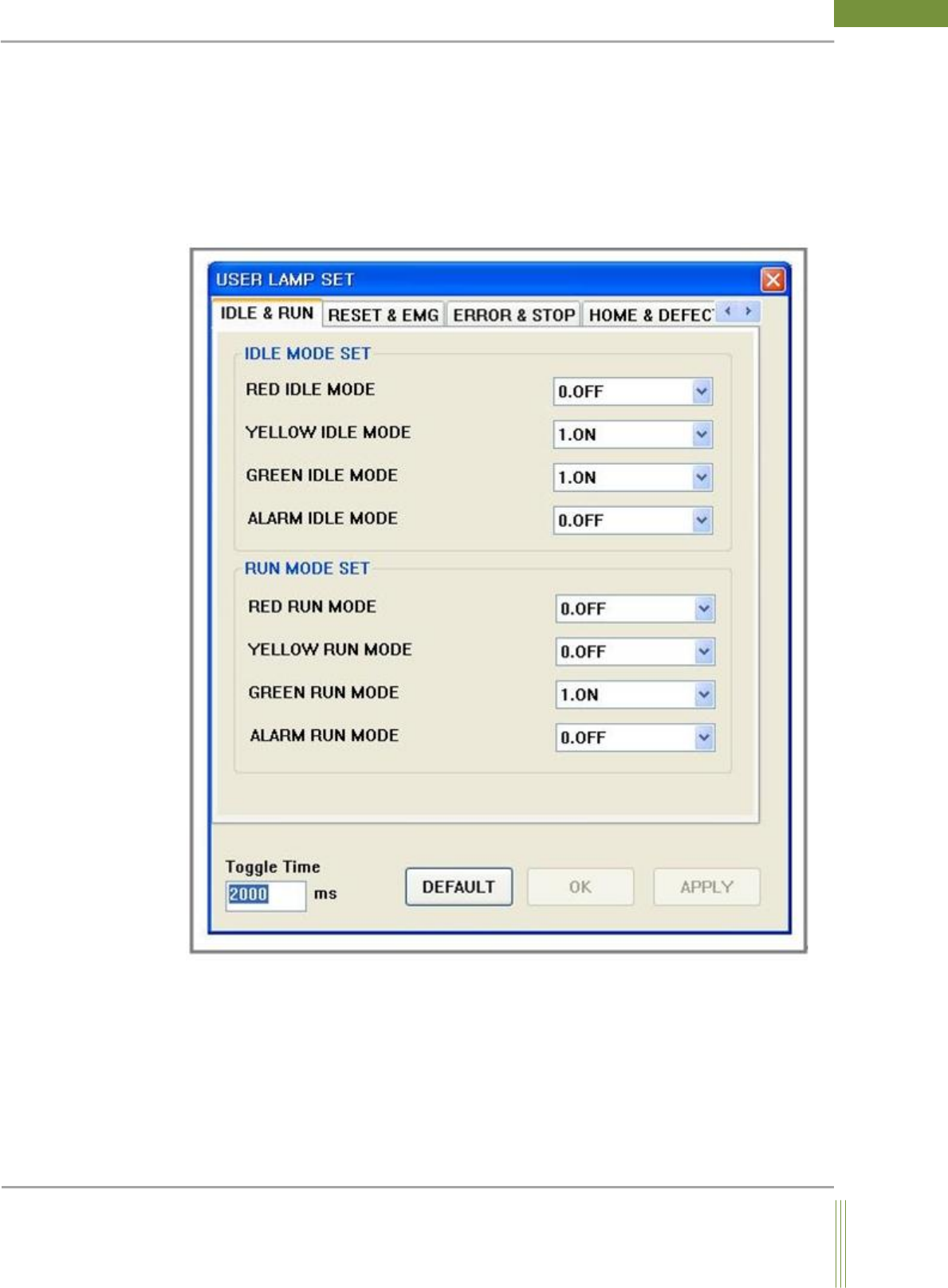
1. USER TOWER LAMP SETUP
This setting is for the tower lamp on machine. It can be set separately by the machine mode.
[ Machine Mode ]
IDLE&RUN, RESET&EMG, ERROR&STOP, HOME&DEFECT, WAIT RUN
The tower lamp with red, yellow and green color indicates the machine status. And alarm
sound also can be used to let operator know the status.
0. OFF: Lamp is off.
1. ON: Lamp is on.
2. TOGGLE: Lamp is blinking
2. Toggle Time Setting
If lamp mode is set to TOGGLE, the lamp will blink for the set time.