WinMCS_Manual(ENG) rev1.0.pdf - 第22页
22 WinMCS_Manua l(ENG) rev 1.0 Koh Y oung T echnology Inc. TYPE It is the settings rela ted to Machine T ype, Motion Bo ard T y pe, and I/O Board T ype. 1. Machine T ype Select the machine t ype in use . 2. Motion Boar…
21
Service Manual
Koh Young Technology Inc.
4. SETTINGS PARAMS
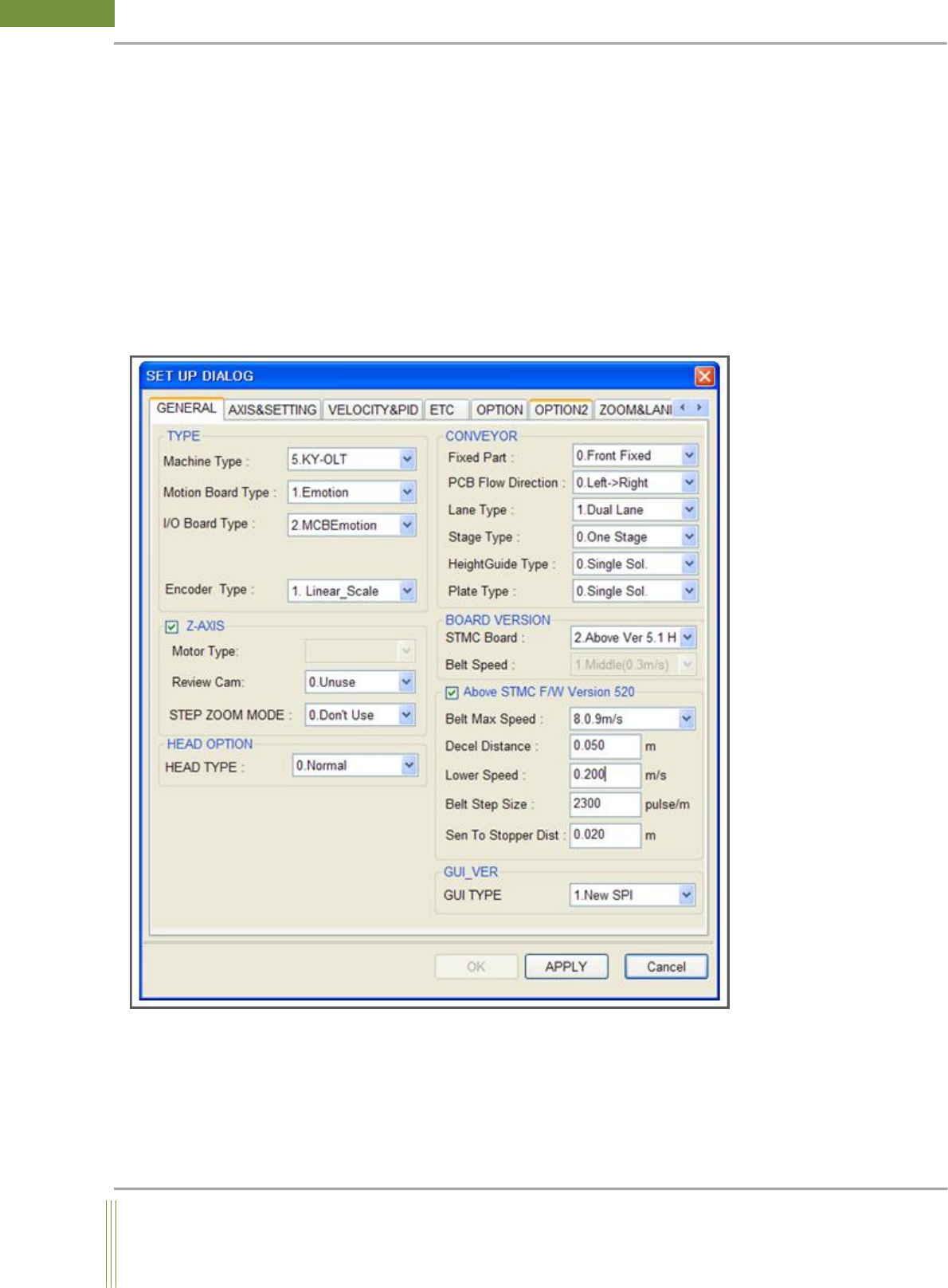
It is able to check the setup state of WinMCS and to change it.
Location: Menu Settings SystemSettings General
4.1. GENERAL SETTING
It shows all the settings with regard to motion control of machine, the setting should be
matched correctly with the type of machine. More details will be covered below.
4.1.1. GENERAL SETTING
22
WinMCS_Manual(ENG) rev1.0
Koh Young Technology Inc.
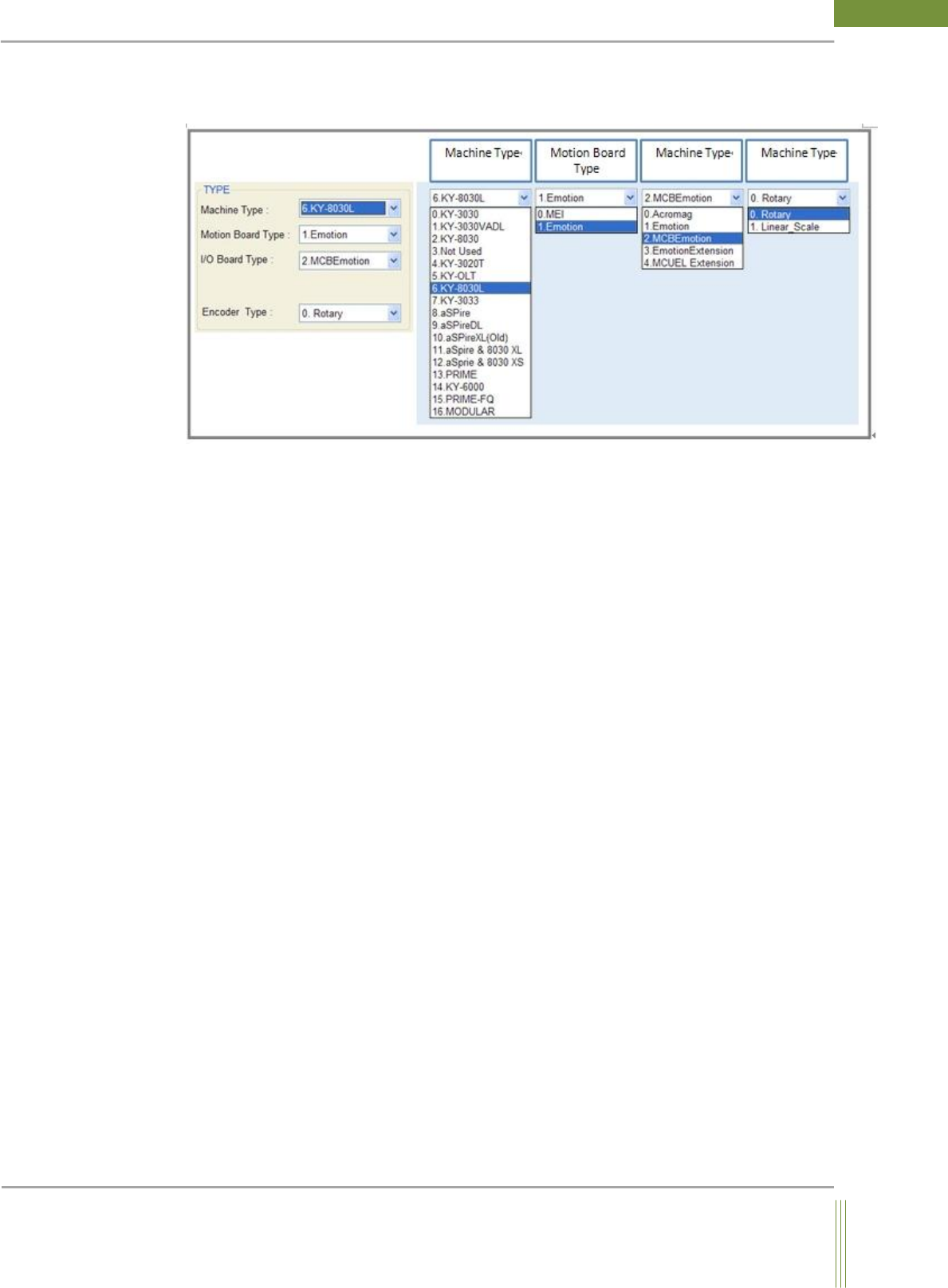
TYPE
It is the settings related to Machine Type, Motion Board Type, and I/O Board Type.
1. Machine Type
Select the machine type in use.
2. Motion Board Type
Select the type of motion board in use on machine.
3. I/O Board Type
Select the type of I/O board in use on machine
0. Acromag– Obsolete
1. Emotion– Select if there is a PCI slot in Vision PC
2. MCBEmotion– Select if I/O Module Pack is installed on machine
3. EmotionEctension– Select if both Emotion and MCBEmotion board are used
4. Encoder Type
It is for the setting of motion control used in X and Y gantry.
23
Service Manual
Koh Young Technology Inc.
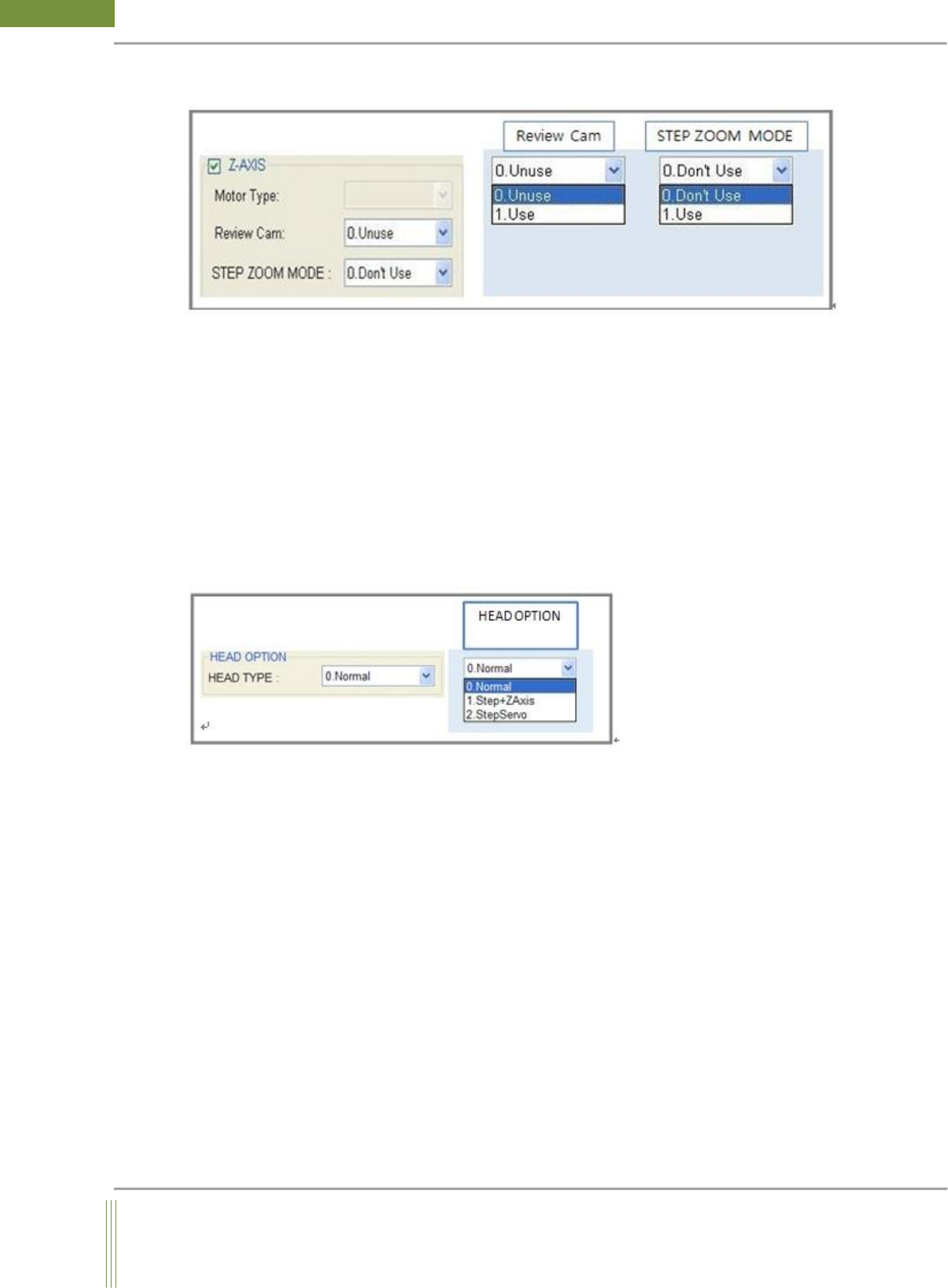
Z – AXIS
1. Z-AXIS
If Z axis motor exists, check the button to activate it.
2. Review Cam
It is made by the request from Semiconductor Division. If Review camera exists, change the
property to Use. Default setting is Unuse and normally this option is not used.
3. Step Zoom Mode
If Step Zoom Head is installed on machine, Select Use.
HEAD OPTION
Select the motion of Z_Axis and Head Option.
0. Normal: Select Normal, if the Z Axis motor is a normal servo motor.
1. Step + Z Axis: Select Step+Z Axis, if both StepZoom motor and normal servo motor are
installed in machine.
2. Step Servo: Select Step Servo, if Z Axis motor is a step servo motor.