WinMCS_Manual(ENG) rev1.0.pdf - 第15页
15 Service Manual Koh Y oung T echnology Inc. 4. SMEMA OUTP UT Y ou c an control Previous and Next SMEMA On/Off signal. (B y using a Multimeter, the outgoing signal can be measured. ) 5. Conveyor Belt Speed It is used to…
14
WinMCS_Manual(ENG) rev1.0
Koh Young Technology Inc.
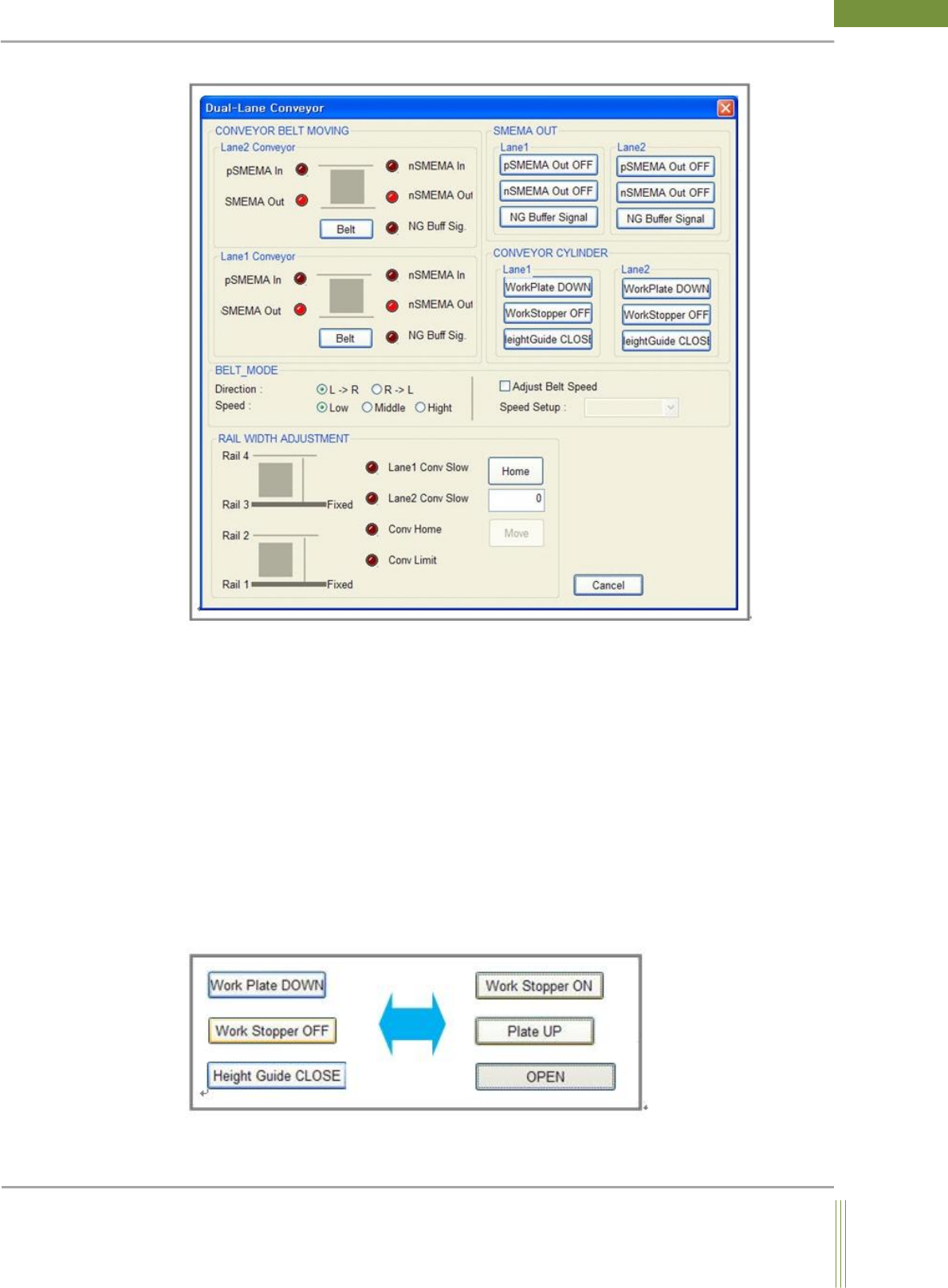
Figure 2. Dual Lane
1. CONVEYOR BELT MOVING
It shows Previous & Next SMEMA input/output signal. When Conveyor Belt button is
pressed, conveyor belt starts rotating by referring the setting of PCB flow direction and belt
speed.
2. RAIL WIDTH ADJUSTMENT
If Conv Home button is pressed, homing sequence of conveyor rail width will start, and
Rail2 Move button will be activated after the homing. Input the desired rail width in the
empty column and press Rail2 Move button so that it start adjusting the rail width as set in
the column.
3. CONVEYOR CYLINDER
You can manually control the conveyor cylinders such as Height Guide, Work Plate and
Work Stopper to check if it works properly.
15
Service Manual
Koh Young Technology Inc.
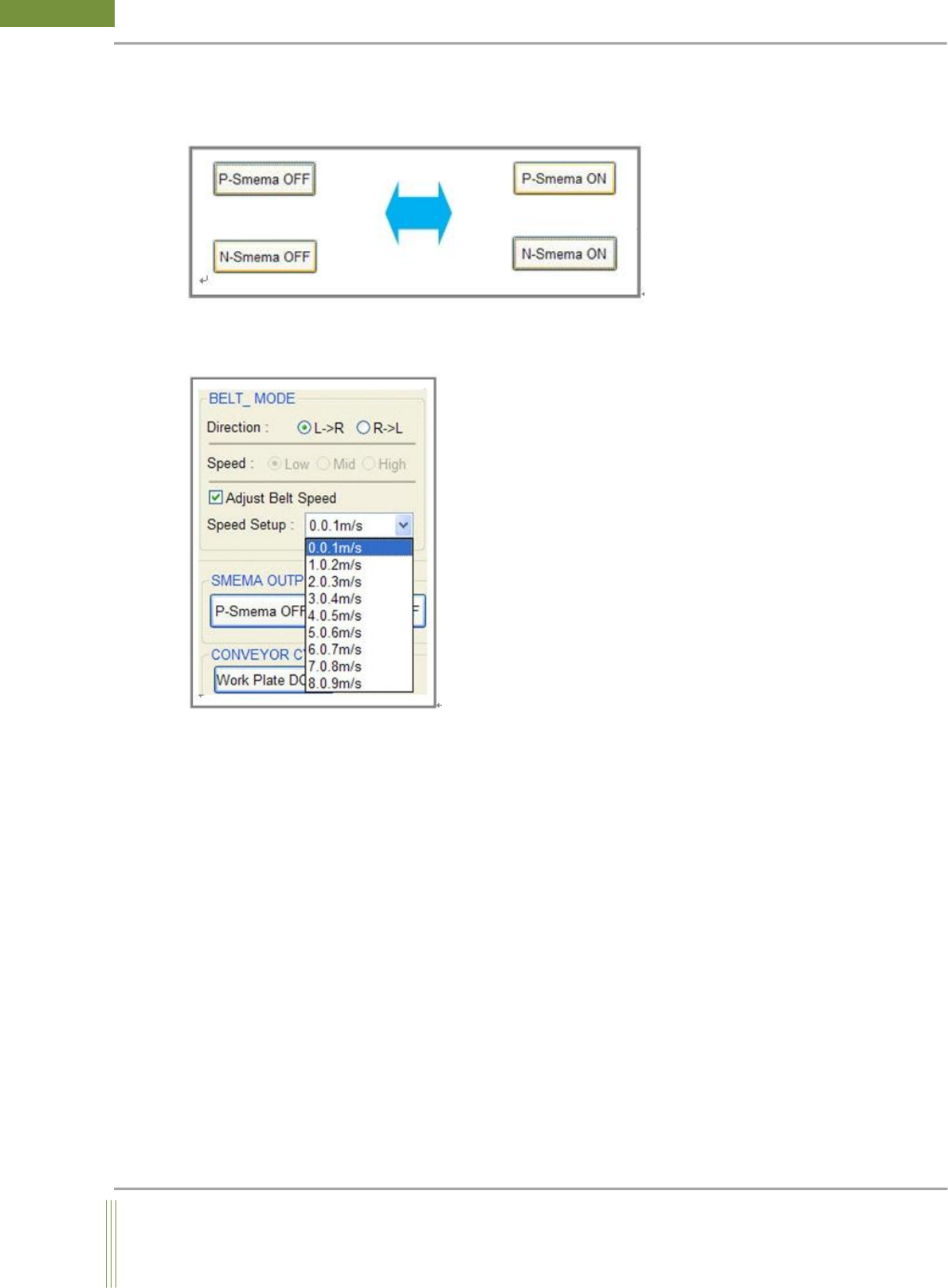
4. SMEMA OUTPUT
You can control Previous and Next SMEMA On/Off signal. (By using a Multimeter, the
outgoing signal can be measured.)
5. Conveyor Belt Speed
It is used to adjust conveyor belt speed.(The option is available from STMC Firmware Ver.
520)
When Conveyor Belt button is pressed after adjusting speed, the conveyor belt is rotated
with the adjusted speed.
16
WinMCS_Manual(ENG) rev1.0
Koh Young Technology Inc.
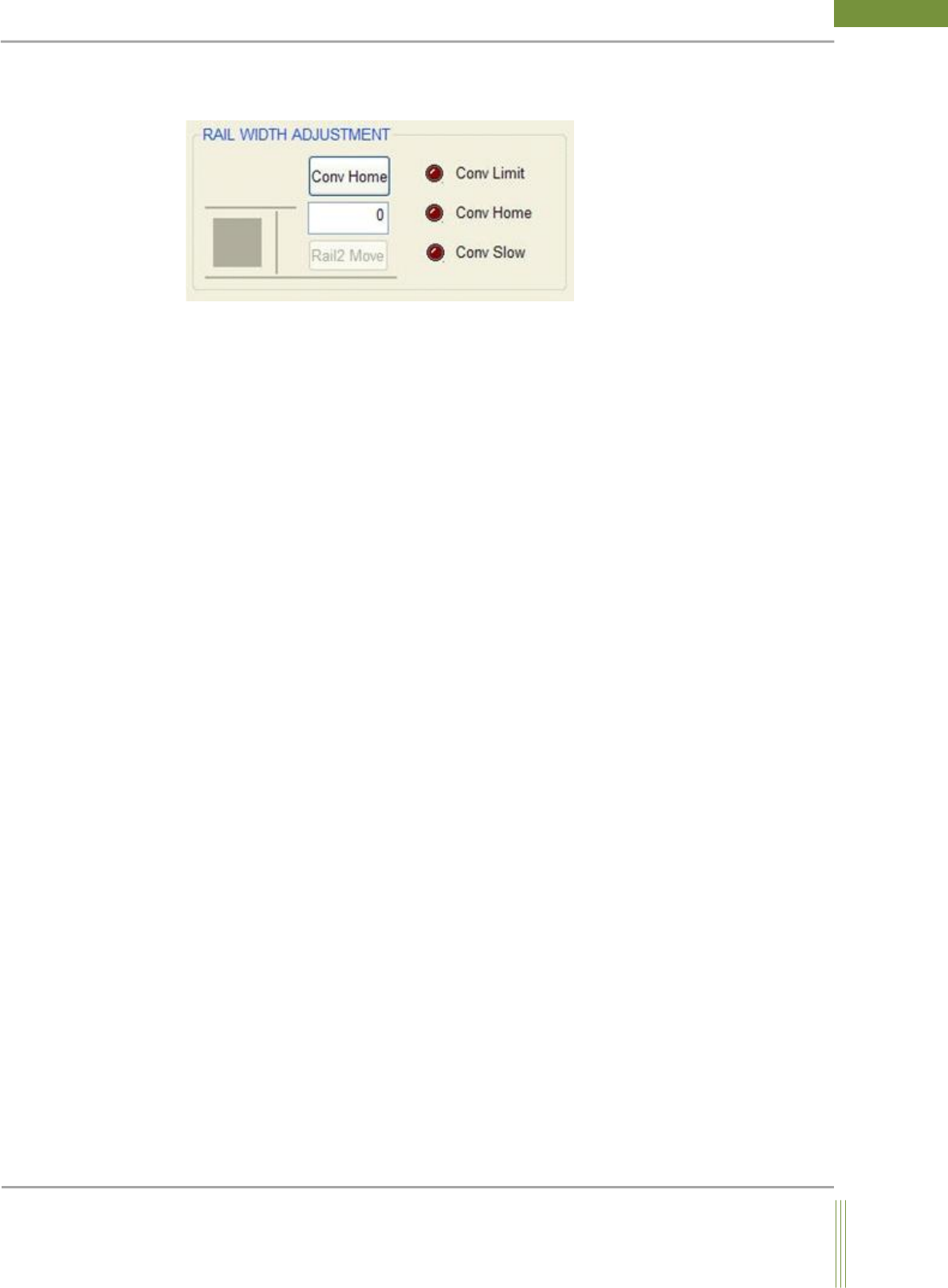
6. Conveyor WIDTH Adjustment
You can control the conveyor width.
7. Conveyor Home
Conveyor moves to Home position.
Rail 2 Move: If you input the value of conveyor width (Unit: mm) and click Rail 2 button,
the conveyor width is adjusted as you set out.
Sensor Status
Conveyor Limit: Conveyor Limit Sensor detects the presence of PCB, the shape of circle LED
indicates bright red color.
Conveyor Home: Conveyor Home Sensor detects the presence of PCB, the shape of circle LED
indicates bright red color.