WinMCS_Manual(ENG) rev1.0.pdf - 第23页
23 Service Manual Koh Y oung T echnology Inc. Z – AXIS 1. Z-AXIS If Z axis motor exi sts, check the button to acti va te it. 2. Review Cam It is made by the re quest from Semi conductor Di vision. If Re view camera e x…
22
WinMCS_Manual(ENG) rev1.0
Koh Young Technology Inc.
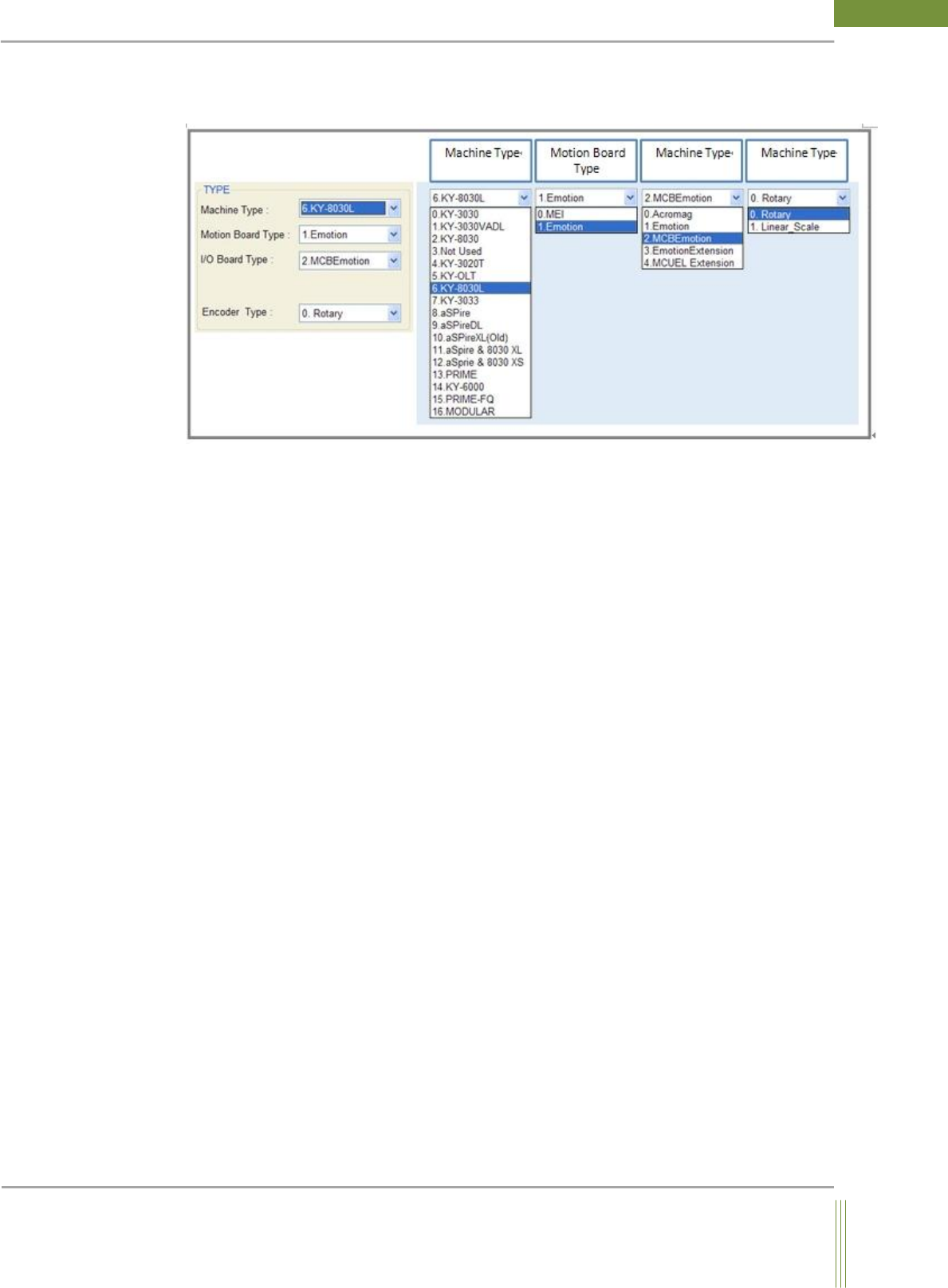
TYPE
It is the settings related to Machine Type, Motion Board Type, and I/O Board Type.
1. Machine Type
Select the machine type in use.
2. Motion Board Type
Select the type of motion board in use on machine.
3. I/O Board Type
Select the type of I/O board in use on machine
0. Acromag– Obsolete
1. Emotion– Select if there is a PCI slot in Vision PC
2. MCBEmotion– Select if I/O Module Pack is installed on machine
3. EmotionEctension– Select if both Emotion and MCBEmotion board are used
4. Encoder Type
It is for the setting of motion control used in X and Y gantry.
23
Service Manual
Koh Young Technology Inc.
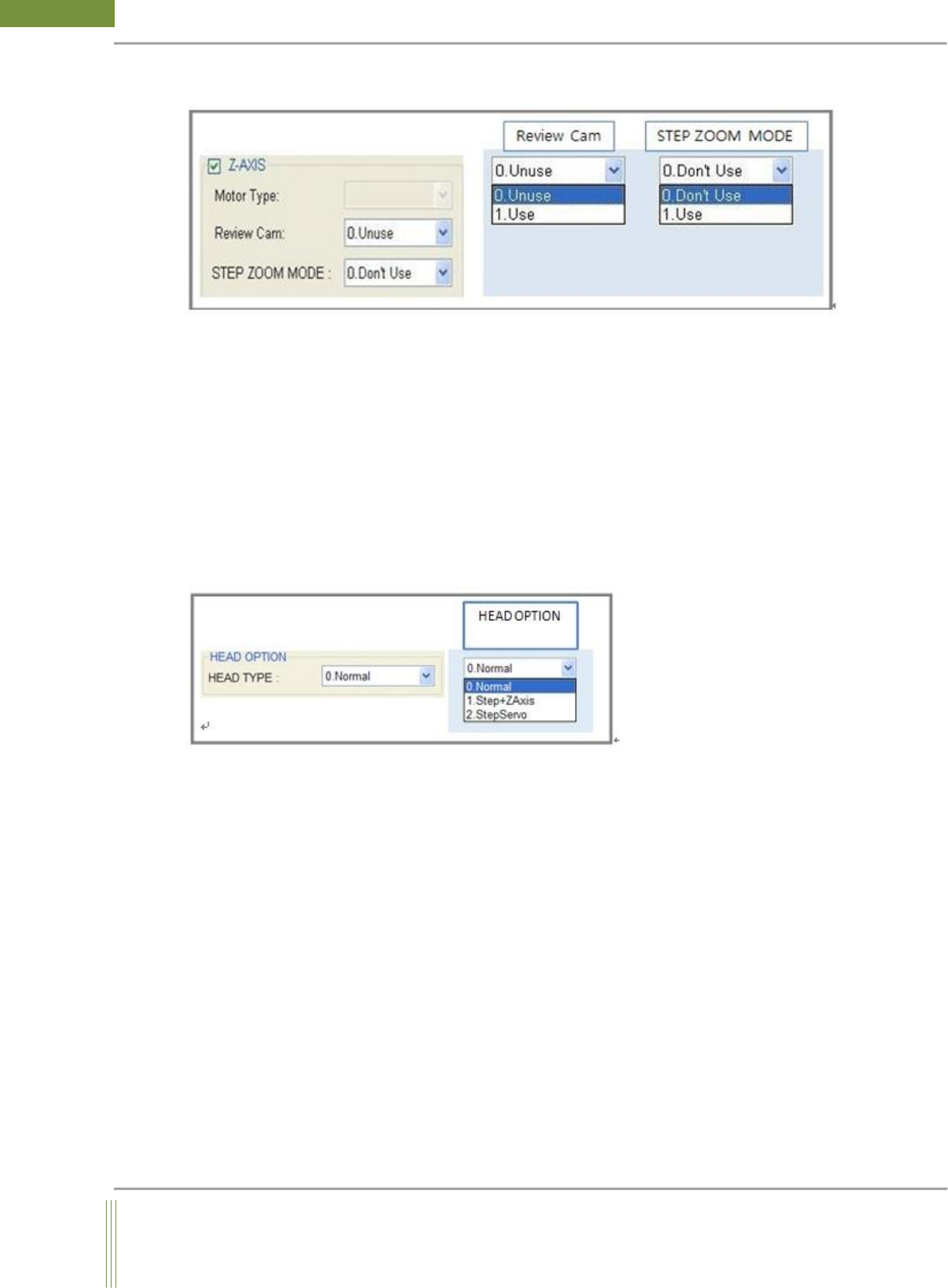
Z – AXIS
1. Z-AXIS
If Z axis motor exists, check the button to activate it.
2. Review Cam
It is made by the request from Semiconductor Division. If Review camera exists, change the
property to Use. Default setting is Unuse and normally this option is not used.
3. Step Zoom Mode
If Step Zoom Head is installed on machine, Select Use.
HEAD OPTION
Select the motion of Z_Axis and Head Option.
0. Normal: Select Normal, if the Z Axis motor is a normal servo motor.
1. Step + Z Axis: Select Step+Z Axis, if both StepZoom motor and normal servo motor are
installed in machine.
2. Step Servo: Select Step Servo, if Z Axis motor is a step servo motor.
24
WinMCS_Manual(ENG) rev1.0
Koh Young Technology Inc.
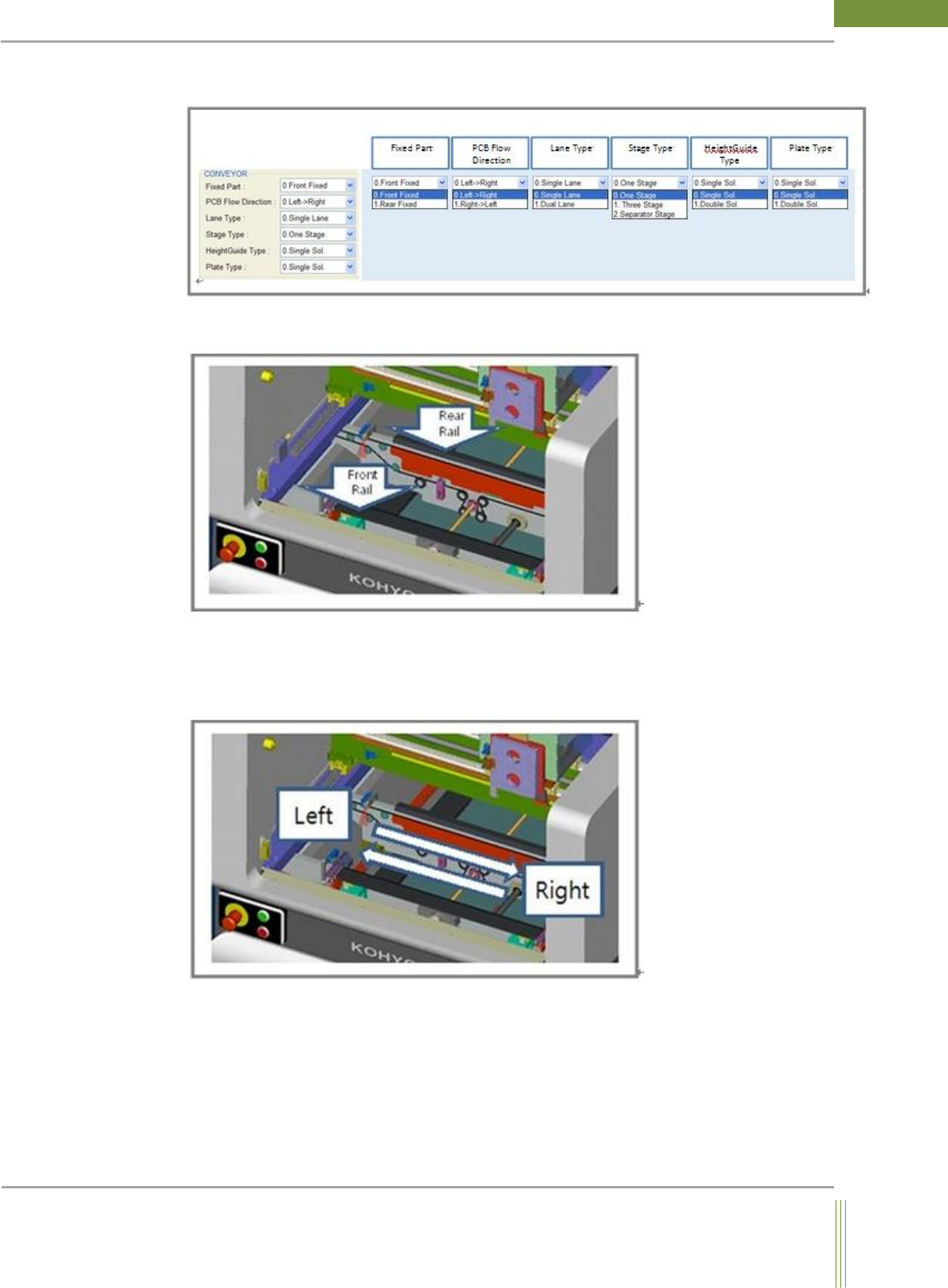
CONVEYOR
1. Fixed Part:
Set this option as Front Fixed or Rear Fixed at where the rail is fixed.
2. PCB Flow Direction
0. Left-> Right: PCB flows from left side to right side.
1. Right-> Left: PCB flows from right side to left side.