WinMCS_Manual(ENG) rev1.0.pdf - 第27页
27 Service Manual Koh Y oung T echnology Inc. 4.2. AXIS & SETTIN G(Position Setting ) It is to set up the basic position setting of the machine. Location: Menu Settings Syst e mSettings Axis & Setting 4.2.1…
26
WinMCS_Manual(ENG) rev1.0
Koh Young Technology Inc.
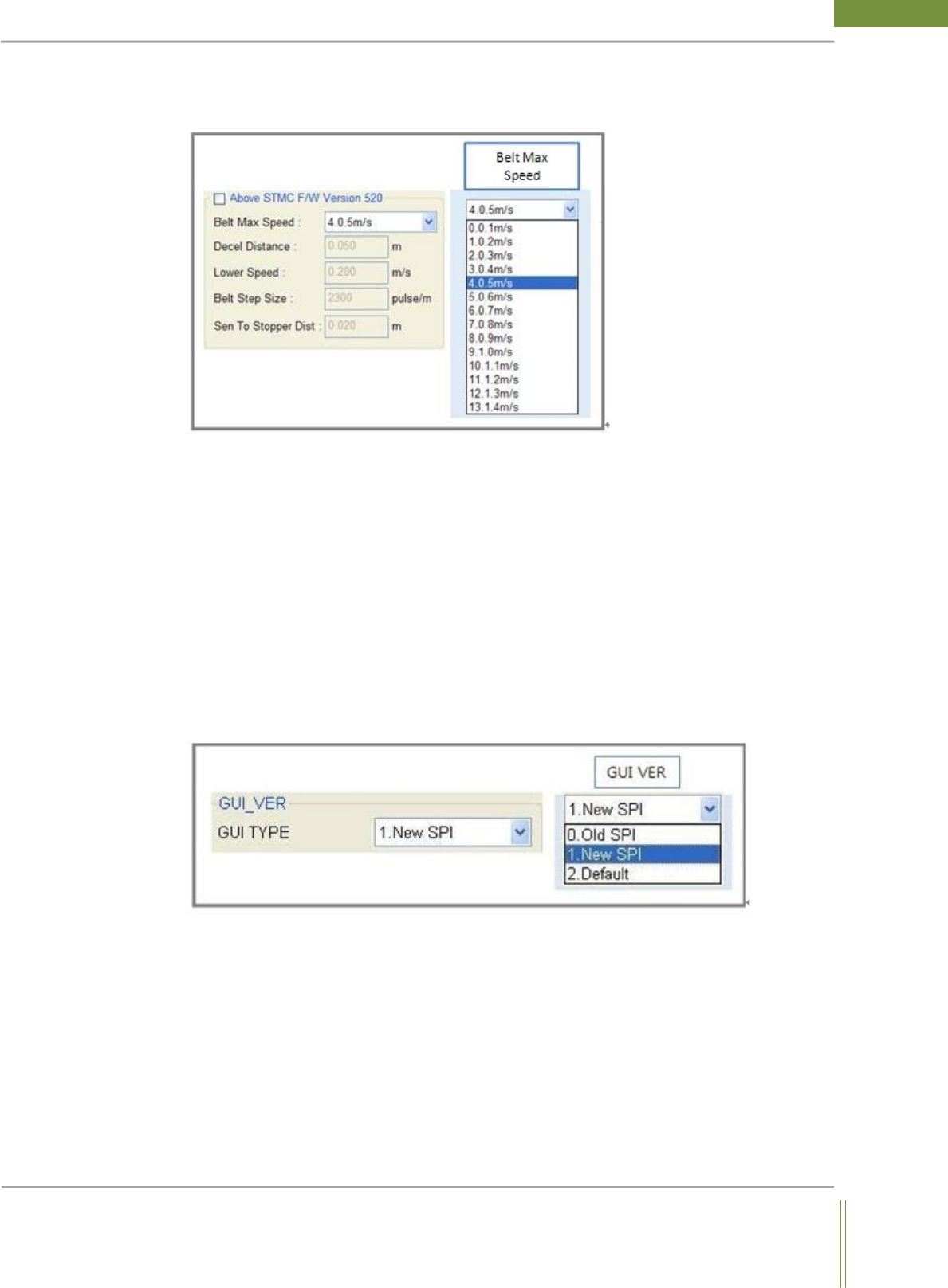
STMC CONVEYOR BELT SPEED ADJUSTMENT(Available from STMC Firmware
Ver. 520)
1. Above STMC F/W Version 520:
Belt speed option is activated when the check box is enabled.
2. Belt Max Speed:
Set the belt speed when the inspection starts.
3. Decel Distance:
Default value.
4. Belt Step Size:
Default value.
5. Sen To Stopper Dist:
Set the distance between work out sensor and work stopper. (Factory Setting)
GUI VER
1. GUI TYPE:
0. Old SPI: OLD GUI(Standard) version
1. New SPI: New GUI version
2. Default: Not applicable
27
Service Manual
Koh Young Technology Inc.
4.2. AXIS & SETTING(Position Setting)
It is to set up the basic position setting of the machine.
Location: Menu Settings SystemSettings Axis & Setting
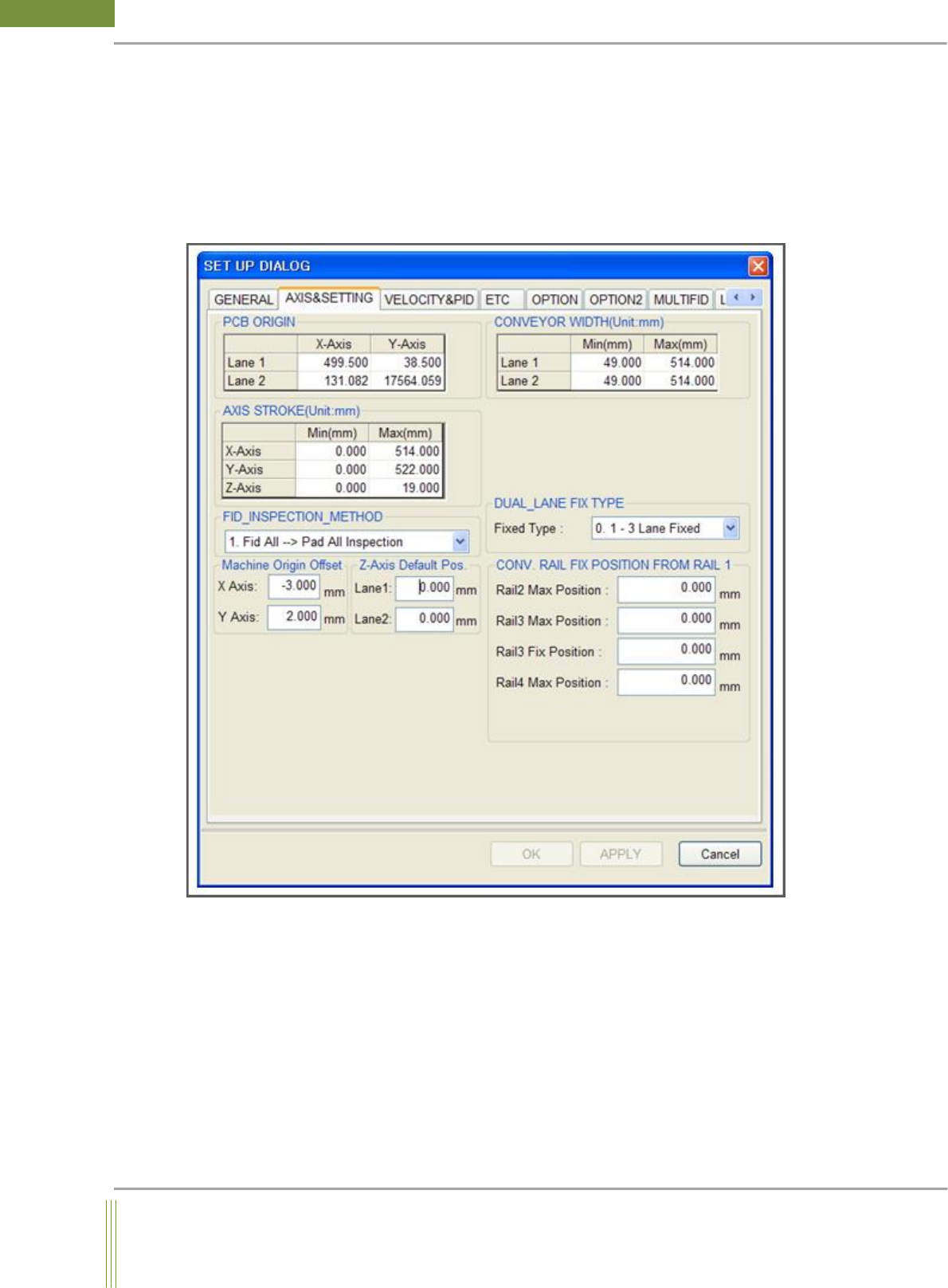
4.2.1. AXIS & SETTING
Set up the values such as PCB origin, Conveyor Width, PCB Origin, Focus Position. (Factory
Setting)
28
WinMCS_Manual(ENG) rev1.0
Koh Young Technology Inc.
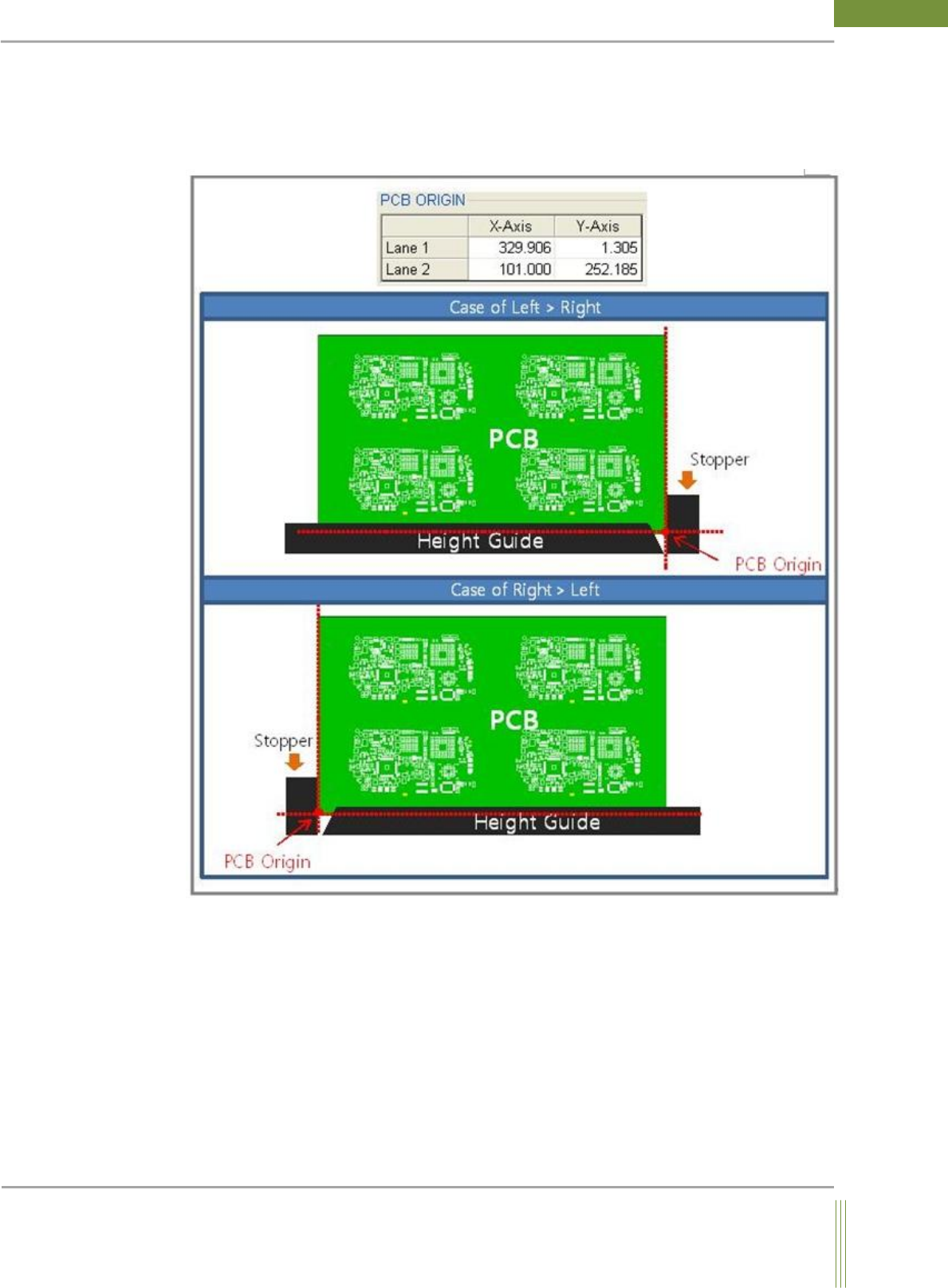
PCB ORIGIN
The reference point of inspection. As below picture, if PCB flow direction is from Left to
Right side, the bottom left side is the origin of PCB, and If PCB flow direction is from Right
to Left, the bottom right side is the origin of PCB