WinMCS_Manual(ENG) rev1.0.pdf - 第17页
17 Service Manual Koh Y oung T echnology Inc. 3.5. Step Zoom Mode It is used to test the state of StepZoom and Mo tion when StepZoom Head is install ed. StepZoom m en u is activated when StepZoom is chec ked in S etup. (…
16
WinMCS_Manual(ENG) rev1.0
Koh Young Technology Inc.
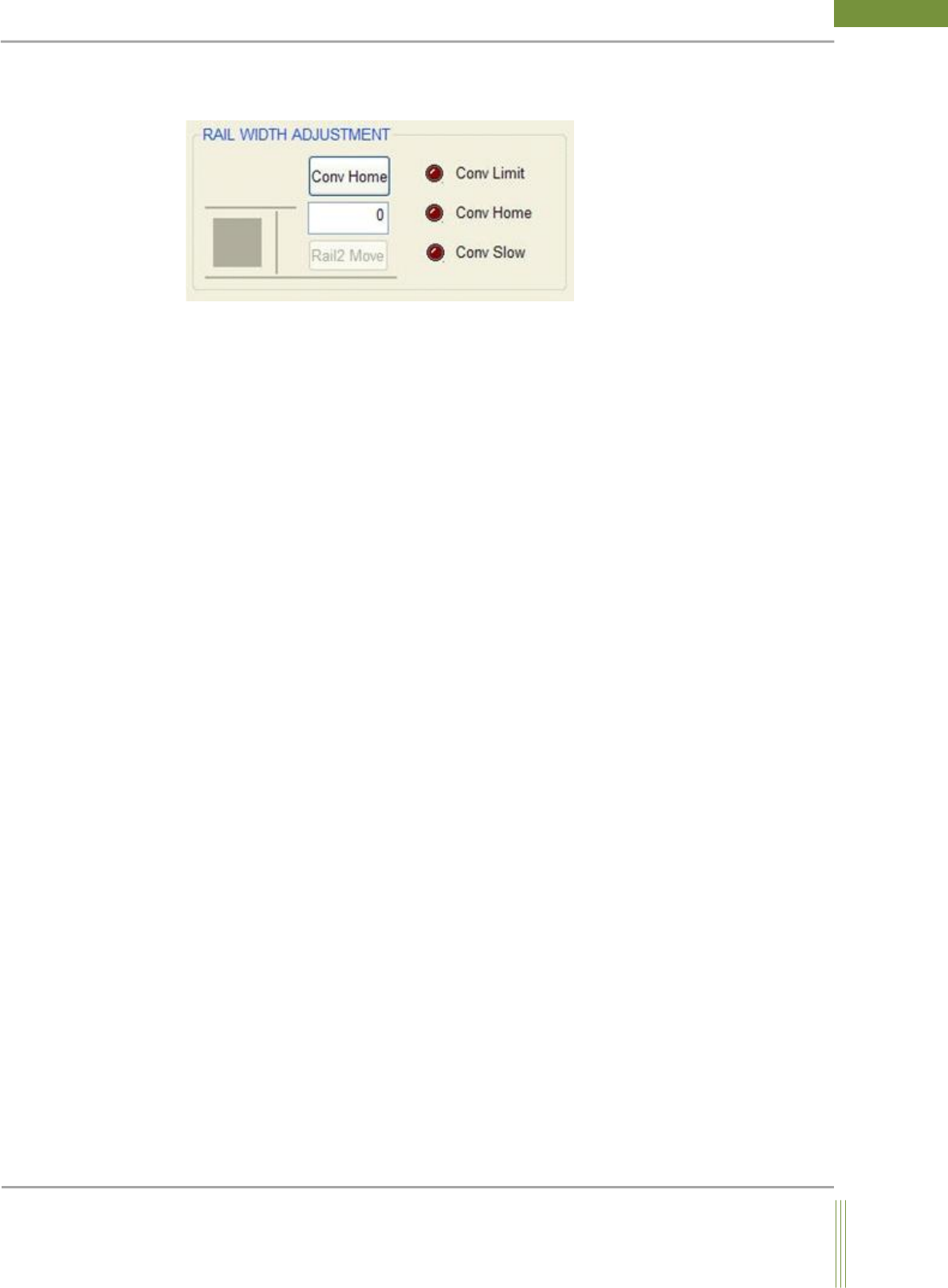
6. Conveyor WIDTH Adjustment
You can control the conveyor width.
7. Conveyor Home
Conveyor moves to Home position.
Rail 2 Move: If you input the value of conveyor width (Unit: mm) and click Rail 2 button,
the conveyor width is adjusted as you set out.
Sensor Status
Conveyor Limit: Conveyor Limit Sensor detects the presence of PCB, the shape of circle LED
indicates bright red color.
Conveyor Home: Conveyor Home Sensor detects the presence of PCB, the shape of circle LED
indicates bright red color.
17
Service Manual
Koh Young Technology Inc.
3.5. Step Zoom Mode
It is used to test the state of StepZoom and Motion when StepZoom Head is installed.
StepZoom menu is activated when StepZoom is checked in Setup. (Including GUI setting)
Location: Menu Manual Motion StepZoom Mode
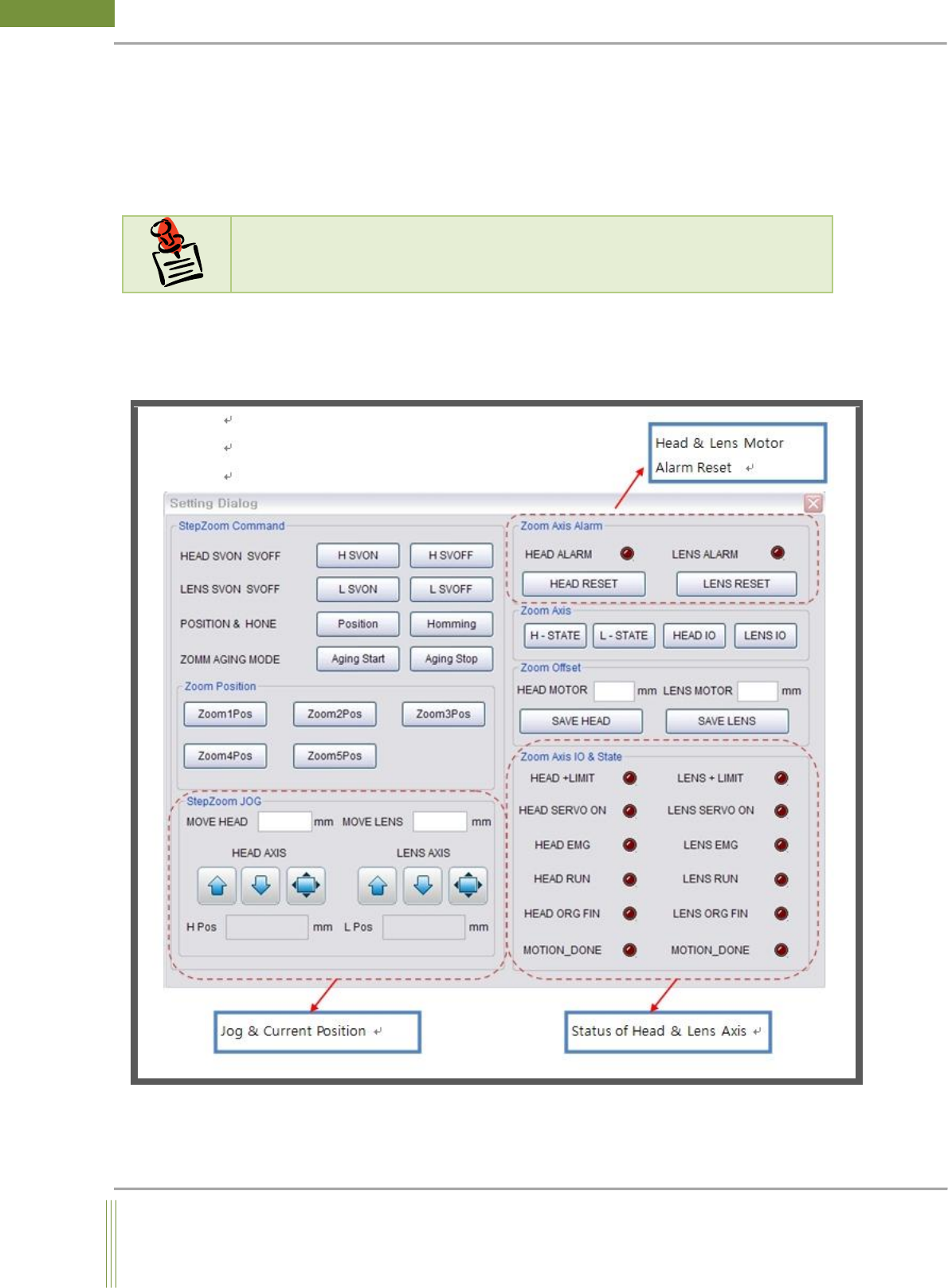
3.5.1. Step Zoom Mode Dialog
N
N
o
o
t
t
i
i
c
c
e
e
StepZoom: It is able to control the camera resolution such as 20um, 15um or 10um for
inspection. Also, it consists of 2 motions, Head Axis and Lens Axis.

18
WinMCS_Manual(ENG) rev1.0
Koh Young Technology Inc.
Step Zoom Command
1. H SVON :
Head Motor Servo On
2. H SVOFF :
Head Motor Servo Off
3. L SVON :
Lens Motor Servo On
4. L SVOFF :
Lens Motor Servo Off
5. Position :
Current positions of Head, Lens Motor
6. Homing :
Head and Lens Motor Homing
7. Aging Start :
Head and Lens Motor Aging Start
8. Aging Stop :
Head and Lens Motor Aging Stop
9. Zoom1Pos :
Moving to the first Zoon position of Head and Lens
10. Zoom2Pos :
Moving to the second Zoon position of Head and Lens
11. Zoom3Pos :
Moving to the third Zoon position of Head and Lens
12. Zoom4Pos :
Moving to the forth Zoon position of Head and Lens
13. Zoom5Pos :
Moving to the fifth Zoon position of Head and Lens