WinMCS_Manual(ENG) rev1.0.pdf - 第33页
33 Service Manual Koh Y oung T echnology Inc. MOVING P ARAMETER 1. HOMING : V elo city , acceleration and deceler ation w hen X, Y , Z a xis is ho ming after executing WinMCS. 2. AUTO: These are velocity , acceler atio…
32
WinMCS_Manual(ENG) rev1.0
Koh Young Technology Inc.
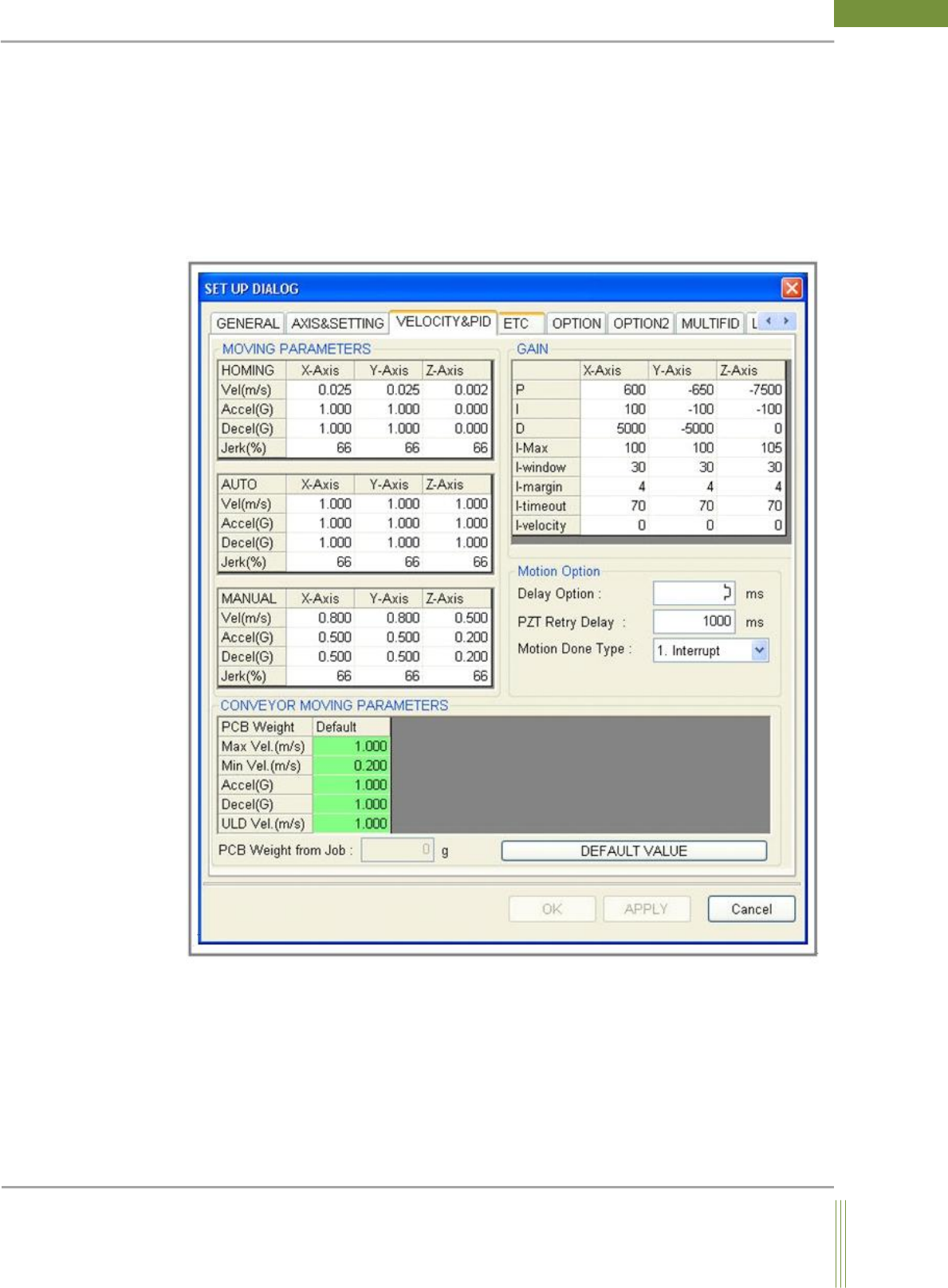
4.3. VELOCITY & PID SETTING
This is to set the values with regard to motion control of axes such as velocity, PID gain
value, and etc. The values in this tab shouldn’t be changed until it is allowed by an
authorized person (Factory Setting)
Location: Menu Settings SystemSettings Velocity & PID
4.3.1. VELOCITY & PID SETTING
33
Service Manual
Koh Young Technology Inc.
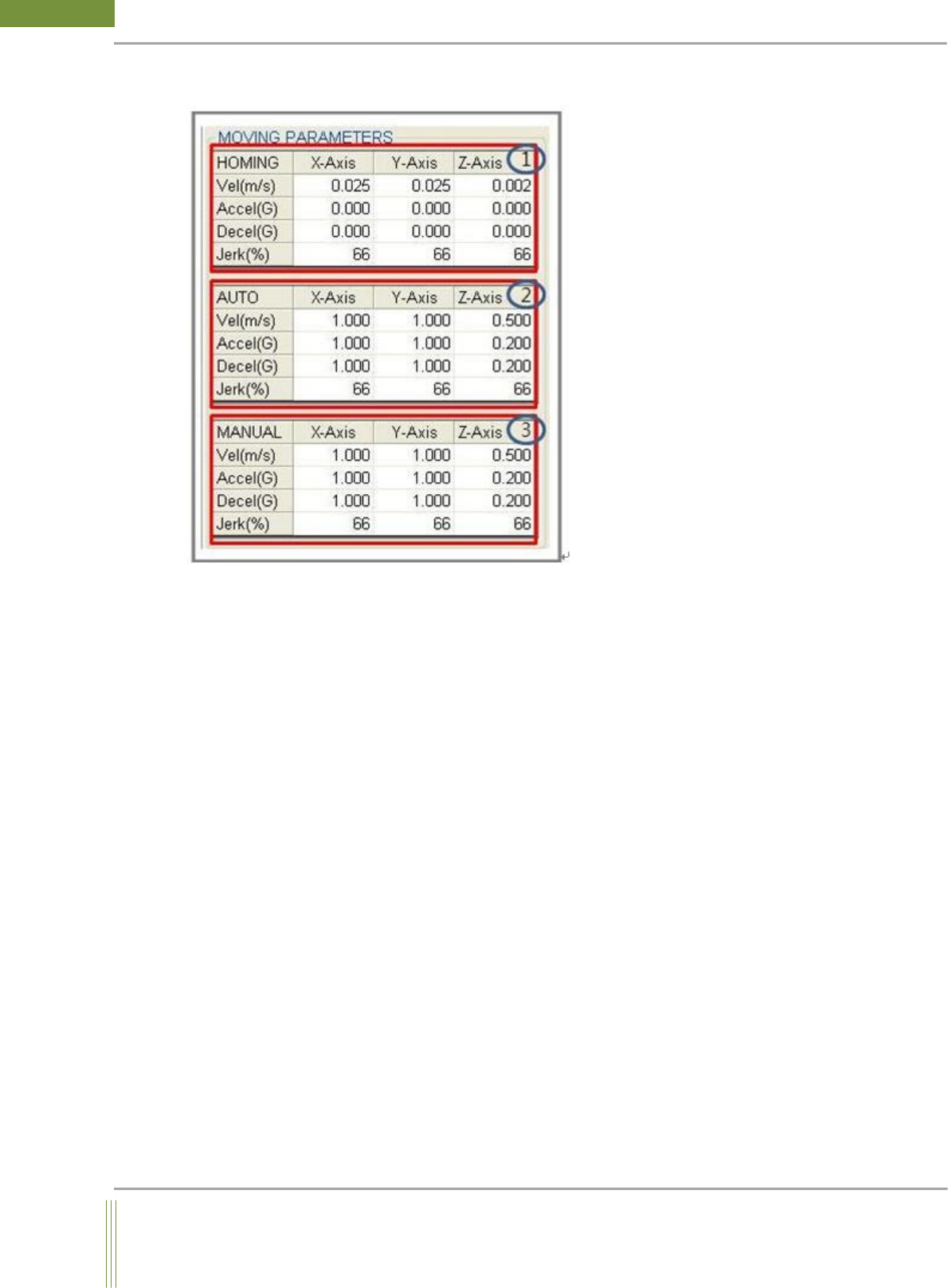
MOVING PARAMETER
1. HOMING:
Velocity, acceleration and deceleration when X, Y, Z axis is homing after executing WinMCS.
2. AUTO:
These are velocity, acceleration and deceleration of motion during the machine inspection.
3. MANUAL:
These are velocity, acceleration and deceleration when the motion is acting in manual
motion.
34
WinMCS_Manual(ENG) rev1.0
Koh Young Technology Inc.
GAIN .
1. VELOCITY&PID
This is to set the values with regard to motion control of axes such as velocity, PID gain
value, and etc. The values in this tab shouldn’t be changed until it is allowed by an
authorized person.
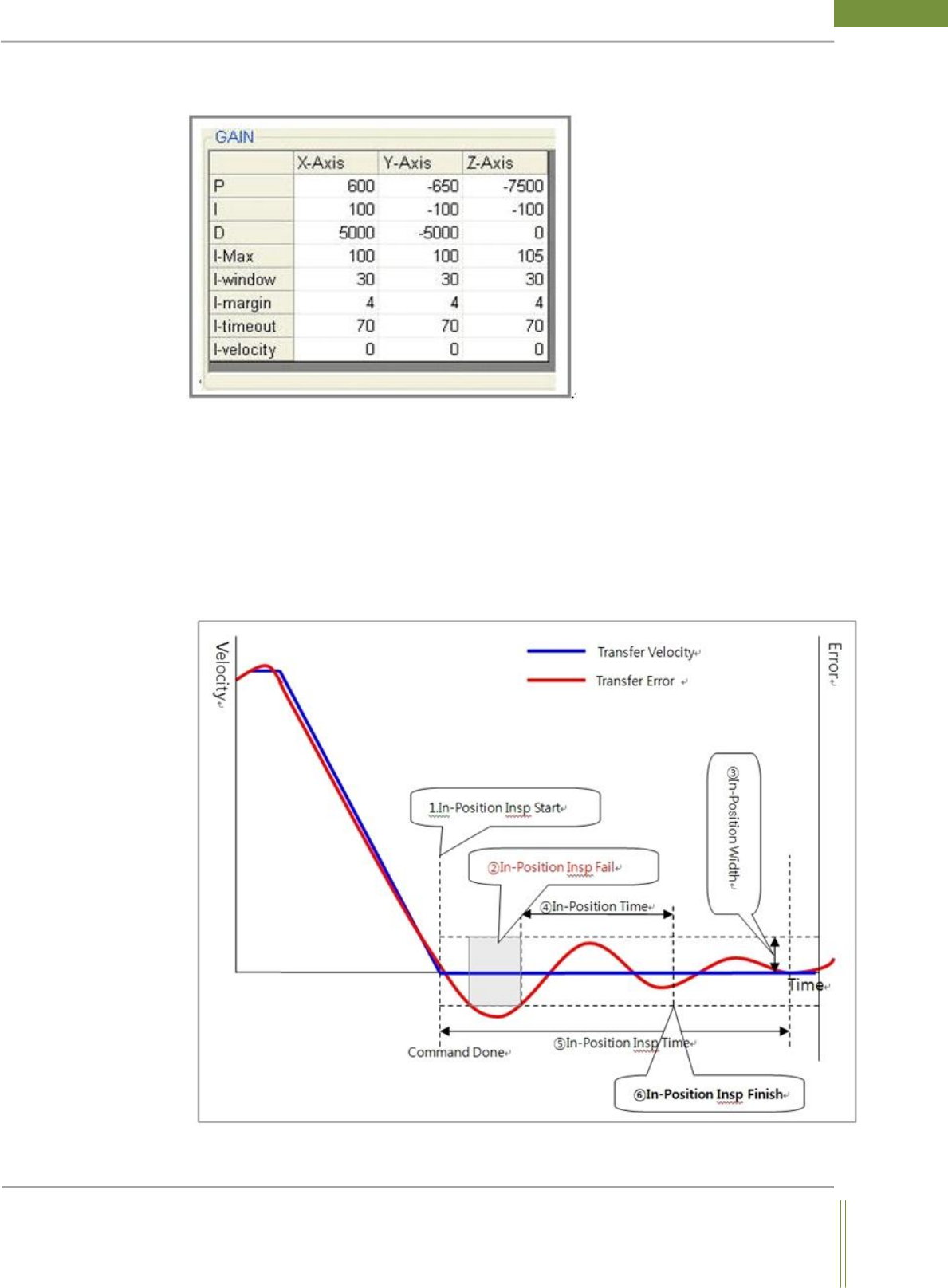
2. Margin & Window & Time out
The below picture shows a real motion movement graph by input command in PID. To
check out that a motion is taken properly, the scanning starts from the moment of motion
done to the time out period within the margin and the window size area. If the motion is
not in the limit of MAX/MIN pulse, time our error will be occurred.