WinMCS_Manual(ENG) rev1.0.pdf - 第53页
53 Service Manual Koh Y oung T echnology Inc. 2. SetBack 1 Outlet Optio n : 0. DON ’ T U SE : Do not use Se tBack 1 Outlet Mo de. 1. OUTLET _P ASS : After i nspecting PCB when it arri ves at the work position from Entry …
52
WinMCS_Manual(ENG) rev1.0
Koh Young Technology Inc.
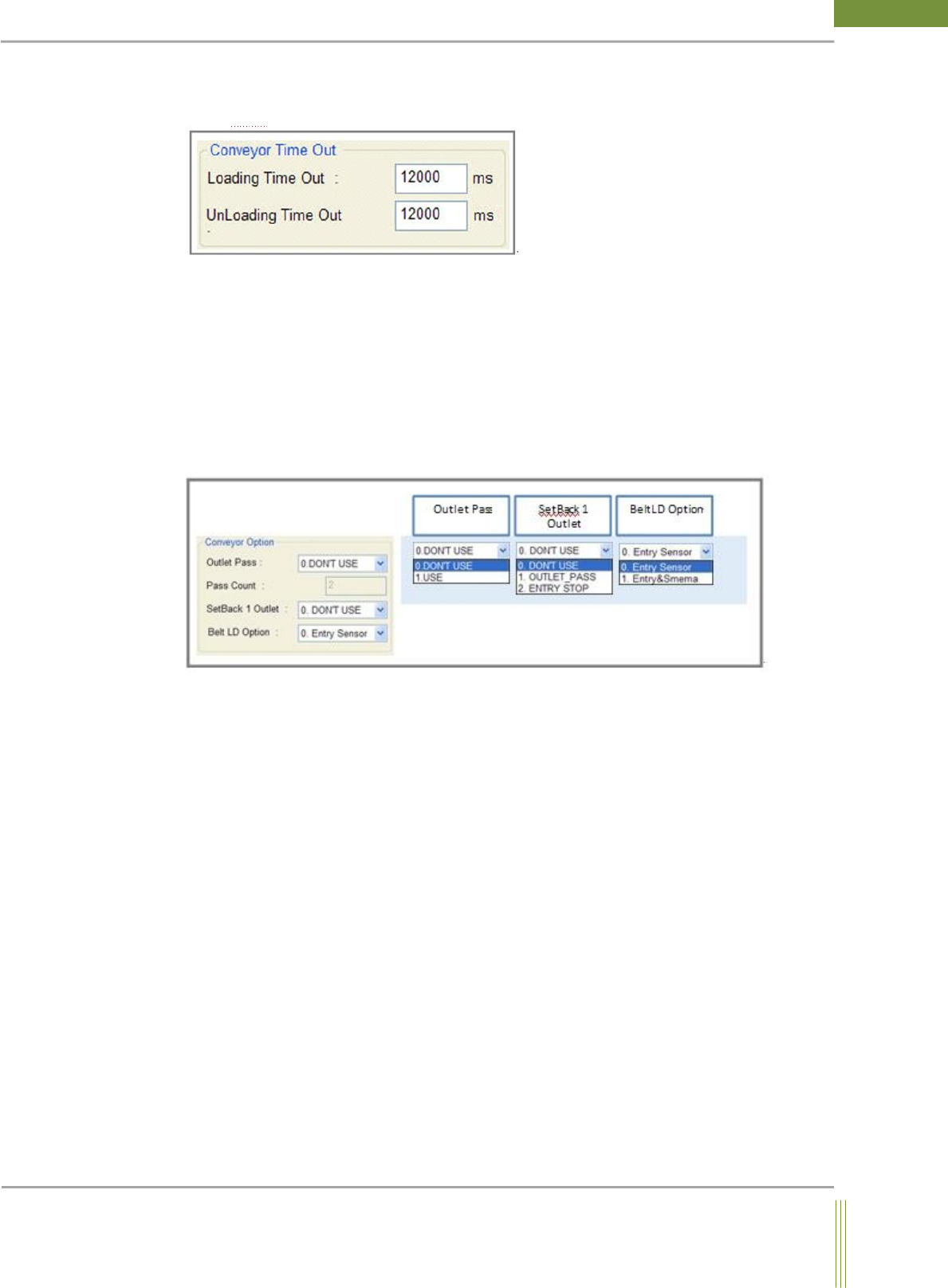
Conveyor Time Out Setting
It is to set the time of PCB(Board) Loading / Unloading TimeOut.
1. Loading Time Out:
If the PCB is not arrived at Working Position for the time set in Loading Time Out, it is
judged error. (The time when a PCB arrives at Work Out Sensor after Entry-In sensor
detects PCB.)
2. UnLoading Time Out:
If the PCB does not move to next machine for the time set in UnLoading Time Out, it is
judged error.
Conveyor Option Setting
1. Outlet Pass & Pass Count:
This is to set the PCB Pass Mode(as per PCB quantity) to improve machine cycle time.
0. DON’T USE: Do not use Outlet Pass Mode.
1. USE: Use Outlet Pass Mode.
Ex ) Outlet Pass Mode
2: One per two PCBs is passed without inspection. (Inspection Pass Inspection)
3: Two per three PCBs are passed, and one PCB is inspected. (Inspection Pass Pass
Inspection)
However, the first PCB after Error or Reset is required to be inspected.
53
Service Manual
Koh Young Technology Inc.
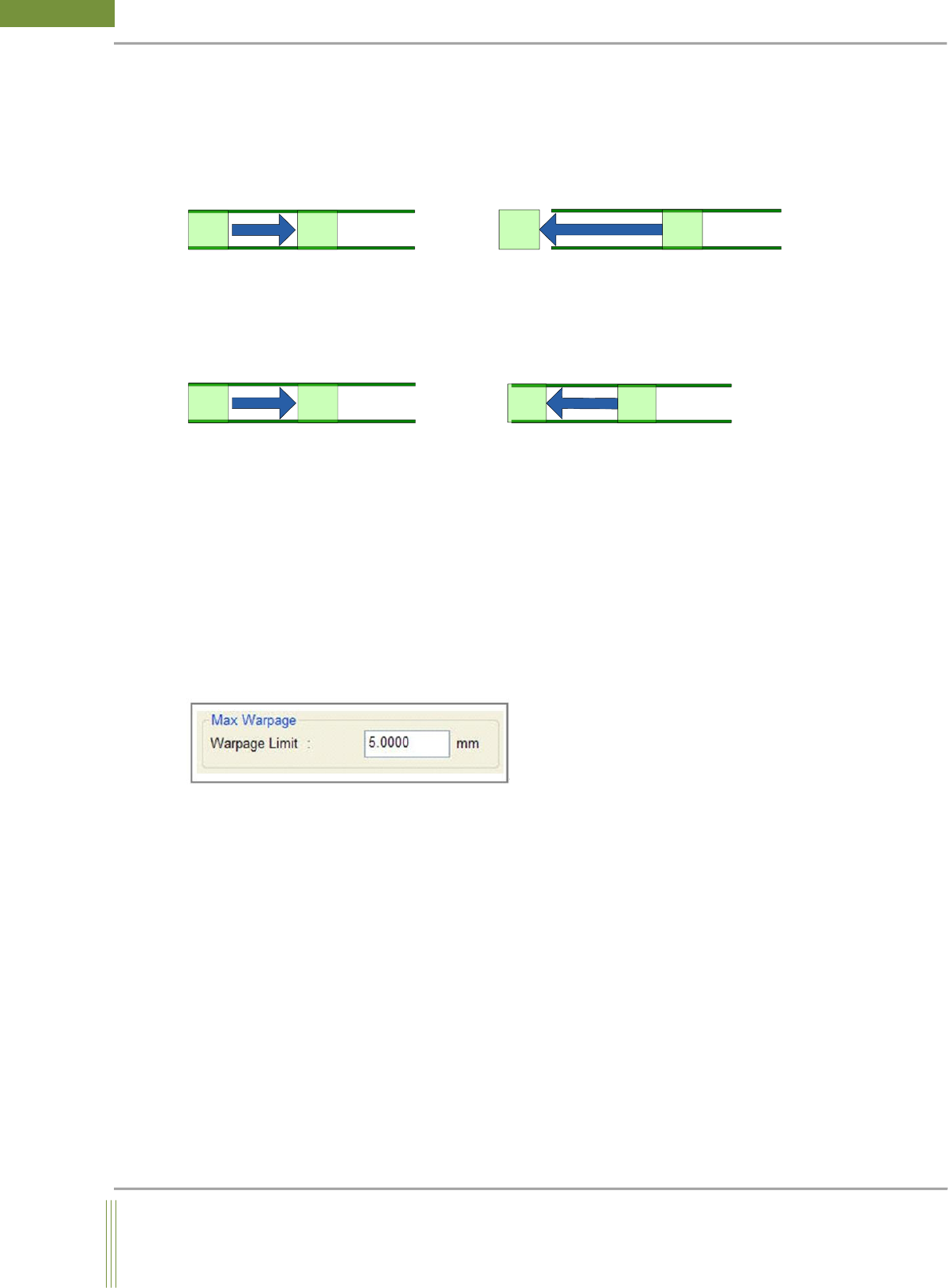
2. SetBack 1 Outlet Option :
0. DON’T USE: Do not use SetBack 1 Outlet Mode.
1. OUTLET_PASS: After inspecting PCB when it arrives at the work position from Entry,
the request signal would come from the previous machine. Then, pass it to the previous
machine.
PCB PCB
PCB PCB
[Figure 1. Inspection] [Figure 2. Pass the PCB after inspection]
2. ENTRY STOP: After inspecting PCB as below picture, PCB is stopped at the entry
position. The user has to remove the PCB at this moment and load it again at the entry
position. Then, repeat it.
PCB PCB
PCB
PCB
[Figure 1. Inspection] [Figure 2. Stop at the entry after inspection]
3. Belt LD Option: PCB Loading Option
Entry Sensor:
When Entry In Sensor detects a PCB, conveyor belt moves.
Entry & Smema:
When the Smema Ready signals of both Entry In and previous machine are on, conveyor
belt moves.
Max Warpage Limit Setting
It is to set the warpage limit. If the warpage larger than the set value occurs when Z-
Tracking Inspection, it is judged error.
54
WinMCS_Manual(ENG) rev1.0
Koh Young Technology Inc.
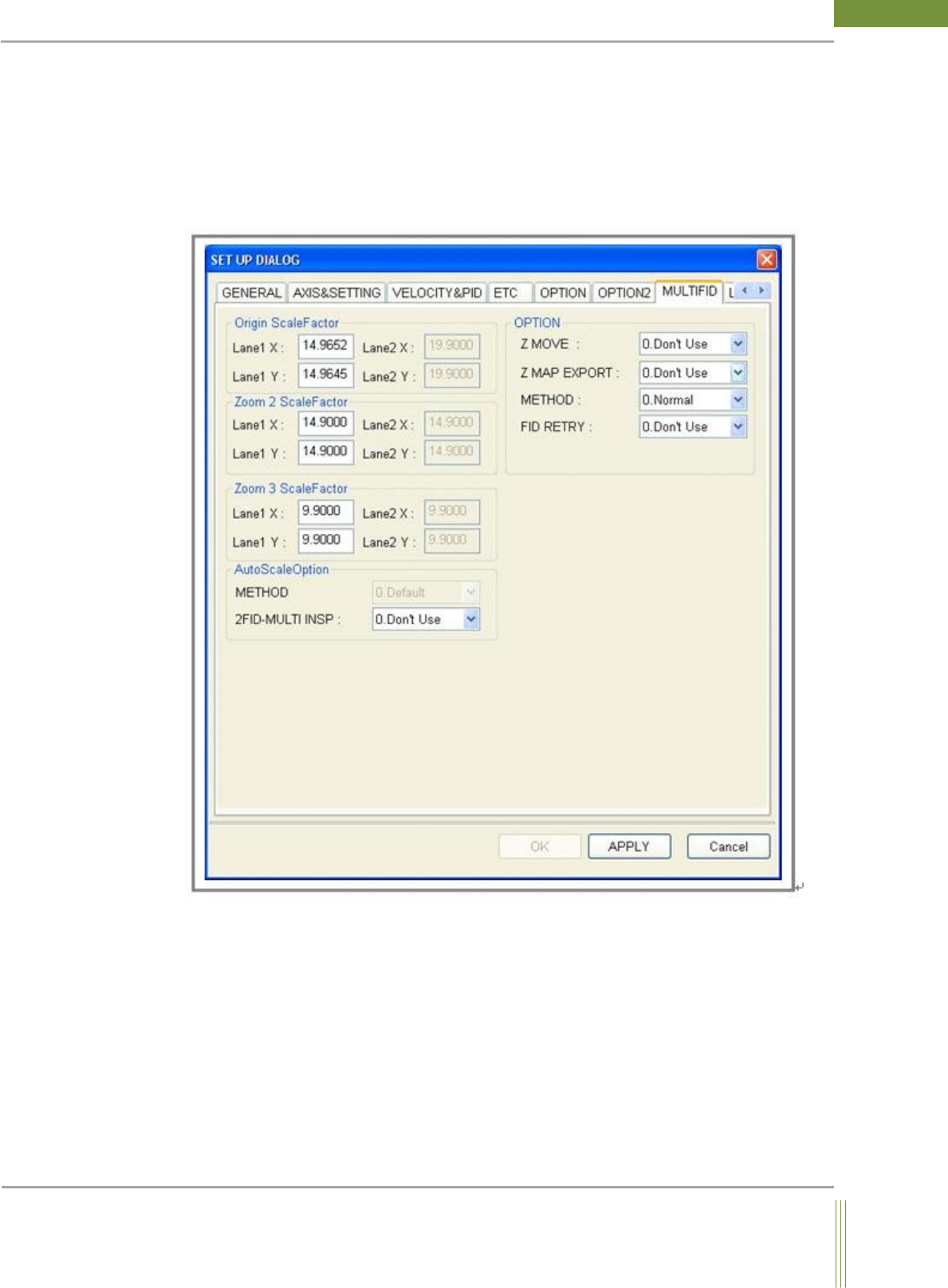
4.7. MULTI FIDUCIAL INSPECTION
It is setting for Multi Fiducial.
Location: Menu Settings SystemSettings MULTIFID
4.7.1. MULTI FID
It is to set a function to inspect using Multi Fiducial.