WinMCS_Manual(ENG) rev1.0.pdf - 第60页
60 WinMCS_Manua l(ENG) rev 1.0 Koh Y oung T echnology Inc. 6. MACHINE CALIBRATION (Kohyoung Level) It describes how to use Machine Cal ibration Wizard. 6.1. M A C HINE C A L IBR A T ION WI Z ARD N N o o t t e e For more …

59
Service Manual
Koh Young Technology Inc.
1. USER TOWER LAMP SETUP
This setting is for the tower lamp on machine. It can be set separately by the machine mode.
[ Machine Mode ]
IDLE&RUN, RESET&EMG, ERROR&STOP, HOME&DEFECT, WAIT RUN
The tower lamp with red, yellow and green color indicates the machine status. And alarm
sound also can be used to let operator know the status.
0. OFF: Lamp is off.
1. ON: Lamp is on.
2. TOGGLE: Lamp is blinking
2. Toggle Time Setting
If lamp mode is set to TOGGLE, the lamp will blink for the set time.
60
WinMCS_Manual(ENG) rev1.0
Koh Young Technology Inc.
6. MACHINE CALIBRATION (Kohyoung Level)
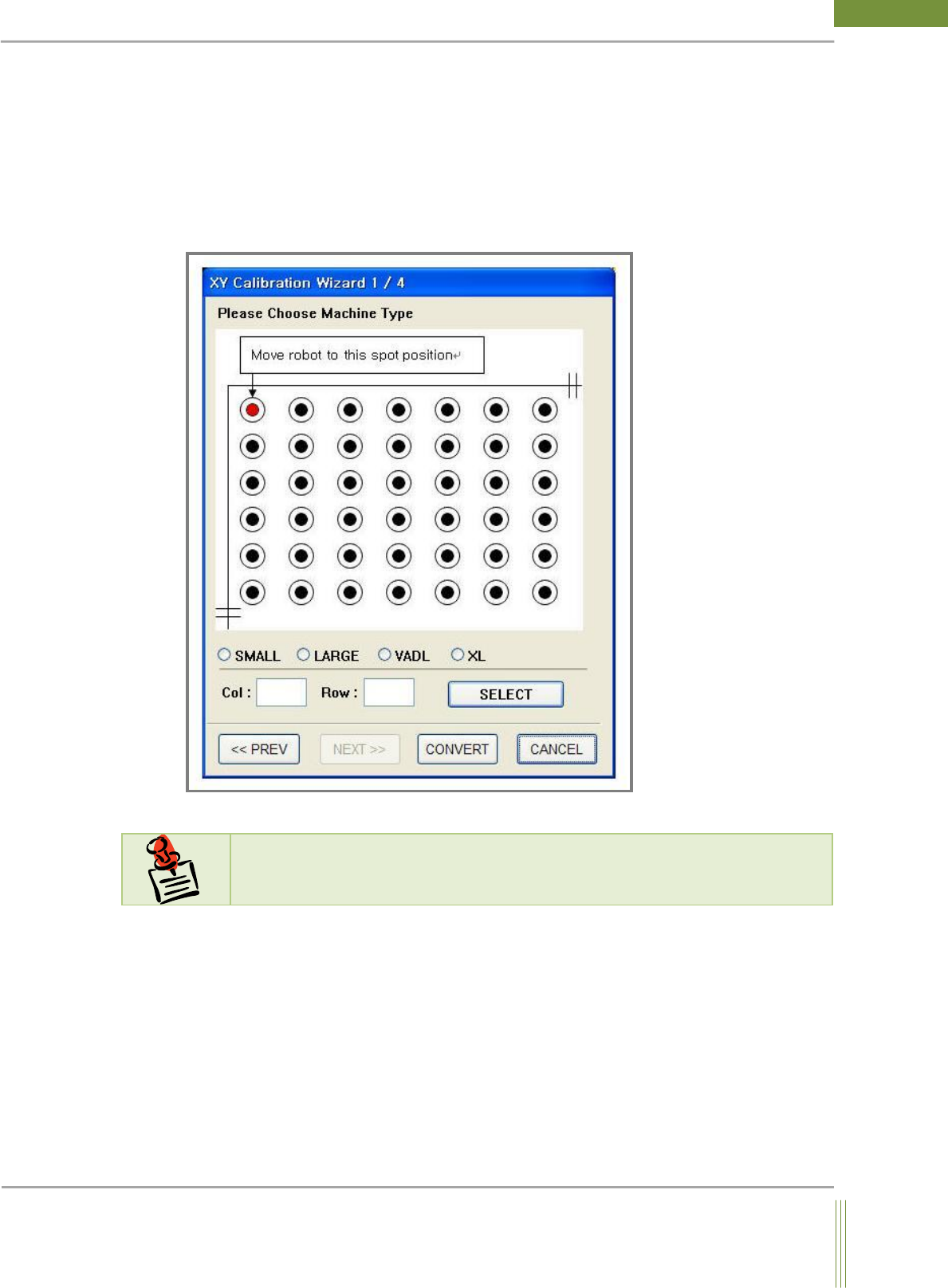
It describes how to use Machine Calibration Wizard.
6.1. MACHINE CALIBRATION WIZARD
N
N
o
o
t
t
e
e
For more information, please refer to X,Y Machine Calibration manual.
61
Service Manual
Koh Young Technology Inc.
7. DIAGNOSIS
This is a function to diagnose the composition of MCS S/W or the status of STMC and
Motion.
7.1. STATUS VIEW (Kohyoung Level)
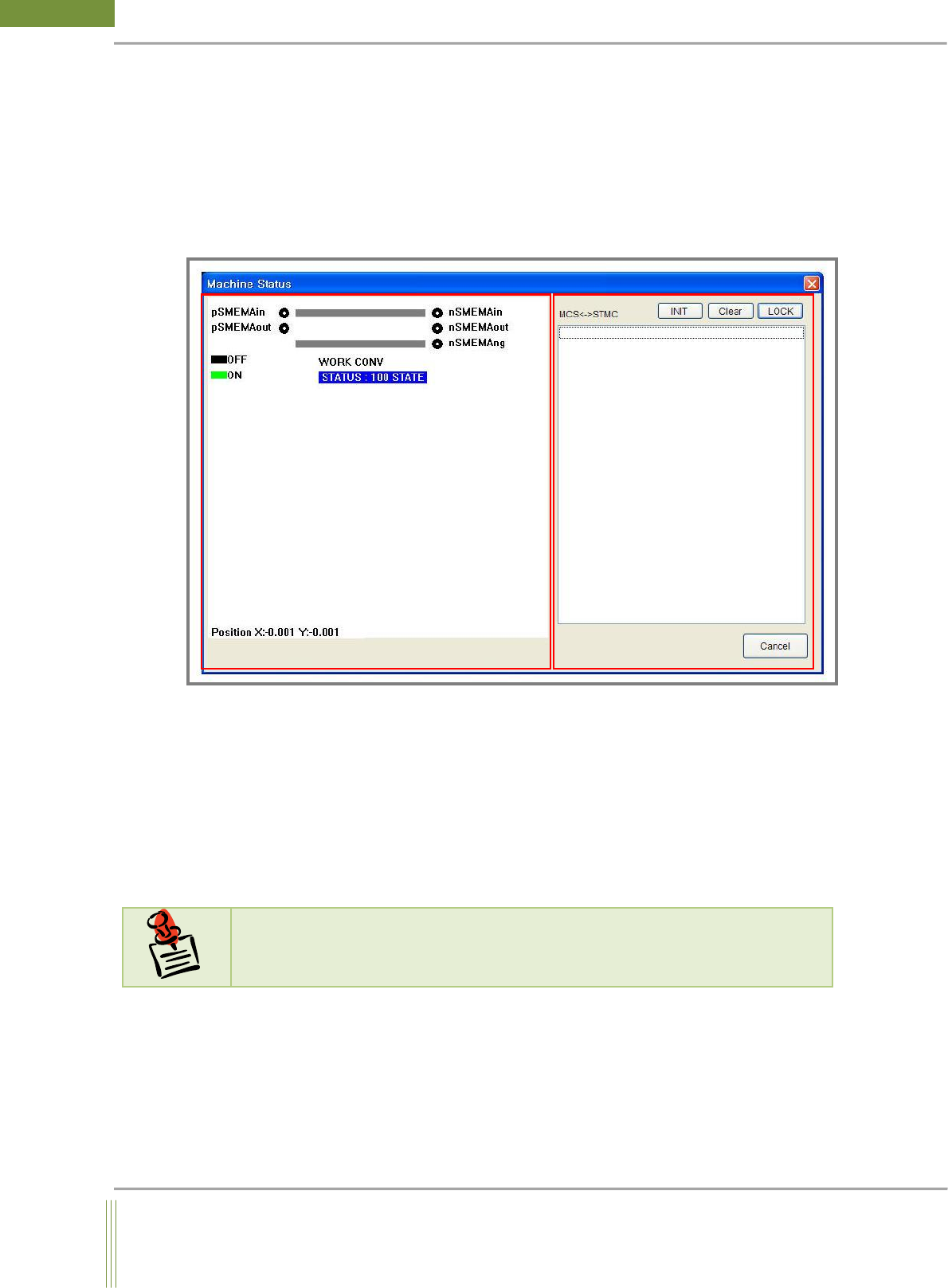
1. CONVEYOR STATUS
It is to check the location of PCB and the status of SMEMA.
2. STMC Communication Status
It is to check the communication status of STMC board.
The communication log files between MCS and STMC is saved in
C:\Kohyoung\KY3030\MCSLOG\STMCComhis.log.
N
N
o
o
t
t
e
e
If there are any problem regarding conveyor belt and width control, please refer to the
above file.