WinMCS_Manual(ENG) rev1.0.pdf - 第36页
36 WinMCS_Manua l(ENG) rev 1.0 Koh Y oung T echnology Inc. 4.4. ETC SETTIN G It is setting f or the various ex ceptional cas es. Location: Menu Settings Syst e mSettings ETC 4.4.1. ETC SETTING
35
Service Manual
Koh Young Technology Inc.
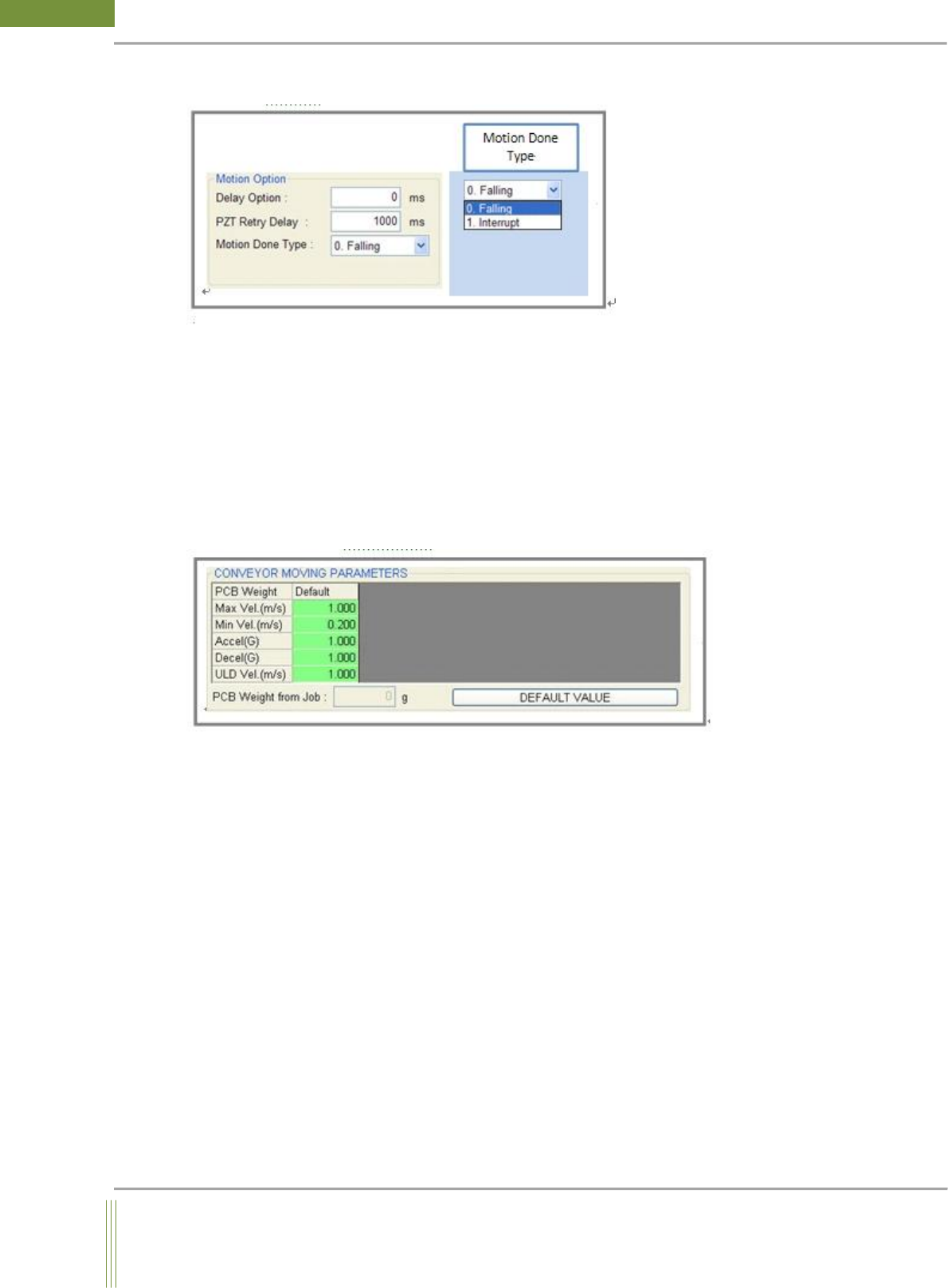
Motion Option
1. Delay Option
It moves after the real Motion Done after this delay time. (Default: 0 ms)
2. PZT Retry Delay
When it moves to the failed FOV, inspect again after this delay time.
3. Motion Done Type
0. Falling: Motion Done Signal is checked at MCS.
1. Interrupt: Motion Done Signal is checked at Motion Board.
Conveyor Moving Parameter (Available from STMC Firmware)
1. Max Vel ( m/s )
Set Max conveyor belt speed
2. Min Vel ( m/s )
Set Min conveyor belt speed
3. Accel ( G )
Set the conveyor acceleration
4. Dccel ( G )
Set the conveyor deceleration
5. ULD Vel ( m/s )
Set the conveyor unloading belt speed
36
WinMCS_Manual(ENG) rev1.0
Koh Young Technology Inc.
4.4. ETC SETTING
It is setting for the various exceptional cases.
Location: Menu Settings SystemSettings ETC
4.4.1. ETC SETTING
37
Service Manual
Koh Young Technology Inc.
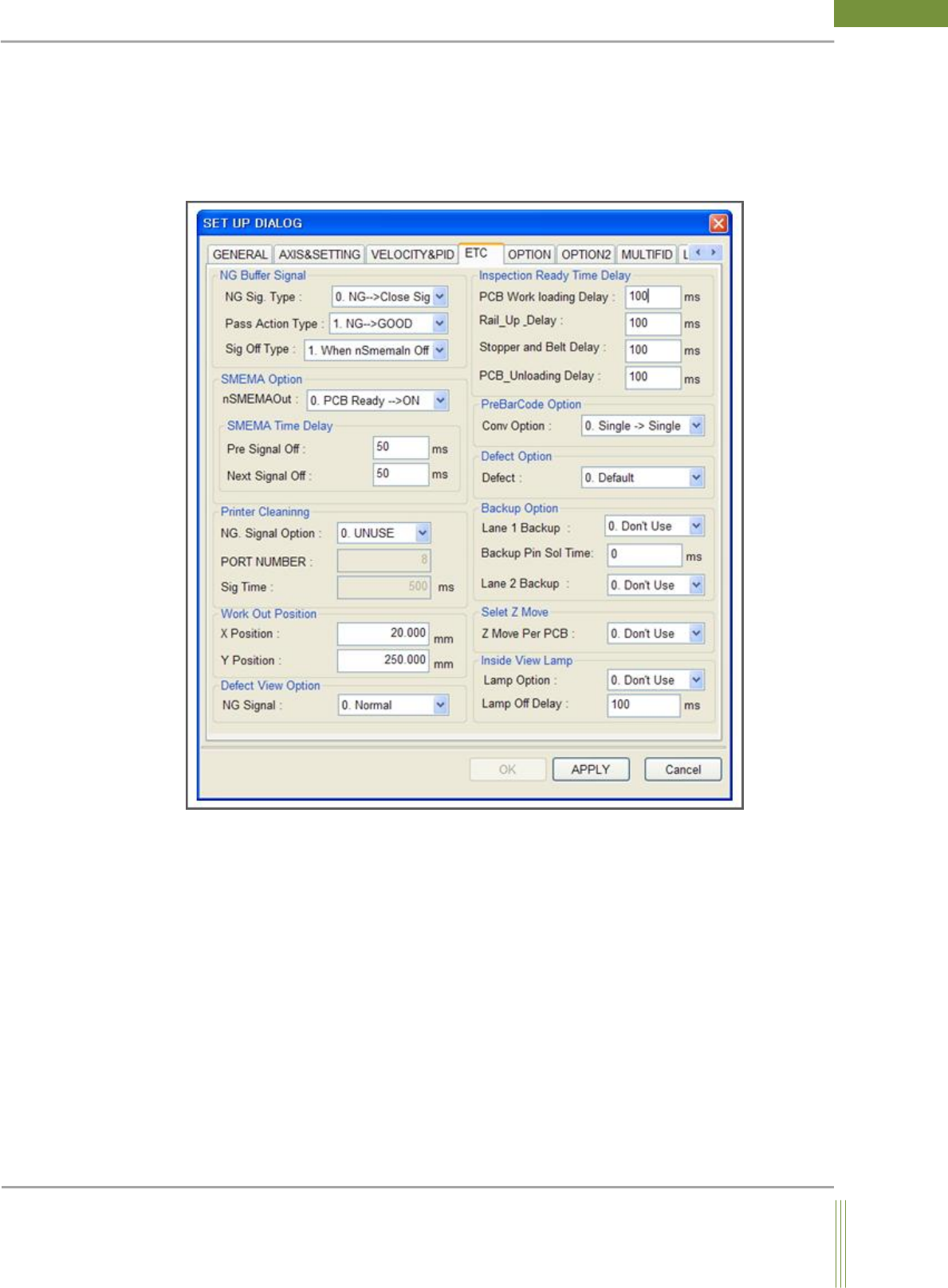
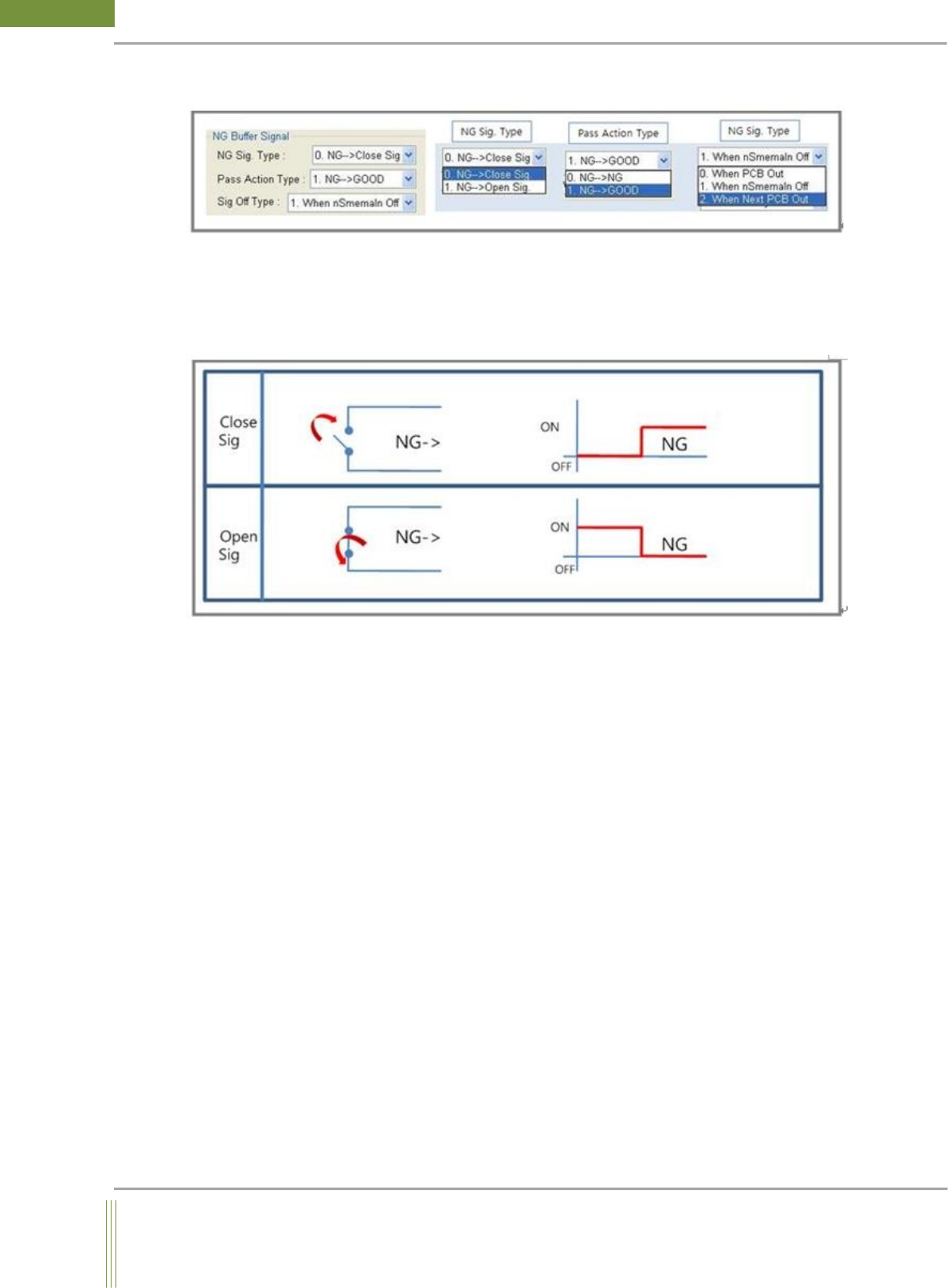
NG Buffer Signal
NG Sig. Type
Depending on the type of NG buffer, the sequence of NG signal is different. On Close Sig
mode, it stays Off signal when NG signal is not sent. When NG signal comes, the circuit is
closed and becomes On signal. (High) On Open Sig mode, it is the reverse of Close Sig
mode sequences.
Pass Action Type
After inspection, When Pass button is pressed in Defect Viewer, it judges the result as
Good or NG by this action type.
0. NG -> NG:
When NG occurred after inspection, NG signal is sent during the PCB out when Pass
button is pressed.
When NG occurred after inspection, NG signal is sent during the PCB out when NG button
is pressed.
1. NG -> GOOD:
After inspection, if NG is occurred, NG Signal is not sent during the PCB out when Pass
button is pressed.
After inspection, if NG is occurred, NG Signal is sent during the PCB out when NG button
is pressed.