WinMCS_Manual(ENG) rev1.0.pdf - 第47页
47 Service Manual Koh Y oung T echnology Inc. W ork Stopper Op ti on (fa ctory Setting) 1. S topper ON T ype 0. Up Dow n : Set it depending on the type of W ork Stoppe r ( Up Down Stopper) 1. Down Up : Stopper wh…
46
WinMCS_Manual(ENG) rev1.0
Koh Young Technology Inc.
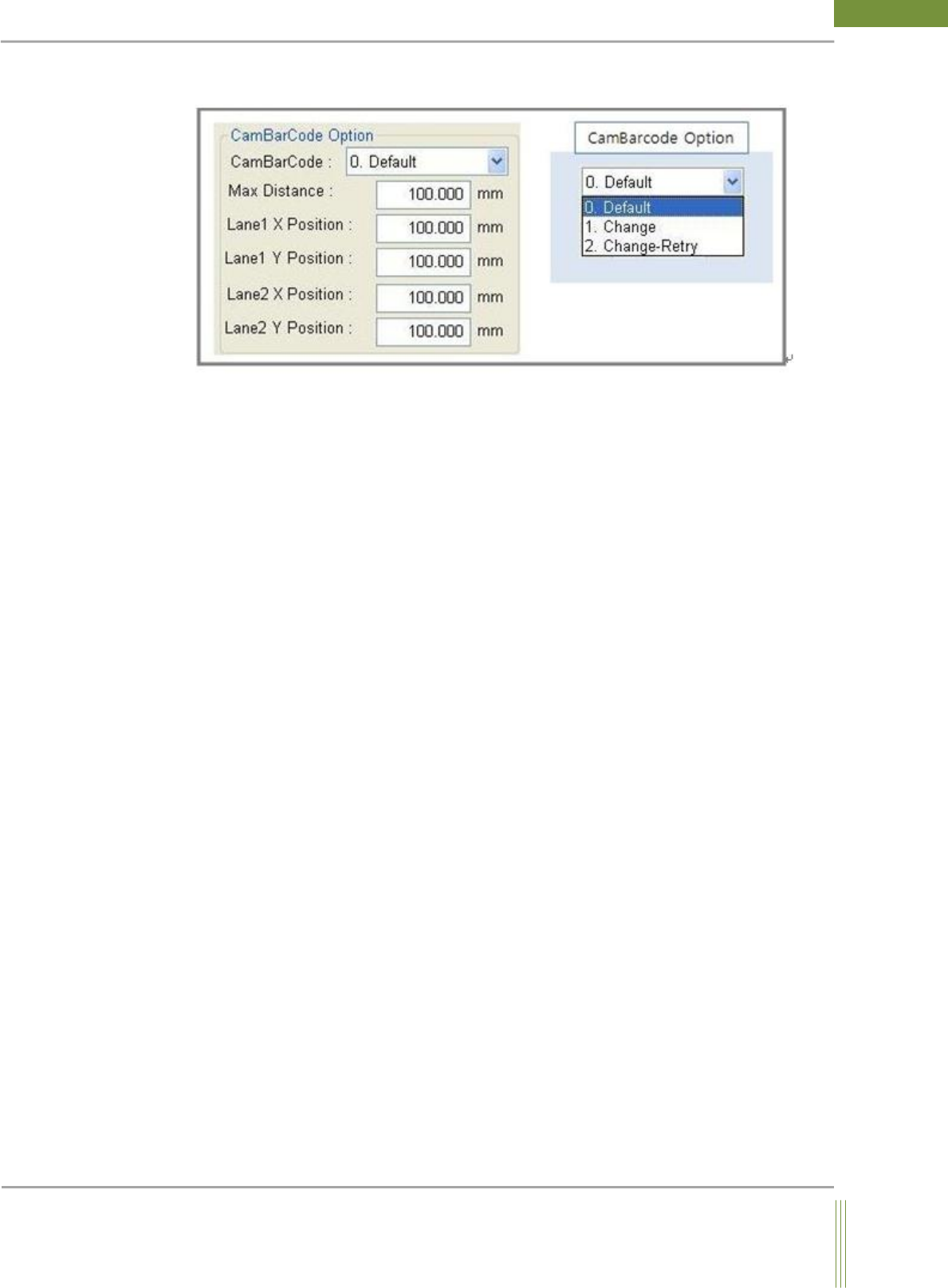
CamBarCode Option
1. CamBarCode:
0. Default:
Normal inspection mode
1. Change:
Before PCB inspection, when JOB is changed after the barcode is inspected first.
(Connected with Job Link)
2. Change – Retry:
Before PCB inspection, if the barcode inspection is failed, retry the barcode inspection after
moving as much as the distance set at Max Distance.
2. It is the setting option regarding Many In One.
Max Distance: The motion distance when retrying the barcode inspection.
Lane 1 X Position: The initial X position of Lane 1
Lane 1 Y Position: The initial Y position of Lane 1
Lane 2 X Position: The initial X position of Lane 2
Lane 2 Y Position: The initial Y position of Lane 2
47
Service Manual
Koh Young Technology Inc.
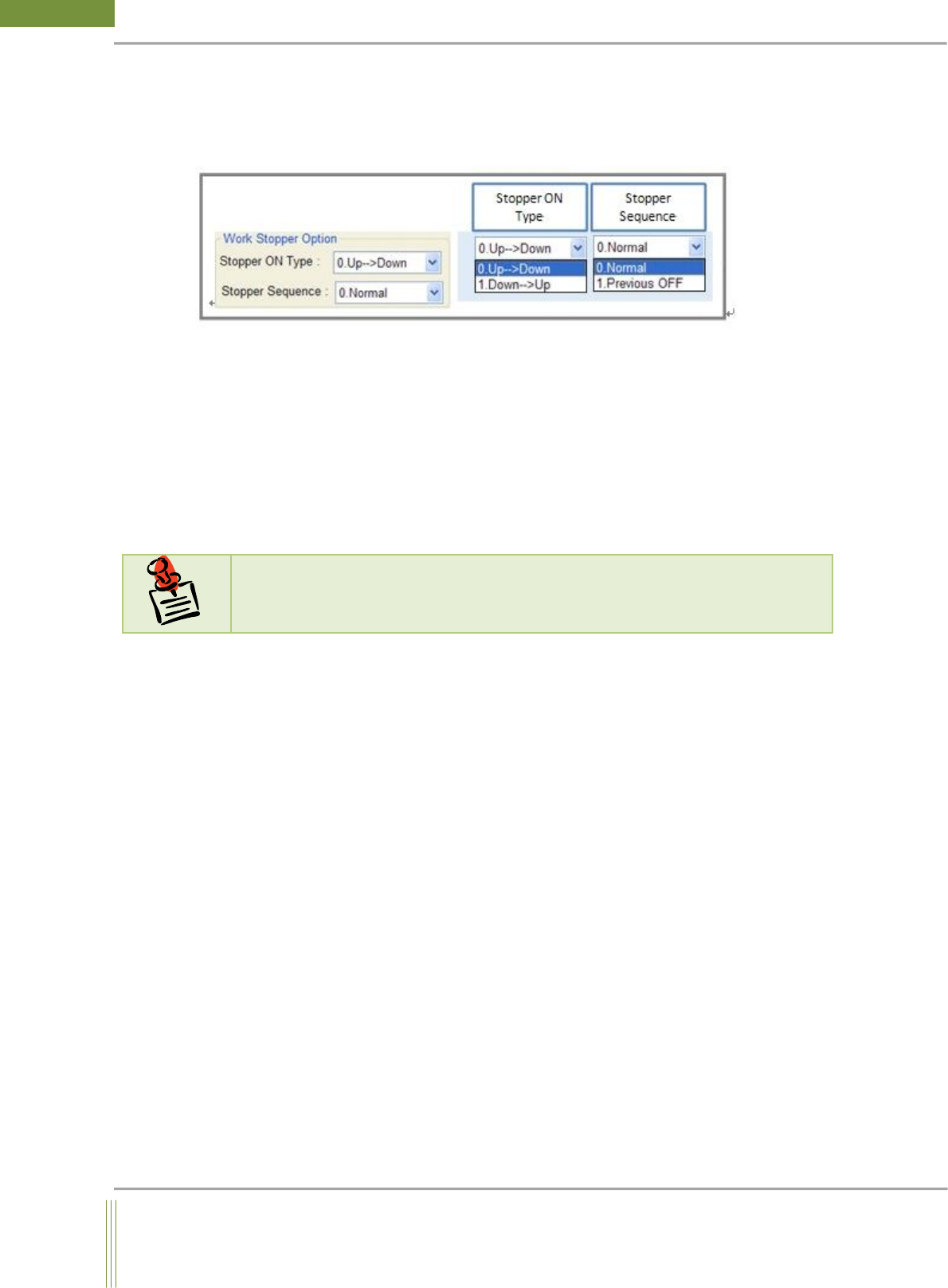
Work Stopper Option (factory Setting)
1. Stopper ON Type
0. Up Down: Set it depending on the type of Work Stopper (Up Down Stopper)
1. Down Up: Stopper which is working from Down to Up of Work Stopper
2. Stopper Sequence
The stopper makes PCB stay on the conveyor and PCB is gone up during the inspection.
This function is to reduce tact time.
0. Normal: After inspection is completed, stopper is gone up and the PCB is ready to exit.
1. Previous OFF: Work Stopper is previously gone up during inspection to reduce cycle
time.
Z- Tracking Option(Warpage Option)
MCS Debug Option
1. Debug Option:
It is a function to comprehend the causes of the troubles when the machine has problems or
there are any warpage errors with specific part.
0. Don’t Use: Do not use Debug Option
1. USE: Records Command Pos, Real Pos in MCSDebug.log when the Motion moves.
2. XY POS Export :
It is to export X, Y Position per FOV after teaching fiducals.
0. Don’t Use: Do not use Export Option.
1. USE: Use Export Option. (Only for Kohyoung Engineer)
N
N
o
o
t
t
e
e
For more information about Z-Tracking option, see Warpage Z–Tracking Setting
manual.
48
WinMCS_Manual(ENG) rev1.0
Koh Young Technology Inc.
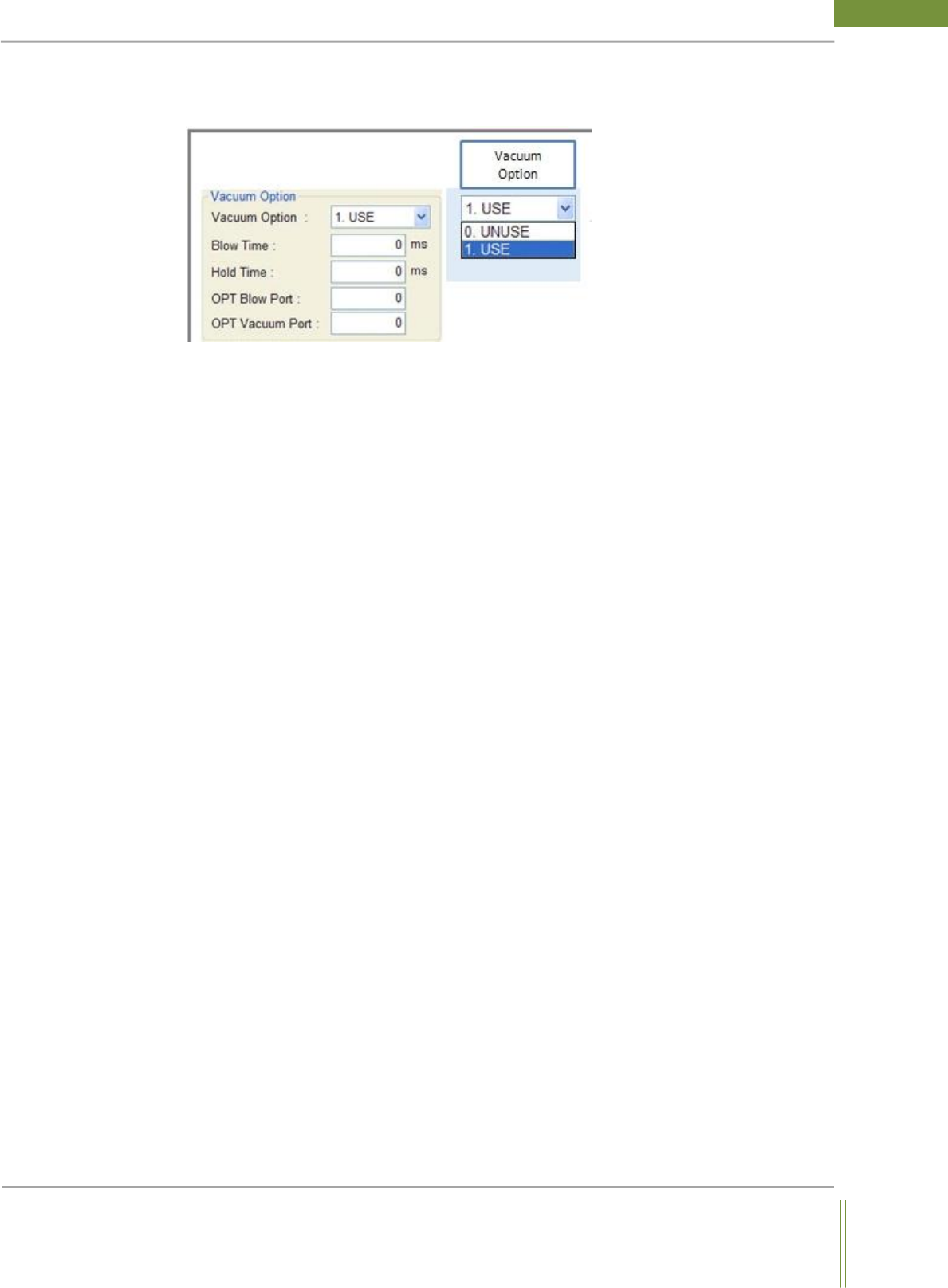
Vacuum Holder Option (factory Setting)
If is a function for the settings when you install Vacuum Holder..
1. Vacuum Option:
0. UNUSE: Unuse Vacuum Option.
1. USE: Use Vacuum Option.
2. Blow Time:
It is to set Vacuum Blow Time.
3. Hold Time:
It is to set Vacuum Hold Time.
4. OPT Blow Port:
It is to set Vacuum Blow Output Port.
5. OPT Vacuum Port:
It is to set Vacuum Hold Port.