WinMCS_Manual(ENG) rev1.0.pdf - 第40页
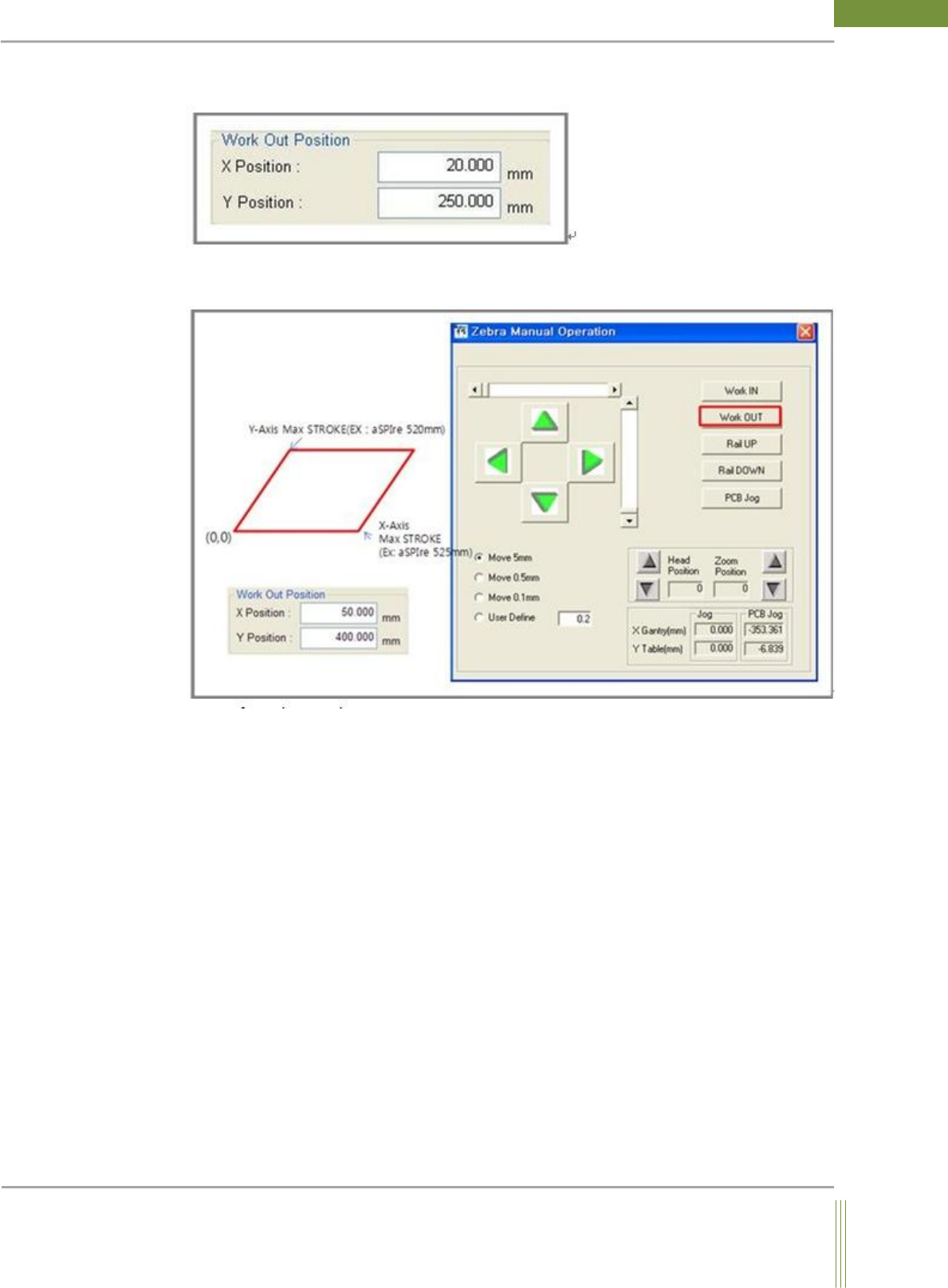
40 WinMCS_Manua l(ENG) rev 1.0 Koh Y oung T echnology Inc. W ork out Position Set the posi tion of X, Y Motion when W ork Out button is pressed.
39
Service Manual
Koh Young Technology Inc.
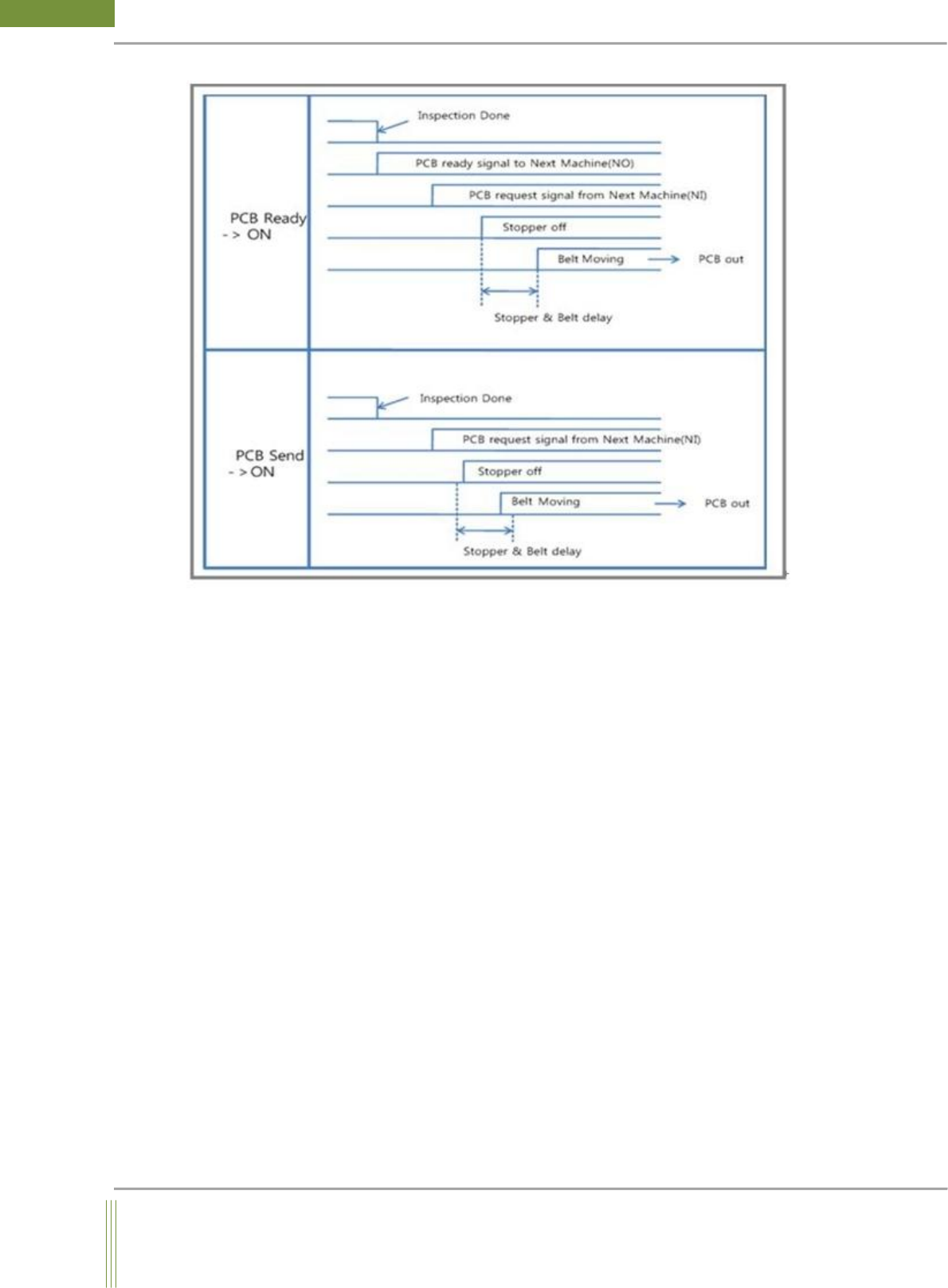
2. SMEMA Time Delay
It is to set previous Smema signal off time and next Smema signal off time.
Printing Cleaning
This is a function which is connected with printer, and it performs printer cleaning(GUI
setting interworking) if error occurs consistently in a same pad. (Applicable printer:
Hitachi)
1. NG Signal Option
0. UNUSE: It is not to use printer cleaning
1. USE: It is to use printer cleaning
2. PORT NUMBER
It is to set the Output Number to connect printer.
3. Sig Time
It is to set the Toggle Time of Printer Clean Signal. (On/Off Time setting)
40
WinMCS_Manual(ENG) rev1.0
Koh Young Technology Inc.
Work out Position
Set the position of X, Y Motion when Work Out button is pressed.
41
Service Manual
Koh Young Technology Inc.
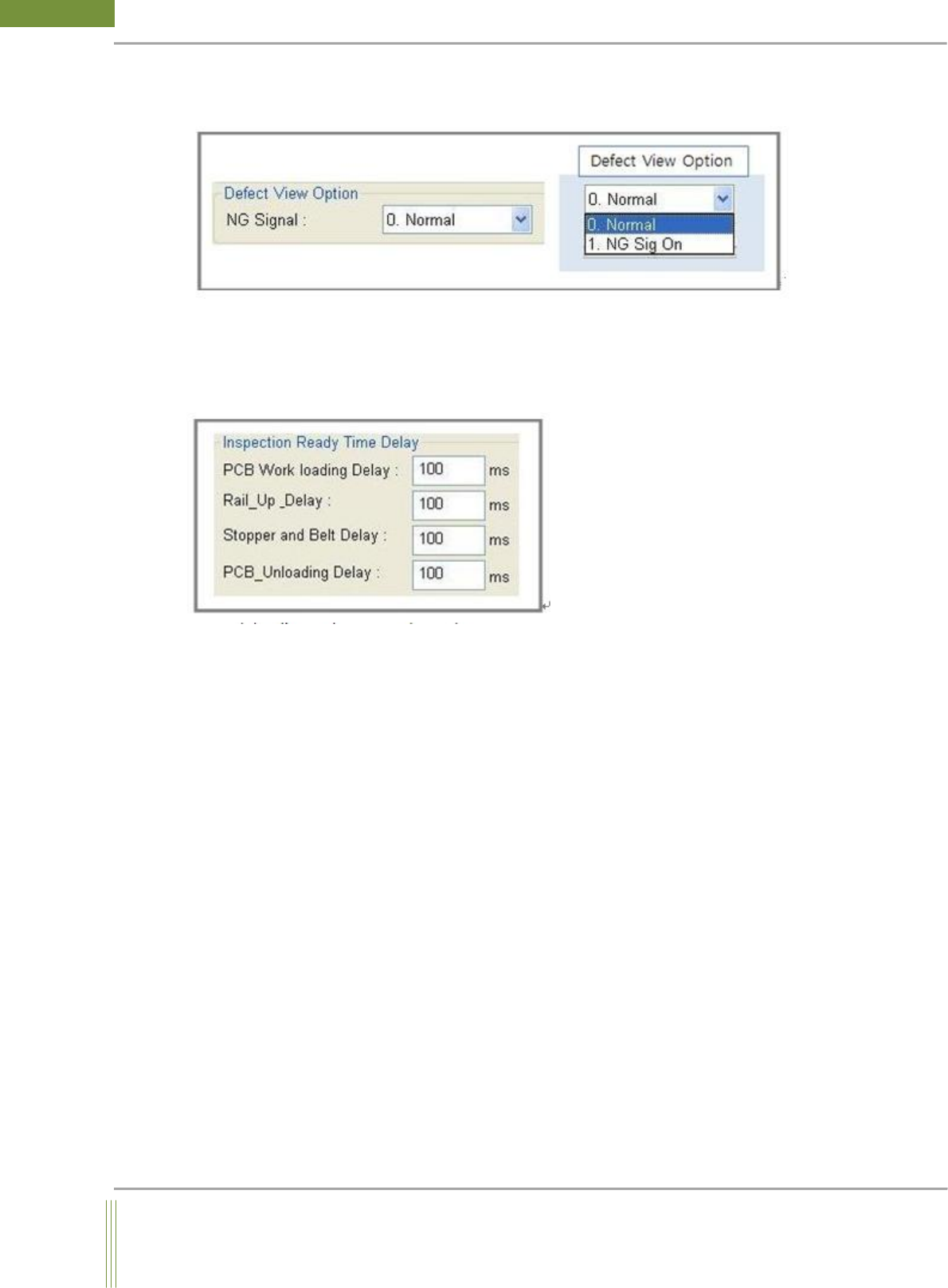
Defect View Option
This is a setting for PCB out sequence option when a defect occurs after inspection.
Defect View Option:
0. Default:
1. NG Sig On: Not applicable yet
Inspection Ready Time Delay
1. PCB Work loading Delay:
When a PCB come in Work conveyor, Work out sensor would detect the PCB. If the running
conveyor stops at this moment, the PCB would hit the stopper and move slightly backward
by force reaction. To avoid this problem, since a PCB is detected by Work out sensor, having
some delay time would make the PCB move forward on conveyor for a while after it is hit
by the stopper.
2. Rail_Up_Delay:
After PCB rail up, Probe at Work out position moving to the start position of inspection
need some times. Therefore, taking some delay time after rail up would help the machine
ready for fiducial inspection