WinMCS_Manual(ENG) rev1.0.pdf - 第7页
7 Service Manual Koh Y oung T echnology Inc. 3. Functional Requirements This chapter descri bes functio nal requirements for each functi on. 3.1. Input, Output (I/ O) INPUT - It di splays the entire input signals on mach…
6
WinMCS_Manual(ENG) rev1.0
Koh Young Technology Inc.
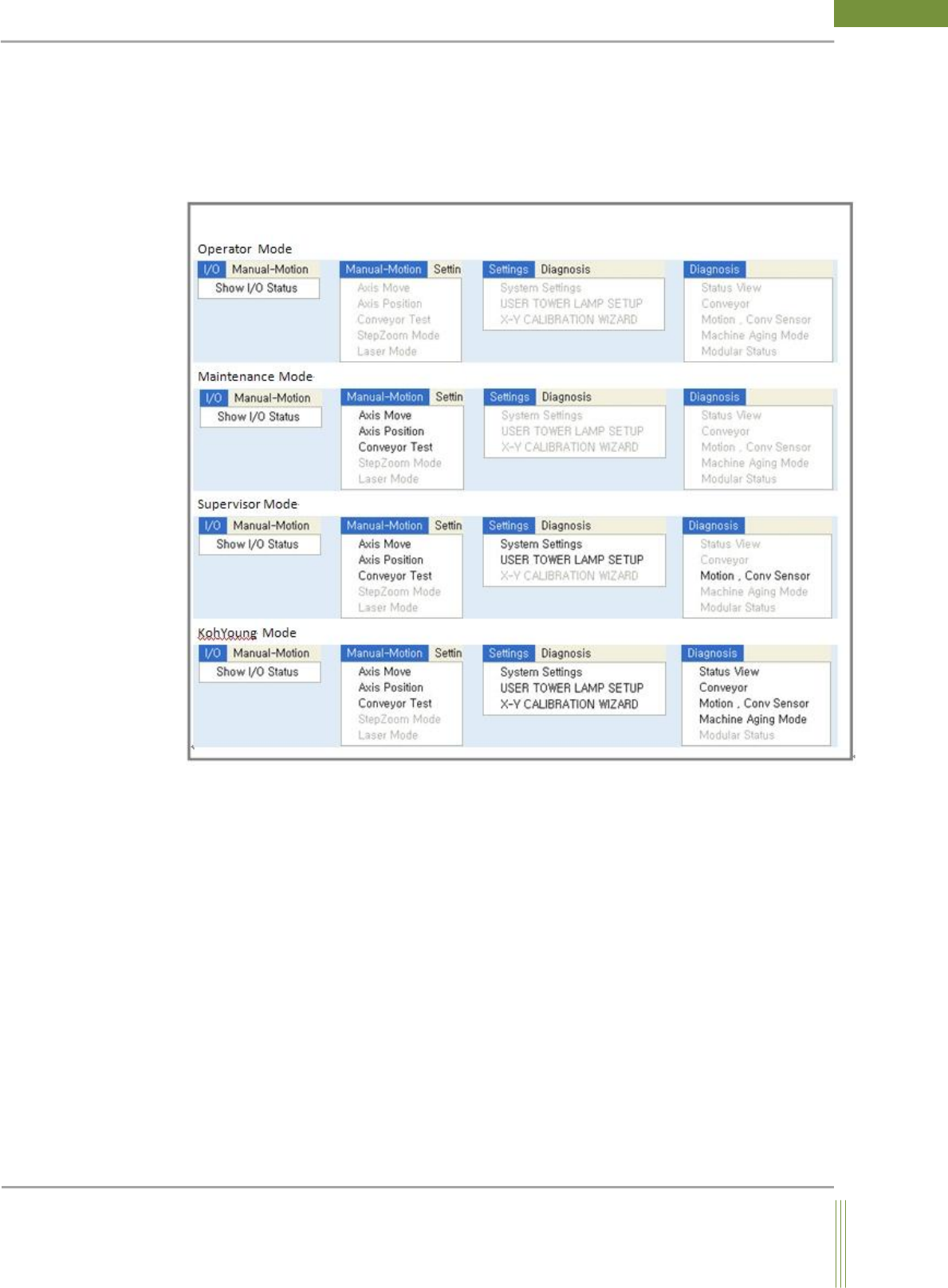
2. Menu Composition & USER LEVEL
WinMCS is consisted of four user levels such as Operator, Maintenance, Supervisor and
Kohyoung. According to the user level, menu composition of WinMCS is as follows.
7
Service Manual
Koh Young Technology Inc.
3. Functional Requirements
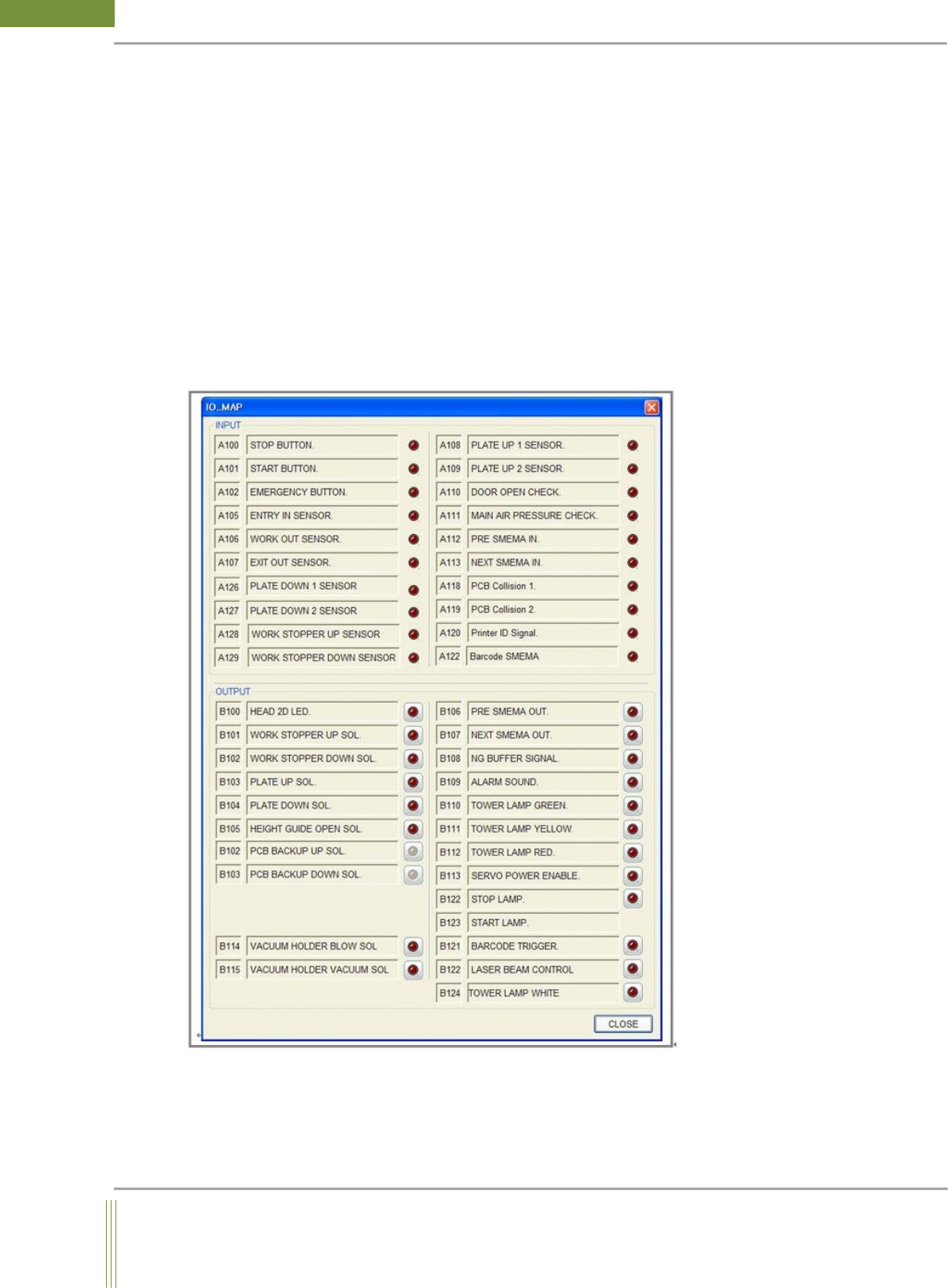
This chapter describes functional requirements for each function.
3.1. Input, Output (I/O)
INPUT- It displays the entire input signals on machine. You can check whether there are
any problems with the input sensor by controlling it manually.
OUTPUT–It displays the entire output signal on machine. You can check whether there are
any problems with the output sensor by controlling it manually.
Basic components of I/O Dialog are as follows. (Location: Menu I/O Show I/O Status)
8
WinMCS_Manual(ENG) rev1.0
Koh Young Technology Inc.
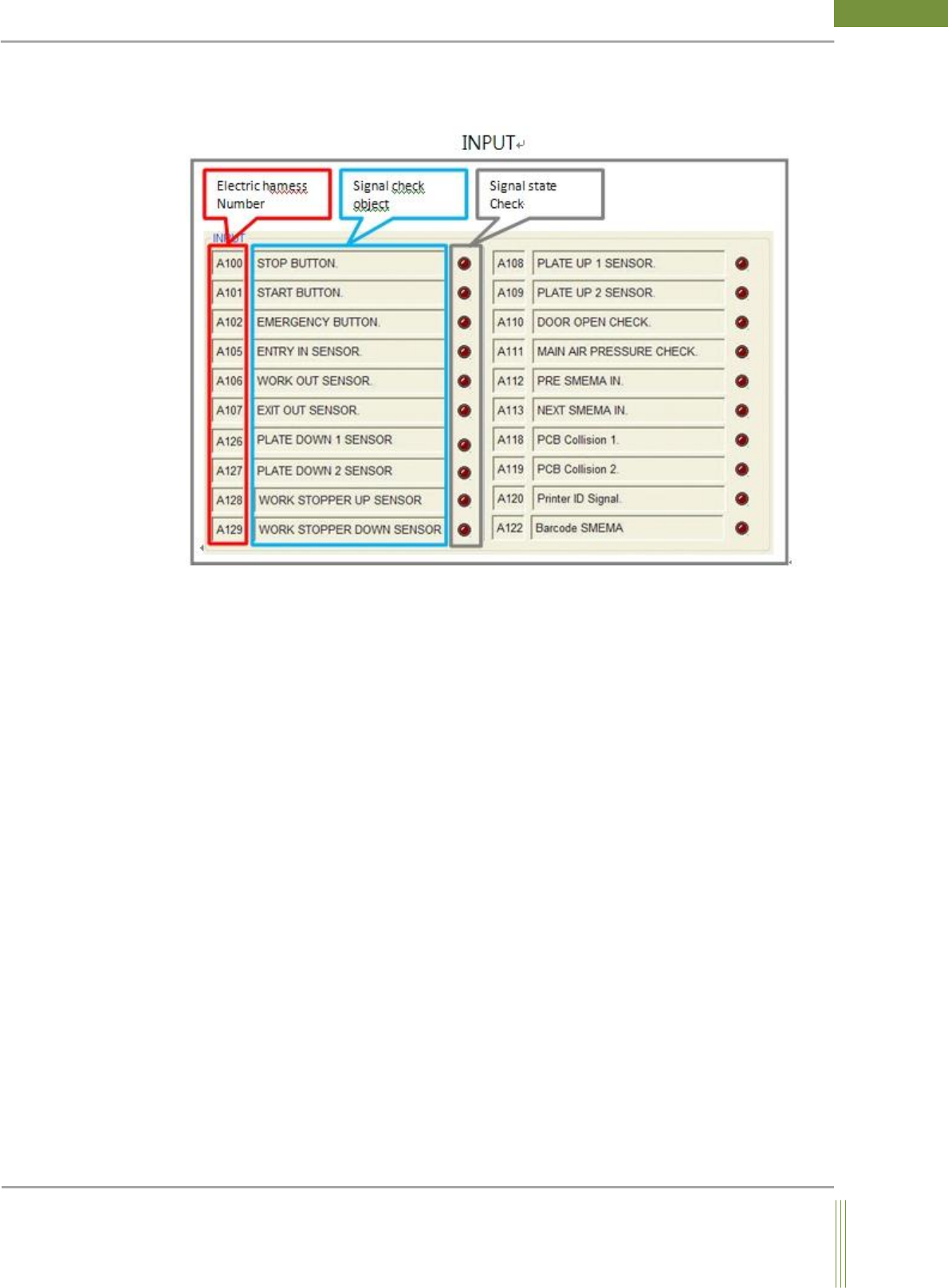
3.1.1. I/O Dialog
This section describes Input and Output Dialog.
1. Electric harness Number
It is matched with sensor label of harness wire to find a desired sensor easily with the
matched electric harness number.
2. Signal check object
These are the objects to check output signals. It is to visually recognize that the signal is
coming. (If the shape of circle LED indicates bright red color, it means the signal is ON.)
3. Signal state check
It is to visually recognize that the signal is coming.
(If the shape of circle LED indicates bright red color, it means the signal is ON.)