WinMCS_Manual(ENG) rev1.0.pdf - 第9页
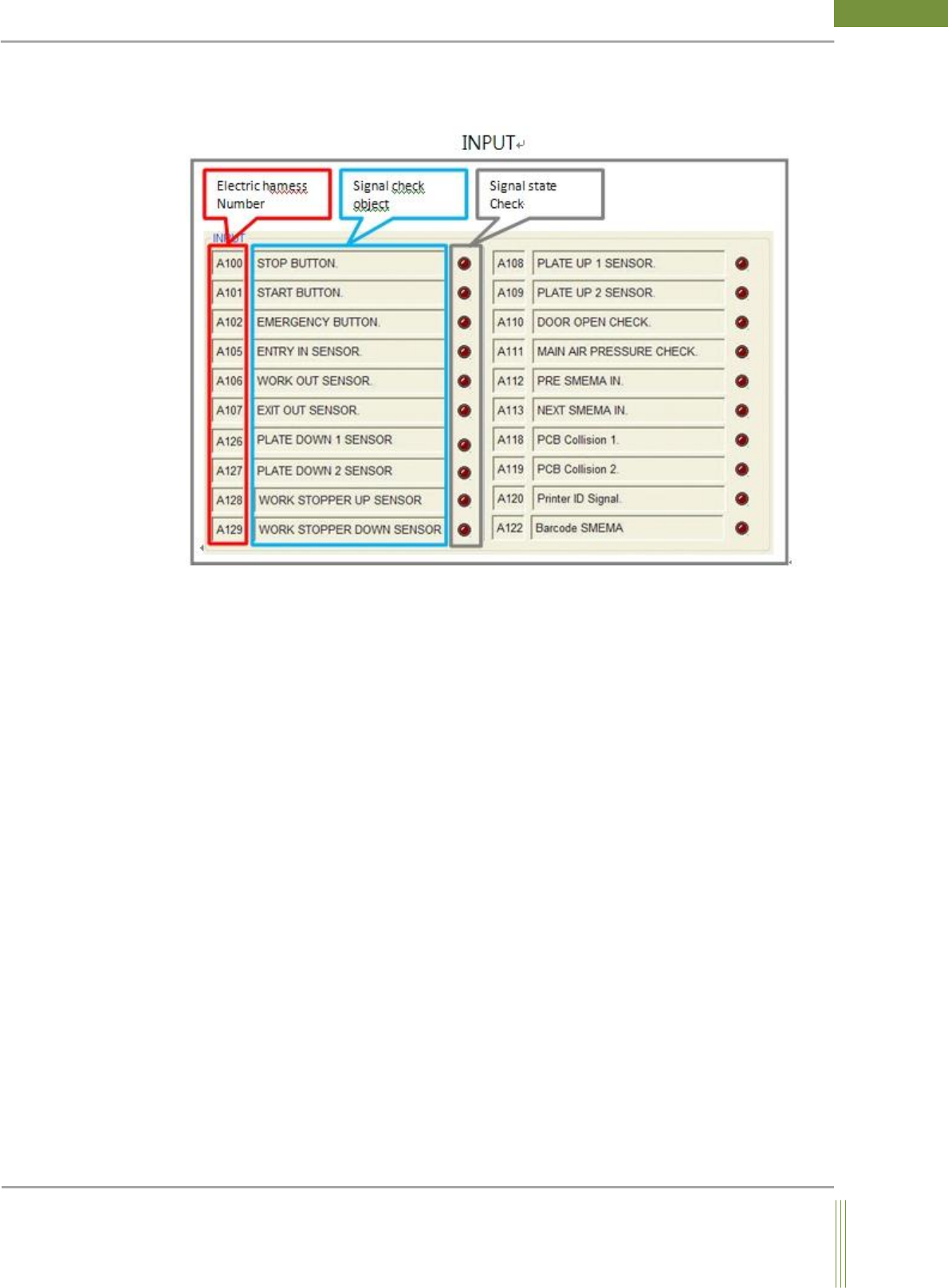
9 Service Manual Koh Y oung T echnology Inc. 4. Electric harness Nu mber It is matched wi th sensor label o f harness wire to fi nd a desi red sensor easil y with the matched elec tric harness number 5. Signal check obj …
8
WinMCS_Manual(ENG) rev1.0
Koh Young Technology Inc.
3.1.1. I/O Dialog
This section describes Input and Output Dialog.
1. Electric harness Number
It is matched with sensor label of harness wire to find a desired sensor easily with the
matched electric harness number.
2. Signal check object
These are the objects to check output signals. It is to visually recognize that the signal is
coming. (If the shape of circle LED indicates bright red color, it means the signal is ON.)
3. Signal state check
It is to visually recognize that the signal is coming.
(If the shape of circle LED indicates bright red color, it means the signal is ON.)
9
Service Manual
Koh Young Technology Inc.
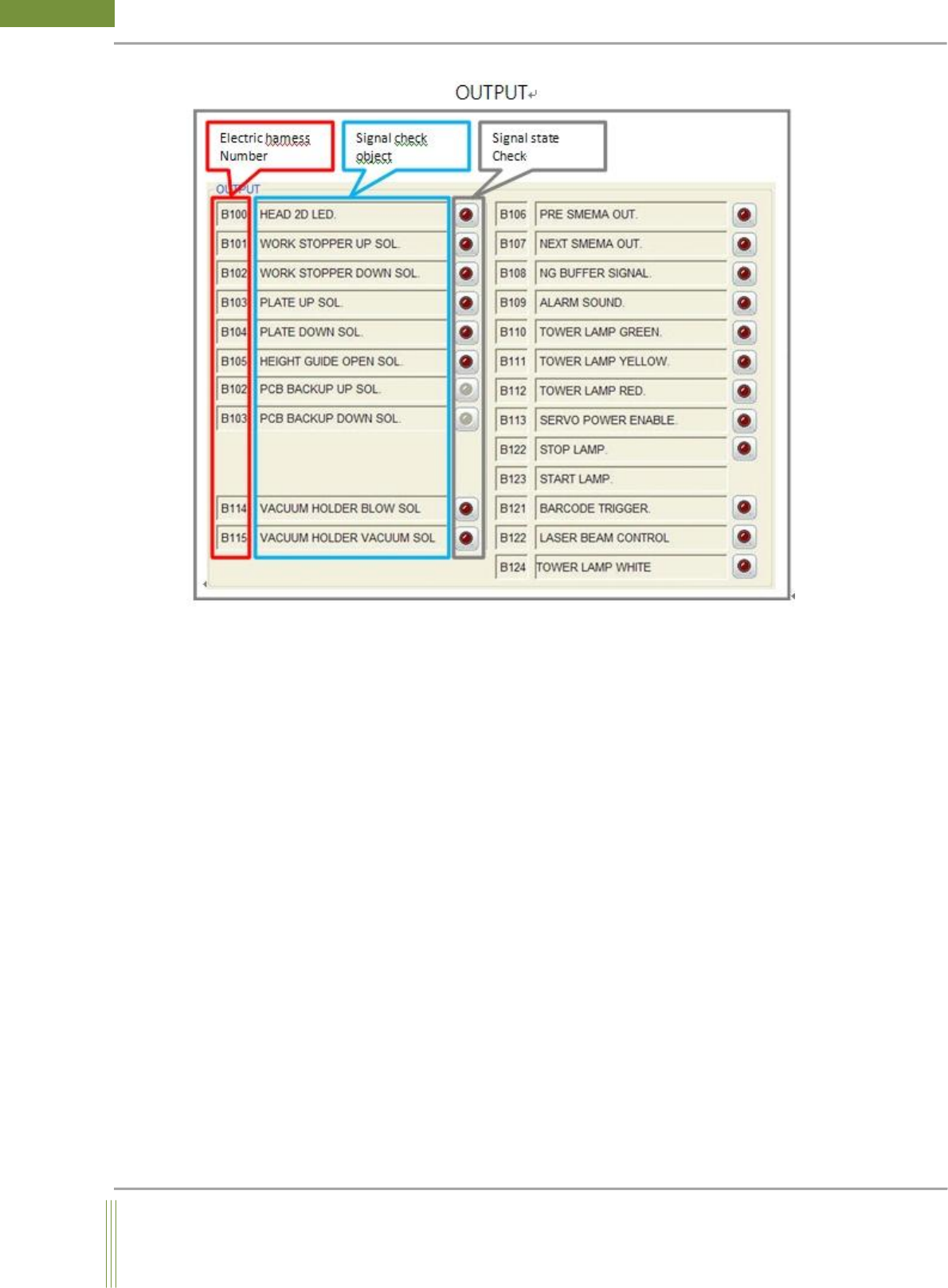
4. Electric harness Number
It is matched with sensor label of harness wire to find a desired sensor easily with the
matched electric harness number
5. Signal check object
It is the name of sensor for output signal
6. Signal state check
It is to visually recognize that the signal is coming.
(If the shape of circle LED indicates bright red color, it means the signal is ON.)
10
WinMCS_Manual(ENG) rev1.0
Koh Young Technology Inc.
3.2. Axis Move
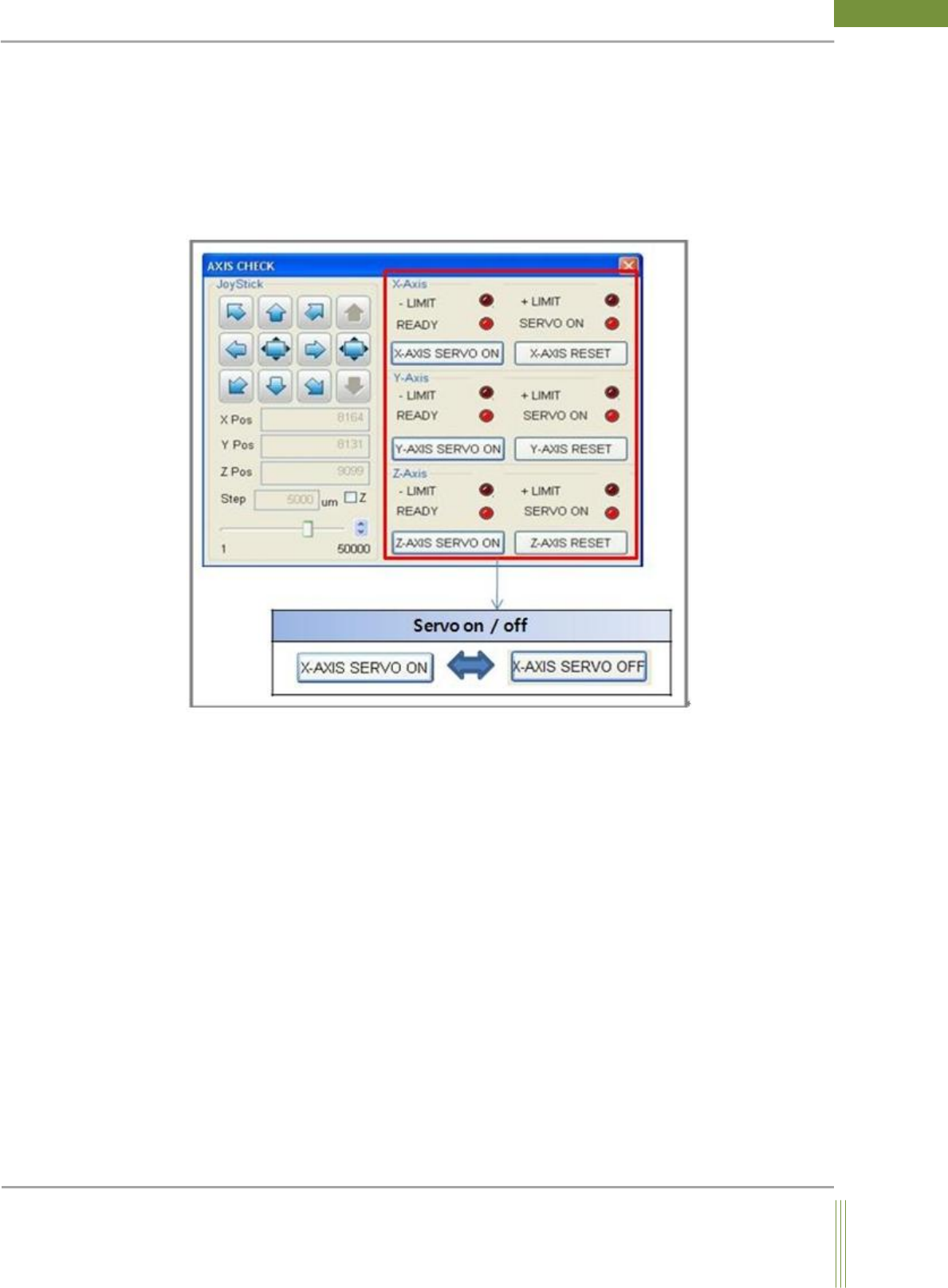
It is able to check and control manually the X, Y, Z motion and Servo motor On/Off.
When you check the Z Axis, checkbox Z has to be checked
(Location: Menu Manual Motion Axis Move)
3.2.1. Axis Move Dialog
1. X-Axis & Y-Axis & Z-Axis
It is able to check the current state of -+Limit sensors and Servo On/Off. If X/Y/Z–AXIS
SERVO ON button is pressed, the button is turned into X/Y/Z–AXIS SERVO OFF button
and if the OFF button is pressed again, it is turned into ON reversely.
(The red color LED indicator in Axis Check also shows whether it is currently ON or OFF)