WinMCS_Manual(ENG) rev1.0.pdf - 第14页
14 WinMCS_Manua l(ENG) rev 1.0 Koh Y oung T echnology Inc. Figur e 2. Dua l La ne 1. CONVEYOR BE L T MOVING It shows Previous & Next SMEMA input/o utput signal. When Conv eyor Belt button is pressed, conveyor belt st…
13
Service Manual
Koh Young Technology Inc.
7. Save: It saves the information displayed in the screen as a text file.
Location: C:\XYCodinate.log
8. Import: It imports the XYCodinate.log file on the screen.
9. Automatic Addition: After motion moving is completed, it is automatically updated on the
screen.
3.4. Conveyor Test(Single, Dual Lane)
It is used to test the movement of belt, stopper, plate and height guide installed on the
conveyor. You can check the width control of the Conveyor.
Location: Menu Manual Motion Conveyor Test
3.4.1. Conveyor Test Dialog
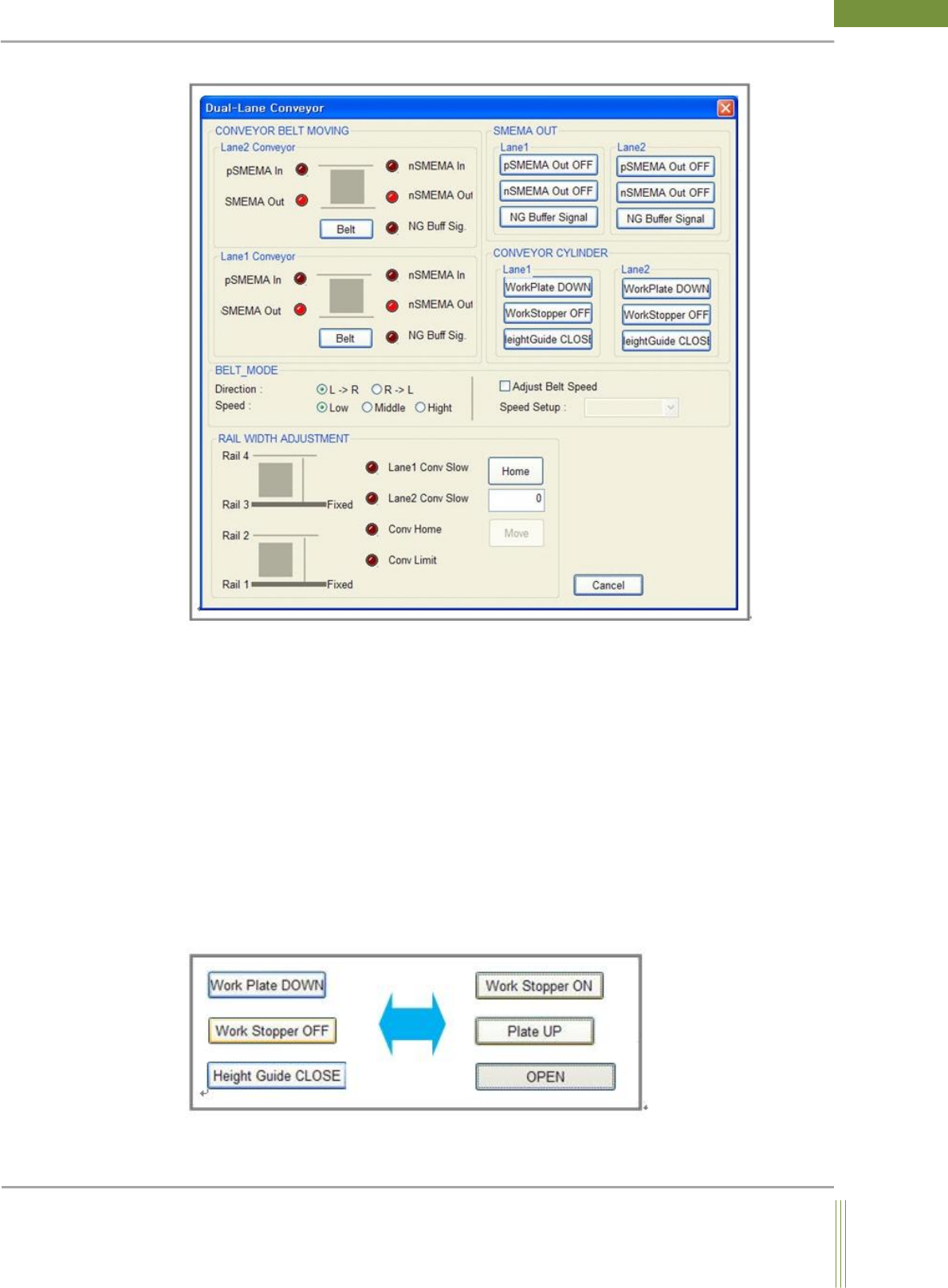
Figure 1. Single Lane
14
WinMCS_Manual(ENG) rev1.0
Koh Young Technology Inc.
Figure 2. Dual Lane
1. CONVEYOR BELT MOVING
It shows Previous & Next SMEMA input/output signal. When Conveyor Belt button is
pressed, conveyor belt starts rotating by referring the setting of PCB flow direction and belt
speed.
2. RAIL WIDTH ADJUSTMENT
If Conv Home button is pressed, homing sequence of conveyor rail width will start, and
Rail2 Move button will be activated after the homing. Input the desired rail width in the
empty column and press Rail2 Move button so that it start adjusting the rail width as set in
the column.
3. CONVEYOR CYLINDER
You can manually control the conveyor cylinders such as Height Guide, Work Plate and
Work Stopper to check if it works properly.
15
Service Manual
Koh Young Technology Inc.
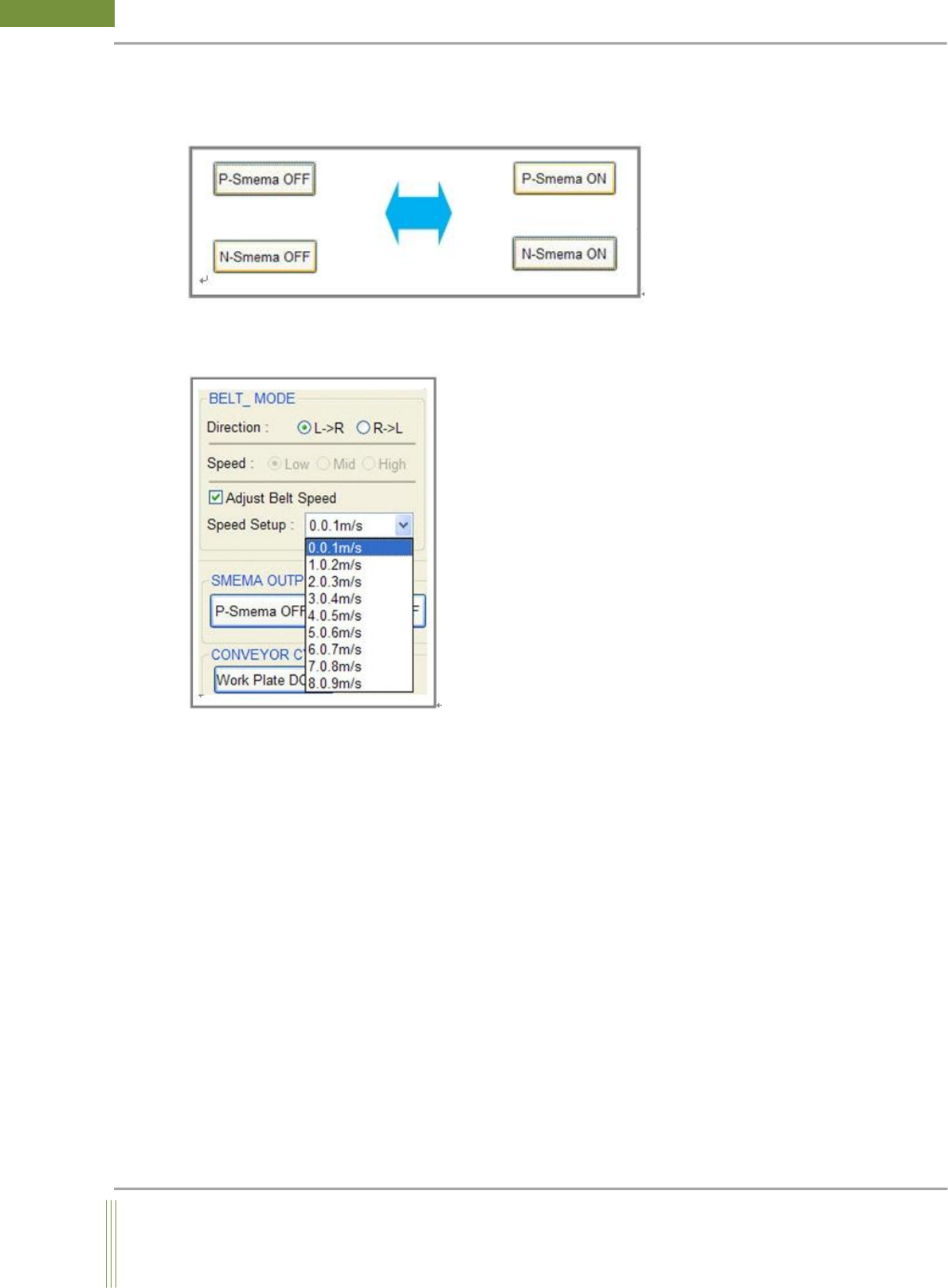
4. SMEMA OUTPUT
You can control Previous and Next SMEMA On/Off signal. (By using a Multimeter, the
outgoing signal can be measured.)
5. Conveyor Belt Speed
It is used to adjust conveyor belt speed.(The option is available from STMC Firmware Ver.
520)
When Conveyor Belt button is pressed after adjusting speed, the conveyor belt is rotated
with the adjusted speed.